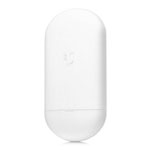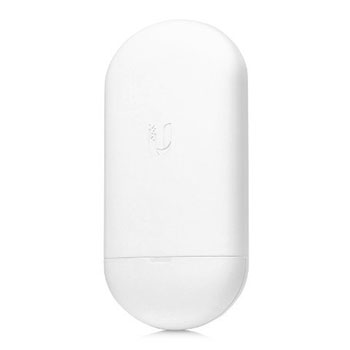

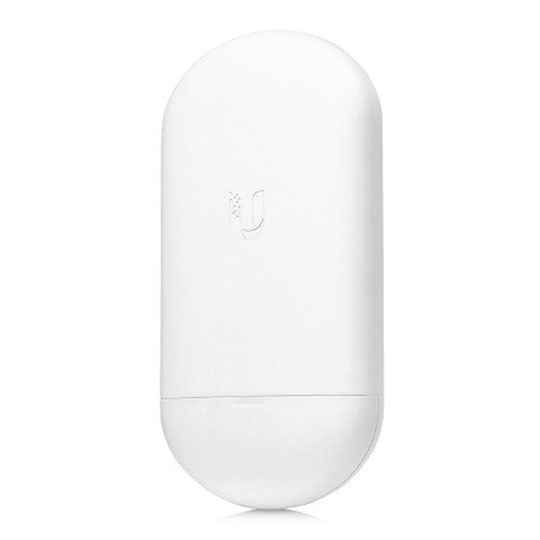

Ubiquiti NanoStation 5AC Loco PoE
Ubiquiti NanoStation 5AC Loco - NS-5ACL with PoE, 450Mbps, GbE, WPA2
Email me when the availability or price changes
- SCANPROTECT Protect against installation damage for 28 days.
Extremely Versatile and Economical
The Ubiquiti NanoStation 5AC Loco, or NS-5ACL takes the same concept as it's popular predecessor and brings it into the future with sleek form factors, along with integrated airMAX (MIMO TDMA protocol) technology and dedicated Wi-Fi management. The radio and antenna are combined to create a more efficient and compact CPE. The NanoStation AC loco gets maximum gain out of the smallest footprint. The low cost, high performance, and small form factor of the NanoStation AC loco makes it extremely versatile and economical to deploy.
• Versatile Mounting: Suitable for indoor and outdoor installations
• Improved Surge Protection: The NanoStation AC loco utilises the latest ESD Protection to help protect against power surges.
• Efficient Footprint: The radio and antenna are combined into a single body that takes up minimal space.
• Quick Installation: No fasteners are required for pole-mounting.
• Dual Ethernet Connectivity: The NanoStation AC provides a secondary Ethernet port with software-enabled PoE. Use this port to conveniently power an external device, such as a PoE security camera, for seamless IP video integration.
• Management Wi-Fi Radio: Each NanoStation AC model integrates a separate Wi-Fi radio for fast and easy setup using your mobile device.
• Now with airOS 8: airOS 8 provides powerful features, including airMAX ac protocol support, real-time RF analytics, and an all-new design for enhanced usability.
• Access Point PtMP airMAX Mixed Mode.
• airMAX ac Protocol Support.
• Long-Range Point-to-Point (PtP) Link Mode.
• Selectable Channel Width;.
• PtP: 10/20/30/40/50/60/80 MHz.
• PtMP: 10/20/30/40 MHz.
• Automatic Channel Selection.
• Transmit Power Control: Automatic/Manual.
• Automatic Distance Selection (ACK Timing).
• Strongest WPA2 Security.
Specifications
• Dimensions: 179 x 77.5 x 59.1 mm.
• Weight: 180 g.
• Power Supply: 24V, 0.5A Gigabit PoE Supply (Sold Separately).
• Max. Power Consumption: 8.5W.
• Power Method: Passive PoE (Pairs 4, 5+; 7, 8 Return).
• Gain: 13 dBi.
• Networking Interface: 10/100/1000 Mbps Ethernet Port.
• Channel Bandwidths: 10/20/30/40/50/60/80 MHz.
• Processor Specs: Atheros MIPS 74Kc, 560 MHz.
• Memory: 64 MB DDR2.
• Cross-pol Isolation: 20 dB Minimum.
• Max. VSWR: 1.8:1.
• Beamwidth: 45 (H-pol) / 45 (V-pol) / 45 (Elevation).
• Polarisation: Dual Linear.
• Enclosure: Outdoor UV Stabilized Plastic.
• LEDs: (1) Power.
• Mounting: Pole-Mount (Kit Included).
• Operating Temperature: -40 to 70C.
• Operating Humidity: 5 to 95% Noncondensing.
• RoHS Compliance: Yes.
• ESD/EMP Protection: +-24kV Contact/Air.
• Shock & Vibration: ETSI300-019-1.4.
• Certifications: CE, FCC, IC.