
450 Mbps Wireless N Repeater/Bridge/Access Point TP-LINK WA901ND V4
Scan code: LN66677
Manufacturer code: TL-WA901ND
End Of Life

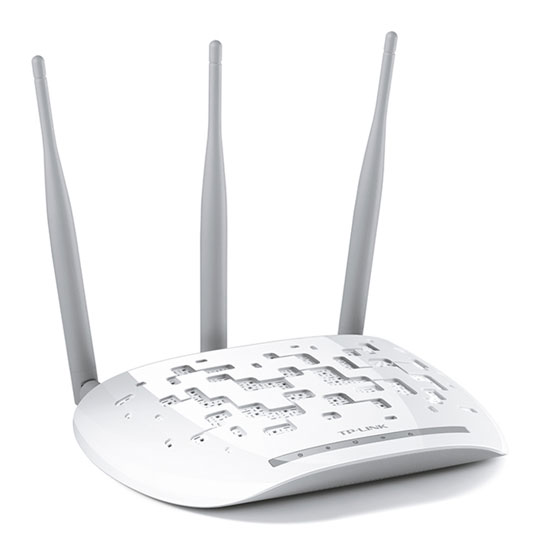
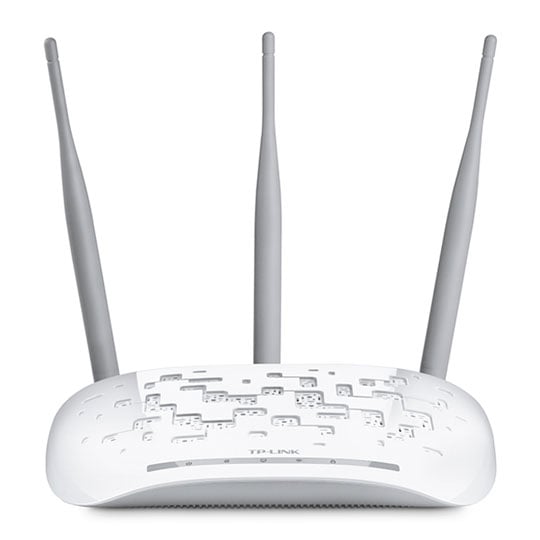
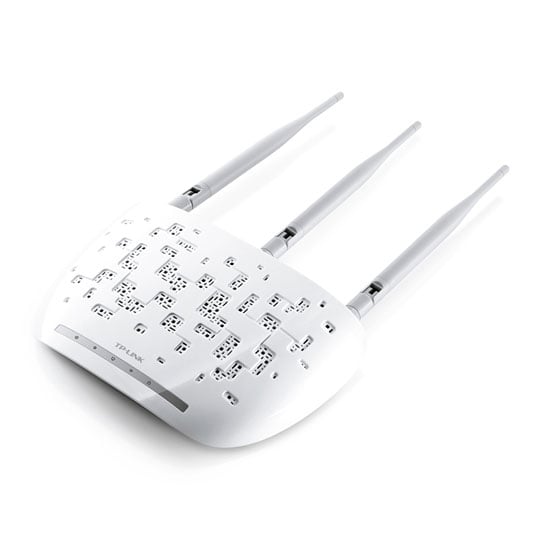
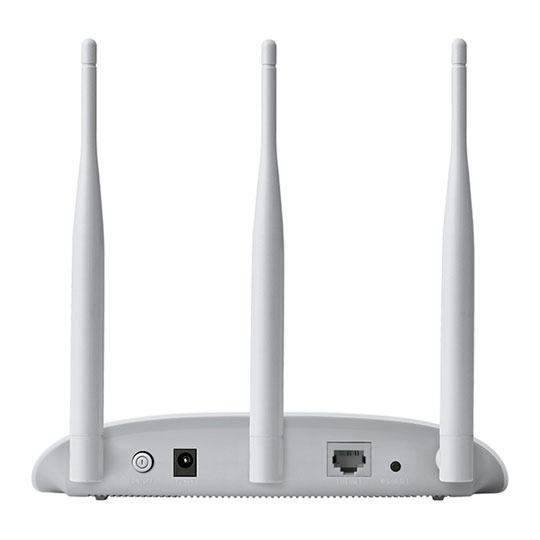


450 Mbps Wireless N Repeater/Bridge/Access Point TP-LINK WA901ND V4
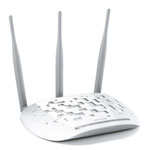
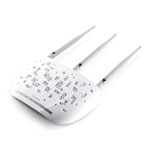
TP-LINK TL-WA901ND V5, 450Mbps Wireless N Access Point, Single Band, 802.11b/g/n, 1x LAN, 3x Omni Directional Antennas
Scan code:
LN66677
Manufacturer code:
TL-WA901ND
This product is no longer available to purchase.
Email me when the availability or price changes
- SCANPROTECT Protect against installation damage for 28 days.
Product Overview
The TP-LINK Wireless N Access Point TL-WA901ND With the use of 3×3 MIMO intelligent antenna technology, TL-WA901ND reaches speeds of up to 450Mbps, the maximum speed available on 2.4GHz single band, working smoothly with almost any bandwidth intensive applications including VoIP, HD streaming, or online gaming, without any lag.
Passive PoE Supported
TL-WA901ND is able to be powered using an Ethernet cable to simultaneously send data and electricity to wherever your AP may be located even up to 100 feet away. This feature multiplies your options allowing you to place the AP in a position that is most covenient to get the best signal possible, such as on a wall or on the ceilling of your office
Specifications
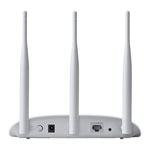
· Ethernet Port: 1 10/100Mbps Ethernet Port
· Buttons: Power On/Off Button, Reset/WPS Button
· Antennas: 3 Detachable Omni-Directional Antennas
· External Power Supply: 9VDC/0.85A
· Dimensions (W x D x H): 194.8×130×36.2mm
· Wireless Standards: IEEE 802.11b/g/n 2.4GHz
· Frequency: 2.4GHz
· Signal Rate: 450Mbps at 2.4GHz
· Transmit Power:CE: <20dBm; FCC: <28dBm
· Reception Sensitivity:
11g 54M: -76dBm
11n 20Mbps: -73dBm
11n 40Mbps: -70dBm
· Wireless Function: Enable/Disable Wireless Radio, WDS Bridge, WMM,
· Wireless Security: 64/128-bit WEP, WPA/WPA2, WPA-PSK/WPA-PSK2 encryptions
· Quality of Service: WMM
· DHCP: Server, DHCP Client List
· Wireless Modes: Access Point, Repeater, Bridge, Client, Multi-SSID
· Protocols: IPv4, IPv6
· System Tools: SNMP, Ping Watch Dog
· System Requirements:
Microsoft Windows 98SE/NT/2000/XP/Vista™/7/8/8.1/10, MAC OS,
NetWare, UNIX or Linux
Internet Explorer 11, Firefox 12.0, Chrome 20.0, Safari 4.0, or other
Java-enabled browser
Cable or DSL Modem
Subscription with an Internet Service Provider (for Internet access)
Environment:
Operating Temperature: 0~40c (32F ~104F)
Storage Temperature: -40~7c (-40F ~158F)
Operating Humidity: 10%~90% non-condensing
Storage Humidity: 5%~90% non-condensing
Package Contents
450Mbps Wireless N Access Point TL-WA901ND
3 detachable antennas
Power Supply Unit
PoE Power Injector
Ethernet Cable
Quick Installation Guide Features • 450Mbps wireless transmission rate, brings smooth wireless N experience.
• Supports multiple operating modes: Access Point, Client, Universal/ WDS Repeater, Wireless Bridge.
• Easily setup a WPA-PSK/WPA2-PSK encrypted secure connection at a push of the WPS button.
• Up to 30 meters (100 feet) of flexible deployment with included Power over Ethernet Injector.
Passive PoE Supported
TL-WA901ND is able to be powered using an Ethernet cable to simultaneously send data and electricity to wherever your AP may be located even up to 100 feet away. This feature multiplies your options allowing you to place the AP in a position that is most covenient to get the best signal possible, such as on a wall or on the ceilling of your office
Specifications
· Ethernet Port: 1 10/100Mbps Ethernet Port
· Buttons: Power On/Off Button, Reset/WPS Button
· Antennas: 3 Detachable Omni-Directional Antennas
· External Power Supply: 9VDC/0.85A
· Dimensions (W x D x H): 194.8×130×36.2mm
· Wireless Standards: IEEE 802.11b/g/n 2.4GHz
· Frequency: 2.4GHz
· Signal Rate: 450Mbps at 2.4GHz
· Transmit Power:CE: <20dBm; FCC: <28dBm
· Reception Sensitivity:
11g 54M: -76dBm
11n 20Mbps: -73dBm
11n 40Mbps: -70dBm
· Wireless Function: Enable/Disable Wireless Radio, WDS Bridge, WMM,
· Wireless Security: 64/128-bit WEP, WPA/WPA2, WPA-PSK/WPA-PSK2 encryptions
· Quality of Service: WMM
· DHCP: Server, DHCP Client List
· Wireless Modes: Access Point, Repeater, Bridge, Client, Multi-SSID
· Protocols: IPv4, IPv6
· System Tools: SNMP, Ping Watch Dog
· System Requirements:
Microsoft Windows 98SE/NT/2000/XP/Vista™/7/8/8.1/10, MAC OS,
NetWare, UNIX or Linux
Internet Explorer 11, Firefox 12.0, Chrome 20.0, Safari 4.0, or other
Java-enabled browser
Cable or DSL Modem
Subscription with an Internet Service Provider (for Internet access)
Environment:
Operating Temperature: 0~40c (32F ~104F)
Storage Temperature: -40~7c (-40F ~158F)
Operating Humidity: 10%~90% non-condensing
Storage Humidity: 5%~90% non-condensing
Package Contents
450Mbps Wireless N Access Point TL-WA901ND
3 detachable antennas
Power Supply Unit
PoE Power Injector
Ethernet Cable
Quick Installation Guide Features • 450Mbps wireless transmission rate, brings smooth wireless N experience.
• Supports multiple operating modes: Access Point, Client, Universal/ WDS Repeater, Wireless Bridge.
• Easily setup a WPA-PSK/WPA2-PSK encrypted secure connection at a push of the WPS button.
• Up to 30 meters (100 feet) of flexible deployment with included Power over Ethernet Injector.


450 Mbps Wireless N Repeater/Bridge/Access Point TP-LINK WA901ND V4

![450 Mbps Wireless N Repeater/Bridge/Access Point TP-LINK WA901ND V4]()