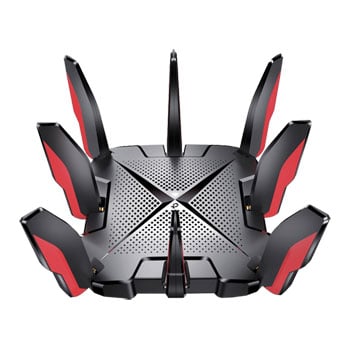

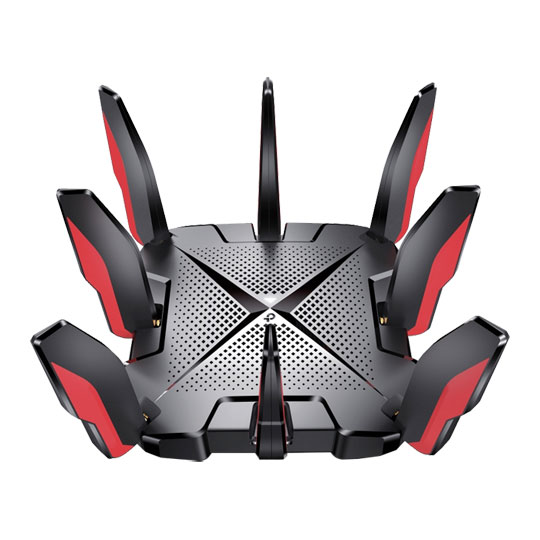
TP-LINK Archer GX90 Tri-Band AX6600 Wi-Fi 6 Gaming Router
End Of Life
TP-LINK Archer GX90 Tri-Band AX6600 Wi-Fi 6 Gaming Router
Scan code: LN114007 Manufacturer code: Archer GX90
End Of Life
End Of Life

TP-LINK Archer GX90 Tri-Band AX6600 Wi-Fi 6 Gaming Router

TP-LINK Archer GX90 AX6600 Gaming Router, 8x Antennas, MU-MIMO, Tri-Band 2+5+5GHz (574+1201+4804Mbps), 802.11ax

Scan code: LN114007 Manufacturer code: Archer GX90
End of life
This product is no longer available to purchase.

Email me when the availability or price changes

  • SCANPROTECT Protect against installation damage for 28 days.

TP-Link Archer GX90 AX6600 Tri-Band WiFi 6 Gaming Router
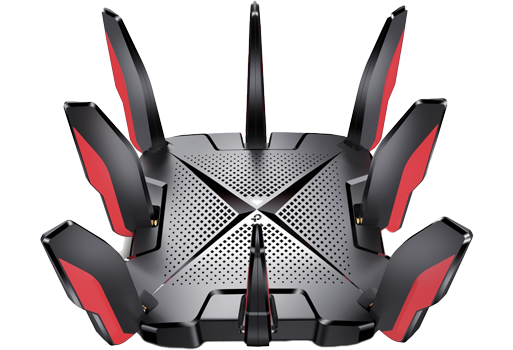
Archer GX90

The Ultimate Gaming RouterThe Archer GX90 provides tri-band Wi-Fi6 for outstanding online gaming experiences boasting 3 distinct bands with a combined speed up to warp 6579 Mbps. A fully featured Gaming band is equipped with 4T4R and HE160 offering all of your gaming rigs top speed connections of up to 4804 Mbps whilst also preventing interference from other devices. The Archer GX90 contains a powerful quad-core CPU to assure every packet is transmitted without delay even when under heavy loads. The 2.5 Gbps gaming port breaks the gigabit bottleneck and unleashes huge throughput for your online play and with eight high performance antennas, beam-forming high-power FEM combine to deliver broad coverage. Furthermore, Archer GX90 supports OneMesh™ to form seamless whole-home coverage, preventing drops and lag when moving between signals.

Fully Comprehensive Feature Set

down

Wi-Fi 6 Gaming BandA fully featured Gaming Band is equiped with 4T4R and HE160 technology, offering all your gaming rigs at top speed 4804 Mbps and preventing interference from other devices.

up

Low LatencyRevolutionary OFDMA is introduced to improve average throughput by 4× and cut the latency. Take advantage of incredibly low latency to demolish your enemies, with your team crew together.

up

Game acceleratorAutomatically detects and optimises gaming streams, to ensure your gaming stays immersive, and keep your network as fast as your reaction speed.

down

Game Statisticsshows the real-time latency, game duration and system utilisation at a glance in a refreshed dashboard with fine-tuned UI elements, puts total control at your fingertips.

up

Game Protector keeps your accounts and system safe. This enhanced HomeCare™ security system provides malicious site checker, portintrusion prevention, and infected device isolation, delivering comprehensive antivirus protection that ensures you’re total security while gaming online.

up

Whole Home Mesh-WifiEight high-performance antennas, Beamforming, and high-power FEM combine to deliver broad coverage. Furthermore, Archer GX90 supports OneMesh™ to form seamless whole-home coverage, preventing drops and lag when moving between signals.

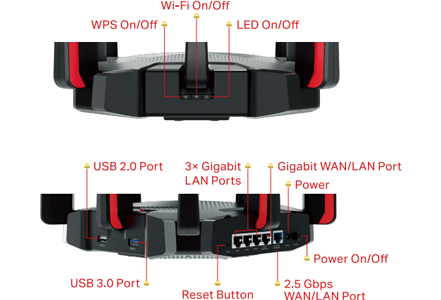
Connections at Your Fingertips
4K Recording
Warranty

Please note your statutory rights are not affected.

For further information regarding Scan's warranty procedure please see our terms and conditions

Details
Duration:
36 months
Type:
Direct
DOA Period:
28 days
RTB Period:
12 months
Manufacturer Contact Details
Manufacturer:
TP-LINK
Telephone:
0845 147 0017 (UK) or 0818 229 000 (Ireland)
Buying Guide
Need help? Read our Home Broadband Buying Guide
Wi-Fi
Wi-Fi
Date Issued: 20th Oct 2008

Home networking let’s you do great things that aren’t possible with standalone PCs. Printers can be shared between PC, so there’s no need to buy one for each machine.

Read More

Port Forwarding
Port Forwarding
Date Issued: 20th Oct 2008

Port forwarding is a technique you’ll need to use to enable certain services if you’re using a router. If you don’t really care how it works, you can skip this section and just find out how to do it.

Read More

Broadband ADSL vs Cable
Date Issued: 20th Oct 2008

On the surface we’re asking a relatively simple question here: "What do I need to get my broadband Internet working?" Of course, it’s not quite as simple as that. Worry not, however, for this TekSpek covers both the differences between the two popular kinds of broadband and what you’ll need to get your home computer(s) connected up.

Read More

Wi-Fi Security
Wi-Fi Security
Date Issued: 19th Jun 2008

WiFi is a wonderful thing. You can take your laptop anywhere in your house and access the Internet, or access your network from the garden. However, it does introduce the grim possibility of somebody else doing exactly the same, without you ever knowing. This guide seeks to make you aware of various security terms and ideas associated with wireless networking and what you should consider when setting up a wireless network.

Read More

Home Networking
Home Networking
Date Issued: 26th Oct 2006

As a growing number of homes contain more than one computer, their users must find ways to network them. The primary purpose for creating a home network tends to be to provide Internet access to all computers within the house. There are other good reasons, however. These include enabling LAN gaming, data backups from one machine to another and the sharing of music within the home.

Read More

TP-LINK Archer GX90 Tri-Band AX6600 Wi-Fi 6 Gaming Router