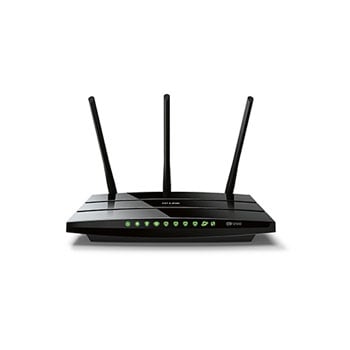
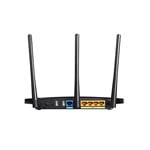
TP-Link Archer C5 AC1200 Wireless Simultaneous 2.4GHz 300Mbps and 5GHz 867Mbps Dual Band Router
Scan code: LN58386
Manufacturer code: Archer C5
End Of Life

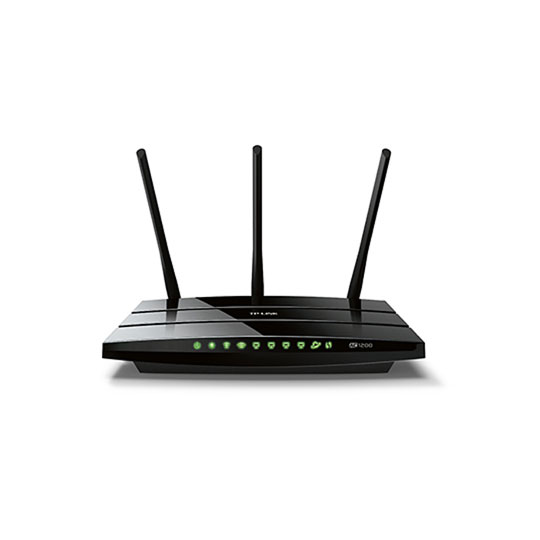


TP-Link Archer C5 AC1200 Wireless Simultaneous 2.4GHz 300Mbps and 5GHz 867Mbps Dual Band Router
TP-Link Archer C5 AC1200 Wireless Dual Band Gigabit Router
Scan code:
LN58386
Manufacturer code:
Archer C5
This product is no longer available to purchase.
Email me when the availability or price changes
Product Overview
802.11ac - The Next Generation of Wi-Fi
TP-LINK’s Archer C5 comes with the next generation Wi-Fi standard – 802.11ac, 3 times faster than wireless N speeds and delivering a combined wireless data transfer rate of up to 1.2Gbps. With 867Mbps wireless speeds over the crystal clear 5GHz band and 300Mbps over the 2.4GHz band, the Archer C5 is the superior choice for seamless HD streaming, online gaming and other bandwidth-intensive tasks.
1.2Gbps Dual Band Connections for Lag-Free Work and Entertainment
The Archer C5 operates over both the 2.4GHz and 5GHz bands, ensuring amazing wireless performance. Simultaneous Dual Band offers you the flexibility of two dedicated networks – with multiple times the bandwidth for your needs. Simple tasks like sending e-mails or web browsing can be handled by the 2.4GHz band while bandwidth intensive tasks like online gaming or HD video streaming can be processed by the 5GHz band – all at the same time.
6 Antennas for Fully Expanded Coverage
With 3 external 5dBi antennas serving the 5GHz band and 3 internal antennas serving the 2.4GHz band combined with higher quality antenna technology, you can maintain high speeds across greater distances. This provides you with incredible wireless coverage and reliability from anywhere in your large home or office.
Full Gigabit Wired Connections for Ultrafast Data Transfer Speeds
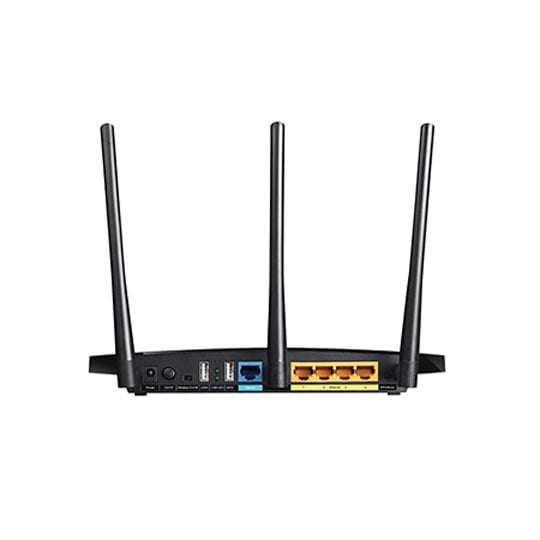
With one gigabit WAN port and four gigabit LAN ports, speeds can be up to 10× faster than fast Ethernet connections. The Archer C5 is a powerful hub to support a robust and extremely fast wired network.
Dual Multifunctional USB Ports for Storage and Sharing
With the two multi-functional USB 2.0 ports, you can share a printer locally and files & media with networked devices or remotely via FTP server.
TP-lINK Tether - Easy Network Management
TP-LINK's Tether App provides the easiest way to access, manage and share your router's resources with your iOS and android devices. From setup, to parental control, to media sharing, Tether provides a simple, intuitive user interface to see what the status of your router is, who's online and what their privileges are.
Guest Network
Guest Network Access provides secure Wi-Fi access for guests sharing your home or office network.
Easy Set-up
Included in the resource CD, TP-LINK's optimized configuration utility can help users complete the entire software installation and wireless network settings in just a few minutes.
IPv6 Supported
Archer C5 supports IPv6, which is foundational to the next generation Internet and enables a range of new services and improved user experiences. Features • Supports 802.11ac - The next generation of Wi-Fi
• Dual band – for combined wireless speeds of up to 1.2Gbps at 2.4GHz and 5GHz band concurrently
• Full gigabit ports ensure ultra fast data transfer speeds
• Easy network management at your fingertips with TP-LINK Tether
• Dual USB Ports - easily share a printer locally and files & media with networked devices or remotely via FTP server
• Guest Network Access provides secure Wi-Fi access for guests sharing your home or office network
• 3*5dBi external antennas and 3 internal antennas provide maximum Omni-directional wireless coverage and reliability
• IPv6 supported, meeting the demands for the next generation of Internet
• IP-based Bandwidth Control makes it easier for you to manage the bandwidth of devices connected to the router
• Wi-Fi On/Off Switch allows users to turn their wireless radio On or Off
• Easy one-touch wireless security encryption with the WPS button
• WPA-PSK/WPA2-PSK encryptions provide user networks with active defense against security threats
• Easy Setup Assistant with multi-language support provides a quick & hassle free installation process
• Compatible with 802.11 a/b/g/n/ac products
TP-LINK’s Archer C5 comes with the next generation Wi-Fi standard – 802.11ac, 3 times faster than wireless N speeds and delivering a combined wireless data transfer rate of up to 1.2Gbps. With 867Mbps wireless speeds over the crystal clear 5GHz band and 300Mbps over the 2.4GHz band, the Archer C5 is the superior choice for seamless HD streaming, online gaming and other bandwidth-intensive tasks.
1.2Gbps Dual Band Connections for Lag-Free Work and Entertainment
The Archer C5 operates over both the 2.4GHz and 5GHz bands, ensuring amazing wireless performance. Simultaneous Dual Band offers you the flexibility of two dedicated networks – with multiple times the bandwidth for your needs. Simple tasks like sending e-mails or web browsing can be handled by the 2.4GHz band while bandwidth intensive tasks like online gaming or HD video streaming can be processed by the 5GHz band – all at the same time.
6 Antennas for Fully Expanded Coverage
With 3 external 5dBi antennas serving the 5GHz band and 3 internal antennas serving the 2.4GHz band combined with higher quality antenna technology, you can maintain high speeds across greater distances. This provides you with incredible wireless coverage and reliability from anywhere in your large home or office.
Full Gigabit Wired Connections for Ultrafast Data Transfer Speeds
With one gigabit WAN port and four gigabit LAN ports, speeds can be up to 10× faster than fast Ethernet connections. The Archer C5 is a powerful hub to support a robust and extremely fast wired network.
Dual Multifunctional USB Ports for Storage and Sharing
With the two multi-functional USB 2.0 ports, you can share a printer locally and files & media with networked devices or remotely via FTP server.
TP-lINK Tether - Easy Network Management
TP-LINK's Tether App provides the easiest way to access, manage and share your router's resources with your iOS and android devices. From setup, to parental control, to media sharing, Tether provides a simple, intuitive user interface to see what the status of your router is, who's online and what their privileges are.
Guest Network
Guest Network Access provides secure Wi-Fi access for guests sharing your home or office network.
Easy Set-up
Included in the resource CD, TP-LINK's optimized configuration utility can help users complete the entire software installation and wireless network settings in just a few minutes.
IPv6 Supported
Archer C5 supports IPv6, which is foundational to the next generation Internet and enables a range of new services and improved user experiences. Features • Supports 802.11ac - The next generation of Wi-Fi
• Dual band – for combined wireless speeds of up to 1.2Gbps at 2.4GHz and 5GHz band concurrently
• Full gigabit ports ensure ultra fast data transfer speeds
• Easy network management at your fingertips with TP-LINK Tether
• Dual USB Ports - easily share a printer locally and files & media with networked devices or remotely via FTP server
• Guest Network Access provides secure Wi-Fi access for guests sharing your home or office network
• 3*5dBi external antennas and 3 internal antennas provide maximum Omni-directional wireless coverage and reliability
• IPv6 supported, meeting the demands for the next generation of Internet
• IP-based Bandwidth Control makes it easier for you to manage the bandwidth of devices connected to the router
• Wi-Fi On/Off Switch allows users to turn their wireless radio On or Off
• Easy one-touch wireless security encryption with the WPS button
• WPA-PSK/WPA2-PSK encryptions provide user networks with active defense against security threats
• Easy Setup Assistant with multi-language support provides a quick & hassle free installation process
• Compatible with 802.11 a/b/g/n/ac products


TP-Link Archer C5 AC1200 Wireless Simultaneous 2.4GHz 300Mbps and 5GHz 867Mbps Dual Band Router
![TP-Link Archer C5 AC1200 Wireless Simultaneous 2.4GHz 300Mbps and 5GHz 867Mbps Dual Band Router]()