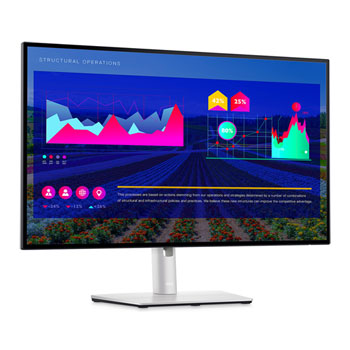

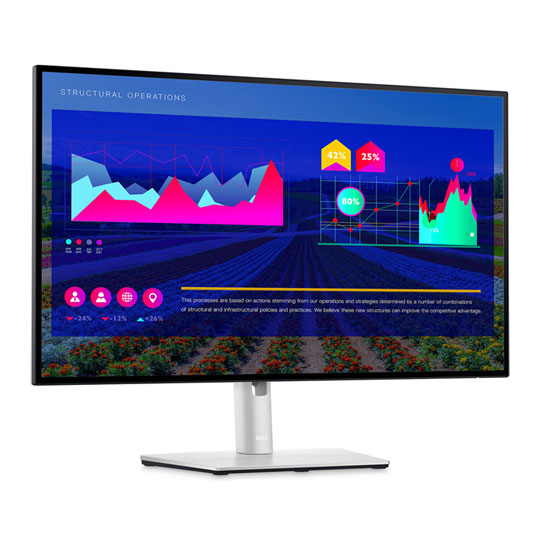
Dell UltraSharp 27" QHD 2K IPS Monitor USB-C Tilt/Swivel/Pivot Adjustable
End Of Life
Dell UltraSharp 27" QHD 2K IPS Monitor USB-C Tilt/Swivel/Pivot Adjustable
Scan code: LN119171 Manufacturer code: U2722D
End Of Life
  • Thumbnail 1 : Dell UltraSharp 27" QHD 2K IPS Monitor USB-C Tilt/Swivel/Pivot Adjustable
  • Dell UltraSharp 27" QHD 2K IPS Monitor USB-C Tilt/Swivel/Pivot Adjustable : video thumbnail 1
End Of Life

Dell UltraSharp 27" QHD 2K IPS Monitor USB-C Tilt/Swivel/Pivot Adjustable

27" Dell UltraSharp U2722D Monitor, IPS, 2560x1440, 5ms, 60Hz, 1000:1, 350cd/m², HDMI/DP/USB A/C

Scan code: LN119171 Manufacturer code: U2722D
End of life
This product is no longer available to purchase.

Email me when the availability or price changes

  • SCANPROTECT Protect against installation damage for 28 days.

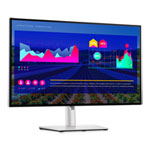
27" Dell UltraSharp Quad HD 2K IPS Monitor with InfinityEdge

Dell U2722D Monitor

Designed with Wellness in Mind Stay productive, no matter where you work. See images with 1.77 times more details than Full HD with 2560x1440 resolution on this 27-inch QHD 2K display featuring ComfortView Plus technology. This sleek monitor has a four-sided ultra-thin bezel, an improved easy-to-use cable management system and helps users multitask. The auto-restore feature remembers where you left off, so applications will go back to where you left them, even after you’ve unplugged. Tilt, swivel, pivot and adjust the height of your monitor for extra comfort during work.

27"Screen Size

2560 x 1440Resolution

IPS Anti-GlarePanel Type and Coating

95% DCI-P3Color Gamut

Elevate your Productivity in Comfort
Display

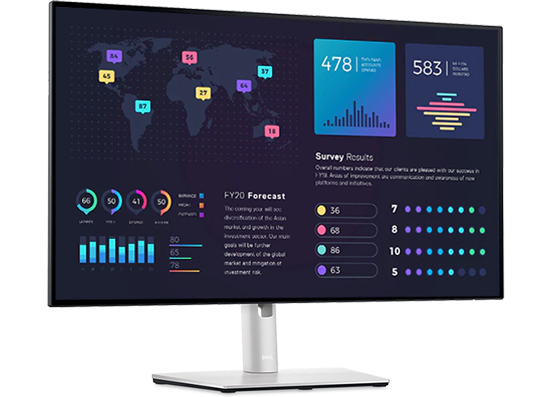
Built-in low blue light screen that reduces blue light Expand your view with virtually borderless InfinityEdge. With a four-sided, ultra-thin bezel, you can work with a clear, edge-to-edge display. Use the daisy-chain feature for a seamless multi-monitor setup. Increase your productivity by up to 21% when you use two monitors together. See consistent color and picture quality across a wide 178/178 degree viewing angle. Get wide colour coverage of 100% sRGB, 100% Rec.709 and 95% DCI-P3 and 1.07 billion colour depth.

Dell Display Manager
Display manager

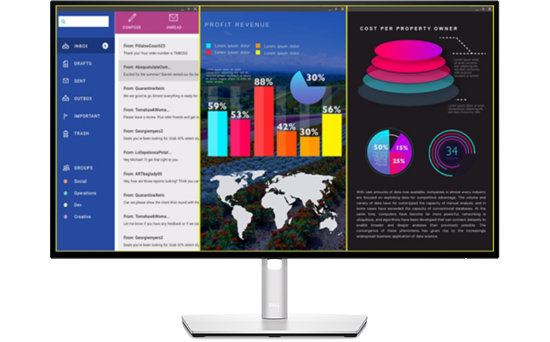
Productive at every level With support for multiple operating systems, Dell Display Manager helps you stay productive however you work. Asset management reports allow IT managers to quickly capture and track monitor information as well as configure multiple monitors at once through a single setup. Easy Arrange allows you to easily tile multiple applications across one or more screens with 38 pre-set window partitions and the ability to personalize up to five windows, giving you improved multitasking abilities.

Green Thinking: for Today and Tomorrow
Green

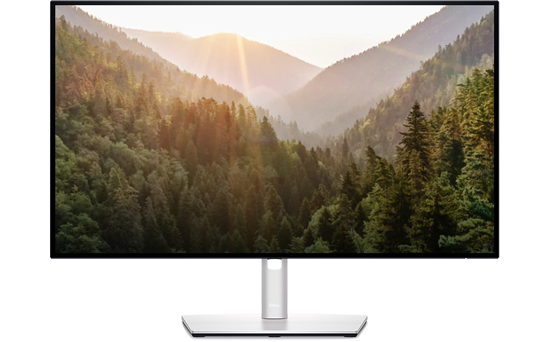
Advancing sustainability and Environmental standards This monitor is made of 85% PCR (Post-consumer Recyclable Plastic), meets the latest environmental standards such as ENERGY STAR® and TCO Certified Edge, and is EPEAT Gold registered. Save energy when your monitor is not in use with PowerNap, a feature that dims or puts your monitor to sleep when it’s not in use. Dell Technologies is committed to reducing environmental impact throughout the product life-cycle. To reduce our manufacturing impact on the environment, this monitor is shipped Styrofoam-free and the packaging is made of at least 75% recycled cardboard.

The Perfect Fit for Any Space

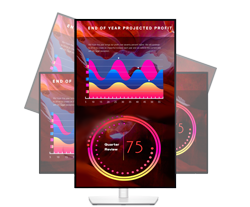
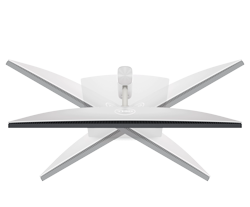
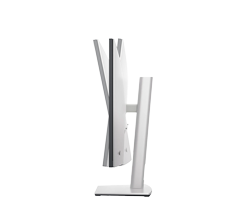
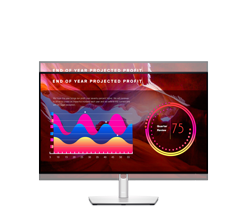
Style meets function Crafted with platinum silver finish, the U2722D comes with a small base and an improved cable management design that hides cables for a clutter free desk space. Adjust to your comfort with tilt, swivel, pivot and height adjustments to a maximum of 150mm for optimal viewing comfort.
function

HeightMaximum of 150 mm

function

Pivot180° Angle

function

Swivel90°

function

Tilt-5° / +21°

Designed for Multitasking
Multitask

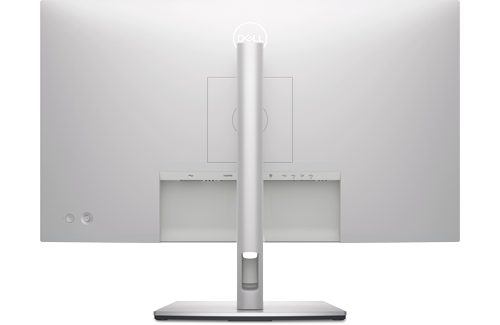
Extensive connectivity with fast efficiency Connect to your devices with extensive connectivity ports, including super speed USB 10Gbps. Easily connect to your devices with comprehensive connectivity, including DP1.4, HDMI 2.0. Quick access ports at the front of the monitor allow convenient connection to peripherals and mobile phone charging with up to 15W via USB-C. Connect two PCs to the monitor and view content from both PC sources at the same time with PBP (Picture-by-Picture) and PIP (Picture-in-Picture) features.

ports

1 x HDMI 1.4

ports

1 x DisplayPort 1.4
1 x DisplayPort Out

ports

3 x USB 3.2 Gen2 Type-A

ports

1 x USB 3.2 Gen2 Type-C
1 x USB Type-C Upstream

Warranty

Please note your statutory rights are not affected.

For further information regarding Scan's warranty procedure please see our terms and conditions

Details
Duration:
36 months
Type:
Direct
DOA Period:
7 days
Manufacturer Contact Details
Telephone:
0800 028 2660
Buying Guide
Need help? Read our Monitors Buying Guide
HDR Monitors
HDR Monitors
Date Issued: 11th May 2020

PC monitor manufacturers tend to focus on a particular buzzword or acronym almost every year. In the past, we have been treated to HD (high definition), denoting the screen is capable of running a minimum 720p resolution.

Read More

Display Panel Types
Display Panel Types
Date Issued: 15th May 2015

Choosing a monitor is not an easy decision to make, and not just because of the large number of variations in resolution, refresh rates, sizes and connectivity options. There are also varying panel technologies used to form each display that need to be considered. These panel technologies can be grouped into three broad categories which cover the vast majority of monitors sold in the consumer market.

Read More

Graphics Card Outputs
Date Issued: 8th Oct 2010

Modern desktop computers and notebooks comprise of a CPU, motherboard, graphics, storage, and, usually an optical drive. Computers have a number of ports and sockets that enable the user to plug-in various peripherals such as a printer, USB mouse, or, perhaps most importantly of all, an Internet connection.

Read More

HDMI
HDMI
Date Issued: 3rd Dec 2008

Keeping in tandem with technological developments, audio/video connectors continue to evolve at a steady pace. Today, the most common digital connector comes in the form of HDMI and we're here to tell you what it is, what it does, and why you might need it.

Read More

DVI
DVI
Date Issued: 20th Oct 2008

As you’ll all likely know by now, DVI is the current standard for connection of a PC or other display generator to a digital display output. You’ll recognise the multi-pin connector and know that almost all modern LCD displays have the corresponding input connector, for feeding from your PC. But do you know how DVI works? This TekSpek seeks to teach you how.

Read More

HDTV 720/1080
HDTV 720/1080
Date Issued: 14th Jun 2008

Whether the broadcasters are going HD or not, TV sets and projectors are arriving thick and fast which claim to support higher resolutions than regular telly. But HDTV is far from just one standard – it incorporates a couple of different resolutions, two different scanning modes, and a number of different frame rates. In this article, we present a guide to what all the terms actually mean.

Read More

DVI/HDMI/HDCP
DVI/HDMI/HDCP
Date Issued: 14th Jun 2008

There’s a lot more to High Definition than just having the ability to run your screen at the right resolution. With more than one type of connection available, and the thorny subject of signal encryption to contend with, just because your monitor and graphics are capable of 1,920 x 1,080 or better does not necessarily mean they will be able to display HDTV in all its glory.

Read More

Dell UltraSharp 27" QHD 2K IPS Monitor USB-C Tilt/Swivel/Pivot Adjustable