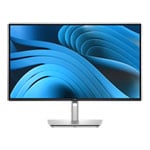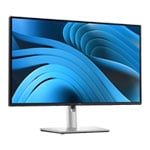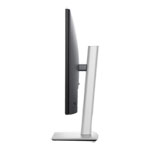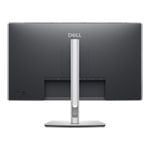

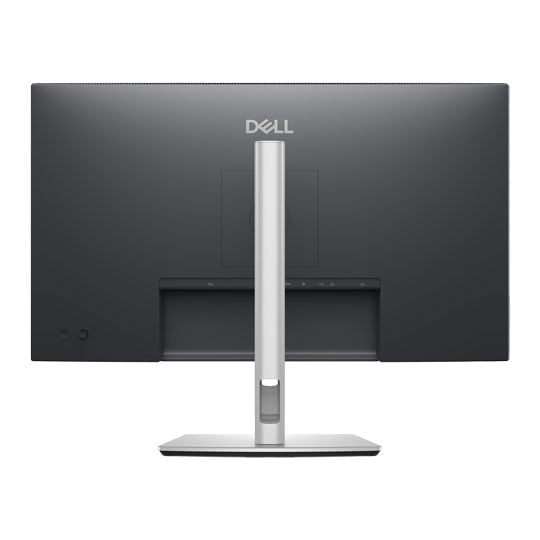
Dell P2725D 27" WQHD 100Hz IPS Height/Pivot/Swivel/Tilt Adjustable Monitor
Scan code: LN166174 Manufacturer code: P2725D
£221.99
Get it Tomorrow, 10 JunIn stock
  • Thumbnail 1 : Dell P2725D 27" WQHD 100Hz IPS Height/Pivot/Swivel/Tilt Adjustable Monitor
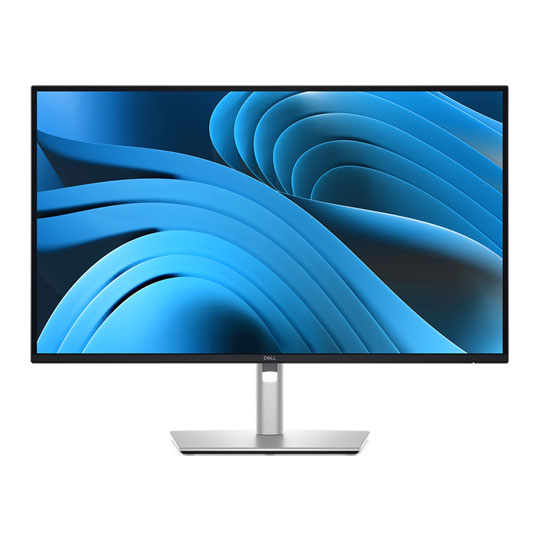
  • Thumbnail 2 : Dell P2725D 27" WQHD 100Hz IPS Height/Pivot/Swivel/Tilt Adjustable Monitor
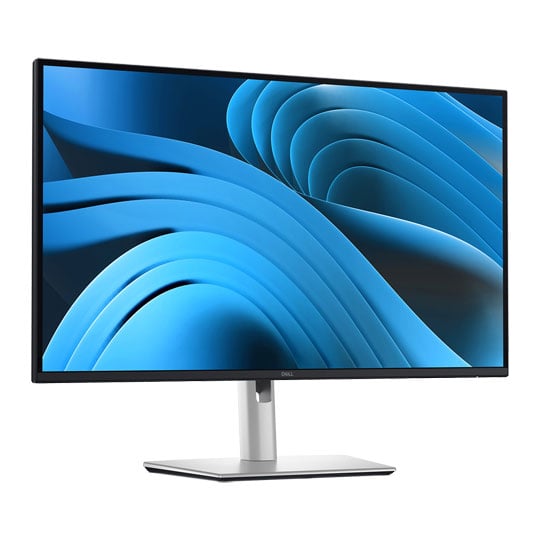
  • Thumbnail 3 : Dell P2725D 27" WQHD 100Hz IPS Height/Pivot/Swivel/Tilt Adjustable Monitor
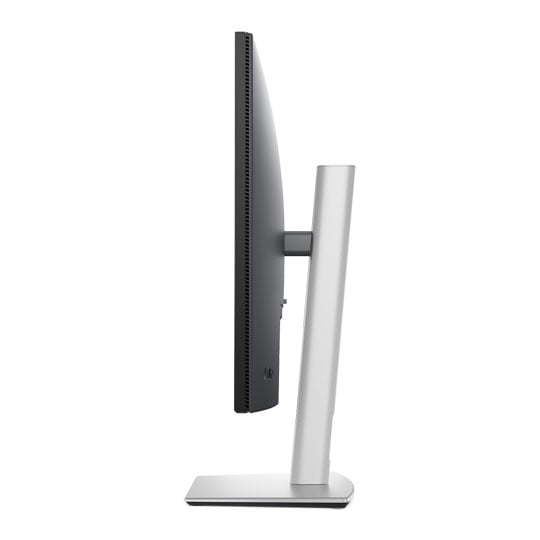
  • Thumbnail 4 : Dell P2725D 27" WQHD 100Hz IPS Height/Pivot/Swivel/Tilt Adjustable Monitor

Dell P2725D 27" WQHD 100Hz IPS Height/Pivot/Swivel/Tilt Adjustable Monitor

27" Dell P2725D Monitor, Black, IPS, 2560x1440, 5ms, 100Hz, 1500:1, 350cd/m², USB 3.2 Gen1, HDMI / DP

Scan code: LN166174 Manufacturer code: P2725D
£221.99
Order now and get it tomorrow, Wed 10th Jun
Get it Tomorrow, 10 JunIn stock
Pay in 3 interest-free payments of £74.00

Email me when the availability or price changes

  • By DPD On 10th Jun Have your parcel delivered by DPD to your specified address. Receive SMS with one-hour delivery window | £11.50 Receive SMS with one-hour delivery window Weekend, timed and European delivery options are available at checkout
  • Collect instore Order online, collect from our Bolton store (25-28 Enterprise Park, Middlebrook, Horwich, Bolton, BL6 6PE) | Free
  • UPS and DPD Pickup Pickup from local convenience store | £4.99 Collect your parcel from your newsagents, petrol stations and convenience stores

Finance this product

  • From £10.84 / month (APR 16.9%) for 24 months or 0% for 4 months
  • Spend over £390.00 and Buy Now, Pay Later or spread the cost of your finance over 24-48 months with a 10% deposit.
  • SCANPROTECT Protect against installation damage for 28 days.

27" Pro Plus P2725D QHD Monitor from Dell

Pro 27 Plus P2725D QHD Monitor from Dell

Elevate Productivity with Vibrant Clarity The Dell Pro 27 Plus QHD Monitor P2725D offers a 27-inch IPS display with a crisp 2560 x 1440 QHD resolution and 100Hz refresh rate. It provides vibrant colours and wide 178-degree viewing angles with an anti-glare coating for comfortable extended use. The monitor supports height, swivel, pivot, and tilt adjustments and features versatile connectivity with HDMI, DisplayPort, and USB ports, including front-facing pop-out USB-C and USB-A ports for easy access and charging. It integrates Dell’s Easy Arrange and ComfortView Plus technologies to enhance productivity and reduce eye strain. This sleek, adjustable monitor is ideal for both professional work and entertainment with its clear, consistent visuals and practical design.

27"Screen Size

2560x1440QHD Resolution

IPSPanel Type

100Hz/5msRefresh/Response

Experience Comfortable Viewing

TÜV 4-Star certified display ensures comfortable viewing and helps minimise eye strain during long hours of work.

Dell Pro Plus monitor in a modern home office, displaying a graph on-screen to highlight improved ComfortView Plus

Improved ComfortView PlusLowered blue light emissions to ≤35%, delivering all-day viewing comfort while maintaining vivid colour quality.

Split view of dancer, left image displaying a refresh rate of 60Hz against the 100hz right image to highlight smooth motion

Refresh Rate100Hz refresh rate reduces flicker, providing smoother motion and more fluid scrolling for a better viewing experience.

Field of flowers to highlight vivid colours

Vivid ColoursWide colour gamut supports up to 16.7 million displayable colours with 99% sRGB accuracy for vibrant, true-to-life visuals.

Dell Pro Plus monitor displaying a timelapse image of a night sky to highlight clarity

Clarity from any angle With high resolution, consistent colours across wide angles, and improved contrast ratio, your work has never looked this good.

QHD resolution 2560 x 1440 resolution delivers crisp detail and sharp clarity in every image.

Colour consistency In-Plane Switching (IPS) technology delivers rich, vibrant colours and consistent quality across wide viewing angles.

1500:1 contrast ratio Delivers richer blacks and brighter whites for dynamic contrast and depth.

Configure Your Workspace

Man working behind the Dell Pro Plus monitor to highlight a productive workspace

A full range of ports lets you connect your devices with ease and build an efficient workspace for maximum productivity.

Front-facing ports of the Dell Pro Plus monitor to highlight up to 15W charging

Quick access ports Enjoy quick access to connectivity with front-facing, pop-out USB-C (up to 15W charging) and USB Type-A ports, then tuck them away when you’re done for a clean, clutter-free setup.

Work Comfortably

Tilting illustration of the Dell Pro Plus monitor

Tilt Adjustability from -5°/+21°

Swivel illustration of the Dell Pro Plus monitor

Swivel Bi-directional adjustment up to 45°

Pivot illustration of the Dell Pro Plus monitor

Pivot Bi-directional adjustment up to 90°

Height illustration of the Dell Pro Plus monitor

Height Adjustability up to 150mm

Dell Display and Peripheral Manager

Discover Dell’s unique, intelligent solution designed to elevate the performance of your complete Dell PC environment.

Dell Display and Peripheral Manager interface

Maximise Productivity Easy Arrange organises apps across screens with predefined layouts and personalises up to five windows to boost multitasking. Easy Arrange Memory stores and restores app configurations manually, on a set schedule, or at start-up.

Customise Your Views Stay comfortable through every hour. Automatically adjust brightness and contrast to align with your routine.

More Manageable Save time and enhance IT productivity with the Dell Device Management Console, allowing you to oversee your entire Dell peripheral fleet at scale from one cloud-based platform. Explore advanced Command Line Interface capabilities within Dell Display and Peripheral Manager.

Connectivity Options

Connectivity ports under the Dell Pro Plus monitor
Security lock slot
Power connector
Stand-lock
HDMI (HDCP1.4)
DisplayPort 1.4 (HDCP1.4)
USB Type-B (5Gbps upstream)
USB Type-A (5Gbps downstream)
USB-C (5Gbps downstream)
USB Type-A (5Gbps downstream)
Soundbar Slots
Security lock slot
Power connector
Stand-lock
HDMI (HDCP1.4)
DisplayPort 1.4 (HDCP1.4)
USB Type-B (5Gbps upstream)
USB Type-A (5Gbps downstream)
USB-C (5Gbps downstream)
USB Type-A (5Gbps downstream)
Soundbar Slots
Specifications
Screen Size 27"
Edition Dell Pro P2725D
Panel Type IPS
Panel Coating Anti-Glare
Panel Finish  
Touchscreen No
Backlight LED
Pitch Size 0.2331mm
Curvature N/A
Adaptive Frame-rate Technology N/A
HDCP Yes
Connectors
  • 1 x DisplayPort 1.4
  • 1 x HDMI 2.1
  • 1 x USB 3.2 Gen 1 Type-C
  • 3 x USB 3.2 Gen1 Type-A
  • 1 x USB 3.2 Gen1 Type-B
Position Adjustment
  • Height Adjustable
  • Pivot
  • Tilt
Resolution 2560x1440 (WQHD)
Aspect Ratio 16:9
Max. Refresh Rate 100Hz
Response Time 5 ms
Brightness 350 cd/m²
Viewing Angle 178 (°H/°V)
Contrast Ratio/Dynamic Contrast Ratio 1,500:1
Color Gamut 99% sRGB
Color Bit Depth 10-Bit (16.7M Colours)
HDR Support No
Supported HDR Standards  
Speakers No
Speaker Configuration  
Web Camera No
Power Usage (Switched on) 19 W
VESA 100 x 100
3D Support No
Anti-Theft Features  
Included Accessories  
Monitor Colour  
Dimensions (with stand) 612.50 x 385.70 ~ 535.70 x 49.99mm (WxHxD)
Dimensions (without stand) 612.50 x 356.55 x 49.99mm (WxHxD)
Weight (with Stand) 6.27 kg
Note  
Additional Information
Scan Code LN166174
Model Number P2725D
GTIN 5397184962480
Warranty

Please note your statutory rights are not affected.

For further information regarding Scan's warranty procedure please see our terms and conditions

Details
Duration:
36 months
Type:
Direct
DOA Period:
7 days
Manufacturer Contact Details
Manufacturer:
Dell
Telephone:
0800 028 2660
Loading Please Wait

Please wait . . .

Buying Guide
Need help? Read our Monitors Buying Guide
HDR Monitors
HDR Monitors
Date Issued: 11th May 2020

PC monitor manufacturers tend to focus on a particular buzzword or acronym almost every year. In the past, we have been treated to HD (high definition), denoting the screen is capable of running a minimum 720p resolution.

Read More

Display Panel Types
Display Panel Types
Date Issued: 15th May 2015

Choosing a monitor is not an easy decision to make, and not just because of the large number of variations in resolution, refresh rates, sizes and connectivity options. There are also varying panel technologies used to form each display that need to be considered. These panel technologies can be grouped into three broad categories which cover the vast majority of monitors sold in the consumer market.

Read More

Graphics Card Outputs
Date Issued: 8th Oct 2010

Modern desktop computers and notebooks comprise of a CPU, motherboard, graphics, storage, and, usually an optical drive. Computers have a number of ports and sockets that enable the user to plug-in various peripherals such as a printer, USB mouse, or, perhaps most importantly of all, an Internet connection.

Read More

HDMI
HDMI
Date Issued: 3rd Dec 2008

Keeping in tandem with technological developments, audio/video connectors continue to evolve at a steady pace. Today, the most common digital connector comes in the form of HDMI and we're here to tell you what it is, what it does, and why you might need it.

Read More

DVI
DVI
Date Issued: 20th Oct 2008

As you’ll all likely know by now, DVI is the current standard for connection of a PC or other display generator to a digital display output. You’ll recognise the multi-pin connector and know that almost all modern LCD displays have the corresponding input connector, for feeding from your PC. But do you know how DVI works? This TekSpek seeks to teach you how.

Read More

HDTV 720/1080
HDTV 720/1080
Date Issued: 14th Jun 2008

Whether the broadcasters are going HD or not, TV sets and projectors are arriving thick and fast which claim to support higher resolutions than regular telly. But HDTV is far from just one standard – it incorporates a couple of different resolutions, two different scanning modes, and a number of different frame rates. In this article, we present a guide to what all the terms actually mean.

Read More

DVI/HDMI/HDCP
DVI/HDMI/HDCP
Date Issued: 14th Jun 2008

There’s a lot more to High Definition than just having the ability to run your screen at the right resolution. With more than one type of connection available, and the thorny subject of signal encryption to contend with, just because your monitor and graphics are capable of 1,920 x 1,080 or better does not necessarily mean they will be able to display HDTV in all its glory.

Read More

Dell P2725D 27" WQHD 100Hz IPS Height/Pivot/Swivel/Tilt Adjustable Monitor

PayPal Credit

Monthly Payment: £20.12
Instalment Rate: 16.9% p.a. (fixed)
Cost of purchase: £221.99
Total inc. interest: £241.34
Monthly Payment: £10.84
Instalment Rate: 16.9% p.a. (fixed)
Cost of purchase: £221.99
Total inc. interest: £260.12
Example
Minimum Spend: £99
Instalment Rate: N/A
Cost of purchase: £99
Total inc. interest: £99
If you are approved for a credit limit with PayPal Credit and use it for future purchases, the APR for those purchases won't be more than 23.9% and may be even lower.

Representative Example:

Purchase Rate: 23.9% p.a. (variable)

Representative: 23.9% APR (variable)

Assumed Credit Limit: £1,200

Subject to status. Terms and Conditions apply.