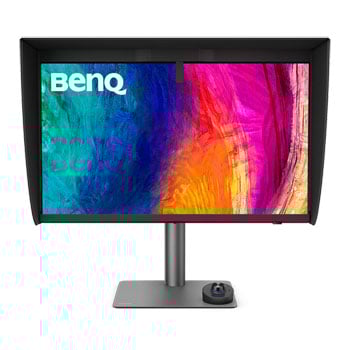

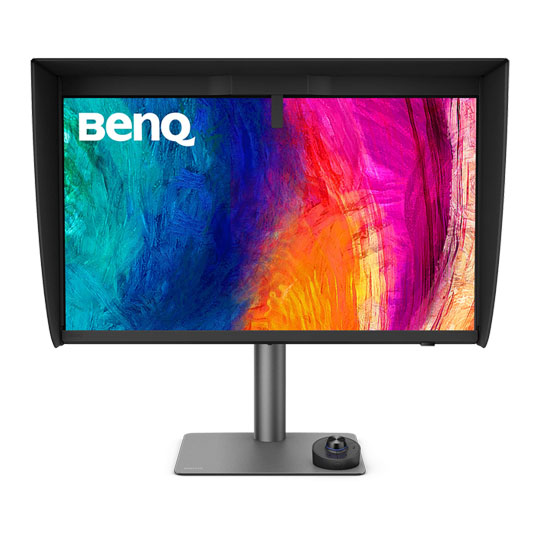
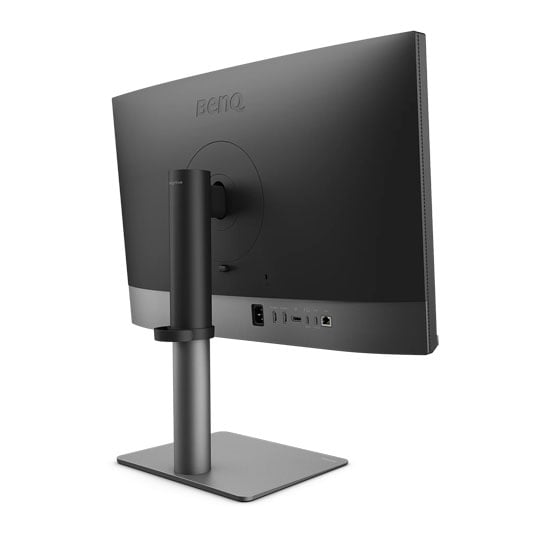


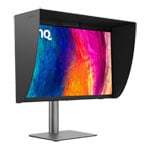
BenQ 27" Creative Pro PD2770U 4K Colour Management Monitor
27" BenQ Creative Pro PD2770U Monitor, IPS, 99% AdobeRGB, 99% DCI-P3, 100% Rec.709, 3840x2160, 60Hz, HDR10
Email me when the availability or price changes
Finance this product
- From £39.48 / month (APR 16.9%) for 48 months or 0% for 4 months
- With a 10% deposit from just £34.97 / month (APR 15.9%)
BenQ Creative Pro PD2770U 27" 4K Colour Correct Monitor'

Always Accurate and Consistent ColoursThe BenQ Creative Pro PD2770U is a 27-inch 4K colour management monitor that delivers outstanding accuracy and consistency for creative professionals. Featuring AQCOLOR technology with 99% Adobe RGB, 99% DCI-P3, and 100% Rec.709 coverage, this studio-grade display ensures vibrant, true-to-life colours from draft to final delivery. With Pantone Validated and Calman Verified certification, integrated hardware calibration, USB-C connectivity, and advanced ergonomic design, the PD2770U streamlines workflows for graphic design and video editing, making it the ideal choice for designers seeking reliable performance and effortless setup.
99% Adobe RGB
99% DCI-P3
100% Rec.709
Delta E < 1.5
HDR10/HLG
Hardware Calibration
Built-in calibrator
Light-adaptive Calibration
All-in-one USB Type-C
Nano Matte Panel
Ergonomic Design

From Colour Confusion To Confident Production
No ReworksAccurate and consistent colours from the start.
No DriftingLong-term consistent colours with scheduled calibrations.
No HassleIntuitive tools for a quick and effortless setup.
Accurate Colours, Right Out Of The Box

Reliable Quality for StudiosDeveloped beyond standard compliance, BenQ AQCOLOR technology ensures corner-to-corner uniformity and precision with 99% Adobe RGB, 99% DCI-P3, and 100% Rec.709 coverage. This gives professionals confidence that their colours remain consistent from first draft to client delivery.

Corner-to-Corner UniformityNo dim corners, no uneven tones. Just consistent brightness and colour across the screen, thanks to BenQ corner-to-corner uniformity. Now you can create with confidence.

Dark Tone ReproductionSmooth gradients, natural transitions, and shadow details that stay true for 2D and 3D work, powered by BenQ-exclusive dark tone calibration. The result: sharp focus and immersive storytelling.
Precision From Panel To Production

Corner-to-Corner Uniformity ControlBrightness and Colour Consistency across the Screen.
Colour Tolerance ManagementHigh-Precision Instrument Alignment.
Industry Standards ComplianceFrom Rec.709, DCI-P3 to Adobe RGB and Beyond.
Certified Accuracy By Leading Third-Party Authorities

Pantone Validated & Pantone SkinTone ValidatedFeaturing Pantone Validated and Pantone SkinTone Validated, the PD2770U delivers real-world colours that achieve the utmost authenticity for professionals.

Calman VerifiedEvery BenQ professional monitor is fully Calman Verified. Creative professionals demand excellence, and BenQ delivers.

Pantone Connect PremiumGo digital with BenQ, the first brand to partner with Pantone on a mobile app. Existing owners and new purchasers of BenQ professional monitors get one year of free Pantone Connect Premium for digital mobile colour consistency and accuracy.
Consistent & Drift-Free Studio Colour

Colour Management SimplifiedFor creative teams, every colour decision matters. BenQ colour management solutions keep colours consistent across displays and projects, with no extra tools, no added workload, and no wasted hours.

Hardware Calibration1. Accuracy That Doesn’t DriftBy adjusting the monitor’s LUT directly, hardware calibration keeps colors consistent across devices and over time. It prevents drift, time-consuming project reworks, and ensures client-ready results every time.

Built-in Calibrator2. Pro Accuracy with Zero HassleWith calibration built directly into the monitor, you get pro-level accuracy without extra devices or added costs. Just reliable precision at your fingertips.

Light-Adaptive Calibration3. Calibration Optimised for Your LightingOur Light-Adaptive Calibration senses your studio lighting, then adjusts automatically with optimal settings. The result is precise, environment-specific colour-effortless and ready to use.

Calibration on Your ScheduleManual calibration is easy to forget and can disrupt tight deadlines. With automatic scheduling, the monitor calibrates after hours, so your studio starts each day with precise, ready-to-use colour.

Centralised Colour Management SimplifiedWith DMS Local, a single PC manages every monitor in your studio. Sync colour settings across the team and schedule automatic calibrations over your network, ensuring long-term consistency without manual effort.
Zero Setup. Full Focus.

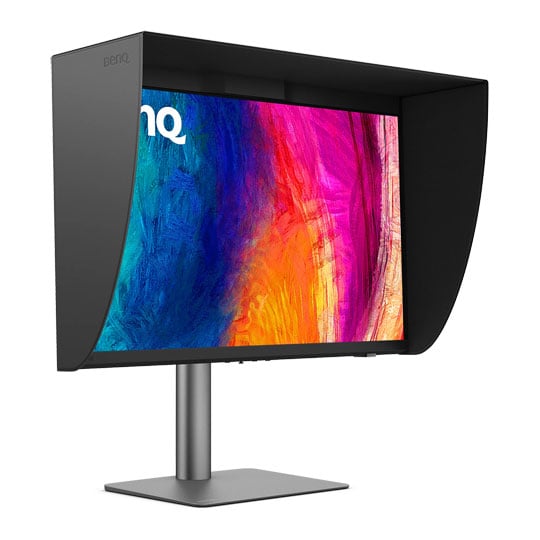
Snap On and Focus InstantlyThis included one-piece magnetic shading hood snaps into place instantly - no tools or assembly required. By blocking ambient light and glare, it allows you to see your work accurately and create without distractions, helping designers stay fully focused.

No Reflections and Comfortable EyesBenQ’s Nano Matte Panel diffuses ambient light and reduces ambient glare, letting you work with less reflections and see your work clearly. Your eyes will stay comfortable during long design sessions.
Control Your Workflow Instantly
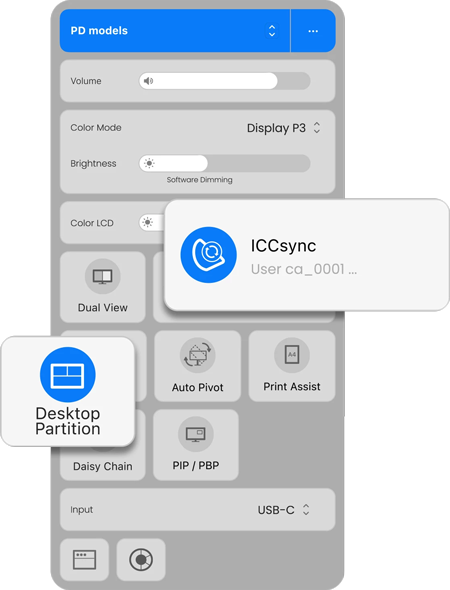
BenQ Display Pilot 2BenQ’s free Display Pilot 2 software lets you organise key functions like ICCsync and Desktop Partition into streamlined workflows that adapt to your design needs in a faster, smoother, and more flexible way.
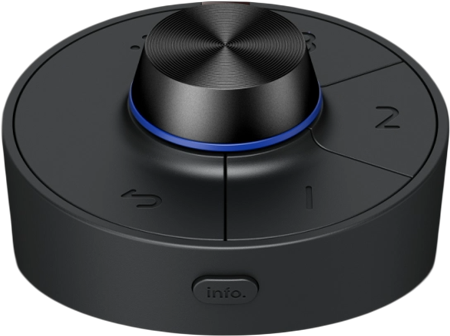
Wireless Hotkey PuckHotkey Puck syncs with Display Pilot 2 for effortless monitor control. Three customisable keys provide instant access to Colour Mode, Input, KVM, or app launch, while the rotation dial adjusts brightness, contrast, and volume - no menus needed. So you stay focused on work without distraction.
Less Clutter, More Control

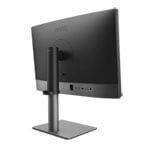
All-in-One USB-C for Mac CompatibilityTransfer data and up to 96W power via one USB-C. Thunderbolt 3/4 works seamlessly with BenQ displays for a smooth workflow.
Reliable RJ45 Wired ConnectionWith RJ45, connect monitors for networked management, synced colour settings, and scheduled auto-calibration to keep team-wide consistency.

Seamless Mac & PC ControlOnboard KVM for seamless Mac and PC control. Switch effortlessly using one keyboard and mouse, keeping your workflow smooth even during heavy rendering or design tasks.
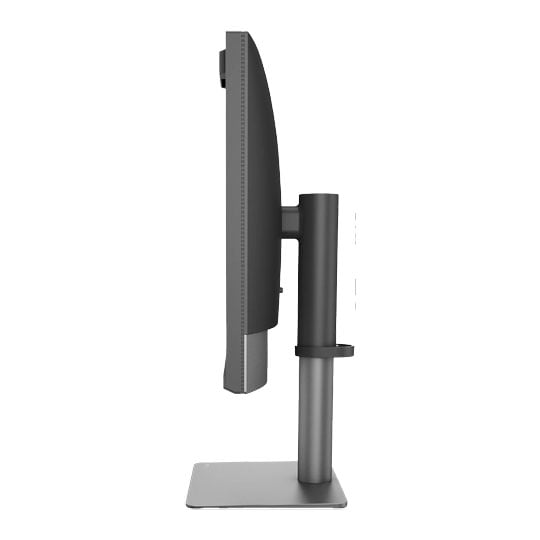
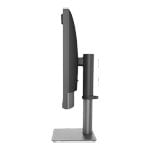
Built-In Ergonomic ComfortAdjust your monitor to the perfect angle with flexible tilt, swivel, and pivot control, with the built-in ergonomic stand. Whether designing or presenting to clients, you’ll always enjoy the right view to work comfortably and confidently.

Pivot 90°

Swivel 15°/15°

Tilt -5°~20°

115mm Height Adjustment
Boost Your Creative Productivity

Palette Master UltimateMore accurate and faster calibration with a calibrator.

Display Pilot 2Take control of your display settings efficiently.

Display QuicKitEasily update your monitor’s firmware to stay up-to-date.
BenQ’s Green Commitment

A Vision of SustainabilityBenQ prioritises eco-friendly practices in our product development, underlining our commitment to sustainability. BenQ Professional Monitors incorporate eco-friendly technology, recycled materials, and energy-efficient design.

85% PCRThe housing of monitors is made with 85% PCR (Post-Consumer Recycled) materials, contributing to eco-friendly production.

Recyclable PackingWe package our monitors in fully recyclable cardboard for minimal environmental impact.

Auto Power OffConserves energy by automatically shutting down the screen after 10, 20, or 30 minutes of inactivity, promoting sustainability.


PayPal Credit
| Monthly Payment: | £126.84 |
| Instalment Rate: | 16.9% p.a. (fixed) |
| Cost of purchase: | £1,399.99 |
| Total inc. interest: | £1,522.04 |
| Monthly Payment: | £68.36 |
| Instalment Rate: | 16.9% p.a. (fixed) |
| Cost of purchase: | £1,399.99 |
| Total inc. interest: | £1,640.60 |
| Monthly Payment: | £49.03 |
| Instalment Rate: | 16.9% p.a. (fixed) |
| Cost of purchase: | £1,399.99 |
| Total inc. interest: | £1,764.82 |
| Monthly Payment: | £39.48 |
| Instalment Rate: | 16.9% p.a. (fixed) |
| Cost of purchase: | £1,399.99 |
| Total inc. interest: | £1,894.63 |
| Example | |
| Minimum Spend: | £99 |
| Instalment Rate: | N/A |
| Cost of purchase: | £99 |
| Total inc. interest: | £99 |
Representative Example:
Purchase Rate: 23.9% p.a. (variable)
Representative: 23.9% APR (variable)
Assumed Credit Limit: £1,200
Subject to status. Terms and Conditions apply.