

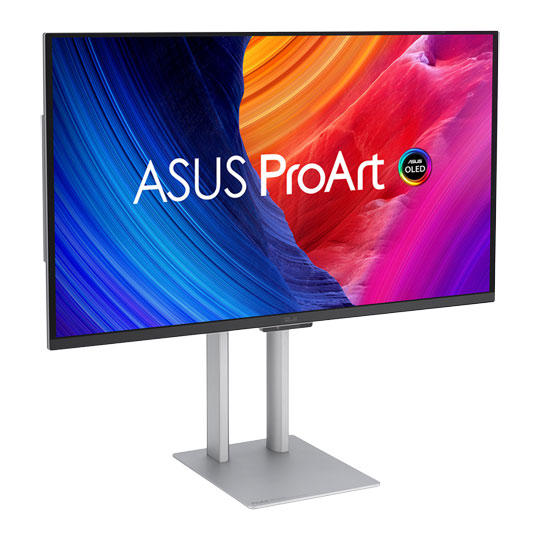
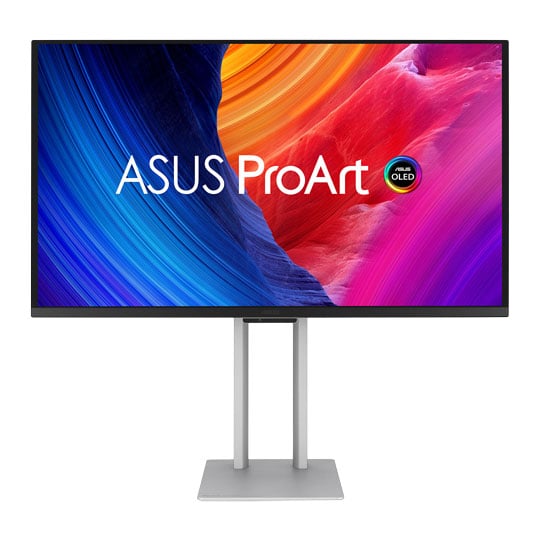
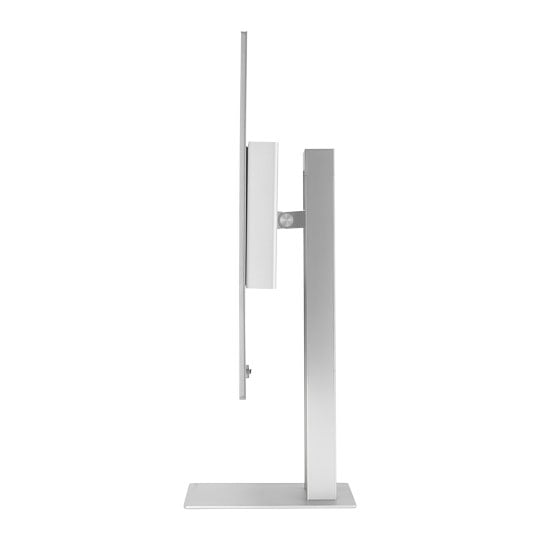
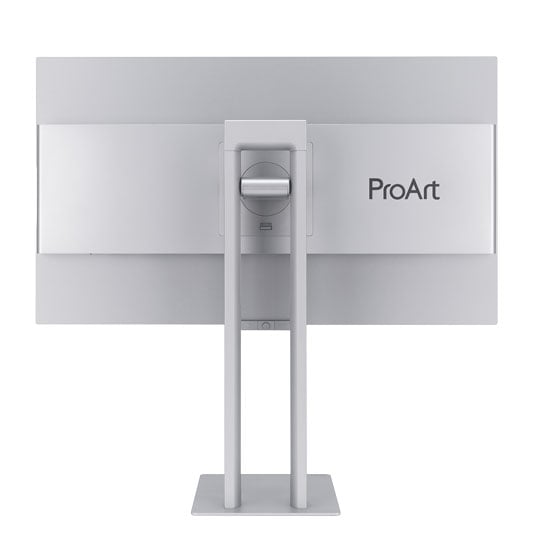


ASUS 27" ProArt Display PA27UCDMR 4K UHD OLED Monitor
27" ASUS ProArt PA27UCDMR 4K Monitor, OLED, 99% DCI-P3, 100% sRGB, 3840x2160, 240Hz, 1500000:1, 1000cd/m²
Email me when the availability or price changes
Finance this product
- From £32.43 / month (APR 16.9%) for 48 months or 0% for 4 months
- With a 10% deposit from just £28.72 / month (APR 15.9%)

ASUS ProArt PA27UCDMR
27-inch 4K UHD OLED Monitor

Professional OLED Monitor for Every CreatorThe ASUS ProArt Display OLED PA27UCDMR is a 26.5-inch 4K HDR professional creator monitor featuring a cutting-edge 1000-nit QD-OLED panel, 99% DCI-P3 coverage, and true 10-bit colour for exceptional colour-accurate workflows. It combines a fast 240 Hz refresh rate with ΔE < 1 factory calibration, hardware calibration support, and multiple HDR formats, including Dolby Vision, HDR10, and HLG, making it perfect for filmmakers, colourists, game developers, 3D/VFX artists, and photographers. With Thunderbolt 4 connectivity, HDMI 2.1, DisplayPort 1.4, a USB hub, and advanced ASUS OLED Care and Uniform Brightness technologies, the ProArt PA27UCDMR is optimised for Mac and Windows users seeking a premium QD-OLED monitor for professional content creation.

4K HDR26.5-inch
QD-OLEDTrueBlack
240 HzSmooth Rendering
99%DCI-P3
100%sRGB
Empowering Content Creators

Filmmakers & Video EditorsA high-resolution monitor with a wide colour gamut, true black performance, and ultrahigh contrast is a must-have tool for producing 4K HDR content.

ColouristsPA27UCDMR is factory calibrated for industry-leading colour fidelity and Delta E < 1 accuracy. It also offers hardware calibration support for consistent colour performance.

Game DevelopersA high-resolution monitor with a wide colour gamut and a 240Hz refresh rate enables game developers to design and review game artwork on a single display, providing smooth rendering.

3D/VFX ArtistsThe 240Hz refresh rate and 4K visuals provide 3D/VFX artists with supersmooth, detailed visuals. Higher refresh rates generally reduce flicker so moving visuals appear more fluid, allowing for more comfortable viewing experiences.

Designers & PhotographersPA27UCDMR delivers ultra-high-quality visuals and ensures that creative details aren’t lost on the journey from click to print or production.
Amazing QD-OLED Experiences

True Professional-Grade ColoursThe studio-grade 99% DCI-P3 gamut offered by PA27UCDMR ensures richer, more vivid colours, making it the ideal monitor for both colour-intensive projects and other creative pursuits.

Ultra-Accurate ColourProArt displays are factory-calibrated to guarantee industry-leading colour accuracy. Each monitor undergoes stringent testing to ensure smooth colour gradation.

Deeper Blacks, Brighter WhitesA peak brightness of 1000 nits (3% area) allows for outstanding contrast between the deepest black and gleaming white hues.

Advanced Panel DesignA graphene film behind the QD-OLED panel helps reduce operating temperature. Graphene is the thinnest and strongest nanomaterial in the world and has high thermal conductivity to help effectively dissipate heat.
Unleash Creativity With AI
infinite creative possibilitiesThe rise of generative AI enables creators to spark inspiration more quickly, bringing infinite creative possibilities to professional creators. The wide colour gamut, high resolution, and professional colour accuracy of ProArt Displays provide the best visual experience, enjoy a smooth creative experience, and speed up the overall workflow.
turn imagination into reality
(Photoshop)
Discover the power of generative AI with tools for Text to Image and Generative Fill. Simplify the creative process, effortlessly create, adjust, and enhance visuals.
Seamless Quick Video Edits
(Premiere Pro)
Generative AI tools streamline complex tasks and boost editing speed. Use features like Object Add/Remove and Generative Extend for quick, precise adjustments
Bring Your World into 3D
(Substance 3D)Image-to-Texture transforms generative AI for 3D artists, allowing fast creation of photorealistic textures from image. It enhances creativity while integrating smoothly into workflows.
Ideal for Game Development and Video Editing

up to 240Hz refresh ratePA27UCDMR offers up to a 240Hz refresh rate and features variable-refresh-rate (VRR) technology to allow creators to work on fast-rendering visuals and conduct quality checks—all on a single display. HDMI® 2.1 with 4K@240Hz support results in supersmooth visuals with exceptional levels of detail.
Intuitive and Intelligent Calibration

ProArt Hardware CalibrationASUS ProArt Hardware Calibration software works in both SDR and HDR modes. It saves all colour parameter profiles directly on the ProArt monitor's internal scaler IC chip instead of the PC. Users can also use ProArt Calibration to schedule regular calibration intervals.
ProArt Colour CentreProArt Colour Centre is an online tool designed to help administrators manage the colour accuracy of multiple ProArt displays that feature hardware calibration support. Users can check when the monitors were last calibrated, the next recommended calibration date, and schedule calibration times for multiple monitors―even if they're using different colour parameters and/or situated in different locations.
Seamless CalibrationProArt Display seamlessly integrates with third-party professional hardware calibration software, including Calman and Light Illusion ColourSpace CMS. It also supports writing colour parameters back into the ProArt displays, making the calibration process faster and easier.
ASUS OLED Care

proven to safeguard your displayProArt Display OLED series monitors include ASUS OLED Care features that are proven to safeguard the display by minimizing the likelihood of image burn-in.
Panel ProtectionProvides Sensing Protection, Pixel Shift, Screen Saver, ISP (Global), and Off Sensing to prevent static images from being displayed continuously on your screen. This feature offers two levels of adjustment to choose from.
Image ProtectionDynamically detects and identifies the task bar, logos, and video edges, reducing the brightness around them to minimize the risk of burn-in. This feature offers three adjustable levels to choose from.
Proximity SensorAutomatically decreases brightness gradually when it detects no user in front of the monitor. There are three adjustable detection ranges available.
Uniform Brightness Setting

Without Uniform Brightness setting

With Uniform Brightness setting
OLED displays feature an Auto Brightness Limiter (ABL) to maximise power use. When displaying a white (or bright) image in a particular window, the display automatically dims the image as the window size increases.
The optional Uniform Brightness function in the OSD menu is particularly useful when switching between or changing the size of windows with vastly different contrast levels, as it keeps brightness levels consistent with up to 250 nits for comfortable viewing and more accurate colours, even after hours of use.
Uniform Brightness Setting
Seamless MacBook ControlsUse the MacBook brightness buttons to control the monitor's brightness with ASUS DisplayWidget Center installed.

Seamless Motion ExperienceThe high refresh rate and VRR are a perfect match for Mac ProMotion.

Connect Efficiently & Stay OrganisedA single Thunderbolt 4 port caters to all creative needs.

Trusted CompatibilityTested by trusted third-party labs to ensure compatibility.

Instant Display AdjustmentIntuitive display control with ASUS DisplayWidget Center for macOS users.

Create In Ultra-Vivid HDR

ASUS Smart HDR TechnologyExclusive ASUS Smart HDR technology enables this monitor to support multiple HDR formats, including Dolby Vision®, HLG and HDR10.
HLG allows users to view and create material for broadcast and satellite TV platforms such as BBC iPlayer, Japan NHK TV, and DirecTV.
HDR10 support ensures compatibility with existing streaming video services and a growing list of HDR-enabled games.
Multiple PQ Curves
ASUS ProArt Displays support multiple HDR10 curves, including PQ Hard Clip, PQ Optimized and PQ Basic, which can cover all content creation needs.

PQ Hard ClipThis setting preserves the PQ curve until it displays maximum luminance. Anything brighter will be mapped to the maximum luminance of the display.

PQ OptimisedThis PQ curve setting reproduces accurate gradations that correspond to the maximum brightness of the monitor to deliver optimized HDR performance.

PQ BasicThis setting offers general HDR performance.
HDR Preview

camera-to-monitorHDR Preview enables a direct camera-to-monitor connection to view captured HDR content with its full tonal range. It also works within most video editing software platforms, providing accurate simulations of the final output for an easier, more streamlined editing experience.
Expansive Connectivity


Dual Thunderbolt 4

HDMI(v2.1)

DisplayPort1.4 DSC

USB Hub
ProArt Display offers dual Thunderbolt 4 ports, DisplayPort1.4 DSC and HDMI(v2.1) port for compatibility with current and future displays and peripherals. One of the Thunderbolt 4 ports offers up to 96W Power Delivery to charge devices as well as the ability to daisy-chain several displays through a single port, without the need for a hub or switch. A built-in USB 3.2 hub includes one USB Type-A port and Type-C, allowing for easy connections to a variety of devices and peripherals, as well as charge compatible devices.
Seamless Monitor Management

Windows and Mac SoftwareASUS DisplayWidget Centre is software that provides an intuitive interface to adjust monitor settings, including brightness, contrast, and colour temperature. Whether a monitor is used for everyday viewing or for professional creative work, users can effortlessly find the optimal display settings for enhanced viewing experiences.
ProArt CaliContrO

Streamline Your WorkflowThe versatile ProArt CaliContrO MCA02 three-in-one colourimeter works with ASUS-exclusive apps for hardware and software calibration. It also supports the generation of ICC profiles for conventional monitors and laptop screens, enabling comprehensive colour management across a wide range of devices. On-Screen Display (OSD) control via MCA02 enables quick adjustments when connected to a compatible monitor, with vibration feedback for enhanced usability. Built-in ASUS Dial features offer instant and precise control for Adobe apps and other applications by enabling customised shortcuts.
Trusted by World's Leading Creative Schools & Studios

Sustaining an Incredible Future

Environmental CertificationProArt Display OLED PA27UCDMR is stringently tested to meet the requirements of world-leading sustainability certifications. These tests include a comprehensive database of up-to-date criteria, independent verification, and a structured system for continuous improvement.

Eco-friendly PackagingProArt Display OLED PA27UCDMR packaging are made of at least 80% recyclable cardboard. ASUS has designed the packaging to minimize weight and volume, which helps conserve natural resources and allows more devices to be transported in a single shipping container.

Free 3 Months of Adobe Creative Cloud

Get complimentary membership with the purchase of selected ASUS products.* (Up to a £321.11 value)By purchasing ASUS ProArt Display series, customers are entitled to receive a free three-month trial of Adobe® Creative Cloud® to experience the latest AI-powered applications – providing an enhanced visual experience with ProArt Display's professional color accuracy. This allows creators to inspire creativity and enjoy a smooth and exciting creative experience.
Learn More





PayPal Credit
| Monthly Payment: | £104.19 |
| Instalment Rate: | 16.9% p.a. (fixed) |
| Cost of purchase: | £1,149.98 |
| Total inc. interest: | £1,250.20 |
| Monthly Payment: | £56.16 |
| Instalment Rate: | 16.9% p.a. (fixed) |
| Cost of purchase: | £1,149.98 |
| Total inc. interest: | £1,347.61 |
| Monthly Payment: | £40.27 |
| Instalment Rate: | 16.9% p.a. (fixed) |
| Cost of purchase: | £1,149.98 |
| Total inc. interest: | £1,449.69 |
| Monthly Payment: | £32.43 |
| Instalment Rate: | 16.9% p.a. (fixed) |
| Cost of purchase: | £1,149.98 |
| Total inc. interest: | £1,556.23 |
| Example | |
| Minimum Spend: | £99 |
| Instalment Rate: | N/A |
| Cost of purchase: | £99 |
| Total inc. interest: | £99 |
Representative Example:
Purchase Rate: 23.9% p.a. (variable)
Representative: 23.9% APR (variable)
Assumed Credit Limit: £1,200
Subject to status. Terms and Conditions apply.