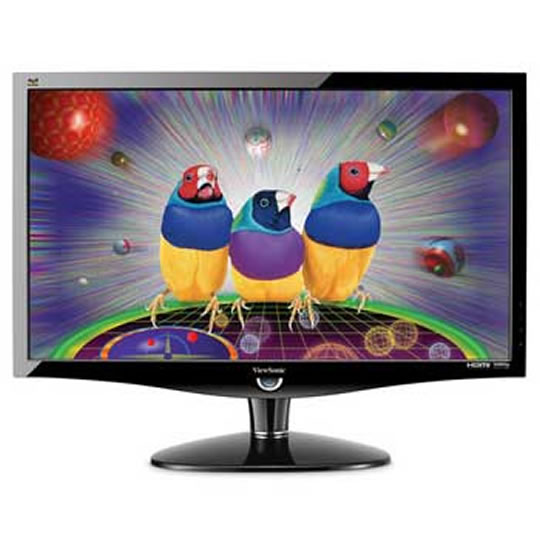
Viewsonic 24" VX2439WM LCD Monitor
End Of Life
Viewsonic 24" VX2439WM LCD Monitor
Scan code: LN36921 Manufacturer code: VX2439WM
End Of Life

Viewsonic 24" VX2439WM LCD Monitor : image 1
Viewsonic 24" VX2439WM LCD Monitor : image 2
Viewsonic 24" VX2439WM LCD Monitor : image 3
Viewsonic 24" VX2439WM LCD Monitor : image 4
  • Thumbnail 1 : Viewsonic 24" VX2439WM LCD Monitor
  • Thumbnail 2 : Viewsonic 24" VX2439WM LCD Monitor
  • Thumbnail 3 : Viewsonic 24" VX2439WM LCD Monitor
  • Thumbnail 4 : Viewsonic 24" VX2439WM LCD Monitor
End Of Life

Viewsonic 24" VX2439WM LCD Monitor

24" Viewsonic VX2439WM Black Full HD HDMI/DVI/VGA LCD Monitor, 1920x1080, 100000:1, 300 cd/m², 2 ms, Speakers PC/MAC

Scan code: LN36921 Manufacturer code: VX2439WM
End of life
This product is no longer available to purchase.

Email me when the availability or price changes

Product Overview Big screen, sleek design, fast response time and diverse connectivity options – everything you need to work or play. With 24" (23.6" viewable) 1080p panel, 2ms response time, HDMI, DVI and VGA inputs, ViewSonic’s VX2439wm LCD will make your games seem real and your graphics picture perfect.

All your entertainment is enhanced by 100,000:1 dynamic contrast ratio for crystal crisp images and SRS® Premium Sound for super crisp sound. ECO-mode saves up to 30% energy use making this an eco-friendly choice. Features • Full HD 1080p display with 1920x1080 resolution.
• Diverse inputs expand your connectivity.
• ClearMotiv™ 2ms video response time.
• 100,000:1 dynamic contrast ratio.
• Stereo speakers with SRS® Premium Sound.
Warranty

Please note your statutory rights are not affected.

For further information regarding Scan's warranty procedure please see our terms and conditions

Details
Duration:
36 months
Type:
Direct
DOA Period:
1 days
Manufacturer Contact Details
Manufacturer:
VIEW-SONIC
Telephone:
0207 949 0307
Buying Guide
Need help? Read our Monitors Buying Guide
HDR Monitors
HDR Monitors
Date Issued: 11th May 2020

PC monitor manufacturers tend to focus on a particular buzzword or acronym almost every year. In the past, we have been treated to HD (high definition), denoting the screen is capable of running a minimum 720p resolution.

Read More

Display Panel Types
Display Panel Types
Date Issued: 15th May 2015

Choosing a monitor is not an easy decision to make, and not just because of the large number of variations in resolution, refresh rates, sizes and connectivity options. There are also varying panel technologies used to form each display that need to be considered. These panel technologies can be grouped into three broad categories which cover the vast majority of monitors sold in the consumer market.

Read More

NVIDIA G-Sync
NVIDIA G-Sync
Date Issued: 17th Dec 2013

G-SYNC works in a surprisingly simple way - it calculates how long the present frame takes to compute and then, crucially, varies the refresh rate of the monitor to match. It works between a minimum of 33.3ms (30fps) and the maximum supported refresh of the display. The key takeaway here is that the graphics card and monitor are both synced up to one another - the monitor doesn't have the limitations imposed by a rigid, fixed-rate scanning routine.

Read More

Graphics Card Outputs
Date Issued: 8th Oct 2010

Modern desktop computers and notebooks comprise of a CPU, motherboard, graphics, storage, and, usually an optical drive. Computers have a number of ports and sockets that enable the user to plug-in various peripherals such as a printer, USB mouse, or, perhaps most importantly of all, an Internet connection.

Read More

HDMI
HDMI
Date Issued: 3rd Dec 2008

Keeping in tandem with technological developments, audio/video connectors continue to evolve at a steady pace. Today, the most common digital connector comes in the form of HDMI and we're here to tell you what it is, what it does, and why you might need it.

Read More

Blu-ray
Blu-ray
Date Issued: 3rd Dec 2008

Blu-ray Disc is now widely regarded as the physical successor to DVD, we take a closer look at what it is, what advantages it brings, and what it could mean to you.

Read More

DVI
DVI
Date Issued: 20th Oct 2008

As you’ll all likely know by now, DVI is the current standard for connection of a PC or other display generator to a digital display output. You’ll recognise the multi-pin connector and know that almost all modern LCD displays have the corresponding input connector, for feeding from your PC. But do you know how DVI works? This TekSpek seeks to teach you how.

Read More

HDTV 720/1080
HDTV 720/1080
Date Issued: 14th Jun 2008

Whether the broadcasters are going HD or not, TV sets and projectors are arriving thick and fast which claim to support higher resolutions than regular telly. But HDTV is far from just one standard – it incorporates a couple of different resolutions, two different scanning modes, and a number of different frame rates. In this article, we present a guide to what all the terms actually mean.

Read More

DVI/HDMI/HDCP
DVI/HDMI/HDCP
Date Issued: 14th Jun 2008

There’s a lot more to High Definition than just having the ability to run your screen at the right resolution. With more than one type of connection available, and the thorny subject of signal encryption to contend with, just because your monitor and graphics are capable of 1,920 x 1,080 or better does not necessarily mean they will be able to display HDTV in all its glory.

Read More