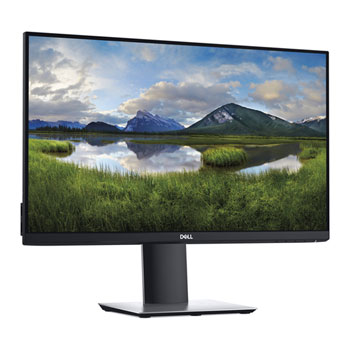

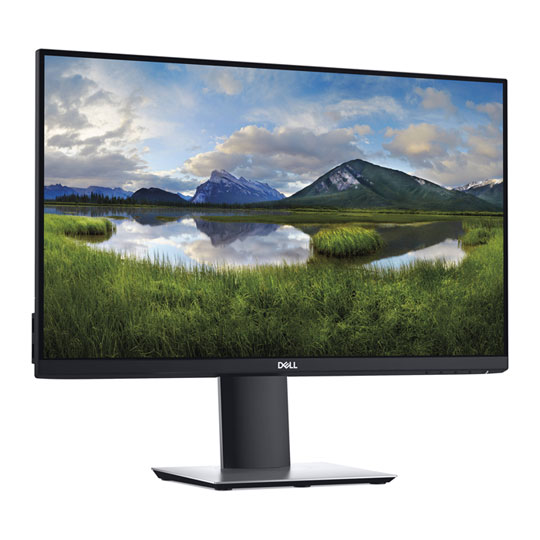

Dell 24" P2419H IPS Monitor Height/Tilt/Swivel/Pivot Adjustable
End Of Life
Dell 24" P2419H IPS Monitor Height/Tilt/Swivel/Pivot Adjustable
Scan code: LN94227 Manufacturer code: P2419H
End Of Life
  • Thumbnail 1 : Dell 24" P2419H IPS Monitor Height/Tilt/Swivel/Pivot Adjustable
  • Dell 24" P2419H IPS Monitor Height/Tilt/Swivel/Pivot Adjustable : video thumbnail 1
End Of Life

Dell 24" P2419H IPS Monitor Height/Tilt/Swivel/Pivot Adjustable

23.8" Dell P2419H Monitor, IPS 1920x1080 8ms, 1000:1, 250cd/m², DisplayPort 1.2, HDMI Adjustable Stand

Scan code: LN94227 Manufacturer code: P2419H
End of life
This product is no longer available to purchase.

Email me when the availability or price changes

  • SCANPROTECT Protect against installation damage for 28 days.

24" P2419H 1080p Full HD IPS Office Monitor from Dell
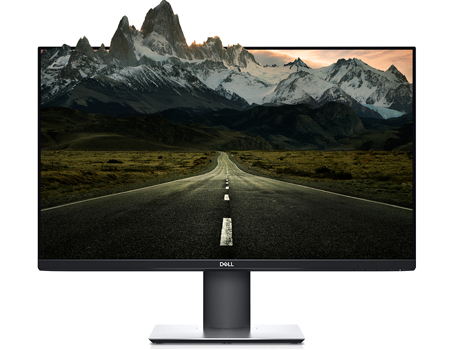
24 inch P2419H 1080p Full HD IPS Office Monitor from Dell

Small Footprint, Massive Potential Introducing the Dell P2419H, a monitor thats geared to make you more productive. Optimise your workspace with this efficient 23.8" monitor built with an ultrathin bezel design, a small footprint and comfort-enhancing features and with a stunning FULL HD IPS display you can see all of the necessary details in liquid clarity, due to it's smaller footprint this monitor would be perfect for any office or home working and is ideal for general computer users.

24"Screen Size

1920 x 1080Resolution

IPSPanel Type

Designed to Work Around You

Adjustable, cable management included, blue light reduction

No More Clutter With a built-in cable management system you can remain focused on your work whilst cluttered cables are hidden from view.

Takes Care of Your VisionThe Dell P2419H is TUV certified and features a flicker-free screen with ComfortView, a technology designed to reduce harmful blue light emissions and optimise viewing conditions for extended usage.

Adjust to Your ComfortAdjust the height, pivot, swivel or tilt to guarantee yourself a comfortable setup and a better posture making spending longer in front of a screen more bearable.

Peace of Mind, Guaranteed

Premium Panel Guarantee

Premium Panel GuaranteeThe Dell Premium Panel Guarantee allows a free panel replacement during the Limited Hardware Warranty, even if only one bright pixel is found.

Advanced Exchange

Advanced Exchange ServiceYour monitor comes with a 3-year Advanced Exchange Service so that if a replacement becomes necessary, it will be shipped to you the next business day during your 3-year Limited Hardware Warranty.

Now With More Ways to Connect

Vga Port

VGA

HDMI Port

HDMI

DisplayPort

DisplayPort

Warranty

Please note your statutory rights are not affected.

For further information regarding Scan's warranty procedure please see our terms and conditions

Details
Duration:
36 months
Type:
Direct
DOA Period:
7 days
Manufacturer Contact Details
Telephone:
0800 028 2660
Buying Guide
Need help? Read our Monitors Buying Guide
HDR Monitors
HDR Monitors
Date Issued: 11th May 2020

PC monitor manufacturers tend to focus on a particular buzzword or acronym almost every year. In the past, we have been treated to HD (high definition), denoting the screen is capable of running a minimum 720p resolution.

Read More

Display Panel Types
Display Panel Types
Date Issued: 15th May 2015

Choosing a monitor is not an easy decision to make, and not just because of the large number of variations in resolution, refresh rates, sizes and connectivity options. There are also varying panel technologies used to form each display that need to be considered. These panel technologies can be grouped into three broad categories which cover the vast majority of monitors sold in the consumer market.

Read More

NVIDIA G-Sync
NVIDIA G-Sync
Date Issued: 17th Dec 2013

G-SYNC works in a surprisingly simple way - it calculates how long the present frame takes to compute and then, crucially, varies the refresh rate of the monitor to match. It works between a minimum of 33.3ms (30fps) and the maximum supported refresh of the display. The key takeaway here is that the graphics card and monitor are both synced up to one another - the monitor doesn't have the limitations imposed by a rigid, fixed-rate scanning routine.

Read More

Graphics Card Outputs
Date Issued: 8th Oct 2010

Modern desktop computers and notebooks comprise of a CPU, motherboard, graphics, storage, and, usually an optical drive. Computers have a number of ports and sockets that enable the user to plug-in various peripherals such as a printer, USB mouse, or, perhaps most importantly of all, an Internet connection.

Read More

HDMI
HDMI
Date Issued: 3rd Dec 2008

Keeping in tandem with technological developments, audio/video connectors continue to evolve at a steady pace. Today, the most common digital connector comes in the form of HDMI and we're here to tell you what it is, what it does, and why you might need it.

Read More

Blu-ray
Blu-ray
Date Issued: 3rd Dec 2008

Blu-ray Disc is now widely regarded as the physical successor to DVD, we take a closer look at what it is, what advantages it brings, and what it could mean to you.

Read More

DVI
DVI
Date Issued: 20th Oct 2008

As you’ll all likely know by now, DVI is the current standard for connection of a PC or other display generator to a digital display output. You’ll recognise the multi-pin connector and know that almost all modern LCD displays have the corresponding input connector, for feeding from your PC. But do you know how DVI works? This TekSpek seeks to teach you how.

Read More

HDTV 720/1080
HDTV 720/1080
Date Issued: 14th Jun 2008

Whether the broadcasters are going HD or not, TV sets and projectors are arriving thick and fast which claim to support higher resolutions than regular telly. But HDTV is far from just one standard – it incorporates a couple of different resolutions, two different scanning modes, and a number of different frame rates. In this article, we present a guide to what all the terms actually mean.

Read More

DVI/HDMI/HDCP
DVI/HDMI/HDCP
Date Issued: 14th Jun 2008

There’s a lot more to High Definition than just having the ability to run your screen at the right resolution. With more than one type of connection available, and the thorny subject of signal encryption to contend with, just because your monitor and graphics are capable of 1,920 x 1,080 or better does not necessarily mean they will be able to display HDTV in all its glory.

Read More

23.8" Dell P2419H Monitor, IPS 1920x1080 8ms, 1000:1, 250cd/m², DisplayPort 1.2, HDMI Adjustable Stand is rated 5.0 out of 5 by 1.
Rated 5 out of 5 by from Great monitor for home office Needed a monitor for a home office and this monitor is perfect the bezels round the edge are very thin and the slim stand does not take up much desk space at tall. Have been using daily for a month now very happy.
Date published: 2020-05-15
  • y_2020, m_9, d_10, h_15
  • bvseo_bulk, prod_bvrr, vn_bulk_3.0.12
  • cp_1, bvpage1
  • co_hasreviews, tv_0, tr_1
  • loc_en_GB, sid_94227, prod, sort_[SortEntry(order=FEATURED, direction=DESCENDING), SortEntry(order=SUBMISSION_TIME, direction=DESCENDING)]
  • clientName_scan

What cables does this monitor come with in the box?

Asked by: faleri
Unless stated otherwise, monitors would normally only be supplied with the power cable.
Answered by: DavidScan
Date published: 2020-09-03
  • y_2020, m_9, d_10, h_15CST
  • bvseo_bulk, prod_bvqa, vn_bulk_3.0.12
  • cp_1, bvpage1
  • co_hasquestionsanswers, tq_1
  • loc_en_GB, sid_94227, prod, sort_[SortEntry(order=LOCALE, direction=DESCENDING), SortEntry(order=FEATURED, direction=DESCENDING), SortEntry(order=NUM_ANSWERS, direction=DESCENDING)]
  • clientName_scan
Dell 24" P2419H IPS Monitor Height/Tilt/Swivel/Pivot Adjustable