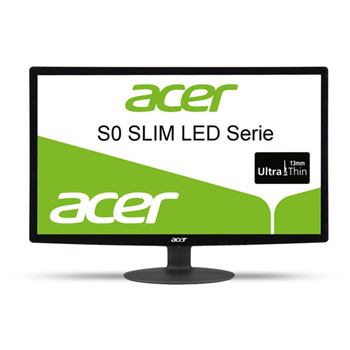
Acer 21.5" Full HD LED Monitor with HDMI S220HQLBbid
Scan code: LN75058
Manufacturer code: UM.WS0EE.B02
End Of Life

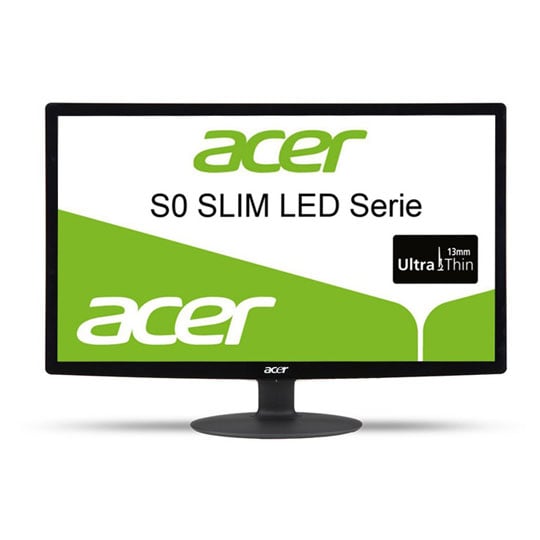

Acer 21.5" Full HD LED Monitor with HDMI S220HQLBbid
21.5" Acer S220HQL, LED, Full HD 1920x1080, 5ms, 200cd/m2, 100M:1, HDMI/DVI/VGA, Black
Scan code:
LN75058
Manufacturer code:
UM.WS0EE.B02
This product is no longer available to purchase.
Email me when the availability or price changes
- SCANPROTECT Protect against installation damage for 28 days.
Product Overview
1080p HD screen
Whether you're playing a game or working on a presentation, the Acer S220 Monitor offers a Full HD 1080p resolution so that every image is packed full of detail. With a fast response time for immersive graphics, the bright and beautiful display is perfect for making the most out of every image.
Optimise every image the way you want with Acer's eColour Management, which lets you tailor characteristics like brightness, saturation and contrast to get the best out of your content.
Energy efficient
The Acer S220 is made using white LEDs that are mercury-free and safer for the environment. White LEDs consume less power and result in up to 68% of power savings.
Featuring a super-slim profile that won't take up too much space on your desk or table top, the S220 looks great in any space.
Easy to connect to your PC or console, the Acer S220 Monitor has a HDMI port, as well as VGA and DVI connections, so that you can get everything set up easily. Features • 21.5" LED backlit panel.
• 1080p Full HD screen with high quality visuals.
• Energy efficient with white LEDs.
• HDMI, DVI and VGA connections available.
• 5ms response time.
• 200cd/m² brightness with 100M:1 contrast ratio.
Whether you're playing a game or working on a presentation, the Acer S220 Monitor offers a Full HD 1080p resolution so that every image is packed full of detail. With a fast response time for immersive graphics, the bright and beautiful display is perfect for making the most out of every image.
Optimise every image the way you want with Acer's eColour Management, which lets you tailor characteristics like brightness, saturation and contrast to get the best out of your content.
Energy efficient
The Acer S220 is made using white LEDs that are mercury-free and safer for the environment. White LEDs consume less power and result in up to 68% of power savings.
Featuring a super-slim profile that won't take up too much space on your desk or table top, the S220 looks great in any space.
Easy to connect to your PC or console, the Acer S220 Monitor has a HDMI port, as well as VGA and DVI connections, so that you can get everything set up easily. Features • 21.5" LED backlit panel.
• 1080p Full HD screen with high quality visuals.
• Energy efficient with white LEDs.
• HDMI, DVI and VGA connections available.
• 5ms response time.
• 200cd/m² brightness with 100M:1 contrast ratio.


Acer 21.5" Full HD LED Monitor with HDMI S220HQLBbid
![Acer 21.5" Full HD LED Monitor with HDMI S220HQLBbid]()