What Makes NVIDIA Datacentre GPUs Special
NVIDIA datacentre GPUs feature a whole host of extra features and capabilities that their consumer counterparts lack.
Certified Drivers
ISVs such as Autodesk, Dassault and Siemens certify their applications, ensuring optimal stability backed by enterprise-class customer support.
NVIDIA Enterprise
NVIDIA AI Enterprise is a suite of frameworks and libraries that accelerate the deployment of AI projects. It is available on subscription with all NVIDIA datacentre GPUs.
Enterprise Class
Enterprise-class components ensure better reliability and resiliency, reducing failure rates especially when used at full load for longer periods of time.
ECC Memory
Error correcting code (ECC) memory acts to protect data from corruption, so any errors are eradicated prior to them affecting the workload being processed.
Extended Memory
Larger onboard frame buffers than consumer GPUs enable larger and more complex renders and compute simulations to be processed.
Virtualisation
GPU cores, memory and cache can be partitioned and isolated at a hardware level, giving multiple users access to GPU acceleration.
Security
USB-C ports can be disabled, increasing data integrity when installed in secure environments or when used with sensitive information.
Extended Warranty
The standard warranty provides cover for 3 years in professional environments and can be extended to total of 5 years upon request.
On premise or in the cloud
NVIDIA datacentre GPUs are available to purchase in two ways from Scan. Firstly, integrated into a fully-configured server from our in-house 3XS Systems division or an NVIDIA DGX appliance. Alternatively, you can reserve virtual GPU instances with weekly, monthly, or custom-length commitments from our in-house Scan Cloud division. The latter includes a wide variety of GPUs, including many powerful previous generation products that are no longer available to buy in a server. Check the table to see which GPUs are available to purchase in a system or available virtually in Scan Cloud.
| Purchase Option | B300 | B200 |
RTX PRO 6000 Blackwell Server |
RTX PRO 4500 Blackwell Server |
H200 NVL | A100 | A30 | V100 | L40S | L40 | A40 | A10 | A16 | L4 | A2 |
|---|---|---|---|---|---|---|---|---|---|---|---|---|---|---|---|
| Purchase in a 3XS Systems server | ✔ | ✔ | ✔ | ✔ | ✔ | ✖ | ✔ | ✖ | ✔ | ✔ | ✖ | ✔* | ✔* | ✔ | ✔ |
| Purchase in an NVIDIA DGX appliance | ✔ | ✔ | ✖ | ✖ | ✖ | ✖ | ✖ | ✖ | ✖ | ✖ | ✖ | ✖ | ✖ | ✖ | ✖ |
| Virtual GPU instance in Scan Cloud ** | ✖ | ✖ | ✔ | ✖ | ✖ | ✔ | ✖ | ✔ | ✔ | ✔ | ✔ | ✖ | ✖ | ✖ | ✖ |
✔ = Available | ✖ = Not available | * Available on request | ** Additional NVIDIA workstation GPUs are also available in Scan Cloud, see the SKU listing for more detail.
The NVIDIA Datacentre GPU Range
The following table gives an overview of which GPUs are most suitable for different workloads, ranging from machine learning (ML), deep learning (DL) and artificial intelligence (AI) - both training and inferencing - as these require quite different attributes. We also grade them for scientific compute loads often referred to as HPC, rendering and finally cloud-native NVIDIA vGPU platforms such as virtual PCs (vPC), virtual workstations (vWS) and Omniverse Enterprise.
| Workload | B300 | B200 | RTX PRO 6000 BLACKWELL SERVER |
RTX PRO 4500 BLACKWELL SERVER |
H200 NVL | A100 | A30 | L40S | L40 | A40 | A10 | A16 | L4 | A2 |
|---|---|---|---|---|---|---|---|---|---|---|---|---|---|---|
| ML / DL / AI - Training | ✔ | ✔ | ✔ | ✔ | ✔ | ✔ | ✔ | ✔ | ✖ | ✖ | ✖ | ✖ | ✖ | ✖ |
| ML / DL / AI - Inferencing | ✔ | ✔ | ✔ | ✔ | ✔ | ✔ | ✔ | ✔ | ✔ | ✔ | ✔ | ✔ | ✖ | ✔ |
| HPC | ✔ | ✔ | ✔ | ✖ | ✔ | ✔ | ✔ | ✖ | ✖ | ✖ | ✖ | ✖ | ✖ | ✖ |
| Rendering | ✖ | ✖ | ✔ | ✔ | ✖ | ✖ | ✖ | ✔ | ✔ | ✔ | ✔ | ✖ | ✖ | ✖ |
| NVIDIA vPC | ✖ | ✖ | ✔ | ✔ | ✖ | ✖ | ✖ | ✖ | ✖ | ✖ | ✖ | ✖ | ✔ | ✔ |
| NVIDIA vWS | ✖ | ✖ | ✔ | ✔ | ✖ | ✖ | ✖ | ✔ | ✔ | ✔ | ✔ | ✖ | ✔ | ✖ |
| NVIDIA Omniverse | ✔ | ✔ | ✔ | ✔ | ✔ | ✔ | ✔ | ✔ | ✔ | ✔ | ✖ | ✖ | ✖ | ✖ |
✔ = Recommended | ✖ = Not recommended
GPU Details
Select a GPU below to view detailed specifications and features.
B300
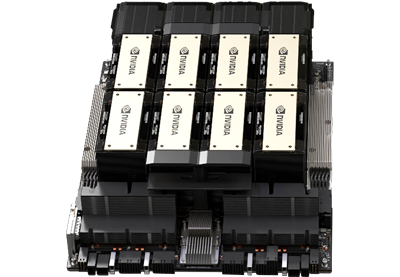
The B300 is the flagship datacentre GPU based on the Blackwell Ultra architecture and is designed for the most demanding deep learning and AI workloads, such as agentic and physical AI. The SFU throughput for key instructions used in attention in Blackwell Ultra GPUs has been doubled over Blackwell. This accelerates short and long-sequence attention, especially in reasoning models with large context windows. It is equipped with 20,480 CUDA and 640 5th gen Tensor cores plus a huge 270GB of ultra-reliable HBM3e ECC memory, available in SXM baseboards for DGX and HGX servers, each with 8 GPUs onboard.
✖
Ray Tracing Performance (TFLOPS)
2,200
Single Precision FP32 Tensor Performance (TFLOPS)
4,500
Half Precision FP16 Tensor Performance (TFLOPS)
9,000
Quarter Precision FP8 Tensor Performance (TFLOPS)
18,000
Eighth Precision FP4 Tensor Performance (TFLOPS)
✖
VR Ready
✔
NVLink

CUDA
CUDA cores are the workhorse in Blackwell GPUs, as the architecture supports many cores and accelerates workloads up to 28% (FP32) faster than the previous Ada Lovelace generation.

Dense NVFP4
Blackwell Ultra GPUs are specially optimised for low precision calculations, supporting several proprietary NVIDIA formats such as dense NVFP4, which can boost performance by up to 50% more than Blackwell GPUs.

Data Science & AI
Fifth generation Tensor cores boost scientific computing and AI development with up to 3x faster performance compared to Ada Lovelace GPUs, they also support FP4 precision.

MIG
Multi-Instance GPU (MIG) fully isolates at the hardware level allowing memory, cache and cores to be partitioned into as many as seven independent instances, giving multiple users access to GPU acceleration.
RTX PRO 6000 Blackwell Server
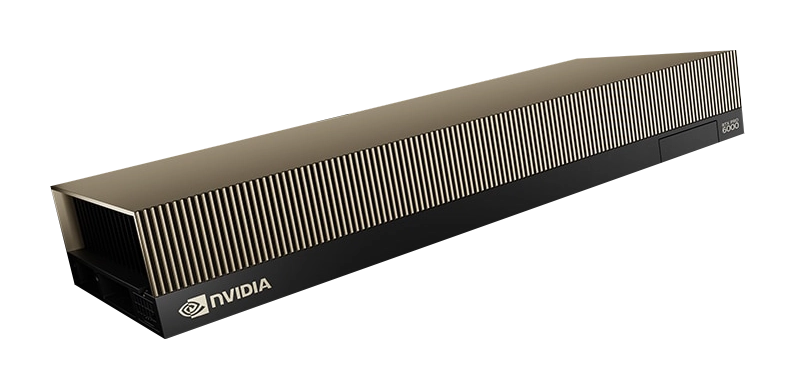
The RTX PRO 6000 Blackwell Server is a powerful datacentre PCIe GPU based on the Blackwell architecture and is designed for demanding deep learning, AI and HPC workloads, such as LLMs and generative AI, and visualisation workloads. It is equipped with 24,604 CUDA cores, 752 5th gen Tensor cores, 188 4th gen RT cores plus a huge 96GB of ultra-reliable GDDR7 ECC memory.
355
Ray Tracing Performance (TFLOPS)
TBC
Single Precision FP32 Tensor Performance (TFLOPS)
TBC
Half Precision FP16 Tensor Performance (TFLOPS)
TBC
Quarter Precision FP8 Tensor Performance (TFLOPS)
4,000
Eighth Precision FP4 Tensor Performance (TFLOPS)
✔
VR Ready
✖
NVLink
CUDA
CUDA cores are the workhorse in Blackwell GPUs, as the architecture supports many cores and accelerates workloads up to 28% (FP32) faster than the previous Ada Lovelace generation.
Ray Tracing
Blackwell GPUs feature fourth generation RT cores delivering up to double the real-time photorealistic ray-tracing performance of the previous generation GPUs.
Data Science & AI
Fifth generation Tensor cores boost scientific computing and AI development with up to 3x faster performance compared to Ada Lovelace GPUs, they also support FP4 precision.
MIG
Multi-Instance GPU (MIG) fully isolates at the hardware level allowing memory, cache and cores to be partitioned into as many as four independent instances, giving multiple users access to GPU acceleration.
RTX PRO 4500 Blackwell Server
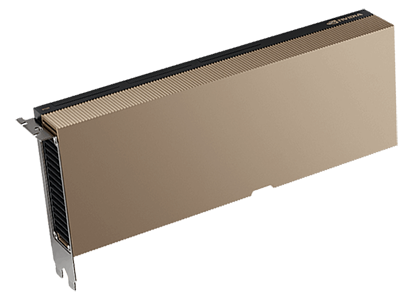
The RTX PRO 4500 Blackwell Server is a powerful datacentre PCIe GPU based on the Blackwell architecture and is designed for demanding deep learning, AI and HPC workloads. It offers excellent performance at a more accessible price point than the RTX PRO 6000.
154
Ray Tracing Performance (TFLOPS)
203
Single Precision FP32 Tensor Performance (TFLOPS)
406
Half Precision FP16 Tensor Performance (TFLOPS)
811
Quarter Precision FP8 Tensor Performance (TFLOPS)
1,600
Eighth Precision FP4 Tensor Performance (TFLOPS)
✔
VR Ready
✖
NVLink
CUDA
CUDA cores are the workhorse in Blackwell GPUs, as the architecture supports many cores and accelerates workloads up to 28% (FP32) faster than the previous Ada Lovelace generation.
Ray Tracing
Blackwell GPUs feature fourth generation RT cores delivering up to double the real-time photorealistic ray-tracing performance of the previous generation GPUs.
Data Science & AI
Fifth generation Tensor cores boost scientific computing and AI development with up to 3x faster performance compared to Ada Lovelace GPUs, they also support FP4 precision.
MIG
Multi-Instance GPU (MIG) fully isolates at the hardware level allowing memory, cache and cores to be partitioned into as many as four independent instances, giving multiple users access to GPU acceleration.

NVIDIA Professional Datacentre GPU Summary
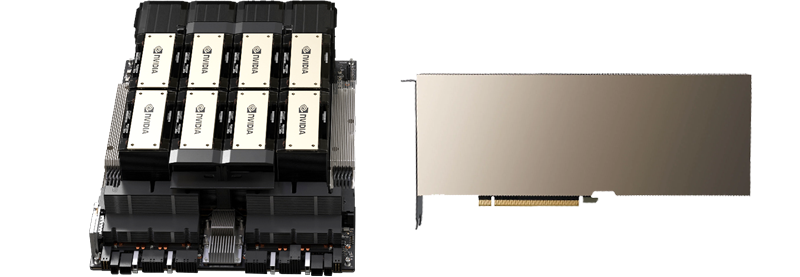
The below table summarises each GPU’s performance along with its technical specifications.
| Specification | B300 | B200 | RTX PRO 6000 Blackwell Server | RTX PRO 4500 Blackwell Server | H200 NVL | A100 | A30 | V100 | L40S | L40 | A40 | A10 | A16 | L4 | A2 |
|---|---|---|---|---|---|---|---|---|---|---|---|---|---|---|---|
| Architecture | Blackwell Ultra | Blackwell | Blackwell | Blackwell | Hopper | Ampere | Ampere | Volta | Ada Lovelace | Ada Lovelace | Ampere | Ampere | Ampere | Ada Lovelace | Ampere |
| Form Factor | SXM | SXM | PCIe 5 | PCIe 5 | PCIe 5 | PCIe 4 | PCIe 4 | SXM | PCIe 4 | PCIe 4 | PCIe 4 | PCIe 4 | PCIe 4 | PCIe 4 | PCIe 4 |
| GPU | B300 | B200 | GB202 | GB203 | H200 | GA100 | GA100 | V100 | AD102 | AD102 | GA102 | GA102 | GA102 | AD104 | GA102 |
| CUDA Cores | 20,480 | 20,480 | 24,604 | 10,496 | 16,896 | 6,912 | 3,804 | 5,120 | 18,176 | 18,176 | 10,752 | 9,216 | 4 x 1,280 | 7,680 | 1,280 |
| Tensor Cores | 640 5th gen | 640 5th gen | 752 5th gen | 328 5th gen | 528 4th gen | 432 3rd gen | 224 3rd gen | 640 1st gen | 568 4th gen | 568 4th gen | 336 3rd gen | 288 3rd gen | 4 x 40 3rd gen | 240 4th gen | 40 3rd gen |
| RT Cores | 0 | 0 | 188 4th gen | 82 4th gen | 0 | 0 | 0 | 0 | 142 3rd gen | 142 3rd gen | 84 2nd gen | 72 2nd gen | 4 x 10 2nd gen | 60 3rd gen | 10 2nd gen |
| Memory | 270GB HBM3e | 180GB HBM3e | 96GB GDDR7 | 32GB GDDR7 | 141GB HBM3e | 40GB or 80GB HBM2 | 24GB HBM2 | 16GB or 32GB HBM2 | 48GB GDDR6 | 48GB GDDR6 | 48GB GDDR6 | 24GB GDDR6 | 4 × 16GB GDDR6 | 24GB GDDR6 | 16GB GDDR6 |
| ECC Memory | ✔ | ✔ | ✔ | ✔ | ✔ | ✔ | ✔ | ✔ | ✔ | ✔ | ✔ | ✔ | ✔ | ✔ | ✔ |
| Memory Controller | 8,192-bit | 8,192-bit | 512-bit | 256-bit | 5,120-bit | 5,120-bit | 3,072-bit | 4,096-bit | 384-bit | 384-bit | 384-bit | 384-bit | 4 × 128-bit | 192-bit | 128-bit |
| NVLink | 1.8TB/sec | 1.8TB/sec | ✖ | ✖ | 900GB/sec | 600GB/sec | 200GB/sec | 300GB/sec | ✖ | ✖ | 112GB/sec | ✖ | ✖ | ✖ | ✖ |
| MIG | 7 | 7 | 4 | 2 | 7 | 7 | 4 | ✖ | ✖ | ✖ | ✖ | ✖ | ✖ | ✖ | ✖ |
| Ray Tracing | ✖ | ✖ | ✔ | ✔ | ✖ | ✖ | ✖ | ✖ | ✔ | ✔ | ✔ | ✔ | ✔ | ✔ | ✔ |
| VR Ready | ✖ | ✖ | ✔ | ✔ | ✖ | ✖ | ✖ | ✖ | ✔ | ✔ | ✔ | ✔ | ✔ | ✔ | ✔ |
| TDP | 1,100W | 1,000W | 600W | 165W | 600W | 250W | 165W | 300W | 350W | 300W | 300W | 150W | 250W | 72W | 60W |
✔ = Supported | ✖ = Not supported
Ready to Buy?
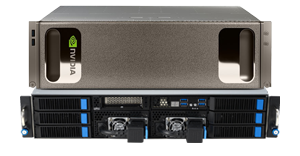
NVIDIA datacentre GPUs are available for purchase installed in a server or as virtual GPUs in Scan Cloud.
Need Help Choosing?
We hope you've found this NVIDIA datacentre GPU buyer's guide helpful. If you would like further advice on choosing the correct GPU for your use case or project, please don’t hesitate to get in touch on 01204 474747 or via email at [email protected].
Frequently Asked Questions FAQ
Here are some common questions and answers about NVIDIA datacentre GPUs.
NVIDIA datacentre GPUs feature enterprise-class components for better reliability, ECC memory to protect against data corruption, certified drivers for professional applications, larger memory buffers, extended warranty support, and security features like disabling USB-C ports. They are designed for 24/7 operation under full load in server environments.
NVIDIA datacentre GPUs are available for purchase installed in a server or as virtual GPUs in Scan Cloud.
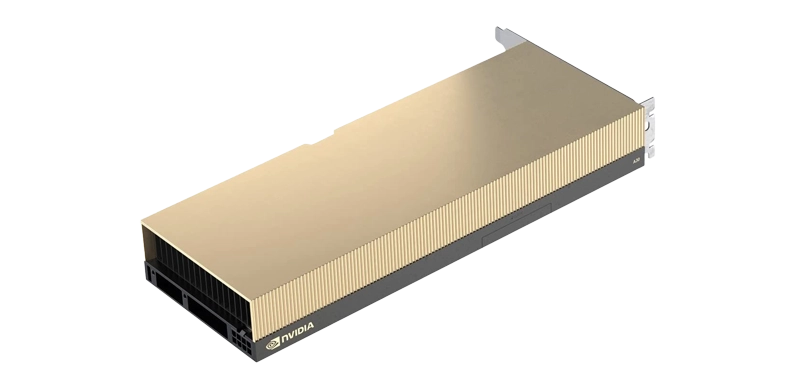
Workstation GPUs are actively-cooled cards designed for desktop PCs. In contrast, datacentre GPUs are passively-cooled cards designed for servers, often but not always with more onboard memory, enabling them to process larger models.
For AI training, the B300 and B200 are the top choices for large-scale deep learning and LLM training due to their exceptional Tensor core performance and high-bandwidth memory. The RTX PRO 6000 Blackwell Server and RTX PRO 4500 are excellent alternatives for organisations with graphics and AI requirements.
NVLink is NVIDIA's high-speed interconnect technology that allows multiple GPUs to communicate directly at speeds far exceeding PCIe. This is critical for multi-GPU training scenarios where data needs to be shared rapidly between GPUs. The H200 and H100 support NVLink at 900GB/sec, while older cards like the A100 support 600GB/sec.
NVIDIA datacentre GPUs must be purchased as part of a 3XS Systems server build rather than being available standalone. This ensures proper integration, cooling, power delivery and support for these high-performance components. Contact our team to discuss your server requirements.
For virtual PC (vPC) sessions running everyday office applications, the A16, L4 and A2 are optimised choices. For virtual server (vWS) sessions requiring more graphical performance, consider the L40S, L40, A40 or A10. The choice depends on the number of concurrent users and the graphical demands of their applications.
Multi-Instance GPU (MIG) enables multiple users to share access to a GPU. It fully isolates at the hardware level allowing memory, cache and cores to be partitioned into as many as seven independent instances.
The graphics card is the most important component in a server PC as it is responsible for rendering applications, performing simulations and running AI models. More powerful graphics cards enable higher resolutions and frame rates, improving user experience.
A graphics card comprises two main components: the GPU (Graphics Processing Unit) and VRAM (Video Random Access Memory), which stores models, textures and frame buffers.
A CUDA (Compute Unified Device Architecture) core is the primary processor inside NVIDIA GPUs. Thousands of CUDA cores work together in parallel; generally, more cores means higher performance.
Some workloads are accelerated by specialised RT or Tensor cores. CUDA core capability also improves with newer architectures such as Blackwell (2025), Ada Lovelace (2022) and Ampere (2020).
RT (Ray Tracing) cores accelerate real‑time ray tracing, simulating realistic light, reflections and shadows. More RT cores generally result in higher frame rates when ray tracing is enabled.
RT core capability increases with each generation (e.g. 5th gen vs 4th gen).
Tensor cores accelerate AI and machine‑learning workloads such as training and inference. GPUs with more advanced Tensor cores deliver significantly higher AI performance.
Each GPU generation brings more capable Tensor cores with support for newer data formats.
DLSS (Deep Learning Super Sampling) is an AI‑based rendering technology that uses Tensor cores to increase frame rates while maintaining image quality, allowing higher resolutions without the usual performance cost.
NVLink is a high‑bandwidth interconnect that links compatible NVIDIA GPUs together, allowing them to share memory and data directly for improved multi‑GPU performance.
A FLOP (Floating‑Point Operation per Second) measures how quickly a GPU performs complex mathematical calculations used in simulations and AI workloads.
FLOPS are commonly expressed as GFLOPS (10⁹), TFLOPS (10¹²) or PFLOPS (10¹⁵), similar to KB, MB, GB and TB for memory capacity.
These values describe floating‑point precision. Lower precision formats such as FP4 and FP8 are faster, while higher precision formats such as FP32 and FP64 provide greater numerical accuracy at lower performance.
A TOP (Trillion Operations per Second) measures how quickly a GPU can perform integer operations, commonly used when inferencing AI models.