Headset vs Headphones
Before we dive into what to look out for when choosing a gaming headset it’s important to address the differences between a headset and traditional headphones. While both devices can be used for gaming, headphones are first and foremost designed for listening to music while headsets are engineered for gaming, including a built-in microphone for voice coms.
| Headset | Headphones | |
|---|---|---|
| Primary Use | Gaming | Music |
| Microphone | ✔ | ✖ |
Wired vs Wireless Headsets
Gaming headsets connect to your PC in one of two main ways, wired or wireless. The decision on which to buy is primarily a matter of a taste, as explained below.
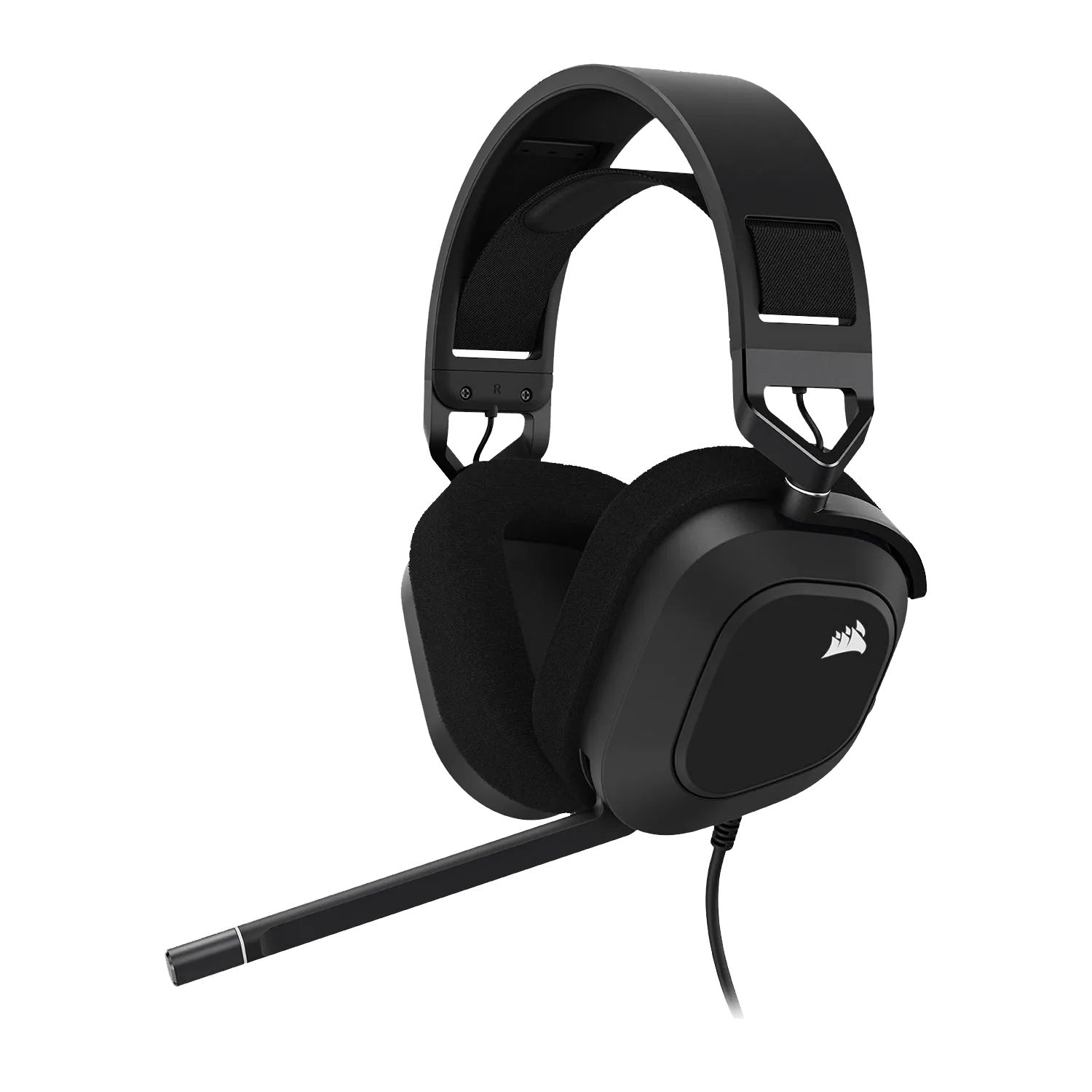
Wired Headsets
Wired gaming headsets are the most common type, using a long cable to plug into a USB Type A port or a pair of 3.5mm minijacks.
Wired gaming headsets are cheap, simple and available in a huge range of styles, but some people find the cable clutter unsightly and annoying.
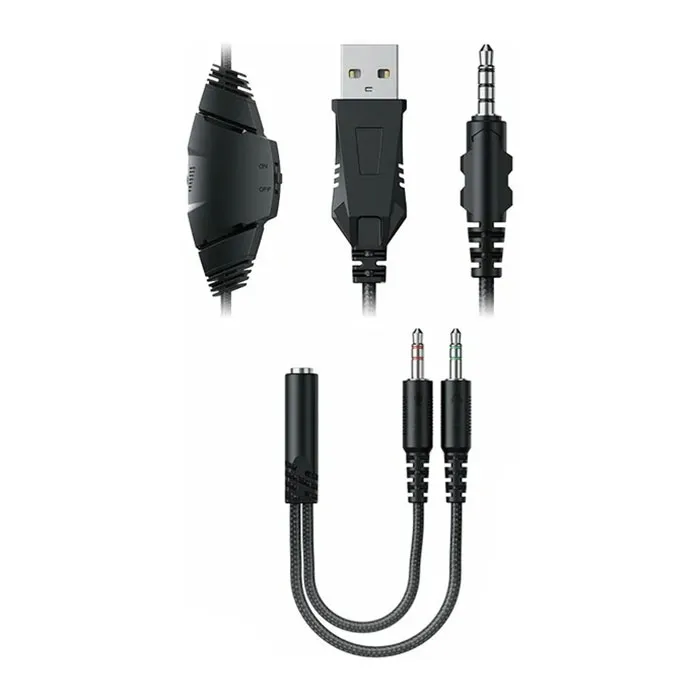
Most wired gaming headsets connect to your PC via a single cable that splits out into two 3.5mm minijacks, one for the drivers and the other for the microphone.
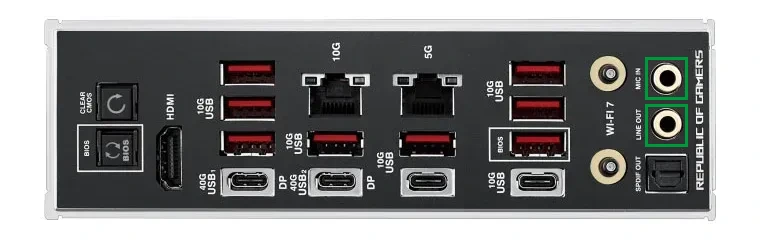
Minijack sockets are typically found on the rear of your PC on the motherboard I/O Shield (highlighted in green), or sound card if you have one. Many cases also have front or roof mounted minijacks too.
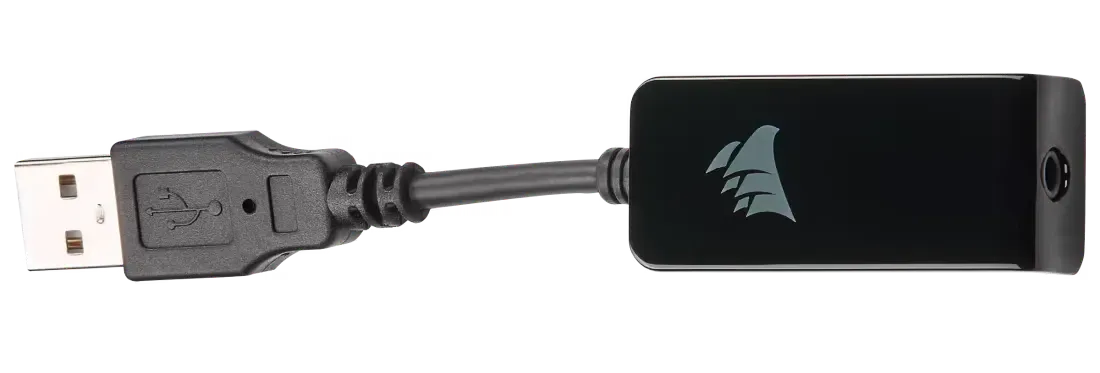
Alternatively, some wired gaming headsets connect via USB, either natively or via an adaptor.
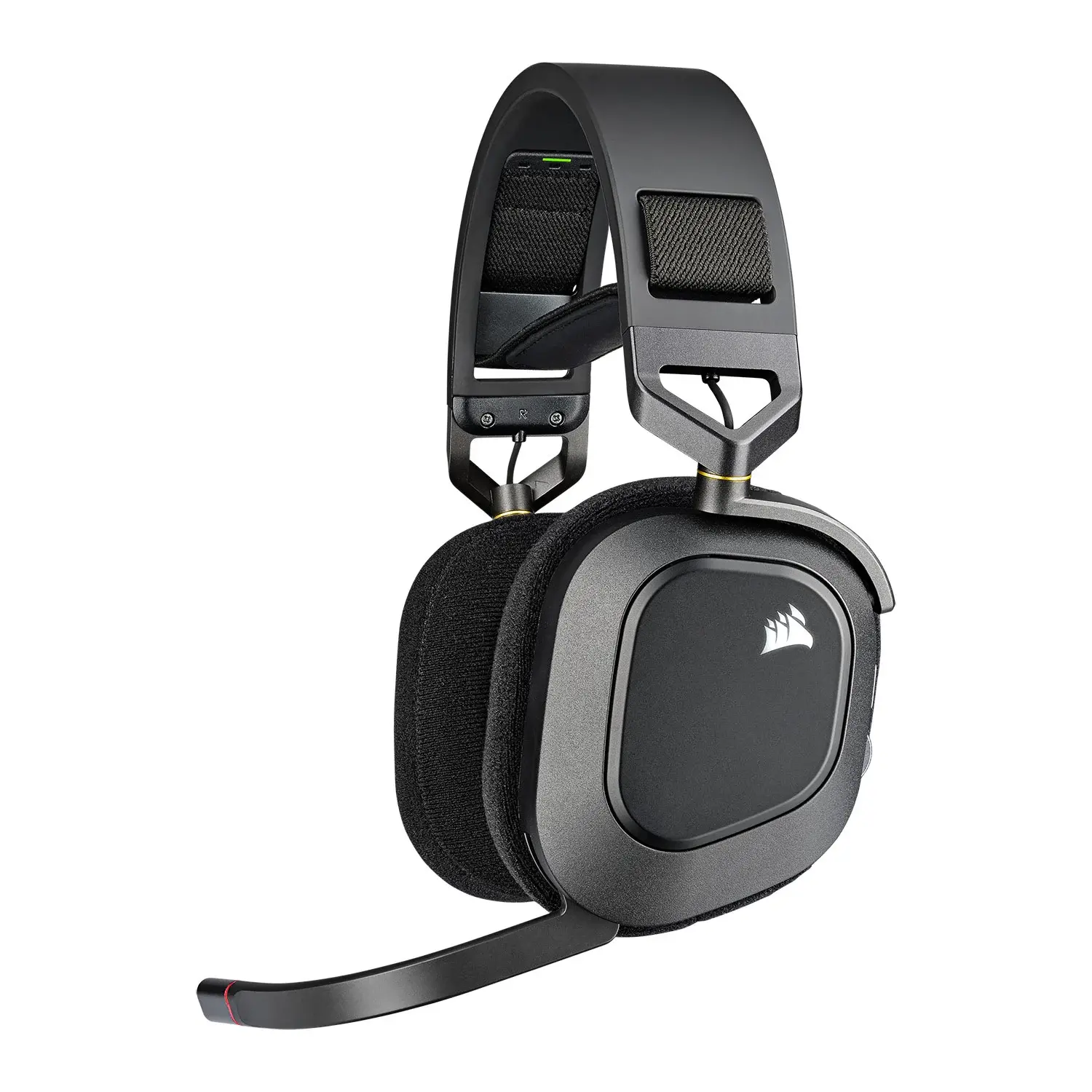
Wireless Headsets
Wireless gaming headsets connect to your PC via a dongle that plugs into a USB Type A port.
This reduces cable clutter, although you’ll need to recharge the battery inside the headset every few days via a USB cable.
Wireless headsets are a little heavier and more expensive than wired headsets.
Wireless gaming headsets connect to your PC via a dongle that most commonly uses the 2.4GHz wireless frequency.
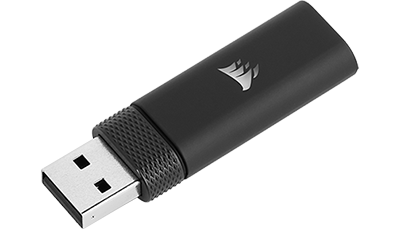
2.4GHz wireless is the best choice for PC gaming, but some wireless headsets also support an optional Bluetooth mode.

Bluetooth is included in some headsets as this is the preferred connection method for mobile devices such as smartphones and tablets.
So, if you want to use your headset across multiple devices make sure to pick one that supports both 2.4GHz wireless and Bluetooth.
| 2.4GHz wireless | Bluetooth 5.2 | |
|---|---|---|
| Latency | ≤1ms | ≤8ms |
| Bandwidth | Higher | Lower |
| Range | ≤50ft | ≤30ft |
Just make sure to select the 2.4GHz mode when connected to your PC, as it is superior, having lower latency, more bandwidth meaning better sound quality, and longer range than Bluetooth.
| Wired | Wireless | |
|---|---|---|
| Pros |
Lighter Cheaper |
Cable free during everyday use You can carry on using the headset after standing up and leaving your PC |
| Cons |
Cable clutter You have to take off the headset when leaving your PC |
Heavier More expensive Needs charging from time to time |
Stereo vs Surround Sound
The next decision you need to make is opting for a stereo headset or one with surround sound. This primarily comes down to budget, with surround sound headsets being at the more expensive end of the market.
Stereo Headsets
Stereo headsets are equipped with two drivers, one for each ear, providing left and right positional audio.
Surround Sound Headsets
Despite also only having two drivers, using advanced signal processing, surround sound headsets provide a more immersive experience with 3D positional audio.
Keep an eye out for headsets that support either Dolby Atmos or THX Spatial Audio for the best quality surround sound.
| Stereo | Surround Sound | |
|---|---|---|
| Pros | Cheaper | 3D positional audio |
| Cons | Left and right positional audio | More expensive |
Closed-Back vs Open-Back Headsets
These two terms refer to the physical structure of a headset, impacting how they feel to wear and how they sound.
Closed-Back Headsets
Closed-back gaming headsets are the most common type, with the fully-enclosed drivers creating a very immersive listening experience with few background distractions and precise spatial audio.
However, the sealed-feeling of closed-back gaming headsets can make them hot and sweaty.
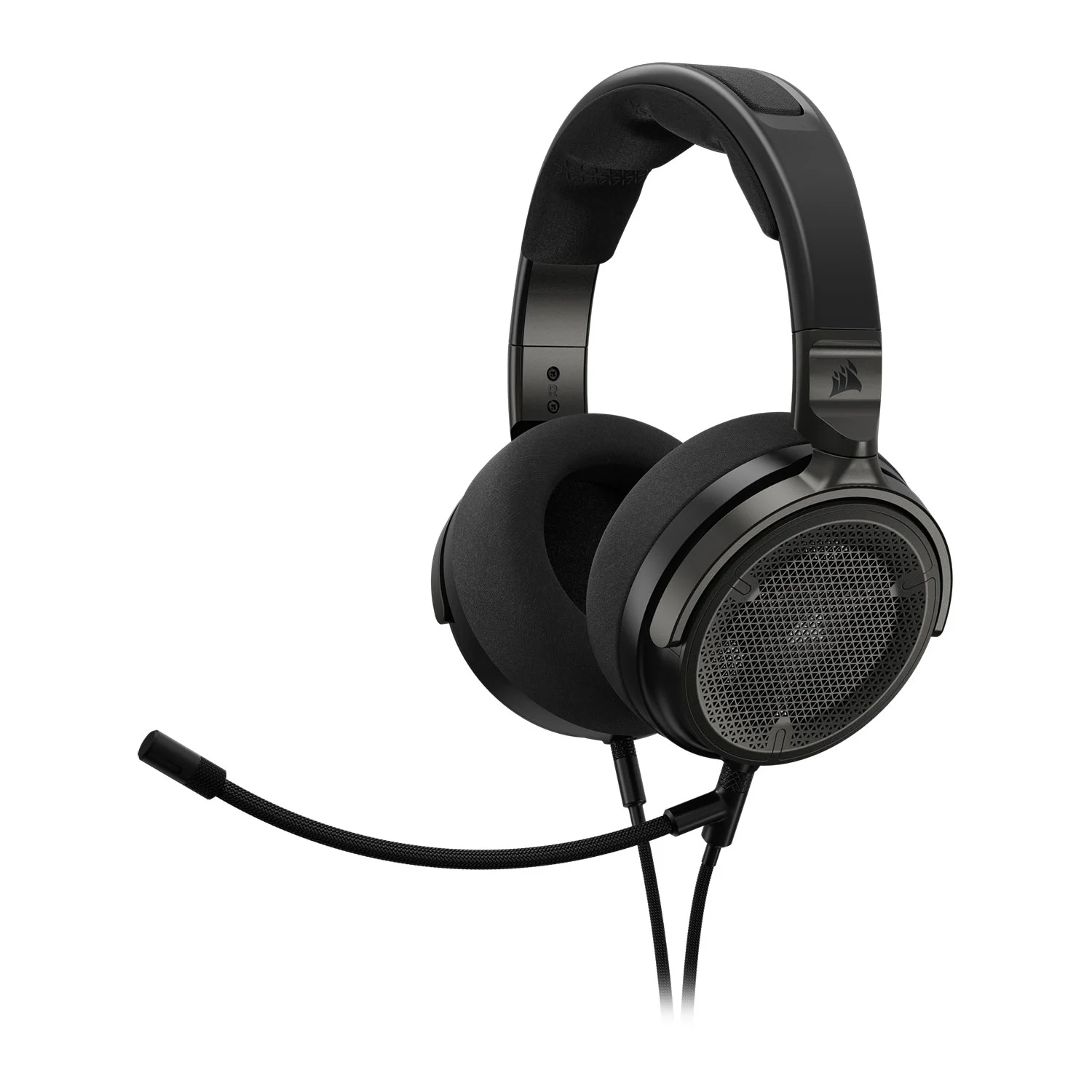
Open-Back Headsets
Open-back gaming headsets are typically more expensive, with the semi-enclosed drivers allowing air to flow around your ears, creating a more natural sounding experience.
Open back-back gaming headsets feel cooler and more comfortable, and are better for streaming as you can hear your own voice better than using a closed-back headset.
| Closed-Back | Open-Back | |
|---|---|---|
| Pros |
Immersive audio Spatial audio sounds more precise Cheaper |
More natural sounding audio Natural airflow means they are cooler Usually lighter |
| Cons |
Less realistic sounding audio Less breathable so can get hot and sweaty |
Can hear more background noise More expensive |
Gaming Headset Features
Here’s what else to consider when choosing a gaming headset.
ACTIVE NOISE CANCELLATION
Some high-end headsets feature Active Noise Cancellation. ANC reduces or totally blocks out real-world distractions, drawing your even more into games. They can be great if you live in a noisy environment, although you can end up missing important real-world events such as the doorbell or somebody trying to talk to you.
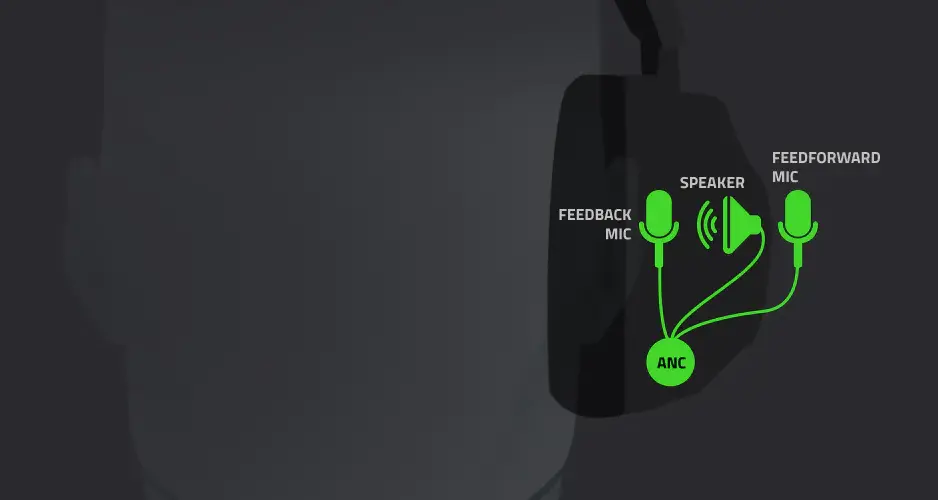
ANC works by using microphones on the headset to monitor real-world sounds. The drivers then create an inverse of these soundwaves, effectively cancelling them out, so you don’t hear them.
There are three main types of ANC. Feedforward ANC mounts the microphone externally, making it more sensitive to a wide range of frequencies. Feedback ANC mounts the microphone internally, making it more sensitive to low frequencies. Finally, hybrid ANC has both external and internal microphones, giving the best of both worlds.
Console Compatibility
While you don’t need to think about compatibility when it comes to moving your headset between PCs, things can be more complex when it comes to game consoles such as the various models of Sony PlayStation, Microsoft Xbox and Nintendo Switch.
Therefore, if you own several gaming platforms, make sure to check that the headset you’re interested in is compatible with your console(s).

RGB Lighting
As with anything to do with gaming, you can also get headsets with RGB lighting to add extra standout to your peripheral. Some RGB headsets include multiple LEDs, enabling you choose individual colours for different parts of the headset, select moving patterns, or simply choose a static colour to match the rest of your gaming setup or mood.
It’s worth bearing in mind that RGB lighting will reduce battery life for wireless headsets, so they will need recharging more often.

Ready to buy?
Browse our selection of gaming headsets to find the perfect fit for your setup.
View Wired Gaming Headsets View Wireless Gaming Headsets View HEADSET ACCESSORIES
Frequently Asked Questions FAQ
Here are some common questions and answers to help you find the information you need.
Yes, you can use a gaming headset for work, as they feature the same fundamentals of a pair of drivers and a microphone as an office headset.
Yes, you can use a gaming headset for streaming, as they feature a pair of drivers and a microphone. However, for the best experience you’re better off using a dedicated standalone microphone instead of the one built into the headset. Read our dedicated streaming buyers guide for more information.
You can use headphones for gaming, however you will need to buy a separate microphone. In contrast, gaming headsets include a microphone as standard.