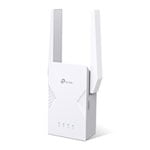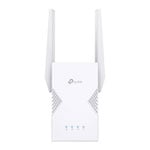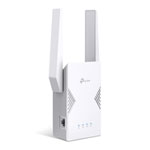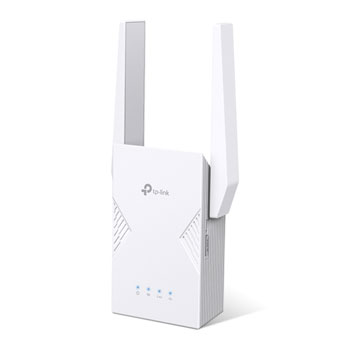

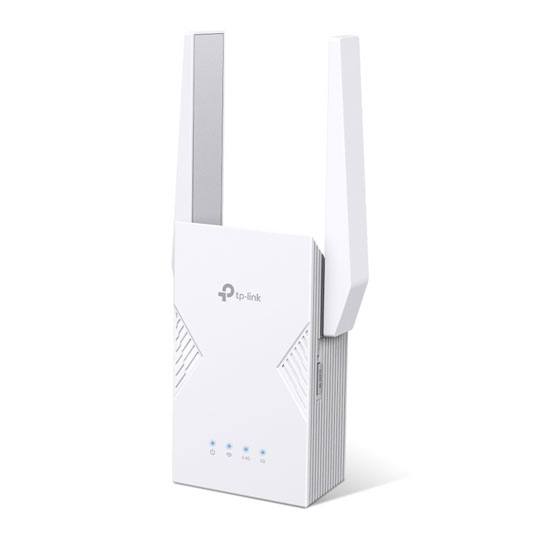
tp-link RE220BE BE3600 Dual-Band Wi-Fi 7 Range Extender
Scan code: LN163961 Manufacturer code: RE220BE
  • Thumbnail 1 : tp-link RE220BE BE3600 Dual-Band Wi-Fi 7 Range Extender
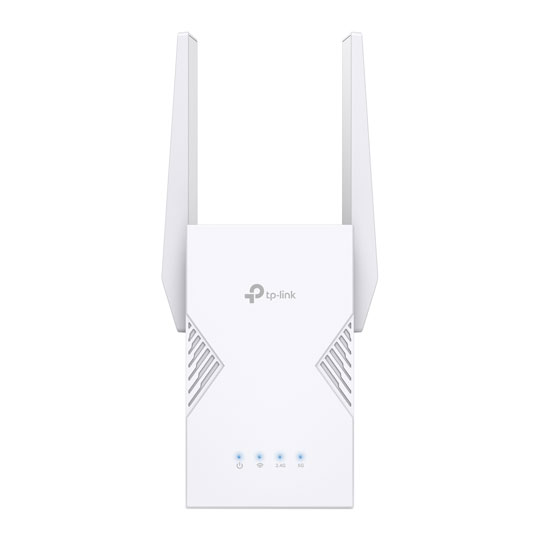
  • Thumbnail 2 : tp-link RE220BE BE3600 Dual-Band Wi-Fi 7 Range Extender
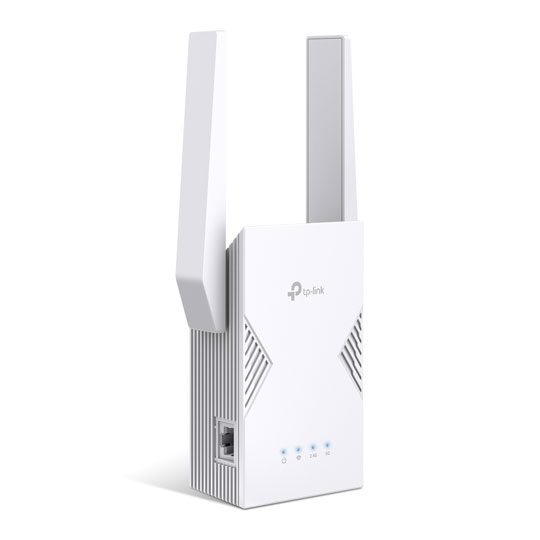
  • Thumbnail 3 : tp-link RE220BE BE3600 Dual-Band Wi-Fi 7 Range Extender

tp-link RE220BE BE3600 Dual-Band Wi-Fi 7 Range Extender

tp-link RE220BE Wi-Fi 7 Range Extender, BE3600, 2x Antennas, Dual-Band (688+2882Mbps), GbE, MLO, EasyMesh Compatible

Scan code: LN163961 Manufacturer code: RE220BE

Email me when the availability or price changes

  • By DPD Have your parcel delivered by DPD to your specified address. Receive SMS with one-hour delivery window | £5.48 Receive SMS with one-hour delivery window Weekend, timed and European delivery options are available at checkout
  • Collect instore Order online, collect from our Bolton store (25-28 Enterprise Park, Middlebrook, Horwich, Bolton, BL6 6PE) | Free
  • UPS and DPD Pickup Pickup from local convenience store | £4.99 Collect your parcel from your newsagents, petrol stations and convenience stores
  • SCANPROTECT Protect against installation damage for 28 days.

Suggested Alternatives

Product Overview

WiFi 7 — WiFi Like Never Before

WiFi 7 offers accelerated throughput, lower latency, stronger anti-jamming, and higher efficiency. Join the league of pros and experience the sheer performance of the next generation of WiFi.


3.6 Gbps Dual-Band WiFi: Speed Meets Stability

Enjoy next-generation performance with a Dual-Band WiFi 7 range extender, offering blazing-fast speeds of up to 3.6 Gbps to ensure seamless connectivity in every corner of your home, keeping you connected with unmatched reliability and efficiency.


Extend Reliable WiFi 7 to Eliminate Dead Zones

Transform more areas of your home or office into connected spaces with the RE225BE Range Extender. By seamlessly connecting to your existing router, it amplifies and extends your WiFi signal to reach even hard-to-cover spots. Enjoy reliable, uninterrupted coverage with reduced interference, ensuring a smoother and more consistent connection wherever you go.


Range Extender Mode

Plug your PC, smart TV, or game console into the 1 Gbps port for a blazing-fast wired connection.


Access Point Mode

Connect RE225BE with a router to easily turn that 1G wired connection into a high-speed tri-band wireless signal.


EasyMesh – Create Whole-Home Wi-Fi with Your Existing Router

The RE225BE is EasyMesh-compatible. Pair with an EasyMesh-compatible router to eliminate weak spots and create seamless whole-home WiFi, ensuring every corner of your home stays connected.


Control at Your Fingertips

Set up and manage your WiFi, including TP-Link routers and range extenders, from your Android or iOS phone with the TP-Link Tether app.


Features

• 3.6 Gbps Dual-Band Wi-Fi 7: Delivers up to 3.6 Gbps speed(2882 Mbps on 5 GHz and 688 Mbps on 2.4 GHz) ,providing consistent performance for daily streaming, browsing, and multitasking.
• Multi-Link Operation (MLO): Supports MLO technology to improve throughput, reduce latency, and increase link reliability.
• Gigabit Ethernet Port: Provides faster wired connections to smart TVs, computers, and gaming consoles.
• Smart Roaming: Walk from room to room and stay connected with the fastest possible speeds.
• EasyMesh-Compatible: Works with EasyMesh routers and range extenders to form seamless whole home Mesh Wi-Fi, preventing drops and lag when moving between signals.
• Quick and Simple Setup: Plug in and then easily set up via a press of the WPS button or via the Tether App.
• Great Compatibility: Works with all Wi-Fi generations and devices and all internet providers.

Specifications
Networking, Connectivity & Ports
Model RE220BE
Form-Factor Portable
Device Type WiFi Range Extender
Compatible Internet Connections  
Network Connectivity 10/100/1000
Network Ports 1 x RJ45 10/100/1000 (Gigabit) BaseT for LAN
Other Connectors N/A
USB Applications  
Wired Protocols  
Total LAN Connections 1
Total WAN Connections  
64 Bytes L3 Forwarding Performance  
512+ Bytes L3 Forwarding Performance  
Wireless
Wireless Speed 3600Mbps (688 + 2882) Mbps
Wireless Protocols
  • IEEE 802.11a
  • IEEE 802.11ac
  • IEEE 802.11ax
  • IEEE 802.11b
  • IEEE 802.11be
  • IEEE 802.11g
  • IEEE 802.11n
Wireless Band Dual Band
Frequency
  • 2.4 GHz
  • 5 GHz
Operation Channel  
Wireless Transmitter Power 2.4GHz < 30dBm / 5.0GHz < 30dBm
Antenna 2 External Antennas
Core Features
Features
  • 4K-QAM
  • MLO
  • Multi-RUs
Router/Modem Processor  
Internal RAM Memory  
Internal RAM Memory Type  
Internal Flash Memory  
LED Indicators  
Buttons  
OS Support  
Max. Power Consumption  
Security & VPN
Security Protocols
  • WPA
  • WPA-PSK2
  • WPA2
  • WPA3
Firewall/NAT No
Management  
VPN Support  
Physical Specifications
Dimensions 97 x 158 x 46 mm (WxHxD)
Weight  
Additional Specifications
Note N/A
Additional Information
Scan Code LN163961
Model Number RE220BE
GTIN 1210002601238
Warranty

Please note your statutory rights are not affected.

For further information regarding Scan's warranty procedure please see our terms and conditions

Details
Duration:
36 months
Type:
Direct
DOA Period:
28 days
RTB Period:
12 months
Manufacturer Contact Details
Manufacturer:
TP-LINK
Telephone:
0845 147 0017 (UK) or 0818 229 000 (Ireland)
Loading Please Wait

Please wait . . .

Buying Guide
Need help? Read our Home Broadband Buying Guide
Wi-Fi
Wi-Fi
Date Issued: 20th Oct 2008

Home networking let’s you do great things that aren’t possible with standalone PCs. Printers can be shared between PC, so there’s no need to buy one for each machine.

Read More

Port Forwarding
Port Forwarding
Date Issued: 20th Oct 2008

Port forwarding is a technique you’ll need to use to enable certain services if you’re using a router. If you don’t really care how it works, you can skip this section and just find out how to do it.

Read More

Wi-Fi Security
Wi-Fi Security
Date Issued: 19th Jun 2008

WiFi is a wonderful thing. You can take your laptop anywhere in your house and access the Internet, or access your network from the garden. However, it does introduce the grim possibility of somebody else doing exactly the same, without you ever knowing. This guide seeks to make you aware of various security terms and ideas associated with wireless networking and what you should consider when setting up a wireless network.

Read More

Home Networking
Home Networking
Date Issued: 26th Oct 2006

As a growing number of homes contain more than one computer, their users must find ways to network them. The primary purpose for creating a home network tends to be to provide Internet access to all computers within the house. There are other good reasons, however. These include enabling LAN gaming, data backups from one machine to another and the sharing of music within the home.

Read More

tp-link RE220BE BE3600 Dual-Band Wi-Fi 7 Range Extender