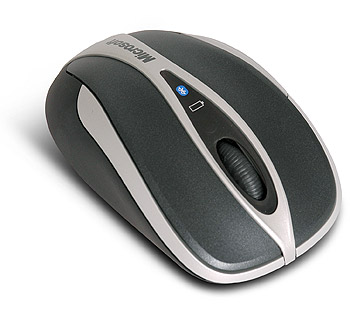
Microsoft Bluetooth Notebook Mouse 5000
Scan code: LN35592
Manufacturer code: NRD-00002
End Of Life


Product Overview
Microsoft’s most portable wireless notebook mouse connects directly to a Bluetooth® PC without a transceiver, freeing up USB ports for other devices.
Features
• High Definition Laser Technology: Microsoft® High Definition Laser Mouse products are more precise, more responsive, and deliver smoother tracking.
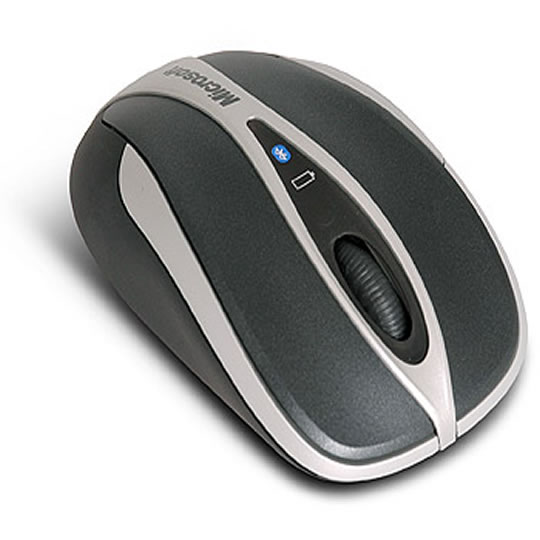
• Battery Life Indicator: You won't get caught with a dead battery—the Battery Status LED Indicator glows red when the battery is running low.
• Ergonomic Design: Point and click in comfort—ergonomic design helps you work longer without discomfort.
• Back Button: Use the Back button to easily navigate between folders and Web pages, or press the wheel for auto-scroll.
• Scroll Wheel: Save time and effort with the scroll wheel—navigate documents and Web pages without using the on-screen scroll bar.
• 3+ Months Battery Life: Work with less interruption with longer battery life.
• Battery Life Indicator: You won't get caught with a dead battery—the Battery Status LED Indicator glows red when the battery is running low.
• Ergonomic Design: Point and click in comfort—ergonomic design helps you work longer without discomfort.
• Back Button: Use the Back button to easily navigate between folders and Web pages, or press the wheel for auto-scroll.
• Scroll Wheel: Save time and effort with the scroll wheel—navigate documents and Web pages without using the on-screen scroll bar.
• 3+ Months Battery Life: Work with less interruption with longer battery life.

