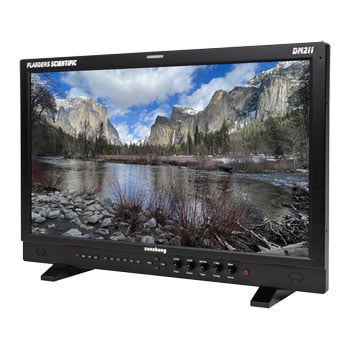
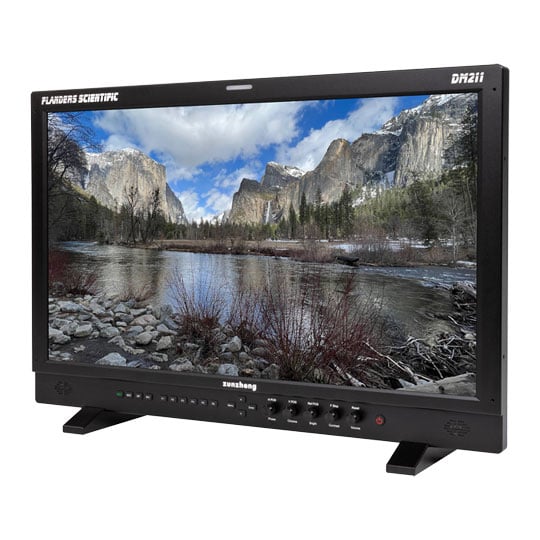
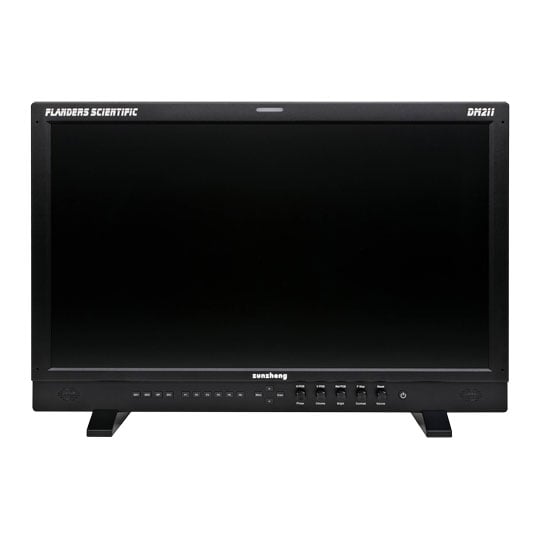
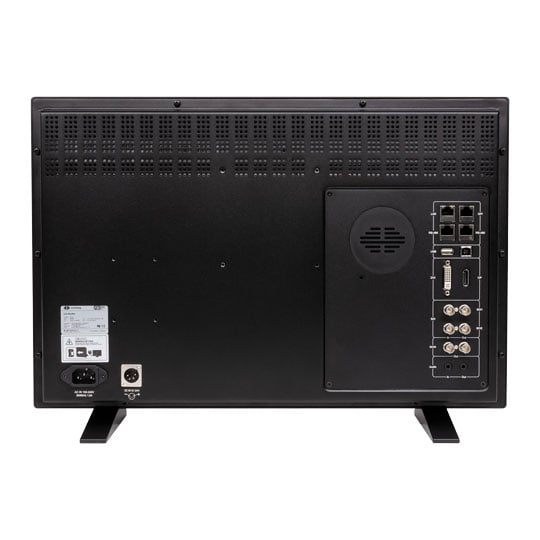


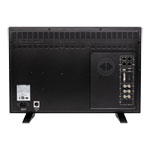
Flanders Scientific DM211 Reference Monitor
Flanders Scientific 21.5" DM211 Reference Monitor, 1920x1080, 300nits, Wide Gamut W-LED Backlit LCD, 3G/HD/SD-SDI
Email me when the availability or price changes
Finance this product
- From £86.28 / month (APR 16.9%) for 48 months or 0% for 4 months
- With a 10% deposit from just £76.43 / month (APR 15.9%)
Suggested Alternatives
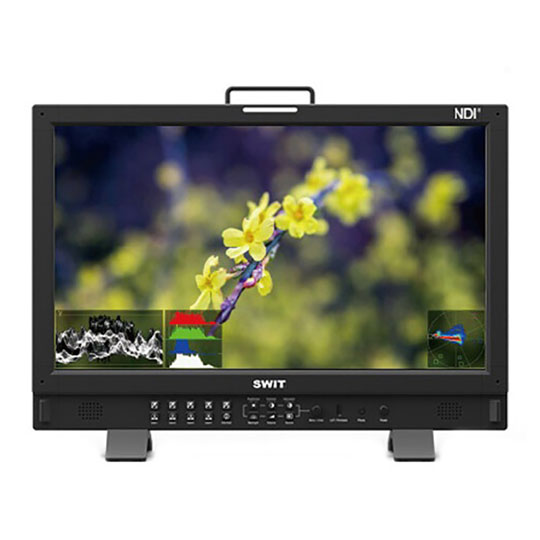
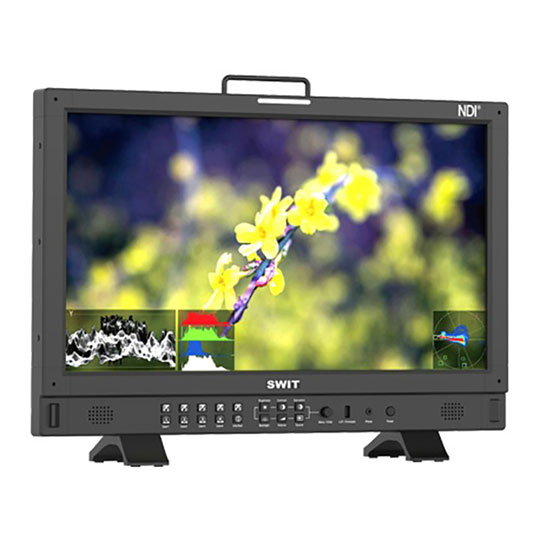
 SWIT BM-215-NDI 21.5" Professional NDI Monitor, 1920x1080, 100% DCI-P3, 10-bit, 400nits, NDI, 3G-SDI/HDMI 2.0, HLGSWIT BM-215-NDI Professional Monitor
LN126858
No customer review
SWIT BM-215-NDI 21.5" Professional NDI Monitor, 1920x1080, 100% DCI-P3, 10-bit, 400nits, NDI, 3G-SDI/HDMI 2.0, HLGSWIT BM-215-NDI Professional Monitor
LN126858
No customer reviewKey Specifications
- SWIT BM-215-NDI 21.5" Professional NDI Monitor
- 1920x1080
- 100% DCI-P3
- 10-bit
- 400nits
- NDI
- 3G-SDI/HDMI 2.0
- HLG
£1,648.99Pre order
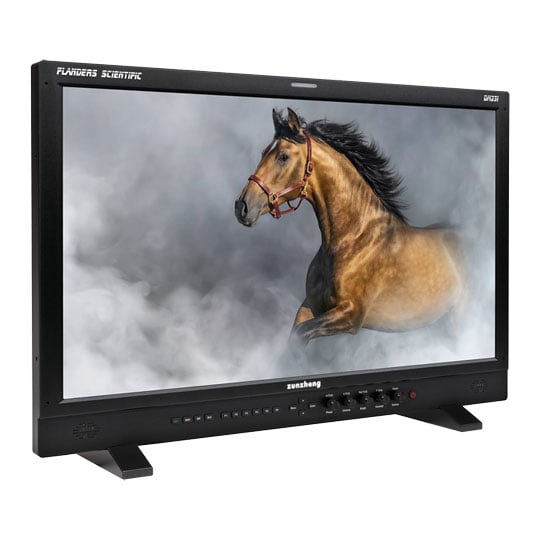
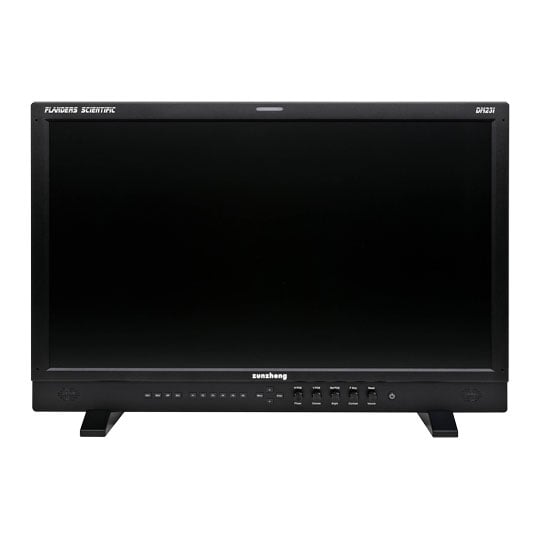
 Flanders Scientific 23.8" DM231 Reference Monitor, 1920x1080, 300nits, Wide Gamut W-LED Backlit LCD, 3G/HD/SD-SDIFlanders Scientific DM231 Reference Monitor
LN174064
No customer review
Flanders Scientific 23.8" DM231 Reference Monitor, 1920x1080, 300nits, Wide Gamut W-LED Backlit LCD, 3G/HD/SD-SDIFlanders Scientific DM231 Reference Monitor
LN174064
No customer reviewKey Specifications
- Flanders Scientific 23.8" DM231 Reference Monitor
- 1920x1080
- 300nits
- Wide Gamut W-LED Backlit LCD
- 3G/HD/SD-SDI
£3,479.99Pre order
Flanders Scientific DM211 Reference Monitor

Colour-Accurate Display For Production & PostStep into precision with the Flanders Scientific DM211, a 21.5-inch reference monitor engineered for colour-critical workflows in production, editorial, and broadcast environments. Combining a wide-gamut W‑LED backlit LCD panel with FSI’s third‑generation Colour Fidelity Engine (CFE3), the DM211 delivers accurate Rec.709, DCI‑P3, and Rec.2020 emulation, plus factory calibration and effortless volumetric AutoCal, so what you see on set or in the suite is what you get on screen. Lightweight, power‑efficient, and packed with professional tools like real‑time waveform/vectorscope, zero‑delay Fast Mode, and on‑set LUT management, the DM211 is built for modern colour workflows.
Colour Management

Trilinear Interpolation

Tetrahedral Interpolation
FSI's 3rd generation Colour Fidelity and LUT Interpolation Engine (CFE3) houses a multitude of calibration and Look LUT memories for highly accurate colour reproduction and effective look management. Instantly select from Rec709, EBU, SMPTE-C, DCI P3, Rec2020 Emulation, Native Wide Gamut, and Custom User-Generated colour spaces. Additional gamma, peak luminance, and colour temperature toggles further add to the versatility of DM Series Monitors. DM series monitors support video range, extended range, and full range monitoring with simple menu-based toggles. CFE3 features industry leading tetrahedral LUT interpolation for greater accuracy and visual performance than hardware utilising trilinear LUT interpolation.
Calibration
Factory Pre-CalibratedFSI monitors come pre-calibrated from the factory, and all DM series monitors support highly accurate volumetric Auto Calibration for recalibration over time. Simply plug a supported probe directly into the monitor and the advanced AutoCal routine will profile the monitor and use volumetric data to accurately target a very wide variety of available colour management selections. 3D and 1D LUTs are calculated and saved on the fly as colour management selections on the monitor are made, making for one simple and unified calibration process, all without requiring a computer.

Third Party CalibrationDM series monitors are also fully compatible with popular 3rd party calibration solutions, including Calman, LightSpace, and ColourSpace. Quickly and easily perform your own custom 3D LUT based calibration with any program capable of saving into FSI's calibration LUT format.
Software Integration

App SupportPowerful DM series features are supported by select applications including FSI's DM Series IP Remote Utility, Pomfort's Livegrade Pro, QTake's Grade Module, and Assimilate Live Assist and Live Looks.
On-Set Colour Management

ScopeStreamThe world's first real-time Waveform and Vectorscope transmitted directly from your monitor to your computer with no additional equipment needed.

Real-Time LUT UpdatesReal-time LUT updates using compatible software without the need for additional standalone LUT management hardware. All you need is a camera, computer, and a monitor.

Frame CaptureCapture and save full resolution reference still frames from incoming video signals.
Look/DIT LUTs

Upload & Store Up To 16 LUTSUpload and store up to 16 3D Look/DIT LUTs and instantly toggle between them using the up and down buttons. Mirror what you see on screen to downstream equipment. Apply LUTs on DM Series monitors and other downstream monitors simultaneously. Second screen outputs work in addition to standard loop through outputs allowing you to simultaneously output clean and manipulated images.
Zero Delay Fast Mode

Instantaneous Video ProcessingZero Delay Fast Mode makes DM Series monitors an ideal choice for applications requiring instantaneous video processing speed in on-set, studio, and post environments. When activated, the total latency between receipt of signal and onscreen display is less than 1 field.
Image Flip

Multiple Image Flip ModesDM Series monitors are capable of multiple Image Flip modes. You can quickly toggle through available modes including: Vertical, Horizontal, and Vertical + Horizontal. Image Flip works on all inputs and is mirrored downstream via second screen output.
Cross Conversion

SDI OutputDM Series monitors come equipped with cross conversion capability. This allows you take DisplayPort / HDMI / DVI signals and convert them to SDI for output.
3rd Generation Focus Assist

Advanced Real-Time Focus AssistWhen activated this feature will highlight in focus areas with a trace color. The sensitivity of the focus assist feature can be adjusted using the H POS rotary knob. The weight (transparency) of the focus assist feature can be adjusted using the V POS Rotary knob. The color of the focus assist trace can be adjusted using the REF POS rotary knob. Select from White, Black, Red, Green, Yellow, Blue, Magenta, and Cyan.
Advanced Real Time Waveform & Vectorscope

Updates Every FrameDM Series Monitors have Real Time Waveform and Vectorscope that update every frame. Scope position, background, size, and scale can be adjusted independently using the rotary knobs on the face of the monitor. Real Time scopes work in all processing modes including Zero Delay Fast Mode.
Customisable Multi-Colour Waveform

IRE Mode Standard

IRE Mode Custom Thresholds

HDR Mode Custom Thresholds

Digital Levels Custom Thresholds
Real Time Waveform has 6 adjustable thresholds that can be individually set to Black, Red, Green, Yellow, Blue, Magenta, Cyan, or White. Each graticule mode can be independently configured.
Video Scopes

Additional Scopes & MetersIn addition to Real Time Scopes a wide variety of additional scopes and meters are available. Display up to two scopes on screen at a time. Scopes can be positioned in any of 6 on-screen positions. When using two scopes the scope windows can be stacked horizontally or vertically depending on your preference. Video scopes work across all inputs, even DVI.
Audio Meters
This monitor features several audio metering tools as well as the ability to disembed any single channel or stereo pair of audio to the monitor's internal speakers or audio line out. Disembedded audio is always delayed by the exact amount of video processing time to ensure proper lip-sync.

Horizontal Audio Level MetersDisplay 2, 8, or 16 channels of audio arranged in audio groups or stereo pairs with real-time numerical display of dB levels per channel. Meters feature adjustable Alignment Level, Permitted Max Level, and Peak Hold Time. Select between True Peak, PPM Type I, or PPM Type II ballistics. Meters will indicate NO DATA if an audio group is not embedded in the signal to differentiate it from audio channels that may be mute, but still embedded.

Vertical Audio Level Meters16 channel audio level meter display with adjustable Alignment Level, Permitted Max Level, and Peak Hold Time. Select between True Peak, PPM Type I, or PPM Type II ballistics. Meters will indicate NO DATA if an audio group is not embedded in the signal to differentiate it from audio channels that may be mute, but still embedded.
CIE Scope
A dedicated function that maps full frame signal data onto your choice of CIE1931 x,y or CIE1976 u',v' diagrams. Signal information is shown relative to your active color space and can be compared to a selectable secondary color gamut.

8 & 10bit MeasurementGet precise real-time YRGB measurements, both as a percentage and 8 or 10bit data values, of any point or sample area within your incoming signal. Set a spatial and temporal reference and compare with any other point to quantify the difference in values between any two points. Also quantify the difference in points as an F/stop value.

CIE MeasurementVisualise any point or sample area within your incoming signal on your choice of CIE 1931 x,y or CIE1976 u',v' diagrams. Values are shown relative to your current operating color space and regardless of diagram mode R',G',B', Y%, x,y,u',v' values are reported at all times. As with the standard measurement mode a reference position can be selected and compared to any other position. The difference between current and reference positions is also quantified with a dE2000 value.
Video Data Analyser

Real-Time Readout Of Video DataProvides real-time readout of video data at the pixel level in your choice of decimal or hexadecimal values. Can show pixel level information as YCbCr or RGB as well as 8bit or 10bit. This feature can be used in combination with the H/V delay mode for horizontal and vertical blanking data analysis.
Markers

Standard MarkersChoose from a wide assortment of standard markers and safety areas that can be displayed as lines, translucent overlays, or solid overlays. Lines and overlays have selectable colours for instant customisation.

CrosshatchGenerate an onscreen grid overlay with the Crosshatch function to help with camera pitch and angle relative to screen content.

Custom GraticulesCreate custom rectangular markers quickly with the Custom Graticules feature that generates four movable lines on screen. Graticule line position and span between lines is reported for easy reference.
Live Side-By-Side Monitoring

PAP, PIP, Or POP ModesFSI's unique live side-by-side monitoring feature allows for mixed formats, mixed frame rates, and even mixed input types to be viewed together in PAP, PIP, or POP configurations.
Split-Screen Viewing

Split-ScreenHorizontal and vertical split-screen viewing with adjustable split positioning is also possible with two sources that share the same resolution and frame-rate.
Lum Colouring

Adjustable Exposure CheckAdjustable false colour display of luminance values. 4 adjustment points allowing you to establish specific target areas to be shown in false colour or greyscale.
Timecode

Timecode Pulled From SDISize and position adjustable onscreen display of VITC1, VITC2, or LTC timecode pulled from SDI signals.
Tally Lights

Record Status TallyTally Light or on-screen indication of camera record flag status pulled from SDI ancillary data. Lets you know when your camera is recording without needing additional equipment.
Zoom Modes

Pixel ZoomFor HD signals. Allows for highly adjustable artifact free zoom on any section of the image.

ZoomFor letterboxed SD content. Zooms in while preserving aspect ratio so that a 16:9 portion of the SD image is scaled full screen.

DSLR ZoomScales DSLR output so that only the portion of the image that will actually be captured to video is shown. Works with both SD and HD DSLR output.

Full ScreenStretches the incoming signal to fill screen, built for use primairly with rasterizers that output 1024x768 signals intended to be stretched to 16:9 by a connected display.

CX ScaleCentered and zoomed-in display of the gate check output from a Codex ARRIRAW Recorder. This allows for easy fullscreen monitoring of the gate check output.

Overscan5% Overscan Display.
Pixel Mapping

1:1 Pixel Mapping (SD)

2:1 Pixel Mapping (SD)

1:1 Pixel Mapping (720p)

Pixel Mapping (2k Source)
Allows for 1:1 and 2:1 pixel mapping of sources when their resolution is different than the native resolution of the panel. This feature is also capable of scaling 2K signals to fit or be shown 1:1 with the ability to move left to right so any portion of the 2K image can be shown 1:1.
SD Aspect Ratio & PAL SD FHA

SD SignalsAllows users to toggle from 4:3 to anamorphic display of SD signals. Can be combined with the pixel mapping feature for proper display of PAL SD FHA signals.
Onscreen Alarms

Alarm WindowAllows for unobtrusive signal monitoring with alarm window only appearing in case an actual alarm condition is met. Available alarms include adjustable IRE threshold exceeded, RGB legal levels exceeded, video black or video blue on screen for extended time, audio loss with adjustable time-without-audio trigger setting, and audio out of phase warning.
H/V Delay

Auto Brightness IncreaseHorizontal and Vertical delay function with auto brightness increase to make analysing vertical and horizontal blanking areas easier.
Other Displays

AFD ReaderThe Active Format Description reader provides both a textual readout of AFD data as well as corresponding markers highlighting the information contained within the AFD code.

Safety BroadcastControl Room and QC station monitoring mode that allows for simultaneous display of Timecode, Source ID, 2 channels of audio, and alarms.

UMD/OMD DisplayManual or remotely controlled source ID display on screen.
Log Monitoring Modes

Monitoring ModesC-Log, S-Log, S-Log2, S-Log3, and BMD-Log monitoring modes allow for rough normalisation of C-Log, S-Log, S-Log2, S-Log3, and BMD Film Log signals.
HDR Preview

HDRThese monitoring modes, while not intended for HDR mastering, provide a simple and cost effective way to preview HDR in production environments and quality control applications.
• HLG (Hybrid Log Gamma).
• ST2084 clipping at approximately 300nits.
• ST2084 with a soft roll. This setting allows operators to visually distinguish all code values present in a PQ signal.
3D Disparity

SDI1 & SDI2A disparity view highlighting the difference between SDI1 and SDI2 inputs. Sources must be the same frame rate, resolution, and genlocked.
Still FramePause on a single frame of an incoming source with a simple button press.
LED LightsAllows users to turn off the monitor keypad's LED Lights for optimal viewing in dark envrionments.
Luminance IntervalOptional power saving feature especially useful in control room applications. Monitor will go into low power draw standby mode when no signal is present for the amount of time specified.
Remote Control

IP Remote UtilityThe IP Remote Utility can be used to remotely toggle functions, switch inputs, and navigate the menu on Flanders Scientific monitors using your Mac or PC's keyboard, mouse, or control panel. Also available for iOS devices.
PayPal Credit
| Monthly Payment: | £277.23 |
| Instalment Rate: | 16.9% p.a. (fixed) |
| Cost of purchase: | £3,059.99 |
| Total inc. interest: | £3,326.71 |
| Monthly Payment: | £149.42 |
| Instalment Rate: | 16.9% p.a. (fixed) |
| Cost of purchase: | £3,059.99 |
| Total inc. interest: | £3,585.92 |
| Monthly Payment: | £107.16 |
| Instalment Rate: | 16.9% p.a. (fixed) |
| Cost of purchase: | £3,059.99 |
| Total inc. interest: | £3,857.43 |
| Monthly Payment: | £86.28 |
| Instalment Rate: | 16.9% p.a. (fixed) |
| Cost of purchase: | £3,059.99 |
| Total inc. interest: | £4,141.33 |
| Example | |
| Minimum Spend: | £99 |
| Instalment Rate: | N/A |
| Cost of purchase: | £99 |
| Total inc. interest: | £99 |
Representative Example:
Purchase Rate: 23.9% p.a. (variable)
Representative: 23.9% APR (variable)
Assumed Credit Limit: £1,200
Subject to status. Terms and Conditions apply.