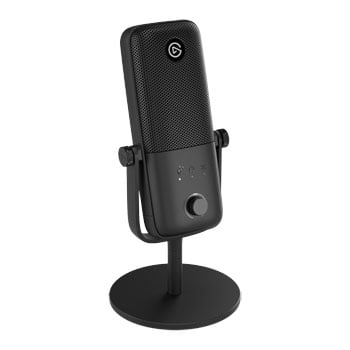

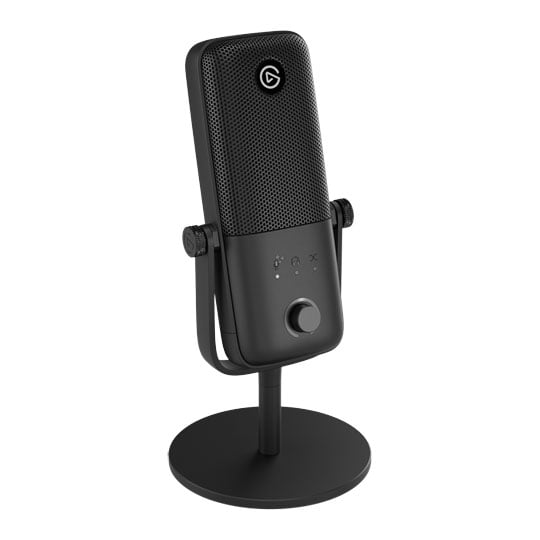
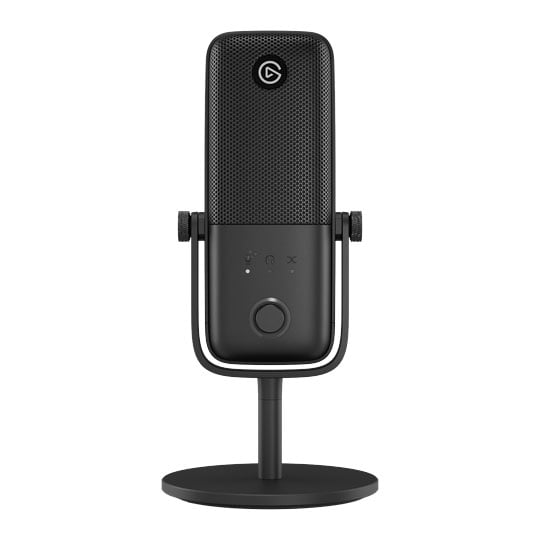
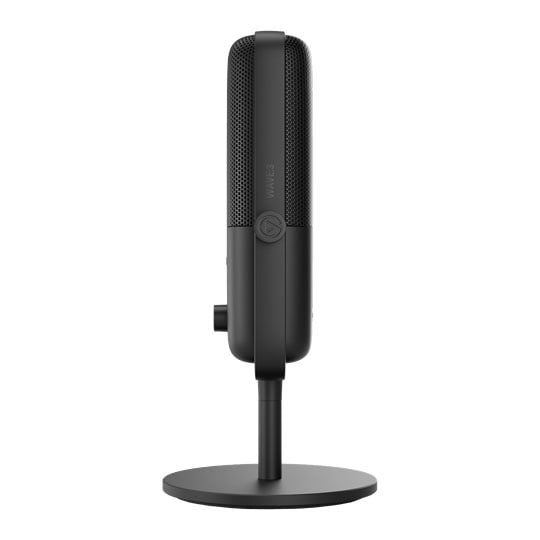
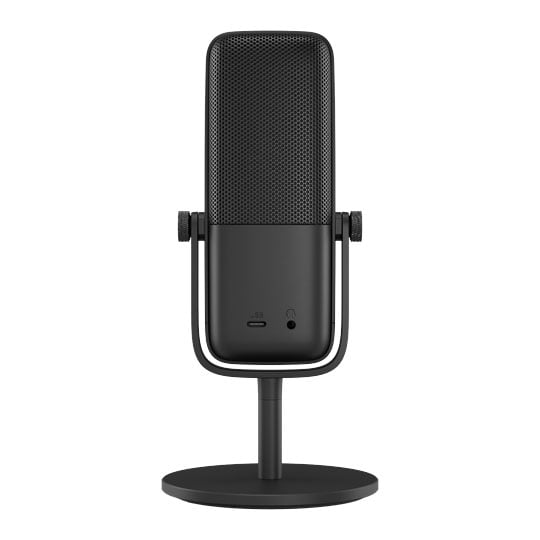


Elgato Wave:3 MK.2
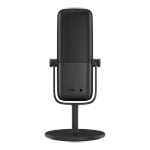
Elgato Wave:3 MK.2, USB Condenser Microphone, Wave FX Processor, Onboard DSP, VST Inserts
Email me when the availability or price changes
Finance this product
- From £14.50 / month (APR 16.9%) for 12 months or 0% for 4 months
- Spend over £390.00 and Buy Now, Pay Later or spread the cost of your finance over 24-48 months with a 10% deposit.
- SCANPROTECT Protect against installation damage for 28 days.
- 48HR REPLACEMENT If you need to return this item, your replacement will be dispatched within 2 working days of your product arriving back at Scan.
Elgato Wave:3 MK.2

A New Era of Digital AudioWave:3 delivers studio-quality audio in a compact USB microphone. Inside, a Wave FX Processor powers onboard DSP effects and Clipguard 2.0, shaping your voice in real time and stopping distortion before it starts. It also enables VST inserts, routing your effects seamlessly into any app with ultra-low monitoring latency—no virtual microphones needed. Adjust on the fly with intuitive controls like tap-to-mute, then dial in your levels with visual feedback and Auto Gain. Configure device settings and command your entire audio setup directly in Wave Link, or using any Stream Deck device. Wave:3 proves professional sound doesn’t require complexity.
Great Sound From the Start
Until now, getting better sound meant more gear, more setup, and more complexity. Wave:3 changes that. Professional effects run right onboard, shaping your voice and stopping distortion in real time. Essential controls are right there on the mic, while VST effects slot in without slowing you down. No extra gear. No complicated setup. Just great sound from the start.
At a Glance
Ready to Mount
Wave FX Processor
Unclippable Voice
Studio Pedigree
Instant Control
Deep Customisation
Hear the Difference

Professional Sound for EveryoneFrom streams to podcasts and videos, Wave:3 delivers the clear, focused sound creators rely on every day. A premium condenser capsule with cardioid pickup keeps your voice front and center, while a built-in pop filter helps every session stay clean and controlled.
Effortless by Design
Great audio shouldn't require constant attention. Wave:3 gives you intuitive tools to dial in your sound quickly and then trust it's handled. So you can focus your energy on what actually matters: your content.

USB ConnectivityPlug in and start recording instantly on your computer, tablet, or smartphone.

Multifunctional DialMake quick adjustments right on your mic, without breaking focus.

Auto GainSet your levels perfectly in seconds and stay confidently dialed in.

Real-time LevelsKnow your sound is exactly where it should be with just a glance.

Tap to MuteMute your mic instantly and silently, with clear visual confirmation.

Headphone JackMonitor right at your mic with most studio and gaming headphones.
The Pro in the Processor
Your voice flows through Clipguard, onboard DSP, and VST effects in one continuous signal path. So you get studio-grade sound with super-responsive monitoring, but none of the routing complexity.

Clipguard 2.0
DSP Effects
VST Inserts
Unclippable Audio
Elgato's intelligent anti-distortion system creates a layered defense that makes clipping virtually impossible, no matter how loud things get. Powered by your device’s Wave FX Processor, Clipguard lets you express yourself freely without holding back or watching levels.

How it WorksAs your signal moves from analog to digital, Clipguard automatically applies safeguards to prevent clipping before it can occur. Turn it on once for protection forever, without ever compromising your sound quality.

Multi-range CaptureStacked ADC converters work together to stop overload at the source.

Internal 32-bit FloatMassive headroom means volume spikes never hit the digital limit.

Final Output ControlDigital limiters smooth out sudden peaks before they hit your system.
Shape Your Sound
Professional effects like EQ and compression run right on Elgato's Wave FX chip, processing your voice at the source. The result is instant, broadcast-ready sound that you can hear in real time and take with you to any device.

Packed With Pro EffectsAccess the same effects used in professional studios, all designed to elevate your sound and managed directly in Wave Link.

Low-cut FilterRemove low-frequency rumble from desk vibrations, traffic, and other unwanted noise to improve clarity.

ExpanderGently reduce low-level background noise while leaving your voice untouched, for a more natural sound.

Voice TuneGet that warm, analog tube sound with intelligent compression and harmonics that adapt as you speak.

CompressorBalance your audio so soft voices come through clearly while loud moments stay smooth and controlled.

EqualizerSculpt your voice with precision across four bands to add warmth, reduce muddiness, or improve clarity.

DuckingAutomatically lowers background audio when you speak, keeping your voice front and center without manual adjustments.

Mix MaximizerBoost loudness while preventing clipping with intelligent processing that delivers powerful sound across all your mixes.

Full SuiteAchieve polished, broadcast-ready sound with all five effects working simultaneously on your hardware.
Why it is a Big DealWith effects handled on the hardware, you get professional sound faster and spend more time creating, with less guesswork along the way.

Instant Broadcast QualitySound great from the moment you plug in.

Zero-Latency MonitoringHear your fully processed voice in real time.

Your Sound, EverywhereFine-tune once, then switch devices freely.
Effects Done Right
Wave FX Processor integrates VST effects seamlessly across every app you use. No virtual microphones, no workarounds—apply effects like reverb and voice changers instantly with ultra-low monitoring latency.

How it WorksWave FX Processor integrates VST effects seamlessly across every app you use. No virtual microphones, no workarounds—apply effects like reverb and voice changers instantly with ultra-low monitoring latency.

Why it is a Big DealUsing VST effects has always meant compromise. Not anymore.

No More WorkaroundsUse effects in any app without added complexity.
Natural MonitoringHear your fully-processed voice with less lag.
One App for All Your Audio

Wave LinkWave Link gives you full control over your Wave hardware, but that’s just the start. Apply and customize effects, add a soundboard to voice chat, create a separate recording mix, and so much more. Everything you need for professional sound, all in one place.

Mix SmarterWave Link is tailored to creators, not DJs. Instead of vertical channels, you get a clean horizontal matrix-sources on the left, mixes on the right-so you can see where every signal flows, and what happens along the way.

Audio for Every DestinationSend tailored mixes to stream, VOD, Discord, a second PC, or wherever your workflow needs them. Each mix gets its own routing, levels, effects, and label. The kind of granular control found in elite broadcast environments, now built into Wave Link.

Stack & StreamlineGroup multiple apps and sources in single channels. For example, Zoom, Teams, and Discord in one-Spotify and Chrome in another. Even system sounds and alerts can be grouped. That way, you're always focused on what you're making, not what you're managing.

Unite Your GearConnect up to 4 Elgato Wave devices plus any third-party mics, interfaces, or capture cards. Use what you've got. Add what you want.

Dial in Your VoiceUse VST3 (Windows) or AU (macOS), get from Elgato Marketplace, or bring your own.

Your Gear, Your WayPersonalise your setup, effects, and more.

Voice FocusBring studio sound to virtually any setup.

Stream Deck ControlAdjust volume, mute inputs, trigger effects, and switch mixes in real time. All without leaving your workflow. Much like a physical mixing console, but without the limitations.

PayPal Credit
| Monthly Payment: | £14.50 |
| Instalment Rate: | 16.9% p.a. (fixed) |
| Cost of purchase: | £159.98 |
| Total inc. interest: | £173.91 |
| Example | |
| Minimum Spend: | £99 |
| Instalment Rate: | N/A |
| Cost of purchase: | £99 |
| Total inc. interest: | £99 |
Representative Example:
Purchase Rate: 23.9% p.a. (variable)
Representative: 23.9% APR (variable)
Assumed Credit Limit: £1,200
Subject to status. Terms and Conditions apply.