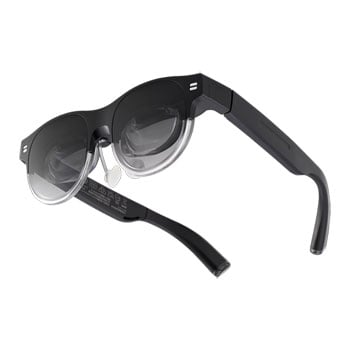

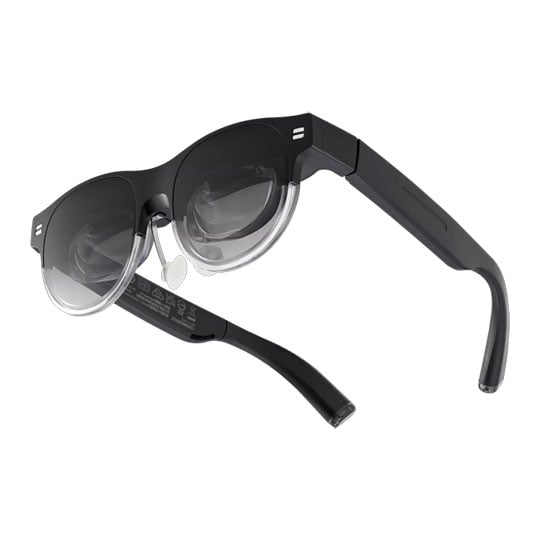
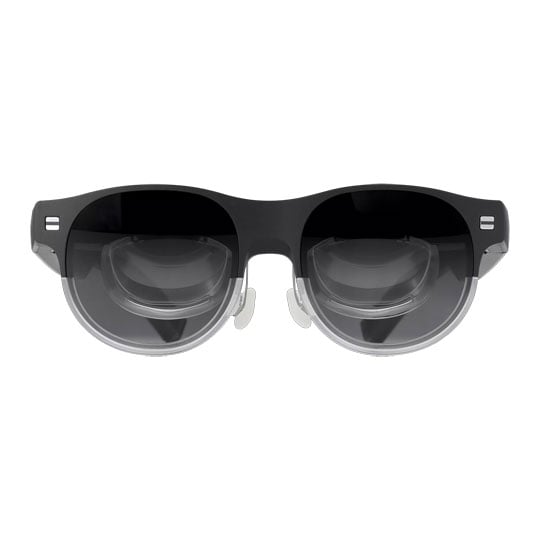
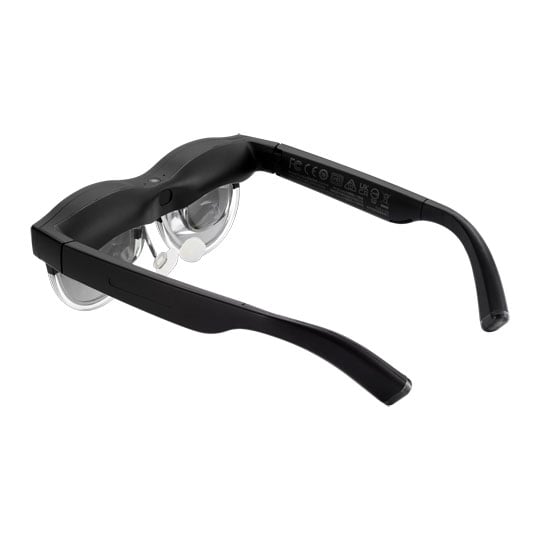
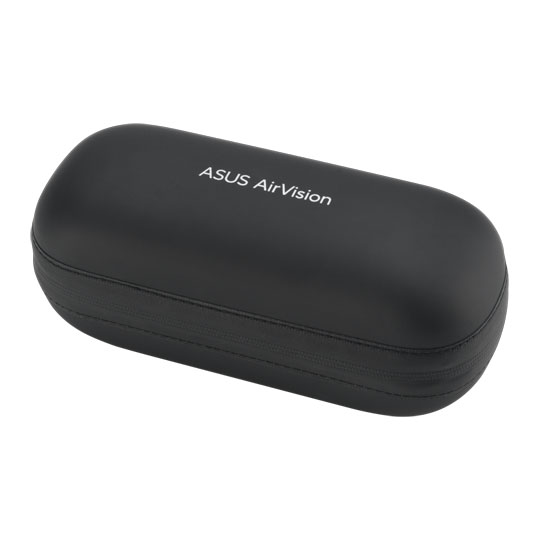


ASUS AirVision M1 Micro OLED Wearable Smart Glasses USB-C
ASUS AirVision M1 Smart Glasses, 2x 1920x1080 , Micro OLED, 72Hz, 1100 cd/m², 58 PPD, 3DOF, Win11 / MacOS / ROG Ally
Email me when the availability or price changes
Finance this product
- From £12.16 / month (APR 16.9%) for 24 months or 0% for 4 months
- Spend over £390.00 and Buy Now, Pay Later or spread the cost of your finance over 24-48 months with a 10% deposit.
AirVision M1 Smart Glasses from ASUS

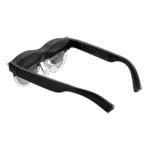
Your Window to a Bigger World Discover a new dimension of digital interaction with ASUS AirVision M1 smart glasses. Elevate productivity and gaming with an expansive 100" virtual display, 1,100 nits brightness, and 95% DCI-P3 colour gamut for breathtaking, true-to-life visuals. Weighing just 87g, these lightweight glasses offer 60% optical transparency to stay aware of surroundings while enabling multi-screen multitasking, gesture controls, built-in speakers, noise-canceling mic, and seamless ROG Ally integration via USB-C. Perfect for immersive work or play anywhere.
Up to 100"Wearable Display
1920x1080Resolution (Per Eye)
95% DCI-P3Colour Space
72HzRefresh Rate
Transformative Wearable Technology for Productivity and Gaming
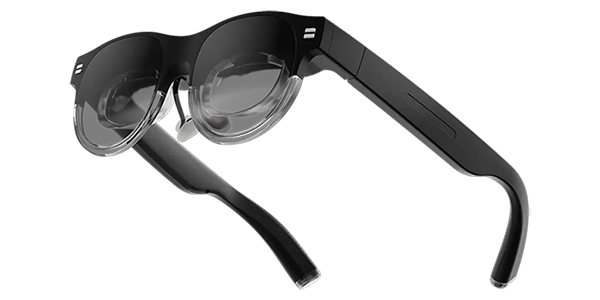
Discover a new dimension of digital interaction. Elevate both productivity and gaming with a device that provides an expansive, immersive experience beyond conventional screens.
Ultimate Handheld Gaming Experience

Seamless Integration with ROG Ally Unlock the full potential of your ROG Ally with enhanced visuals and immersive gaming, thanks to seamless compatibility and superior performance.
Boost Your Productivity

Light and Versatile Multi-Screen Experience Elevate your productivity with the freedom to work on multiple screens anywhere. Enjoy a light and comfortable experience, perfect for multitasking and staying focused.
Visual Brilliance

Bright, Large, and True-to-Life Colours Experience breathtaking visuals with 1,100 nits brightness, a massive 100" screen (equivalent to the projection size from a 3.75m distance), and 95% DCI-P3 color gamut. Every detail comes to life with vibrant and realistic colours.
Comfort You Can Forget
Super Light, Just Like a Chocolate Bar Weighing only 87g, it's designed for prolonged use without discomfort.
Private Cinema Experience

Immersive Audio with Privacy Enjoy a cinema-like experience with built-in speakers and a noise-canceling microphone, delivering clear and immersive audio while maintaining your privacy.
Discover the ASUS AirVision M1


Frequently Asked Questions (FAQ)
AirVision glasses are compatible with USB-C devices that support audio/video and power output, such as mobile phones, handheld gaming devices like the ROG Ally, and many laptops.
Smartphones and handheld gaming consoles support USB Type-C ports with DP alt mode, while computers support USB Type-C ports with DP alt mode and Thunderbolt™ 4 ports.
Devices with HDMI and DisplayPort (DP) interfaces require an adapter to convert the video signal to USB-C DP Alt Mode.
Computer recommended graphic cards:
AMD Radeon 680M or higher, or Nvidia GTX 1060 (with GPU Direct support) or higher, or Intel Iris Xe or higher.
Operating System:
Recommended Windows 11 64bit (version 24H2 or later)
The AirVision app does not support Copilot Windows PC by Qualcomm.
There are two possible reasons for blurry images:
1. Unfamiliarity with focusing on virtual images
How to confirm & solution:
Stick on the light-shield. This usually helps with focusing, as it prevents background distractions.
2. Interpupillary distance (IPD) exceeding M1's design limit
The M1 is designed to support an interpupillary distance (IPD) range of 58 mm to 68 mm. For typical use cases such as reading documents or office-related tasks, an IPD between 61 mm to 67 mm is recommended for optimal visual clarity and comfort.
Users whose IPD falls outside the supported range may experience reduced image clarity.
How to confirm:
First, close your left eye and adjust the position of M1 (move it forward, backward, left, or right) until your right eye can see the image clearly. Then, open your left eye to check if it can also see the image clearly. You can also try reversing the process (starting with the right eye closed).
If each eye can see the image clearly on its own, but the issue persists even after attaching the light-shield, the problem may be that your IPD exceeds M1’s design limit.
Solution:
None. Since everyone’s interpupillary distance varies, but M1 has a fixed IPD setting, unfortunately, M1 may not be suitable for your physiological characteristics. ASUS plan to offer more adaptable products in the future to accommodate a wider range of users.
In the product package, ASUS have included sample prescription lenses. You can first obtain a prescription from your ophthalmologist. Then, take the prescription and the sample lenses to an optician (or eyewear specialist). Inform them that these lenses will be used for AR glasses. They will create the lenses based on the samples. After that, you can install these lenses onto the M1 glasses.
Yes, the ASUS AirVision M1 smart glasses support streaming services such as Netflix, YouTube, and other popular platforms, you can directly mirror your device's screen to the glasses and enjoy streaming content.
However, the Airvision M1 app employs a mechanism that captures the screen via software and displays it as a virtual desktop. Due to this approach, playback of HDCP content such as streaming services is not supported within the app.
PayPal Credit
| Monthly Payment: | £22.56 |
| Instalment Rate: | 16.9% p.a. (fixed) |
| Cost of purchase: | £248.99 |
| Total inc. interest: | £270.67 |
| Monthly Payment: | £12.16 |
| Instalment Rate: | 16.9% p.a. (fixed) |
| Cost of purchase: | £248.99 |
| Total inc. interest: | £291.77 |
| Example | |
| Minimum Spend: | £99 |
| Instalment Rate: | N/A |
| Cost of purchase: | £99 |
| Total inc. interest: | £99 |
Representative Example:
Purchase Rate: 23.9% p.a. (variable)
Representative: 23.9% APR (variable)
Assumed Credit Limit: £1,200
Subject to status. Terms and Conditions apply.