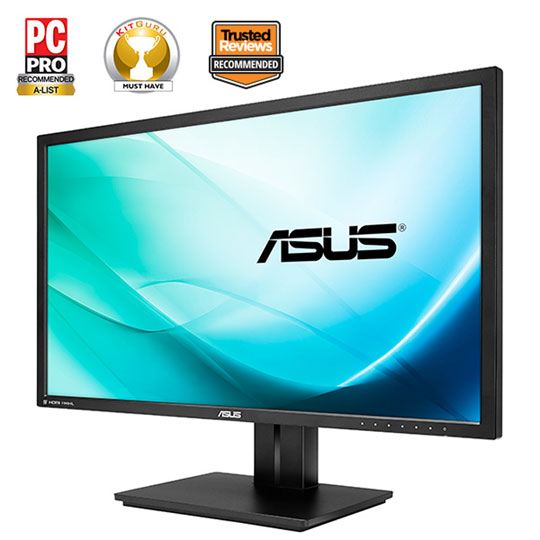
ASUS PB298Q 29" LED Monitor with IPS Panel
End Of Life
ASUS PB298Q 29" LED Monitor with IPS Panel
Scan code: LN52908 Manufacturer code: PB298Q
End Of Life

End Of Life

ASUS PB298Q 29" LED Monitor with IPS Panel

29" ASUS PB298Q Monitor, IPS Panel, 2560x1080, 5ms, 300cd/m², Speakers, DP/DVI/HDMI, Black

Scan code: LN52908 Manufacturer code: PB298Q
End of life
This product is no longer available to purchase.
  • 48HR REPLACEMENT If you need to return this item, your replacement will be dispatched within 2 working days of your product arriving back at Scan.
  • 3XS Approved Custom picked by our award winning 3XS Systems team.
Product Overview The 29-inch ASUS PB298Q is like having two 5:4 aspect radio, 17-inch displays side-by-side, but made even better without monitor bezels between them. It boasts a 2560 x 1080 resolution, that's 33% wider than standard Full HD, giving you more room for more windows and extra screen real estate to work on spreadsheets with up to 13 more standard-sized columns.

https://www.asus.com/Monitors_Projectors/PB298Q Features https://www.asus.com/Monitors_Projectors/PB298Q

• Ultra-wide 21:9 2560 x 1080 resolution LED display with a frameless, edge-to-edge design for pristine panoramic experience and enhanced productivity
• AH-IPS display with 178° wide-view angle for high-quality visual clarity and minimal color distortion
• DisplayPort, HDMI, and Dual-link DVI ports for multi-device connectivity plus built-in dual 3W speakers
• A comfortable viewing experience with swivel, tilt, pivot and height adjustments
Warranty

Please note your statutory rights are not affected.

For further information regarding Scan's warranty procedure please see our terms and conditions

Details
Duration:
36 months
Type:
Direct
DOA Period:
7 days
Manufacturer Contact Details
Manufacturer:
ASUS
Telephone:
01442 265548
Buying Guide
Need help? Read our Monitors Buying Guide
HDR Monitors
HDR Monitors
Date Issued: 11th May 2020

PC monitor manufacturers tend to focus on a particular buzzword or acronym almost every year. In the past, we have been treated to HD (high definition), denoting the screen is capable of running a minimum 720p resolution.

Read More

Display Panel Types
Display Panel Types
Date Issued: 15th May 2015

Choosing a monitor is not an easy decision to make, and not just because of the large number of variations in resolution, refresh rates, sizes and connectivity options. There are also varying panel technologies used to form each display that need to be considered. These panel technologies can be grouped into three broad categories which cover the vast majority of monitors sold in the consumer market.

Read More

Graphics Card Outputs
Date Issued: 8th Oct 2010

Modern desktop computers and notebooks comprise of a CPU, motherboard, graphics, storage, and, usually an optical drive. Computers have a number of ports and sockets that enable the user to plug-in various peripherals such as a printer, USB mouse, or, perhaps most importantly of all, an Internet connection.

Read More

HDMI
HDMI
Date Issued: 3rd Dec 2008

Keeping in tandem with technological developments, audio/video connectors continue to evolve at a steady pace. Today, the most common digital connector comes in the form of HDMI and we're here to tell you what it is, what it does, and why you might need it.

Read More

DVI
DVI
Date Issued: 20th Oct 2008

As you’ll all likely know by now, DVI is the current standard for connection of a PC or other display generator to a digital display output. You’ll recognise the multi-pin connector and know that almost all modern LCD displays have the corresponding input connector, for feeding from your PC. But do you know how DVI works? This TekSpek seeks to teach you how.

Read More

HDTV 720/1080
HDTV 720/1080
Date Issued: 14th Jun 2008

Whether the broadcasters are going HD or not, TV sets and projectors are arriving thick and fast which claim to support higher resolutions than regular telly. But HDTV is far from just one standard – it incorporates a couple of different resolutions, two different scanning modes, and a number of different frame rates. In this article, we present a guide to what all the terms actually mean.

Read More

DVI/HDMI/HDCP
DVI/HDMI/HDCP
Date Issued: 14th Jun 2008

There’s a lot more to High Definition than just having the ability to run your screen at the right resolution. With more than one type of connection available, and the thorny subject of signal encryption to contend with, just because your monitor and graphics are capable of 1,920 x 1,080 or better does not necessarily mean they will be able to display HDTV in all its glory.

Read More

ASUS PB298Q 29" LED Monitor with IPS Panel