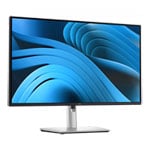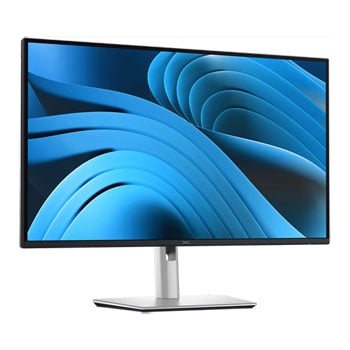

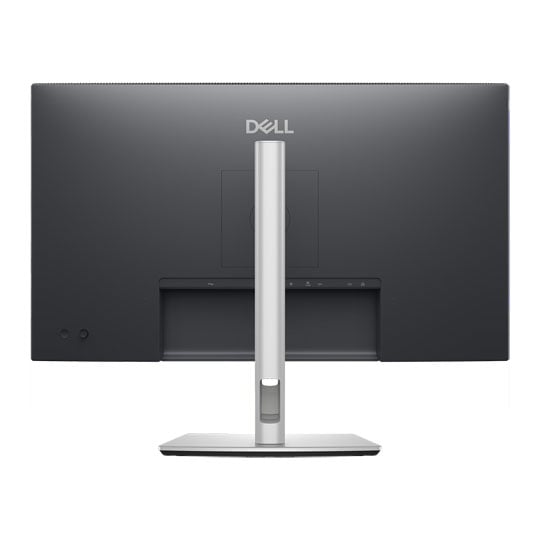
Dell Pro 27 Plus 4K P2725QE 27" 4K 100Hz IPS USB-C Hub Monitor
New
Dell Pro 27 Plus 4K P2725QE 27" 4K 100Hz IPS USB-C Hub Monitor
Scan code: LN175774 Manufacturer code: P2725QE 210-BRDS
£371.99
Get it Tomorrow, 22 OctIn stock
  • Thumbnail 1 : Dell Pro 27 Plus 4K P2725QE 27" 4K 100Hz IPS USB-C Hub Monitor
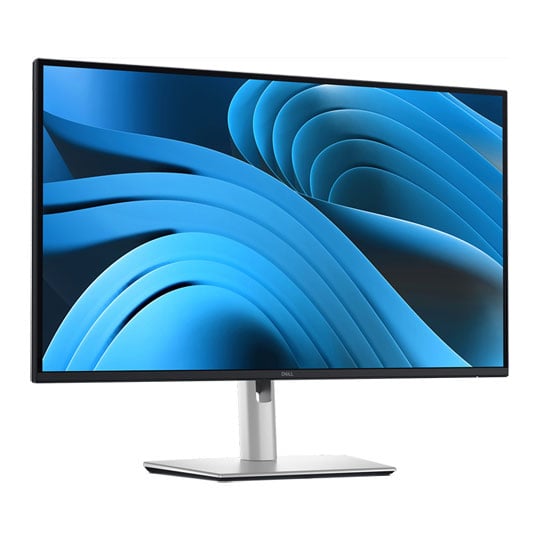
  • Thumbnail 2 : Dell Pro 27 Plus 4K P2725QE 27" 4K 100Hz IPS USB-C Hub Monitor
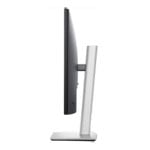
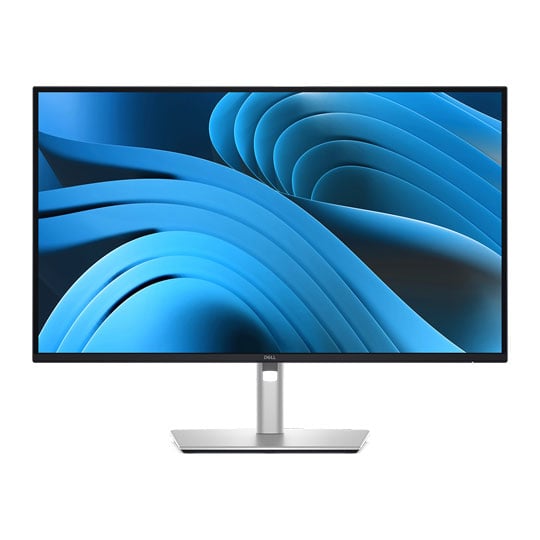
  • Thumbnail 3 : Dell Pro 27 Plus 4K P2725QE 27" 4K 100Hz IPS USB-C Hub Monitor
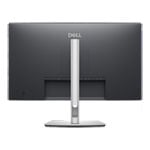
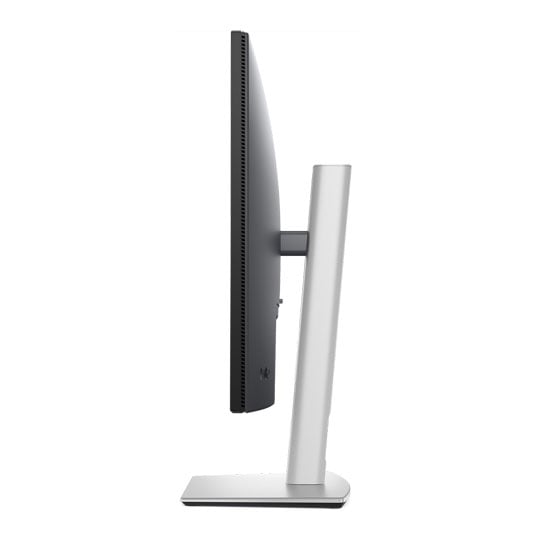
  • Thumbnail 4 : Dell Pro 27 Plus 4K P2725QE 27" 4K 100Hz IPS USB-C Hub Monitor
New

Dell Pro 27 Plus 4K P2725QE 27" 4K 100Hz IPS USB-C Hub Monitor

27" Dell 27 Plus P2725QE USB-C Hub Monitor, IPS, 3840 x 2160, 100Hz, 5ms, HDMI 2.1 / DP 1.4 / USB-C

Scan code: LN175774 Manufacturer code: P2725QE 210-BRDS
£371.99
Order now and get it tomorrow, Thu 22nd Oct
Get it Tomorrow, 22 OctIn stock
Pay in 3 interest-free payments of £124.00

Email me when the availability or price changes

  • By DPD On 22nd Oct Have your parcel delivered by DPD to your specified address. Receive SMS with one-hour delivery window | £11.50 Receive SMS with one-hour delivery window Weekend, timed and European delivery options are available at checkout
  • Collect instore Order online, collect from our Bolton store (25-28 Enterprise Park, Middlebrook, Horwich, Bolton, BL6 6PE) | Free
  • UPS and DPD Pickup Pickup from local convenience store | £4.99 Collect your parcel from your newsagents, petrol stations and convenience stores

Finance this product

  • From £18.17 / month (APR 16.9%) for 24 months or 0% for 4 months
  • Spend over £390.00 and Buy Now, Pay Later or spread the cost of your finance over 24-48 months with a 10% deposit.
Product Overview

Dell Pro 27 Plus 4K USB-C Hub Monitor

The Dell Pro 27 Plus 4K USB-C Hub Monitor is a 27-inch 4K UHD monitor designed for professional environments, home offices and everyday productivity. Featuring a 3840 x 2160 resolution, 100Hz refresh rate and IPS panel technology, it delivers detailed visuals, smooth on-screen movement and consistent colour across wide viewing angles. With support for 1.07 billion colours, 99% sRGB colour coverage and a 1500:1 contrast ratio, this Dell monitor is well suited to detailed office work, content viewing and multitasking.

Combining versatile connectivity with ergonomic adjustment, the Dell Pro 27 Plus simplifies desktop setups with USB-C connectivity and up to 90W power delivery for compatible laptops. Its integrated USB hub, range of video inputs and adjustable stand help create a streamlined workspace, while ComfortView Plus technology helps reduce harmful blue light emissions.


Detailed 4K UHD Clarity

Experience sharp text, fine details and expansive desktop space with the Dell Pro 27 Plus 4K monitor. Its 27-inch IPS display features a native resolution of 3840 x 2160 pixels, delivering four times the resolution of Full HD for detailed documents, spreadsheets and high-resolution content. A pixel density of 163 pixels per inch supports clear text and precise on-screen detail, while the 1500:1 contrast ratio helps distinguish darker and lighter areas of an image.


Smooth Motion at 100Hz

The 100Hz refresh rate provides smoother scrolling and more fluid on-screen movement than a conventional 60Hz display. This makes navigating documents, working across multiple applications and browsing content feel more responsive. With a 5ms grey-to-grey response time in Fast mode or 8ms in the standard mode, the P2725QE offers flexible performance for everyday professional computing.


Consistent Colour and Wide Viewing Angles

IPS panel technology maintains consistent image quality across wide 178-degree horizontal and vertical viewing angles, making the monitor suitable for a range of desk positions and collaborative working environments. With 99% sRGB colour coverage and support for 1.07 billion colours, it reproduces a broad range of colours for everyday creative tasks, presentations and media. The anti-glare screen further helps manage reflections in typical office lighting conditions.


Simplified USB-C Connectivity

Reduce desktop cable clutter with a USB-C upstream connection that combines video, data transfer, Gigabit Ethernet and up to 90W of power delivery through a single cable. When connected to a compatible laptop, this allows the monitor to handle display output, network access and charging without requiring separate connections for each function. HDMI 2.1 and DisplayPort 1.4 inputs also provide flexibility for connecting compatible desktop computers and other video sources.


Integrated USB Hub and Gigabit Ethernet

Connect compatible peripherals directly to the monitor using its integrated USB hub. Three USB-A downstream ports and one USB-C downstream port provide data transfer speeds of up to 5Gbps, while the USB-C port delivers up to 15W of power to compatible devices. The RJ45 Gigabit Ethernet connection supports wired networking through the monitor's USB-C upstream link.


Enhanced Eye Comfort for the Working Day

Dell ComfortView Plus technology reduces harmful blue light emissions to 35% or less while preserving colour performance. Combined with the anti-glare screen and TÜV-certified four-star eye comfort, it is designed to support more comfortable viewing during extended working sessions. These features make the P2725QE a practical choice for office environments and home workstations where the monitor may be used throughout the day.


Flexible Ergonomic Adjustment

Adapt the display to your preferred working position with the included adjustable stand. Height adjustment of up to 150mm, tilt from -5° to 21°, swivel through 45° in either direction and pivot through 90° in either direction provide flexibility for different desk layouts and viewing preferences. The pivot function also allows the monitor to be positioned vertically for tasks involving long documents or portrait-oriented content.

Features

• 27-inch 4K UHD IPS monitor.
• 3840 x 2160 resolution at up to 100Hz.
• 5ms grey-to-grey response time in Fast mode.
• 99% sRGB colour coverage and support for 1.07 billion colours.
• 1500:1 contrast ratio and 350cd/m² brightness.
• USB-C with up to 90W power delivery.
• HDMI 2.1 and DisplayPort 1.4 video inputs.
• Integrated USB hub with USB-A and USB-C downstream ports.
• RJ45 Gigabit Ethernet.
• Height, tilt, swivel and pivot adjustment.
• Dell ComfortView Plus and TÜV-certified four-star eye comfort.
• VESA-compatible mounting support.

Specifications
Screen Size 27"
Edition Dell Pro 27 Plus
Panel Type IPS
Panel Coating Anti-Glare
Panel Finish  
Touchscreen No
Backlight LED
Pitch Size 0.15540mm x 0.15540mm
Curvature N/A
Adaptive Frame-rate Technology N/A
HDCP Yes
Connectors
  • 1 x DisplayPort 1.4
  • 1 x HDMI 2.1
  • 1 x RJ45
  • 3 x USB Type A
  • 2 x USB Type-C (90W PD)
Position Adjustment
  • Height Adjustable
  • Pivot
  • Swivel
  • Tilt
Resolution 3840x2160 (Ultra HD)
Aspect Ratio 16:9
Max. Refresh Rate 100Hz
Response Time 5 ms
Brightness 350 cd/m²
Viewing Angle 178 / 178 (°H/°V)
Contrast Ratio/Dynamic Contrast Ratio 1500:1
Color Gamut 99% sRGB
Color Bit Depth 1.07B Colours
HDR Support No
Supported HDR Standards  
Speakers No
Speaker Configuration  
Web Camera No
Power Usage (Switched on) 25.5 W
VESA 100 x 100
3D Support No
Anti-Theft Features  
Included Accessories
  • 1 x DisplayPort Cable
  • 1 x Power Cable
  • 1 x Safety Guide
  • 1 x Stand
  • 1 x USB Type-C Cable
  • 1 x USB Type-C to A Adapter
Monitor Colour Black
Dimensions (with stand) 612.5 x 535.7 x 192.16mm (WxHxD)
Dimensions (without stand) 612.5 x 356.55 x 49.99 (WxHxD)
Weight (with Stand) 4.62 kg
Note  
Additional Information
Scan Code LN175774
Model Number P2725QE 210-BRDS
GTIN 5397184962497
Warranty

Please note your statutory rights are not affected.

For further information regarding Scan's warranty procedure please see our terms and conditions

Details
Duration:
36 months
Type:
Direct
DOA Period:
7 days
Manufacturer Contact Details
Telephone:
0800 028 2660
Buying Guide
Need help? Read our Monitors Buying Guide
HDR Monitors
HDR Monitors
Date Issued: 11th May 2020

PC monitor manufacturers tend to focus on a particular buzzword or acronym almost every year. In the past, we have been treated to HD (high definition), denoting the screen is capable of running a minimum 720p resolution.

Read More

Display Panel Types
Display Panel Types
Date Issued: 15th May 2015

Choosing a monitor is not an easy decision to make, and not just because of the large number of variations in resolution, refresh rates, sizes and connectivity options. There are also varying panel technologies used to form each display that need to be considered. These panel technologies can be grouped into three broad categories which cover the vast majority of monitors sold in the consumer market.

Read More

Graphics Card Outputs
Date Issued: 8th Oct 2010

Modern desktop computers and notebooks comprise of a CPU, motherboard, graphics, storage, and, usually an optical drive. Computers have a number of ports and sockets that enable the user to plug-in various peripherals such as a printer, USB mouse, or, perhaps most importantly of all, an Internet connection.

Read More

HDMI
HDMI
Date Issued: 3rd Dec 2008

Keeping in tandem with technological developments, audio/video connectors continue to evolve at a steady pace. Today, the most common digital connector comes in the form of HDMI and we're here to tell you what it is, what it does, and why you might need it.

Read More

DVI
DVI
Date Issued: 20th Oct 2008

As you’ll all likely know by now, DVI is the current standard for connection of a PC or other display generator to a digital display output. You’ll recognise the multi-pin connector and know that almost all modern LCD displays have the corresponding input connector, for feeding from your PC. But do you know how DVI works? This TekSpek seeks to teach you how.

Read More

HDTV 720/1080
HDTV 720/1080
Date Issued: 14th Jun 2008

Whether the broadcasters are going HD or not, TV sets and projectors are arriving thick and fast which claim to support higher resolutions than regular telly. But HDTV is far from just one standard – it incorporates a couple of different resolutions, two different scanning modes, and a number of different frame rates. In this article, we present a guide to what all the terms actually mean.

Read More

DVI/HDMI/HDCP
DVI/HDMI/HDCP
Date Issued: 14th Jun 2008

There’s a lot more to High Definition than just having the ability to run your screen at the right resolution. With more than one type of connection available, and the thorny subject of signal encryption to contend with, just because your monitor and graphics are capable of 1,920 x 1,080 or better does not necessarily mean they will be able to display HDTV in all its glory.

Read More

Dell Pro 27 Plus 4K P2725QE 27" 4K 100Hz IPS USB-C Hub Monitor

PayPal Credit

Monthly Payment: £33.71
Instalment Rate: 16.9% p.a. (fixed)
Cost of purchase: £371.99
Total inc. interest: £404.38
Monthly Payment: £18.17
Instalment Rate: 16.9% p.a. (fixed)
Cost of purchase: £371.99
Total inc. interest: £435.86
Example
Minimum Spend: £99
Instalment Rate: N/A
Cost of purchase: £99
Total inc. interest: £99
If you are approved for a credit limit with PayPal Credit and use it for future purchases, the APR for those purchases won't be more than 23.9% and may be even lower.

Representative Example:

Purchase Rate: 23.9% p.a. (variable)

Representative: 23.9% APR (variable)

Assumed Credit Limit: £1,200

Subject to status. Terms and Conditions apply.