
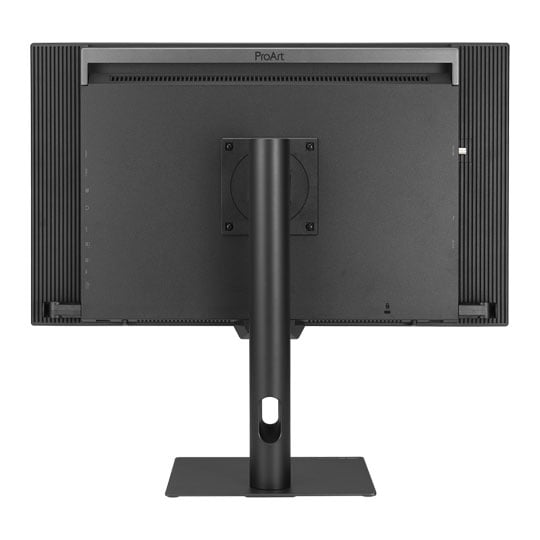


ASUS 27" ProArt Display PA27USD OLED Monitor
27" ASUS ProArt PA27USD Monitor, QD-OLED, 99% DCI-P3, 3840x2160, 240Hz, 1500000:1, 1000cd/m²
Email me when the availability or price changes
Finance this product
- From £50.73 / month (APR 16.9%) for 48 months or 0% for 4 months
- With a 10% deposit from just £44.93 / month (APR 15.9%)
ASUS ProArt PA27USD
27-inch OLED Monitor

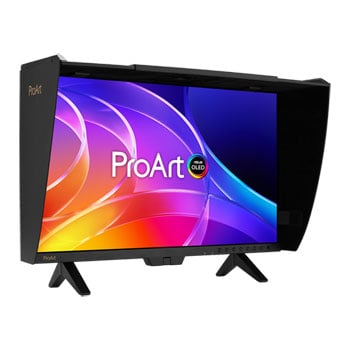
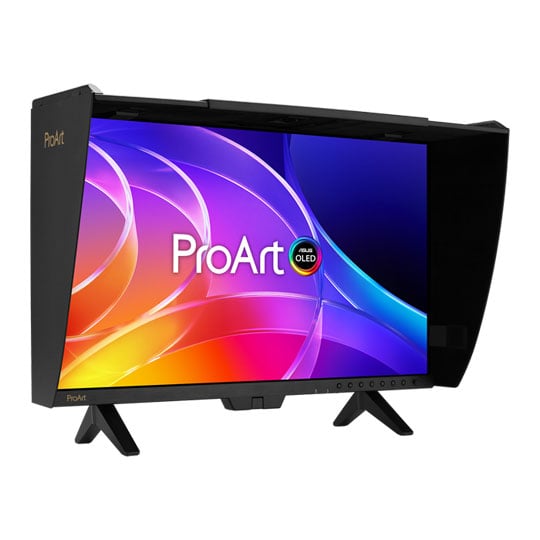
Stunning Contrast from Production to PostAsus ProArt Display OLED PA27USD is designed for creators seeking a QD-OLED display primed for professional-grade performance. This 27-inch 4K UHD monitor delivers beautifully saturated and accurate colours with a 99% DCI-P3 colour gamut, offering a world-leading ΔE < 1 colour accuracy. ProArt Display OLED PA27USD creates exceptional HDR experiences, 1000 nits of peak brightness and true 10-bit colour depth. Connectivity options, including 12G SDI, dual Thunderbolt 4 ports with up to 96W power delivery, HDMI 2.1 and DisplayPort 2.1 ports, and a built-in USB hub, offer creators versatile options for connecting their full workstation, from production to post-production. The ProArt Display OLED PA27USD offers different stand options to suit any scenario or setup, along with an elegant metal handle for portability.

4K HDR26.5-inch
IQD-OLEDTrueBlack
1000 nitsPeak Brightness
240HzSmooth Rendering
99%DCI-P3
100%sRGB
Empowering Content Creators
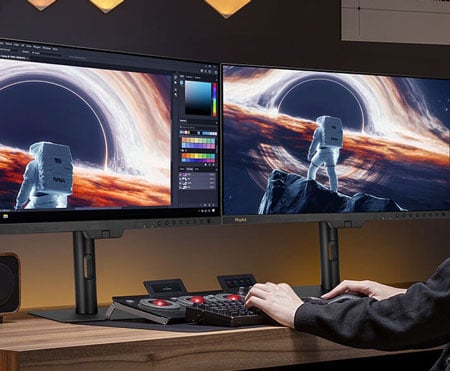
Filmmakers and video editorsThe PA27USD boasts high-resolution visuals with wide colour gamut, true black performance, and ultrahigh contrast, making it a must-have tool when producing 4K HDR content.

ColouristsIn addition to being factory-calibrated for industry-leading colour fidelity with Delta E < 1 accuracy, the PA27USD includes a built-in colourimeter to help ensure long-term colour accuracy and consistency. Capture cards or boxes can be directly connected to the PA27USD via SDI for high-quality, uncompressed 4K videos with precise image fidelity.
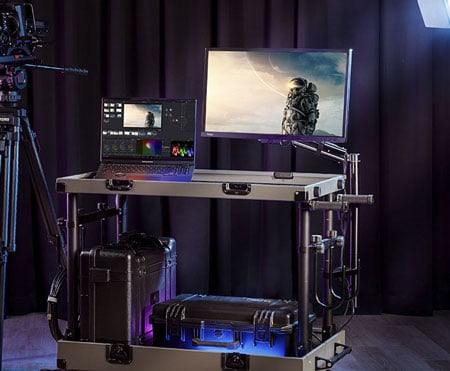
Digital Imaging Technician (DIT)With 12G-SDI connectivity, the PA27USD is suitable for on-set production workflows. It includes a mini stand that's easy to set up, as well as a monitor hood to reduce reflections.

Game developersThe high resolution, wide colour gamut, and 240Hz refresh rate allow game developers to design and review game artwork on a single display.

3D/VFX ArtistsThe 240Hz refresh rate and 4K visuals provide 3D/VFX artists with supersmooth, detailed visuals. Higher refresh rates generally reduce flicker, so moving visuals appear more fluid, allowing for more comfortable viewing experiences.
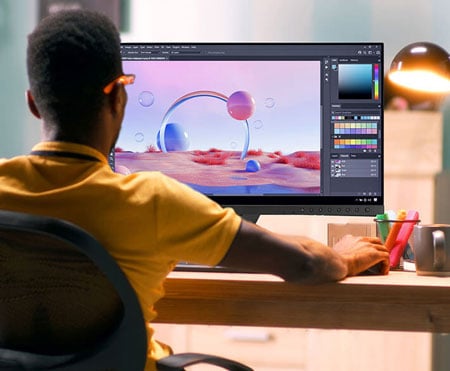
Designer and photographersThe ultra-high-quality visuals of the PA27USD ensure creative details aren't lost on the journey from click to print or production.
Amazing QD-OLED Experiences

True Professional-Grade ColoursThe studio-grade 99% DCI-P3 gamut ensures richer, more vivid colours, making it the ideal monitor for both colour-intensive projects and other creative pursuits.

Ultra-Accurate ColourProArt displays are factory-calibrated to guarantee industry-leading colour accuracy. Each monitor undergoes stringent testing to ensure smooth colour gradation.

Deeper Blacks, Brighter WhitesA peak brightness of 1000 nits (3% area) allows for outstanding contrast between the deepest black and gleaming white hues.

Advanced Panel DesignA graphene film behind the QD-OLED panel helps reduce operating temperature. Graphene is the thinnest and strongest nanomaterial in the world and has high thermal conductivity to help effectively dissipate heat.
Unleash Creativity With AI
infinite creative possibilitiesThe rise of generative AI enables creators to spark inspiration more quickly, bringing infinite creative possibilities to professional creators. The wide colour gamut, high resolution, and professional colour accuracy of ProArt Displays provide the best visual experience, enjoy a smooth creative experience, and speed up the overall workflow.
turn imagination into reality
(Photoshop)
Discover the power of generative AI with tools for Text to Image and Generative Fill. Simplify the creative process, effortlessly create, adjust, and enhance visuals.
Seamless Quick Video Edits
(Premiere Pro)
Generative AI tools streamline complex tasks and boost editing speed. Use features like Object Add/Remove and Generative Extend for quick, precise adjustments
Bring Your World into 3D
(Substance 3D)Image-to-Texture transforms generative AI for 3D artists, allowing fast creation of photorealistic textures from image. It enhances creativity while integrating smoothly into workflows.
Ideal For Game Development And Video Editing

240Hz Refresh RateA 240Hz refresh rate and variable-refresh-rate (VRR) technology allow creators to work on fast-rendering visuals and conduct quality checks on the PA27USD. HDMI® 2.1, DisplayPort™ 2.1, and Thunderbolt™ 4 connectivity with 4K@240Hz support result in supersmooth visuals with exceptional levels of detail.
Intuitive and Intelligent Calibration

Self CalibrationProArt displays include a built-in colourimeter with an innovative self-calibration feature. This standalone solution is compatible with any operating system and doesn't require additional calibration software. Users may run the calibration process at any time or schedule it during off-hours through the OSD menu.

ProArt Hardware CalibrationASUS ProArt Hardware Calibration software works in both SDR and HDR modes. It saves all colour parameter profiles directly on the ProArt monitor's internal scaler IC chip instead of the PC. Users can also use ProArt Calibration to schedule regular calibration intervals.

ProArt Colour CentreProArt Colour Centre is an online tool designed to help administrators manage the colour accuracy of multiple ProArt displays that feature hardware calibration support. Users can check when the monitors were last calibrated, next recommended calibration date, and schedule calibration times for multiple monitors―even if they're using different colour parameters and/or situated in different locations.

Seamless CalibrationProArt Display works seamlessly with third-party Calman and Light Illusion ColourSpace CMS professional hardware calibration software. It can also write back colour parameters into our ProArt displays, making calibration faster and easier.
ASUS OLED Care

Safeguard Your DisplayProArt Display OLED series monitors include ASUS OLED Care features that are proven to safeguard the display by minimising the likelihood of image burn-in.
Panel ProtectionProvides Sensing Protection, Pixel Shift, Screen Saver, ISP (Global), and Off Sensing to prevent static images from being displayed continuously on your screen. This feature offers two levels of adjustment to choose from.
Image ProtectionDynamically detects and identifies the taskbar, logos, and video edges, reducing the brightness around them to minimise the risk of burn-in. This feature offers three adjustable levels to choose from.
Proximity SensorAutomatically decreases brightness gradually when it detects no user in front of the monitor. There are three adjustable detection ranges available.
Uniform Brightness Setting
OLED displays feature an Auto Brightness Limiter (ABL) to maximize power use. When displaying a white (or bright) image in a particular window, the display automatically dims the image as the window size increases.
The optional Uniform Brightness function in the OSD menu is particularly useful when switching between or changing the size of windows with vastly different contrast levels, as it keeps brightness levels consistent with up to 250 nits for comfortable viewing and more accurate colors, even after hours of use.
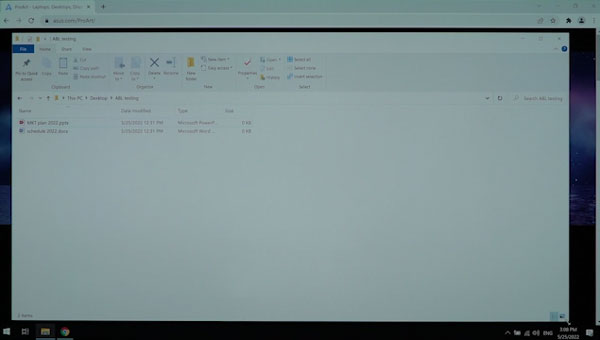
Without Uniform Brightness setting
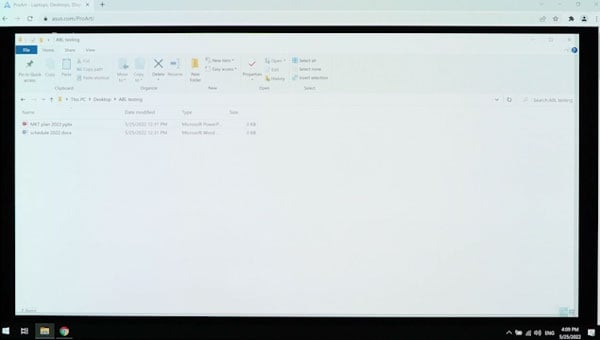
With Uniform Brightness setting
Create In Ultra-Vivid HDR

ASUS Smart HDR TechnologyExclusive ASUS Smart HDR technology enables this monitor to support multiple HDR formats, including Dolby Vision®, HLG and HDR10.
Dolby Vision transforms the viewing experience with unparalleled brightness, contrast, and colours. The ProArt Display is the world's first computer monitor with Dolby Vision support, making it ideal for professional image production, colour grading, and mastering.
HLG allows users to view and create material for broadcast and satellite TV platforms such as BBC iPlayer, Japan NHK TV, and DirecTV.
HDR10 support ensures compatibility with existing streaming video services and a growing list of HDR-enabled games.

Multiple PQ CurvesASUS ProArt Displays support multiple HDR10 curves, including PQ Hard Clip, PQ Optimised, and PQ Basic, which can cover all content creation needs.

HDR PreviewHDR Preview enables a direct camera-to-monitor connection to view captured HDR content with its full tonal range. It also works within most video editing software platforms, providing accurate simulations of the final output for an easier, more streamlined editing experience.
12G-SDI Connectivity

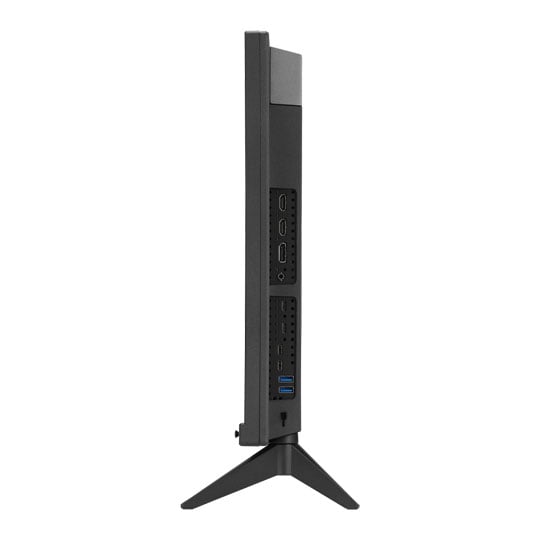
Widely Used in ProductionSDI (Serial Digital Interface) is a professional video signal standard widely used in production. It supports long-distance transmission of uncompressed video with high reliability. SDI uses BNC cables with locking connectors on both ends, ensuring a secure connection that cannot be easily disconnected. Compared with standard 3G-SDI, 12G-SDI offers up to four times the bandwidth, enabling the transmission and reception of uncompressed video at resolutions up to 4K@60Hz directly from camera devices, with ultra-low latency.
Flexible Connections

Support for a Wide Range of DevicesDual Thunderbolt 4 ports, HDMI 2.1, and DisplayPort 2.1 ensure compatibility with current and future displays and peripherals. One of the Thunderbolt 4 ports offers up to 96W Power Delivery over a single cable to keep laptops charged, while the other supports multi-display daisy-chaining for expanded setups. The integrated USB 3.2 hub features two USB Type-A and one USB Type-C® ports to support a wide range of devices and peripherals.

Diverse Viewing Options
Picture-by-Picture (PbP)View content from up to four input sources simultaneously. Also, you can choose up to 2 colour engines to check different colour modes, including sRGB, Adobe RGB, P3, BT.2020, CAL1~3.
Picture-in-Picture (PiP)This mode places content from a second input source in a smaller window that can be placed in any corner of the display.
Accurate Real-time On-set Preview
QuickFit Plus overlays a grid on the screen to assist with alignment and on-set previewing. It helps ensure that video content stays properly framed and does not extend beyond the visible screen area.


Exquisite Design

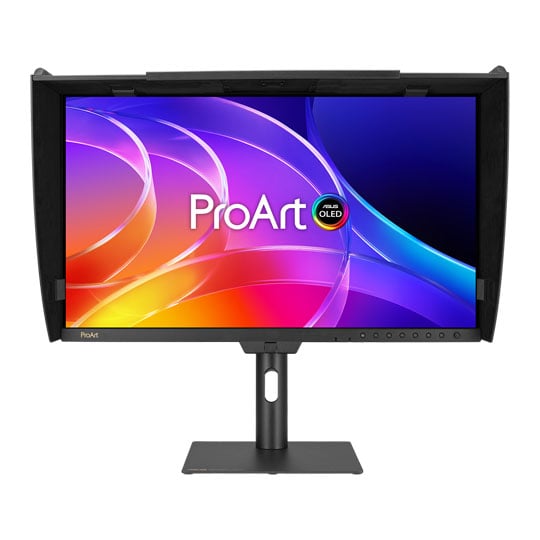
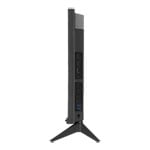
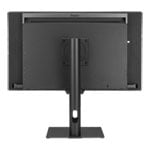
Versatile StandWith two versatile stand options, the PA27USD adapts effortlessly to any setup, delivering an optimal working or viewing position whether on location or in the studio.

Cable ManagementBundled clips help manage cables and keep workspaces tidy, while the sturdy, elegant metal handle makes the monitor easy to carry wherever it's needed.

Detachable Monitor HoodA wraparound hood minimises reflections from surrounding light sources, ensuring confident color work in the studio or on location. An opening at the top of the hood allows convenient use of third-party colorimeters for accurate calibration without removing the monitor hood.
Ergonomic Design
Each ProArt display features an ergonomic stand with tilt, swivel, pivot, and height adjustments for comfortable viewing. The ability to pivot the screen clockwise or counterclockwise 90° for use in Portrait mode comes in handy when working with long documents, coding or web browsing. Adding to its flexibility, VESA wall mount support provides users with convenient mounting options.

Height Adjustment
0~130 mm

Tilt
-5°~+23°

Pivot
-90°~+90°

Swivel
-30°~+30°
The Perfect Monitor for Your Mac
ProArt Display combines professional-grade performance and Mac-tested compatibility. Offering vibrant colors and versatile connectivity, ProArt Display is ideal for Mac users seeking exceptional color accuracy and unmatched productivity.

Instant Display AdjustmentEnjoy intuitive controls with ASUS DisplayWidget Centre for macOS.

Seamless MacBook ControlsUse the MacBook brightness buttons to control the monitor's brightness with ASUS DisplayWidget Centre installed.

Accurate ColoursThe high pixel density ensures crisp visuals and an expansive workspace, while Delta E < 1 accuracy and a wide colour gamut keep colours consistent and accurate.

Supersmooth ViewingA variable refresh rate of up to 240Hz ensures compatibility with Macs featuring Apple ProMotion technology.

Convenient ConnectivityThe Thunderbolt 4 port caters to all creative needs.

Trusted CompatibilityTested by trusted third-party labs to ensure compatibility.
Seamless Monitor Management

The Ultimate Monitor Management ToolASUS DisplayWidget Centre is software that provides an intuitive interface for adjusting monitor settings, including brightness, contrast, and colour temperature. Whether a monitor is used for everyday viewing or for professional creative work, users can effortlessly find the optimal display settings for enhanced viewing experiences.
Trusted by World's Leading Creative Schools & Studios

Sustaining an Incredible Future

Environmental CertificationPA27USD has been stringently tested to meet the requirements of world-leading sustainability certifications. These tests include a comprehensive database of up-to-date criteria, independent verification, and a structured system for continuous improvement.

Eco-friendly PackagingProArt displays are shipped in packaging made from FSC®-certified 100% recycled cardboard. The packaging has been designed to minimise weight and volume, helping to conserve natural resources and allowing more devices to be transported in a single shipping container.

Reusable PackagingThe cardboard box PA27USD is shipped in can be cut into a smaller box to pack small items on your desk, such as cables, adapters, or other accessories. It also includes a foldable phone stand. This is a great way to reduce waste, save money on packaging materials, and create added benefits.

Energy-Efficient FeaturesProArt Display OLED PA27USD has a power-saving Eco-mode and it achieves zero-watt power consumption when it is turned off.

Free 3 Months of Adobe Creative Cloud
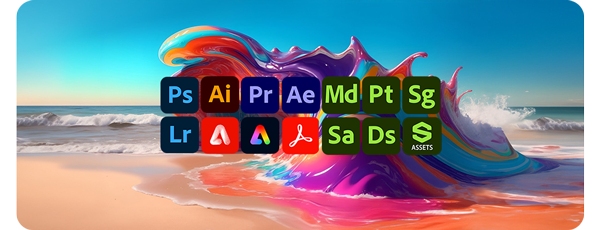
Get A Complimentary Subscription With the Purchase of Selected ASUS ProductsBy purchasing ASUS ProArt Display series, customers are entitled to receive a free three-month trial of Adobe® Creative Cloud® to experience the latest AI-powered applications – providing an enhanced visual experience with ProArt Display's professional color accuracy. This allows creators to inspire creativity and enjoy a smooth and exciting creative experience.
Learn More



PayPal Credit
| Monthly Payment: | £162.99 |
| Instalment Rate: | 16.9% p.a. (fixed) |
| Cost of purchase: | £1,798.99 |
| Total inc. interest: | £1,955.81 |
| Monthly Payment: | £87.84 |
| Instalment Rate: | 16.9% p.a. (fixed) |
| Cost of purchase: | £1,798.99 |
| Total inc. interest: | £2,108.19 |
| Monthly Payment: | £63.00 |
| Instalment Rate: | 16.9% p.a. (fixed) |
| Cost of purchase: | £1,798.99 |
| Total inc. interest: | £2,267.80 |
| Monthly Payment: | £50.73 |
| Instalment Rate: | 16.9% p.a. (fixed) |
| Cost of purchase: | £1,798.99 |
| Total inc. interest: | £2,434.60 |
| Example | |
| Minimum Spend: | £99 |
| Instalment Rate: | N/A |
| Cost of purchase: | £99 |
| Total inc. interest: | £99 |
Representative Example:
Purchase Rate: 23.9% p.a. (variable)
Representative: 23.9% APR (variable)
Assumed Credit Limit: £1,200
Subject to status. Terms and Conditions apply.