

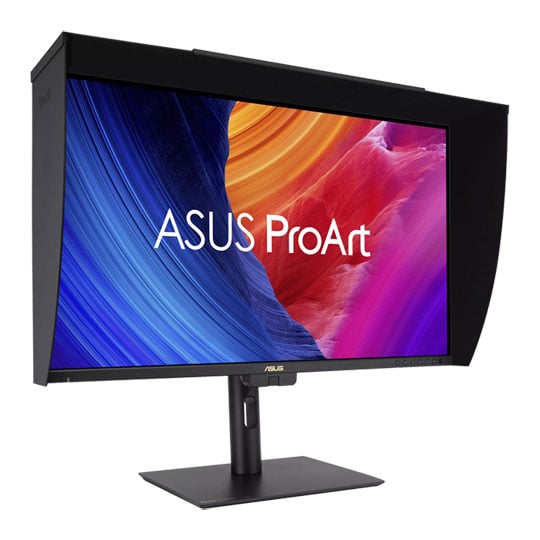
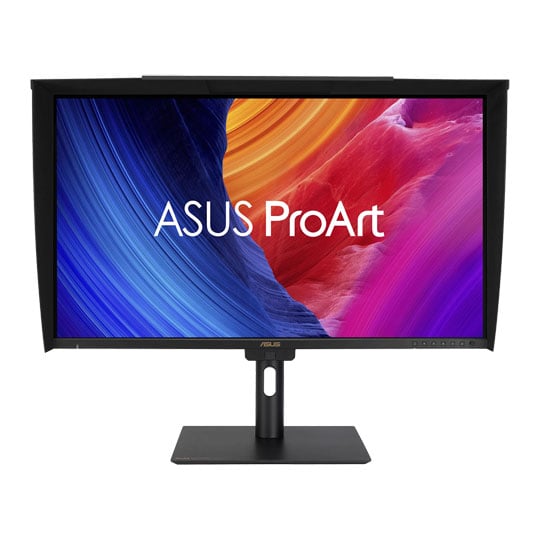

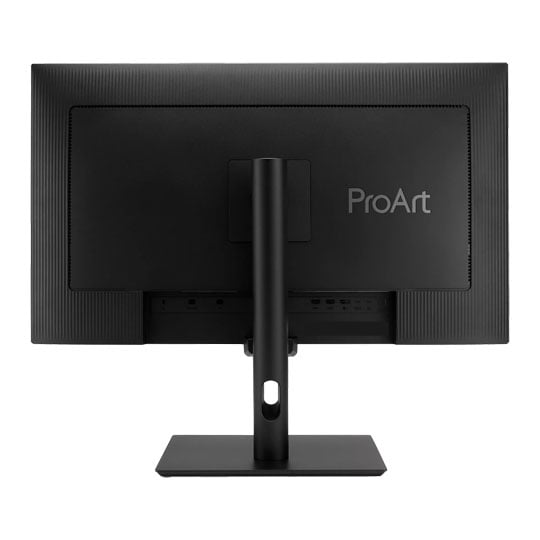


27" ASUS ProArt PA27UCGE Professional 4K HDR Monitor + DaVinci Resolve Studio Bundle
27" ASUS ProArt PA27UCGE Professional 4K HDR Monitor + DaVinci Resolve Studio Bundle
Email me when the availability or price changes
Finance this product
- From £33.62 / month (APR 16.9%) for 36 months or 0% for 4 months
- With a 10% deposit from just £23.98 / month (APR 15.9%)
ASUS - '27" ProArt Display PA27UCGE'
DaVinci Resolve Studio Bundle

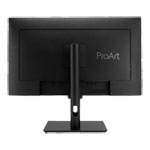
Exceptional Colour precision within ReachThe ProArt Display PA27UCGE is a 27-inch 4K HDR professional monitor designed for video editors and colours seeking professional-grade colour accuracy. With a 160Hz high refresh rate, 600nits brightness, 98% DCI-P3 and 100% sRGB colour gamut, Delta E < 1 colour accuracy, along with ASUS Light Sync for consistent backlight performance, they deliver stunning visuals in any environment. Featuring a built-in motorized colorimeter, self-calibration, and LuxPixel Technology to ensure distraction-free use. Supporting multiple HDR formats (HLG, HDR-10) and offering extensive connectivity, including USB-C with 96W power delivery, making PA27UCGE displays ideal for creative workflows.

27” 4K HDR3840 x 2160
IPS178° wide viewing angles
600 nitsBrightness
98%DCI-P3
100%sRGB
HDRHDR-10, HLG
DaVinci Resolve Studio
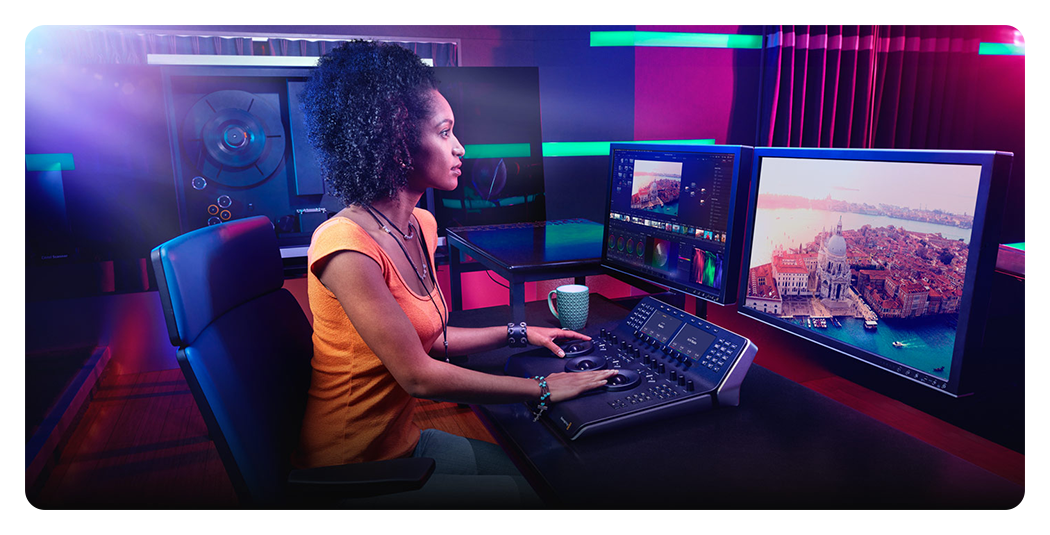
DaVinci Resolve StudioIncluding a full version of DaVinci Resolve Studio, which is the same software used in Hollywood for creating high end feature films, episodic television shows, commercials and more. DaVinci Resolve features the new cut page with intelligent editing tools and innovative new features designed to help you quickly find the footage you want, edit it together and output it fast. In addition to the new cut page, you also get DaVinci’s legendary professional editing, advanced colour correction, audio post and visual effects tools, all in a single software application. Now you can use the same high-end software that professional editors and colourists use.
Empowering Content Creators

ColouristsFactory calibrated to Delta E < 1 colour accuracy for industry-leading colour fidelity. It also offers hardware calibration support for consistent colour performance.

Filmmakers & Video EditorsA high-resolution monitor with wide colour gamut performance and ultrahigh contrast is a must-have tool when producing 4K HDR content.

game DevelopersTake advantage of the 48 to 160 Hz refresh rate to create fast-rendering games and conduct quality checks on a single display.

Exquisite 4K HDR VisualsThe 4K HDR (3840 x 2160) panel — up to 300% more onscreen space compared to similarly-sized 4K UHD displays. This increased pixel density results in sharper text and better readability, while offering enhanced visual clarity that’s ideal for creators working on detailed design projects.

Deeper Blacks, Brighter WhitesA peak brightness of 600 nits allow for outstanding contrast between the deepest blacks and gleaming whites.

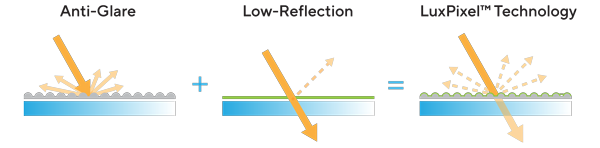
Precise, Clear Imagery with LuxPixel™
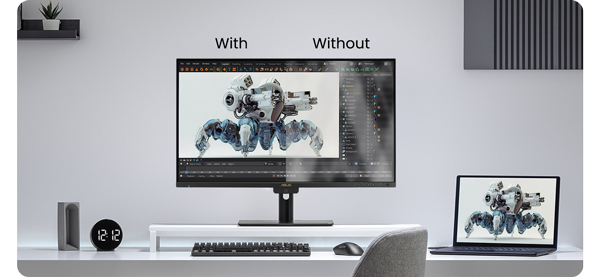
LuxPixel™ technology is an anti-glare, low-reflection (AGLR) coating that provides a paper-like screen effect. Unlike traditional matte panels which often soften imagery, LuxPixel™ technology minimizes reflections to ensure the user sees accurate colours and sharp details.
Photorealistic Colours
ProArt monitor is equipped with ASUS Light Sync technology, featuring two sensors designed to ensure remarkable colour accuracy and precise colour temperature, right on startup.

Backlight SensorA backlight sensor automatically detects backlight brightness to compensate for deviations at startup, eliminating warm-up time and ensuring accurate colour performance, so you can dive straight in to work.

ambient light sensorAn ambient light sensor automatically adjusts display brightness and colour temperature based on changes in environmental lighting, ensuring true colours every time.
Unleash Creativity With AI
infinite creative possibilitiesThe rise of generative AI enables creators to spark inspiration more quickly, bringing infinite creative possibilities to professional creators. The wide colour gamut, high resolution, and professional colour accuracy of ProArt Displays provide the best visual experience, enjoy a smooth creative experience, and speed up the overall workflow.
turn imagination into reality
(Photoshop)
Discover the power of generative AI with tools for Text to Image and Generative Fill. Simplify the creative process, effortlessly create, adjust, and enhance visuals.
Seamless Quick Video Edits
(Premiere Pro)
Generative AI tools streamline complex tasks and boost editing speed. Use features like Object Add/Remove and Generative Extend for quick, precise adjustments
Bring Your World into 3D
(Substance 3D)Image-to-Texture transforms generative AI for 3D artists, allowing fast creation of photorealistic textures from image. It enhances creativity while integrating smoothly into workflows.
Intuitive and Intelligent Calibration
Self CalibrationProArt displays include a built-in colourimeter with an innovative self-calibration feature. This standalone solution is compatible with any operating system and doesn’t require additional calibration software. Users may run the calibration process at any time, or schedule it during off hours through the OSD menu.
ProArt Hardware CalibrationASUS ProArt Hardware Calibration software works in both SDR and HDR modes. It saves all colour parameter profiles directly on the ProArt monitor’s internal scaler IC chip instead of the PC. Users can also use ProArt Calibration to schedule regular calibration intervals.
ProArt Colour CenterProArt Colour Center is an online tool designed to help administrators manage the colour accuracy of multiple ProArt displays that feature hardware calibration support. Users can check when the monitors were last calibrated, next recommended calibration date, and schedule calibration times for multiple monitors―even if they’re using different colour parameters and/or situated in different locations.
Seamless CalibrationProArt Display works seamlessly with third-party Calman and Light Illusion ColourSpace CMS professional hardware calibration software. It can also write back colour parameters into our ProArt displays, making calibration faster and easier.
True-to-life colourPA27UCGE exceeds industry colour reproduction standards with its 98% DCI-P3 gamuts, making it ideal for video editing and other post-production tasks. 10-bit IPS panel is able to showcase more than 1.07 billion colours to give content creators a vast colour spectrum to work with.

98%DCI-P3
100%sRGB
10-Bit
Class-Leading Colour Fidelity

industry-leadingEach ProArt display is factory calibrated using a new, three-scale process to guarantee industry-leading colour fidelity. The display then undergoes stringent testing using ASUS advanced grayscale tracking technology to ensure smoother colour gradations, better uniformity and high colour accuracy with a Delta E < 1 colour difference value. Each grayscale level is also carefully measured and set to ensure compliance with the precise DICOM standard for medical image check.
Create In Ultra-Vivid HDR

ASUS Smart HDR TechnologyExclusive ASUS Smart HDR technology enables ProArt Display to support multiple HDR formats, including HLG and HDR10.
HLG allows users to view and create material for broadcast and satellite TV platforms such as BBC iPlayer, Japan NHK TV, and DirecTV.
HDR10 support ensures compatibility with existing streaming video services and a growing list of HDR-enabled games.

Multiple PQ CurvesASUS ProArt Displays support multiple HDR10 curves, including PQ Hard Clip, PQ Optimized and PQ Basic, which can cover all content creation needs.

HDR PreviewHDR Preview enables a direct camera-to-monitor connection to view captured HDR content with its full tonal range. It also works within most video editing software platforms, providing accurate simulations of the final output for an easier, more streamlined editing experience.
2D/3D Rendering Friendly
High frame rates ensure smooth visuals and comfortable viewing experiences. With up to a 160Hz variable refresh rate (VRR), ProArt Display PA27UCGE is also ideal for game developers who need to conduct quality checks on their creations.

160HzRefresh Rate
VRR8~160Hz
Seamless Multitasking Across Two Devices

Auto KVMBuilt-in Auto KVM allows for effortless switching and control between two connected laptops or PCs with a single keyboard and mouse, enabling easier multitasking.

The USB-C That Does it AllThe included USB-C® port enables superfast data transfers, DisplayPort connectivity, and 96-watt power delivery to charge laptops and other devices―all via a single cable. Also serves as a USB hub: any device connected to the monitor’s USB ports gains access to other connected peripherals.

Expansive ConnectivityIn addition to USB-C, ProArt display offers a myriad of connectivity options including HDMI®, DisplayPort™ with daisy-chaining, USB Type-A and additional USB-C downstream port for compatibility with a wide range of devices, also includes a passthrough port for headphones.
HDMI 2.1
Displayport 1.4
In
USB-C
USB Hub
Earphone Jack
Streamlined, Efficient Workflows

ASUS DisplayWidget CenterASUS DisplayWidget Center is an app that allows you to tweak monitor settings with a mouse instead of using the buttons on the monitor.

Diverse Viewing OptionsPicture-by-Picture
View content from up to four input sources simultaneously. Each window’s color mode can be configured to sRGB, Adobe RGB, DCI-P3, BT.2020, User Mode 1, User Mode 2, or User Mode 3.
Picture-in-Picture (PiP)
This mode places content from a second input source in a smaller window that can be placed in any corner of the display.

Detachable Monitor HoodA wraparound hood reduces on-screen reflections from nearby light sources, enabling users to work with confidence when inside the studio or on location.
Ergonomic Design
The ergonomic stand of ProArt Displays offers tilt, swivel, pivot, and height adjustments for the perfect viewing position. Being able to pivot the screen 90° clockwise or anticlockwise to portrait orientation comes in handy when working with posters, playbills, and other large-format projects. A quick-release feature allows users to VESA mount the monitor to a wall to save desktop space.

Height Adjustment0 - 120 mm

Tilt-5° - +23°

Pivot-90° - +90°

Swivel-30° - +30°
Trusted by World's Leading Creative Schools & Studios

Sustaining An Incredible Future

Environmental CertificationProArt Display PA27UCGE is stringently tested to meet the requirements of world-leading sustainability certifications. These tests are based on a comprehensive database of up-to-date criteria, with results independently verified. ASUS also has a structured system in place to ensure the continuous improvement of these tests.

Eco-Friendly PackagingProArt Displays are shipped in packaging made from 100% recyclable cardboard with FSC Mix. The packaging has been designed to minimize weight and volume, helping to conserve natural resources and allowing more devices to be transported in a single shipping container.

Energy-Efficient FeaturesProArt Display PA27UCGE has a power-saving Eco-mode, and achieves zero-watt power consumption with hard-switch off.

Eco-friendly MaterialsExtensive research and development ensure ProArt Display PA27UCGE is made from eco-friendly materials like 85% post-consumer recycled (PCR) plastics. It also features eco-friendly components such as mercury-free panels.

Free 3 Months of Adobe Creative Clouds

Get complimentary membership with the purchase of selected ASUS products.* (Up to a £321.11 value)By purchasing ASUS ProArt Display series, customers are entitled to receive a free three-month trial of Adobe® Creative Cloud® to experience the latest AI-powered applications – providing an enhanced visual experience with ProArt Display's professional color accuracy. This allows creators to inspire creativity and enjoy a smooth and exciting creative experience.
Learn More


PayPal Credit
| Monthly Payment: | £86.98 |
| Instalment Rate: | 16.9% p.a. (fixed) |
| Cost of purchase: | £959.99 |
| Total inc. interest: | £1,043.65 |
| Monthly Payment: | £46.88 |
| Instalment Rate: | 16.9% p.a. (fixed) |
| Cost of purchase: | £959.99 |
| Total inc. interest: | £1,124.96 |
| Monthly Payment: | £33.62 |
| Instalment Rate: | 16.9% p.a. (fixed) |
| Cost of purchase: | £959.99 |
| Total inc. interest: | £1,210.16 |
| Example | |
| Minimum Spend: | £99 |
| Instalment Rate: | N/A |
| Cost of purchase: | £99 |
| Total inc. interest: | £99 |
Representative Example:
Purchase Rate: 23.9% p.a. (variable)
Representative: 23.9% APR (variable)
Assumed Credit Limit: £1,200
Subject to status. Terms and Conditions apply.