


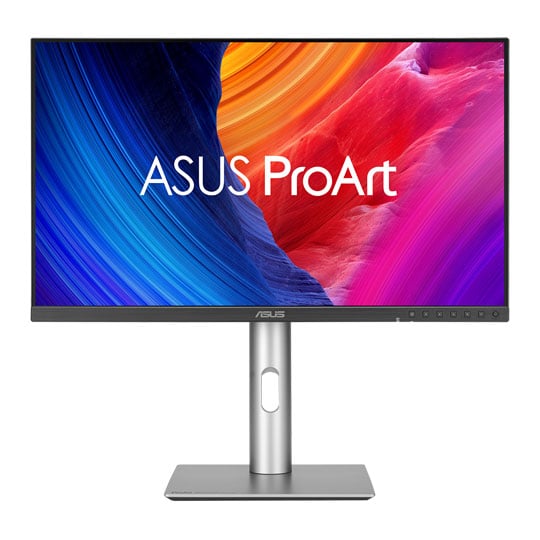


ASUS 27" ProArt PA27JCV 5K HDR Professional Monitor USB-C Hub
27" ASUS ProArt PA27JCV 5K HDR Monitor, 99% DCI-P3/95% AdobeRGB, 5120x2880, 60Hz, HDR10, HDMI2.1/DP1.4/USB-C 96W PD
Email me when the availability or price changes
Finance this product
- From £20.28 / month (APR 16.9%) for 36 months or 0% for 4 months
- With a 10% deposit from just £14.46 / month (APR 15.9%)
ASUS - '27" 5K ProArt Display PA27JCV'

Redefining your 5K dreamThe ASUS ProArt Display PA27JCV is a 27-inch 5K HDR monitor designed for professional content creators. Calman Verified and boasting a wide colour gamut with 99% DCI-P3, 100% sRGB and 95% Adobe RGB coverage, and it's factory calibrated to Delta E < 2 for exceptional colour accuracy. Featuring a built-in Auto KVM offers convenient and effortless switching between two connected laptops or PCs using a single keyboard and mouse. Ambient and backlight sensors automatically adjust visual settings to ensure brightness and colour temperature accuracy. Plus, a USB-C port offers DisplayPort support and enables superfast data transfers and 96-watt power delivery via a single cable.

27 InchIPS
218PPI
99%DCI-P3
95%Adobe RGB
ΔE < 2Colour Accuracy
Empowering Content Creators

Filmmakers & Video EditorsUltraHigh resolution and wide colour gamut for 6K HDR video production.

ColouristsFactory calibrated to Delta E < 2 colour accuracy for industry-leading colour fidelity.

Designers & photographersTruly precise colour reproduction to bring out the details in photographs or digital artwork.

AI ArtistsFuture-proof compatibility and seamless adaptability to new devices and software.
Exceptional 5K HDR Visuals

218 High-PPIThe 5K HDR (5120 x 2880) panel of PA27JCV boasts a pixel density of 218 PPI, more than 2.5 times the PPI offered by a 27-inch FHD display, ensuring a Retina Display-quality experience. With the high-PPI display, text is sharp and easy to read, while enhanced visual clarity offers significant advantages for creators engaged in detailed projects.

An Expansive Workspace

77% more WorkspacesPA27JCV provides 77% more workspace than a 4K monitor of the same size. The larger canvas allows creators to effortlessly navigate through creative content.
The Perfect Monitor When Working on MacBook
ProArt Display PA27JCV combines professional-grade performance with sleek design and Mac-tested compatibility. Offering vibrant colors and versatile connectivity, 5K PA27JCV is ideal for Mac users seeking exceptional color accuracy and unmatched productivity.
Seamless MacBook ControlsUse the MacBook brightness button to control the monitors brightness.
M Model-P3 Preset modeNew M Model-P3 Preset Mode aligns ProArt Display colours with macOS devices.
Instant AdjustmentIntuitive display control with ASUS DisplayWidget Center for macOS.
Stunning High-Resolution VisualsHigh-PPI count for enhanced calrity and an expansive workspace.
Connect Efficiently & Stay OrganisedThunderbolt 4 ports cater to all creative needs.
Trusted compatibilityTested by trusted third parties to ensure compatibility.
Seamless Monitor Management

ASUS DisplayWidget CenterASUS DisplayWidget Center is software that provides an intuitive interface to adjust monitor settings, including brightness, contrast, and colour temperature. Whether a monitor is used for everyday viewing or for professional creative work, users can effortlessly find the optimal display settings for enhanced viewing experiences.
Consistent Colour Across Multiple Devices

ProArt Preset modes offer multiple color gamut options. The new M Model - P3 Color Preset mode is specifically designed to match the color performance between macOS devices and 5K PA27JCV. This ensures seamless color consistency across screens, making the mode ideal for color-critical tasks like photo editing, video production, and graphic design.
| P3 Preset Mode | Recommended Usage | DCI-P3 | Precise P3 implementation for professional, colour-critcal tasks. |
|---|---|
| Display-P3 | Wide colour gamut for vibrant, accurate colours in consumer devices. |
| M Model-P3 | Mode designed to ensure colour consistency between macOS devices (MacBook and MacBook Pro) and ProArt Displays. |
Streamline Your Workflow with ProArt CaliContrO
The versatile ProArt CaliContrO MCA02 three-in-one colorimeter works with ASUS-exclusive apps for hardware and software calibration. It also supports the generation of ICC profiles for conventional monitors and laptop screens, enabling comprehensive color management across a wide range of devices. On-Screen Display (OSD) control via MCA02 enables quick adjustments when connected to a compatible monitor, with vibration feedback for enhanced usability. Built-in ASUS Dial features offers instant and precise control for Adobe apps and other applications by enabling customized shortcuts.

Unleash Creativity With AI
infinite creative possibilitiesThe rise of generative AI enables creators to spark inspiration more quickly, bringing infinite creative possibilities to professional creators. The wide colour gamut, high resolution, and professional colour accuracy of ProArt Displays provide the best visual experience, enjoy a smooth creative experience, and speed up the overall workflow.
turn imagination into reality
(Photoshop)
Discover the power of generative AI with tools for Text to Image and Generative Fill. Simplify the creative process, effortlessly create, adjust, and enhance visuals.
Seamless Quick Video Edits
(Premiere Pro)
Generative AI tools streamline complex tasks and boost editing speed. Use features like Object Add/Remove and Generative Extend for quick, precise adjustments
Bring Your World into 3D
(Substance 3D)Image-to-Texture transforms generative AI for 3D artists, allowing fast creation of photorealistic textures from image. It enhances creativity while integrating smoothly into workflows.
Enjoy True-To-Life Colour

99% DCI-P3 95% Adobe RGBPA27JCV boasts 99% DCI-P3 , 100% sRGB and 95% Adobe RGB color coverage. In addition, 10-bit colour depth enables it to showcase more than 1.07 million onscreen colours, bringing out the finest details in photos.

True Colour, Out of the BoxColour professionals rely on colour-accurate displays to ensure that their creations look exactly as intended. Each ProArt display is individually-calibrated in the factory to achieve Calman verified and ΔE < 2 colour accuracy.
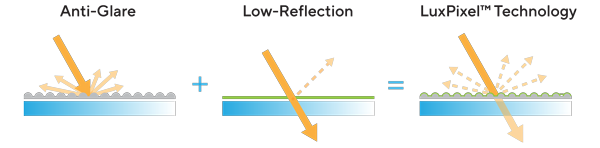
Precise, Clear Imagery with LuxPixel™
LuxPixel™ technology is an anti-glare, low-reflection (AGLR) coating that provides a paper-like screen effect. Unlike traditional matte panels which often soften imagery, LuxPixel™ technology minimizes reflections to ensure the user sees accurate colours and sharp details.

Photorealistic Colours
This monitor is equipped with ASUS Light Sync technology, featuring two sensors designed to ensure remarkably bright visuals and accurate color temperature.

Backlight SensorA backlight sensor automatically brightens the screen on startup, ensuring bright imagery and reliable colour performance.

ambient light sensorAn ambient light sensor automatically adjusts the monitor's colour gamut based on ambient lighting, for true colours in any environment.
Exquisite Design

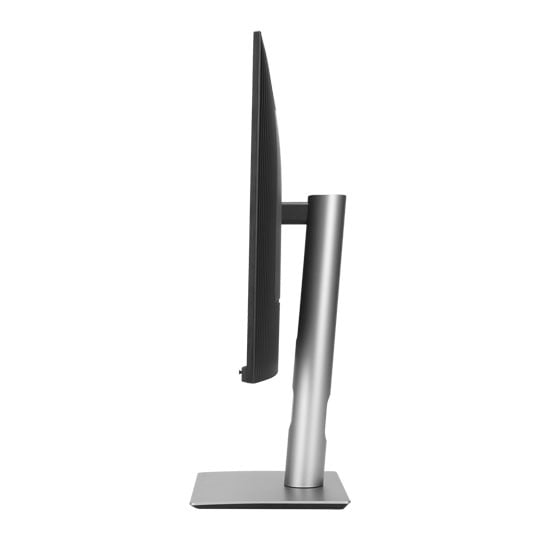
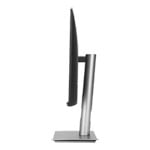
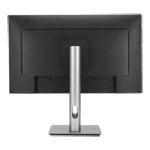
right at homeCompared to its predecessor, ProArt Display PA27JCV has a space-saving base that's 33% smaller, as well as a 30% slimmer profile that measures just 8 mm at its thinnest point. Like its contemporaries in the ProArt Display family, PA27JCV feels right at home in a studio or in any living space, with an understated elegance that is a nod to exquisite craftsmanship and uncompromising attention to detail.
Seamless Multitasking Across Two Devices

Auto KVMBuilt-in Auto KVM allows for effortless switching and control between two connected laptops or PCs with a single keyboard and mouse, enabling easier multitasking.

The USB-C That Does it AllThe included USB-C® port enables superfast data transfers, DisplayPort connectivity, and 96-watt power delivery to charge laptops and other devices―all via a single cable. Also serves as a USB hub: any device connected to the monitor’s USB ports gains access to other connected peripherals.
Expansive Connectivity

HDMI 2.1
DisplayPort1.4 (In)
USB-C
USB Hub
Earphone Jack
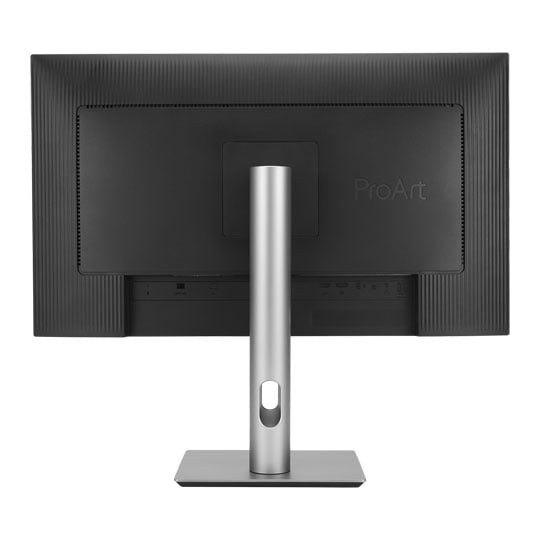
In addition to USB-C, ProArt display offers a myriad of connectivity options including HDMI®, DisplayPort™, USB Type-A, and additional USB-C downstream port for compatibility with a wide range of devices. PA27JCV also includes a passthrough port for headphones.

Easily Connect DevicesA built-in USB 3.2 hub along the bottom bezel of PA27JCV includes one USB Type-A port and USB-C, allowing for easy connections to a variety of devices and peripherals, as well as charge compatible devices.
Ergonomic Stand
Each ProArt display features an ergonomic stand with tilt, swivel, pivot, and height adjustments for comfortable viewing. The ability to pivot the screen clockwise or counterclockwise 90° for use in Portrait mode comes in handy when working with long documents, coding or web browsing. Furthermore, the quick-release feature makes it easy to attach the display via the integrated VESA wall mount―screw-free, so it's done in seconds.

Height Adjustment0~130 mm

Tilt-5°~+23°

Swivel-30°~+30°

Pivot-90°~+90°
ASUS Power Sync

Streamline and Declutter Your DesktopASUS Power Sync allows HDMI-connected devices to power on/off simultaneously with supported ASUS monitors, offering single-action control. Customizable via the MyASUS app with ASUS NUC, this feature enhances device synergy for improved organization and productivity.
Trusted by World's Leading Creative Schools & Studios

Sustaining An Incredible Future

Environmental CertificationProArt Display PA27JCV is stringently tested to meet the requirements of world-leading sustainability certifications. These tests include a comprehensive database of up-to-date criteria, independent verification, and a structured system for continuous improvement.

Eco-Friendly PackagingProArt Displays are shipped in packaging made from 100% recycled cardboard with FSC Mix. The packaging has been designed to minimize weight and volume, helping to conserve natural resources and allowing more devices to be transported in a single shipping container.

Energy-Efficient FeaturesProArt Display PA27JCV has a power-saving Eco-mode, and achieve zero-watt power consumption with hard-switch off.

Reusable packagingThe cardboard box can be cut into a smaller box to pack small items on your desk, such as cables, adapters, or other accessories. It also includes a foldable phone stand. This is a great way to reduce waste, save money on packaging materials, and create added benefits.

Free 3 Months of Adobe Creative Clouds

Get complimentary membership with the purchase of selected ASUS products.* (Up to a £321.11 value)By purchasing ASUS ProArt Display series, customers are entitled to receive a free three-month trial of Adobe® Creative Cloud® to experience the latest AI-powered applications – providing an enhanced visual experience with ProArt Display's professional color accuracy. This allows creators to inspire creativity and enjoy a smooth and exciting creative experience.
Learn More





PayPal Credit
| Monthly Payment: | £52.46 |
| Instalment Rate: | 16.9% p.a. (fixed) |
| Cost of purchase: | £579.00 |
| Total inc. interest: | £629.48 |
| Monthly Payment: | £28.28 |
| Instalment Rate: | 16.9% p.a. (fixed) |
| Cost of purchase: | £579.00 |
| Total inc. interest: | £678.47 |
| Monthly Payment: | £20.28 |
| Instalment Rate: | 16.9% p.a. (fixed) |
| Cost of purchase: | £579.00 |
| Total inc. interest: | £729.85 |
| Example | |
| Minimum Spend: | £99 |
| Instalment Rate: | N/A |
| Cost of purchase: | £99 |
| Total inc. interest: | £99 |
Representative Example:
Purchase Rate: 23.9% p.a. (variable)
Representative: 23.9% APR (variable)
Assumed Credit Limit: £1,200
Subject to status. Terms and Conditions apply.