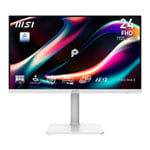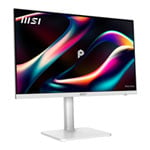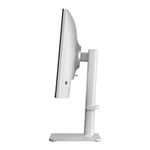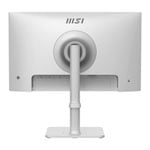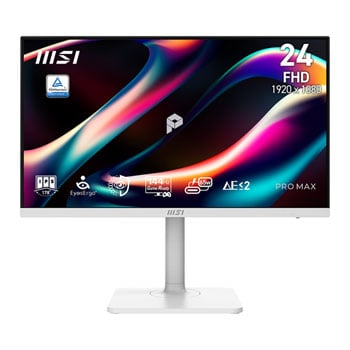

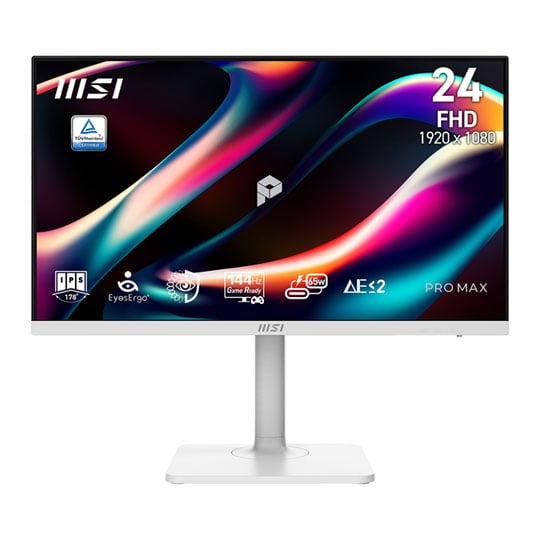
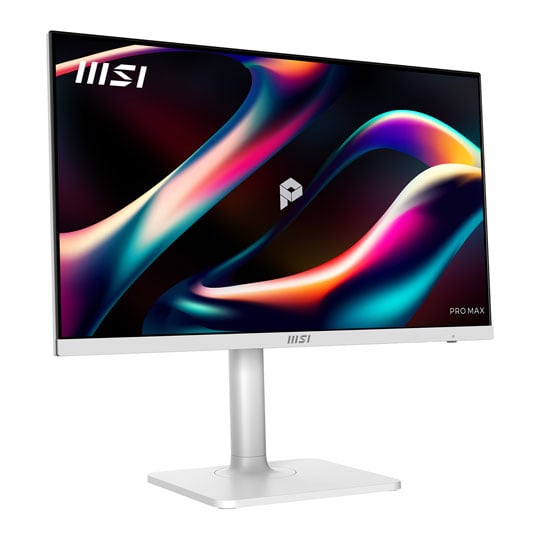
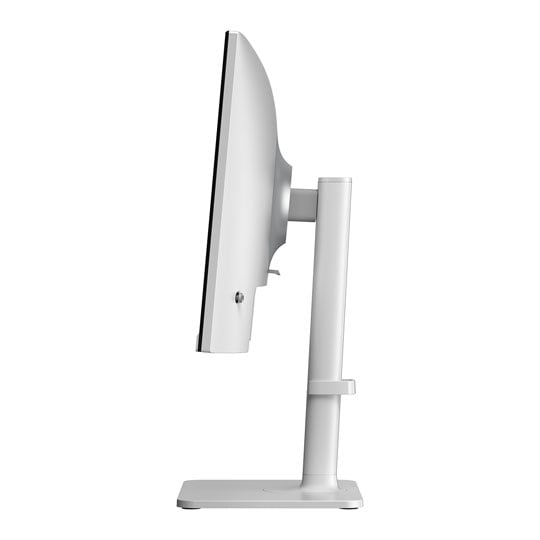
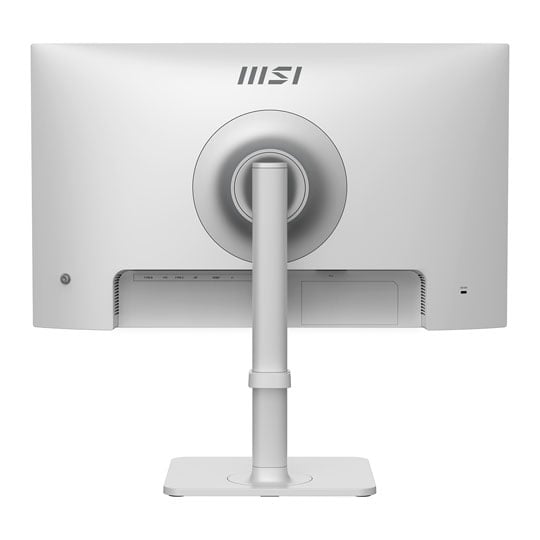
MSI PRO MAX 241PHW E14 24" Full HD 144Hz IPS Adaptive Sync Monitor
Scan code: LN170388 Manufacturer code: PRO MAX 241PHW E14
£148.99
Get it Tomorrow, 07 JunIn stock
  • Thumbnail 1 : MSI PRO MAX 241PHW E14 24" Full HD 144Hz IPS Adaptive Sync Monitor
  • Thumbnail 2 : MSI PRO MAX 241PHW E14 24" Full HD 144Hz IPS Adaptive Sync Monitor
  • Thumbnail 3 : MSI PRO MAX 241PHW E14 24" Full HD 144Hz IPS Adaptive Sync Monitor
  • Thumbnail 4 : MSI PRO MAX 241PHW E14 24" Full HD 144Hz IPS Adaptive Sync Monitor

MSI PRO MAX 241PHW E14 24" Full HD 144Hz IPS Adaptive Sync Monitor

24" MSI PRO MAX 241PHW E14 Monitor, IPS, 1920x1080, 144Hz, Adaptive-Sync, 1ms, 1000:1, HDMI 2.0b / DP 1.2a / USB

Scan code: LN170388 Manufacturer code: PRO MAX 241PHW E14
£148.99
Free delivery on this item
Order in the next 1 hr 28 mins and get it tomorrow (upgrade to Sunday delivery at checkout)
Get it Tomorrow, 07 JunIn stock
Pay in 3 interest-free payments of £49.67

Email me when the availability or price changes

  • By DPD On 8th Jun Have your parcel delivered by DPD to your specified address. Receive SMS with one-hour delivery window | Free Receive SMS with one-hour delivery window Weekend, timed and European delivery options are available at checkout
  • Collect instore Order online, collect from our Bolton store (25-28 Enterprise Park, Middlebrook, Horwich, Bolton, BL6 6PE) | Free
  • UPS and DPD Pickup Pickup from local convenience store | £4.99 Collect your parcel from your newsagents, petrol stations and convenience stores

Finance this product

  • From £13.50 / month (APR 16.9%) for 12 months or 0% for 4 months
  • Spend over £390.00 and Buy Now, Pay Later or spread the cost of your finance over 24-48 months with a 10% deposit.
  • SCANPROTECT Protect against installation damage for 28 days.

24" PRO MAX 241PHW E14 FHD IPS Business Monitor from MSI

24-inch PRO MAX 241PHW E14 FHD IPS Business Monitor from MSI

Modernity, Acceleration, eXperience. MSI’s PRO MAX 241PHW E14 is a 24-inch Full HD IPS business monitor built around EyeErgo+ comfort, using a TÜV-certified circular polariser and Less Blue Light PRO to help reduce fatigue while preserving vivid detail. It pairs a 144Hz refresh rate, 1ms MPRT, Adaptive-Sync, Delta E ≤ 2 colour accuracy, and a Type-C port with 65W power delivery and KVM support for smooth, efficient multitasking.

See Beyond. Lead Beyond.

The physics of focus. Built on the science of natural light, our PRO MAX 241PHW E14 display redefines visual comfort with EyeErgo+. Combined with Circular Polariser and intelligent software, we've engineered a studio that outlasts the day—so your vision stays as sharp as your ambition.

Showcase of features on the PRO MAX monitor.

PRO MAX MSI PRO MAX establishes a calm and structured visual order, delivers instant response without disruption, and maintains a predictable rhythm throughout everyday workflows. From desk work to meetings, and from fixed setups to mobile work, the experience remains smooth and consistent. When inspiration arrives and focus is sustained, perspective naturally extends toward the edge of possibility.

Key visual PRO MAX monitor in the center of many MSI hardware/peripherals.

PRO MAX MSI PRO MAX establishes a calm and structured visual order, delivers instant response without disruption, and maintains a predictable rhythm throughout everyday workflows. From desk work to meetings, and from fixed setups to mobile work, the experience remains smooth and consistent. When inspiration arrives and focus is sustained, perspective naturally extends toward the edge of possibility.

EyesErgo+ : The New Era of Eye Care

Redefining Visual Comfort Pure Comfort, True Colour Powered by MSI EyesErgo+, Circular Polariser mimics natural light to reduce fatigue. Protect your eyes without sacrificing colour accuracy — engineered for all-day comfort.

Circular polariser feature.

Circular Polariser Converts harsh digital rays into soft, naturally-polarised light to prevent eye strain and maximise visual comfort.

TÜV-certified Less Blue Light PRO feature.

Less Blue Light PRO TÜV-certified Less Blue Light PRO shields your eyes from high-energy blue light while maintaining vibrant, professional-grade colour.

Anti-Flicker feature.

Anti-Flicker Eliminate eye strain with TÜV-certified Anti-Flicker technology, ensuring a smooth, steady, and comfortable viewing experience all day long.

Anti-Glare feature.

Anti-Glare Diffuses distracting reflections to ensure crystal-clear visibility and comfort in any lighting environment.

Eye-Q check feature.

Eye-Q Check Built-in self-assessment tools and smart reminders help you monitor and maintain healthy eye habits.

Circular Polariser

Circular Polarisation technology transforms harsh screen output into gentle waves that mimic natural daylight, eliminating digital glare for ultimate comfort.

PRO MAX monitor, unaffected by natural sunlight entering room.

Beat the 3am Slump That dry, tired sensation? It's your eyes working overtime to handle unnatural screen light. We designed our display to behave like natural sunlight, relieving that tension so you can work longer without the strain.​

Circular polarisation illustration.

Make Your Screen Feel Like Natural Light Stop fighting the "digital sting." It upgrades the physics of light delivery, turning harsh screen glare into a gentle visual experience that feels like natural light.​

Strip the Strain. Keep the Colour

Ballarina with one half clear and other half overlayed with regular less blue light.

TÜV-Certified Low Blue Light PRO Unlike software filters that turn your screen yellow, our TÜV-Certified Hardware Low Blue Light PRO shifts the light spectrum at the source. It effectively eliminates harmful blue radiation while preserving stunning, true-to-life color accuracy for both work and play.

Tropical colourful bird with one half clear and one half with flicker illustration overlaid.

Total stability. Zero fatigue. Say goodbye to eye strain and fatigue. Our display is designed to reduce eye strain and fatigue, so you can work longer and more comfortably.

Female model wearing hat on photoshop, one half clear and one half overlaid with a screen-glare.

Scatter the Distractions Advanced Anti-Glare coating eliminates distracting reflections to provide crystal-clear visibility and a comfortable viewing experience in any lighting condition.

Stay Sharp. Your Eye-Q Check Handles the Strain

Take control of your eye health with built-in diagnostic tools. Eye-Q Check allows you to perform quick self-assessments for astigmatism and macular degeneration, while reminding you to take breaks and maintain the correct viewing distance for long-term wellness.

PRO MAX monitor assisting man in correcting his posture.

Posture Correction MSI recommends you to sit up straight and adjust your eye position to one-ninth of the top edge of the screen. A good sitting posture can effectively prevent neck and shoulder pain.

Amsler Grid feature, providing eye advice.

Amsler Grid MSI recommends you to take a rest for 20 minutes if any of the lines in the grid appear wavy, blurred or distorted; or if some boxes in the grid don't look like a square or the same size.

Astigmatism feature, providing eye advice.

Astigmatism To test, cover your left eye with your left hand and look closely at the image, then do the same with your right eye. MSI recommends you to take a rest for 20 minutes if some lines appear greyer than others.

Vibrant action gameplay footage, highlighting Adaptive Sync feature.
Clear statistical information to highlight smooth clarity.

144Hz + 1ms MPRT + Adaptive-Sync

Unlock the full potential of your monitor with a high refresh rate. From seamless multitasking at work to ultra-smooth gaming and fluid AI-generated visuals, every detail comes to life with precision and speed. Whether you're creating, playing, or innovating — this is performance you can see and feel.

True to Life. True to Your Vision

See the world as it was meant to be seen. Experience professional-grade fidelity with a Delta-E ≤ 2, ensuring every color is reproduced with life-like accuracy and consistency.

Specifications
Screen Size 23.8"
Edition PRO MAX 241PHW E14
Panel Type IPS
Panel Coating Anti-Glare
Panel Finish  
Touchscreen  
Backlight LED
Pitch Size 0.2745(H) x 0.2745(V)
Curvature  
Adaptive Frame-rate Technology Adaptive Sync
HDCP No
Connectors
  • 1 x DisplayPort 1.2a
  • 1 x HDMI 2.0b
  • 1 x Headphone Out
  • 2 x USB 3.2 Gen1 Type-A
  • 1 x USB Type-B
  • 1 x USB Type-C (DisplayPort w/ Charging)
Position Adjustment
  • Height Adjustable
  • Pivot
  • Swivel
Resolution 1920x1080 (Full HD)
Aspect Ratio 16:9
Max. Refresh Rate 144Hz
Response Time 1 ms
Brightness 300 cd/m²
Viewing Angle 178/178 (°H/°V)
Contrast Ratio/Dynamic Contrast Ratio 1500:1
Color Gamut  
Color Bit Depth 16.7M Colours
HDR Support Yes
Supported HDR Standards  
Speakers No
Speaker Configuration 3W x2, Stereo
Web Camera No
Power Usage (Switched on)  
VESA 75 x 75
3D Support No
Anti-Theft Features  
Included Accessories
  • 1 x Colour Pre-Calibration Report
  • 1 x HDMI Cable
  • 1 x Power Cable
  • 1 x Quick Start Guide
  • 1 x USB Cable
  • 1 x USB Type-C Cable
Monitor Colour White
Dimensions (with stand) 541.93 x 381.11 x 200.81 (WxHxD)
Dimensions (without stand) 541.93 x 322.28 x 65.44 (WxHxD)
Weight (with Stand) 5.35 kg
Note  
Additional Information
Scan Code LN170388
Model Number PRO MAX 241PHW E14
GTIN 4711377396288
Warranty

Please note your statutory rights are not affected.

For further information regarding Scan's warranty procedure please see our terms and conditions

Details
Duration:
24 months
Type:
Direct
DOA Period:
14 days
RTB Period:
24 months
Manufacturer Contact Details
Manufacturer:
MSI
Telephone:
08708200009
Buying Guide
Need help? Read our Monitors Buying Guide
HDR Monitors
HDR Monitors
Date Issued: 11th May 2020

PC monitor manufacturers tend to focus on a particular buzzword or acronym almost every year. In the past, we have been treated to HD (high definition), denoting the screen is capable of running a minimum 720p resolution.

Read More

Display Panel Types
Display Panel Types
Date Issued: 15th May 2015

Choosing a monitor is not an easy decision to make, and not just because of the large number of variations in resolution, refresh rates, sizes and connectivity options. There are also varying panel technologies used to form each display that need to be considered. These panel technologies can be grouped into three broad categories which cover the vast majority of monitors sold in the consumer market.

Read More

NVIDIA G-Sync
NVIDIA G-Sync
Date Issued: 17th Dec 2013

G-SYNC works in a surprisingly simple way - it calculates how long the present frame takes to compute and then, crucially, varies the refresh rate of the monitor to match. It works between a minimum of 33.3ms (30fps) and the maximum supported refresh of the display. The key takeaway here is that the graphics card and monitor are both synced up to one another - the monitor doesn't have the limitations imposed by a rigid, fixed-rate scanning routine.

Read More

Graphics Card Outputs
Date Issued: 8th Oct 2010

Modern desktop computers and notebooks comprise of a CPU, motherboard, graphics, storage, and, usually an optical drive. Computers have a number of ports and sockets that enable the user to plug-in various peripherals such as a printer, USB mouse, or, perhaps most importantly of all, an Internet connection.

Read More

HDMI
HDMI
Date Issued: 3rd Dec 2008

Keeping in tandem with technological developments, audio/video connectors continue to evolve at a steady pace. Today, the most common digital connector comes in the form of HDMI and we're here to tell you what it is, what it does, and why you might need it.

Read More

Blu-ray
Blu-ray
Date Issued: 3rd Dec 2008

Blu-ray Disc is now widely regarded as the physical successor to DVD, we take a closer look at what it is, what advantages it brings, and what it could mean to you.

Read More

DVI
DVI
Date Issued: 20th Oct 2008

As you’ll all likely know by now, DVI is the current standard for connection of a PC or other display generator to a digital display output. You’ll recognise the multi-pin connector and know that almost all modern LCD displays have the corresponding input connector, for feeding from your PC. But do you know how DVI works? This TekSpek seeks to teach you how.

Read More

HDTV 720/1080
HDTV 720/1080
Date Issued: 14th Jun 2008

Whether the broadcasters are going HD or not, TV sets and projectors are arriving thick and fast which claim to support higher resolutions than regular telly. But HDTV is far from just one standard – it incorporates a couple of different resolutions, two different scanning modes, and a number of different frame rates. In this article, we present a guide to what all the terms actually mean.

Read More

DVI/HDMI/HDCP
DVI/HDMI/HDCP
Date Issued: 14th Jun 2008

There’s a lot more to High Definition than just having the ability to run your screen at the right resolution. With more than one type of connection available, and the thorny subject of signal encryption to contend with, just because your monitor and graphics are capable of 1,920 x 1,080 or better does not necessarily mean they will be able to display HDTV in all its glory.

Read More

MSI PRO MAX 241PHW E14 24" Full HD 144Hz IPS Adaptive Sync Monitor

PayPal Credit

Monthly Payment: £13.50
Instalment Rate: 16.9% p.a. (fixed)
Cost of purchase: £148.99
Total inc. interest: £161.96
Example
Minimum Spend: £99
Instalment Rate: N/A
Cost of purchase: £99
Total inc. interest: £99
If you are approved for a credit limit with PayPal Credit and use it for future purchases, the APR for those purchases won't be more than 23.9% and may be even lower.

Representative Example:

Purchase Rate: 23.9% p.a. (variable)

Representative: 23.9% APR (variable)

Assumed Credit Limit: £1,200

Subject to status. Terms and Conditions apply.