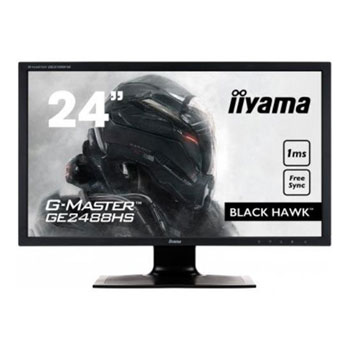
iiyama 24" G-Master Black Hawk 1ms Gaming Monitor GE2488HS-B2
Scan code: LN76015
Manufacturer code: GE2488HS-B2
End Of Life

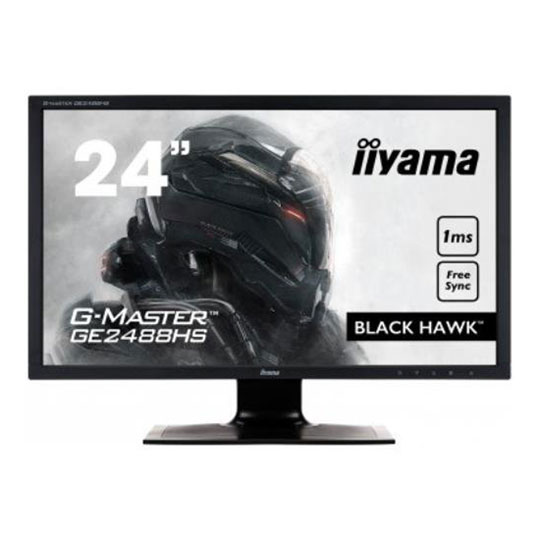

iiyama 24" G-Master Black Hawk 1ms Gaming Monitor GE2488HS-B2
24" iiyama GE2488HS-B2 G-Master Gaming Monitor, Freesync, LED 1920x1080, 1ms, 2x1W Stereo Speakers, HDMI/DVI/VGA, Black
Scan code:
LN76015
Manufacturer code:
GE2488HS-B2
This product is no longer available to purchase.
Product Overview
Black Hawk – no evil shall pass
The 24’’ G-MASTER GE2488HS known as Black Hawk is the perfect companion at your side. Hard-bitten and trust-worthy, it will make your enemies shiver. Famous for being a very capable hunter with extremely good vision the Black Hawk, armed with FreeSync Technology, eliminates your enemies with a stunning 1 ms response time. And if darkness falls across the land, the Black Tuner function allows you to adjust brightness in the dark shades enhancing detail in shadowed areas making sure no foes remain unseen. So login to the world of games, put on your headset and immerse yourself in your favourite game displayed in beautiful clarity.
1MS
Fast response time is key to ultra-smooth game. It reduces ghosting and blurring providing the user with a rich experience to improve performance
Black Tuner
The users can adjust the brightness and the dark shades with the Black Tuner, giving greater viewing performance in shadowed areas and helping to spot the enemy earlier.
Overdrive On / Off
When very fast graphics are displayed your monitor can sometimes get blurry. Turning on the OverDrive feature will eliminate that.
Speakers and Headphones
Playing with friends? Use the integrated high quality speakers. Don’t want to disturb anybody? Plug your headset to the headphone socket and turn the volume up. Features Diagonal 24"; 61cm
Aspect ratio 16 : 9
Panel TN LED, matte finish
Native resolution Full HD 1080p, 1920 x 1080 ( 2.1 megapixel)
Brightness 250 cd/m² typical
Static contrast 1000 : 1 typical
Advanced contrast 12 000 000 : 1 ACR
Response time 1 ms
Viewing zone horizontal/vertical: 170°/ 160°; right/left: 85°/ 85°; up/down: 80°/ 80°
Display colour 16.7 million
Blue Light Reducer yes
Flicker Free Led yes
Display area h x w 298.9 x 531.4 mm; 11.8" x 20.9"
Pixel pitch h x v 0.277 x 0.277 mm
Horizontal sync 30 - 80 KHz
Vertical sync 55 - 75 Hz
Synchronization Separate Sync
Analog input connector VGA
Digital input connector DVI-D, HDMI
HDCP yes
Headphone connector yes
Output connector headphone socket
Apple - Mac All iiyama monitors are compatible with Apple-Macintosh computers.
Plug & Play VESA DDC2B™
Controls Via OSD in 10 languages (EN, FR, DE, NL, PL, IT, CZ, RU, JP, Chinese (simplified and traditional) and 5 front controls (Power, Select/ Input Select, Scroll up/ Audio Adjust, Scroll down/ i-Style Mode, Menu)
User controls picture adjust (contrast, brightness, OverDrive, ACR, ECO), input select, audio adjust (volume, mute, HDMI audio), store user settings, colour adjust, manual image adjust (i-Style mode, H./V. position, clock, phase, sharpness, black tuner, HDMI RGB range, video mode adjust, blue light reducer), setup menu (language select, FreeSync, OSD position, OSD time out, OSD background, LED, opening logo, auto image adjust), information, memory recall
Speakers 2 x 1 W (Stereo)
Anti-theft-device Kensington-lock™ prepared
Certificates CE, TÜV-Bauart, CU
Extra Functions Supports FreeSync™ Technology (HDMI)
Tilt angle 20° up; 2° down
VESA mounting 100 x 100 mm
Colour Black
The 24’’ G-MASTER GE2488HS known as Black Hawk is the perfect companion at your side. Hard-bitten and trust-worthy, it will make your enemies shiver. Famous for being a very capable hunter with extremely good vision the Black Hawk, armed with FreeSync Technology, eliminates your enemies with a stunning 1 ms response time. And if darkness falls across the land, the Black Tuner function allows you to adjust brightness in the dark shades enhancing detail in shadowed areas making sure no foes remain unseen. So login to the world of games, put on your headset and immerse yourself in your favourite game displayed in beautiful clarity.
1MS
Fast response time is key to ultra-smooth game. It reduces ghosting and blurring providing the user with a rich experience to improve performance
Black Tuner
The users can adjust the brightness and the dark shades with the Black Tuner, giving greater viewing performance in shadowed areas and helping to spot the enemy earlier.
Overdrive On / Off
When very fast graphics are displayed your monitor can sometimes get blurry. Turning on the OverDrive feature will eliminate that.
Speakers and Headphones
Playing with friends? Use the integrated high quality speakers. Don’t want to disturb anybody? Plug your headset to the headphone socket and turn the volume up. Features Diagonal 24"; 61cm
Aspect ratio 16 : 9
Panel TN LED, matte finish
Native resolution Full HD 1080p, 1920 x 1080 ( 2.1 megapixel)
Brightness 250 cd/m² typical
Static contrast 1000 : 1 typical
Advanced contrast 12 000 000 : 1 ACR
Response time 1 ms
Viewing zone horizontal/vertical: 170°/ 160°; right/left: 85°/ 85°; up/down: 80°/ 80°
Display colour 16.7 million
Blue Light Reducer yes
Flicker Free Led yes
Display area h x w 298.9 x 531.4 mm; 11.8" x 20.9"
Pixel pitch h x v 0.277 x 0.277 mm
Horizontal sync 30 - 80 KHz
Vertical sync 55 - 75 Hz
Synchronization Separate Sync
Analog input connector VGA
Digital input connector DVI-D, HDMI
HDCP yes
Headphone connector yes
Output connector headphone socket
Apple - Mac All iiyama monitors are compatible with Apple-Macintosh computers.
Plug & Play VESA DDC2B™
Controls Via OSD in 10 languages (EN, FR, DE, NL, PL, IT, CZ, RU, JP, Chinese (simplified and traditional) and 5 front controls (Power, Select/ Input Select, Scroll up/ Audio Adjust, Scroll down/ i-Style Mode, Menu)
User controls picture adjust (contrast, brightness, OverDrive, ACR, ECO), input select, audio adjust (volume, mute, HDMI audio), store user settings, colour adjust, manual image adjust (i-Style mode, H./V. position, clock, phase, sharpness, black tuner, HDMI RGB range, video mode adjust, blue light reducer), setup menu (language select, FreeSync, OSD position, OSD time out, OSD background, LED, opening logo, auto image adjust), information, memory recall
Speakers 2 x 1 W (Stereo)
Anti-theft-device Kensington-lock™ prepared
Certificates CE, TÜV-Bauart, CU
Extra Functions Supports FreeSync™ Technology (HDMI)
Tilt angle 20° up; 2° down
VESA mounting 100 x 100 mm
Colour Black


iiyama 24" G-Master Black Hawk 1ms Gaming Monitor GE2488HS-B2

![iiyama 24" G-Master Black Hawk 1ms Gaming Monitor GE2488HS-B2]()