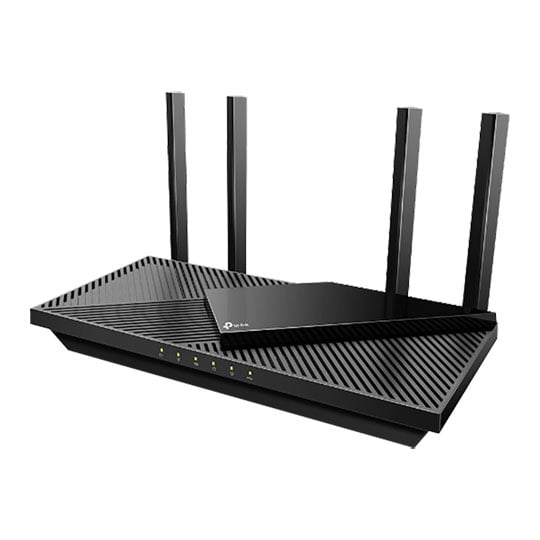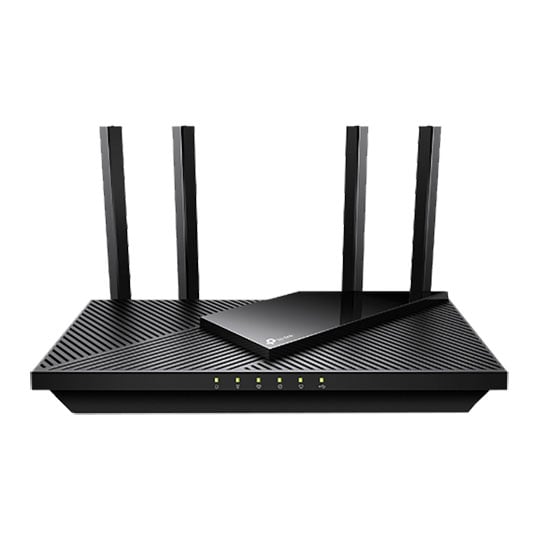
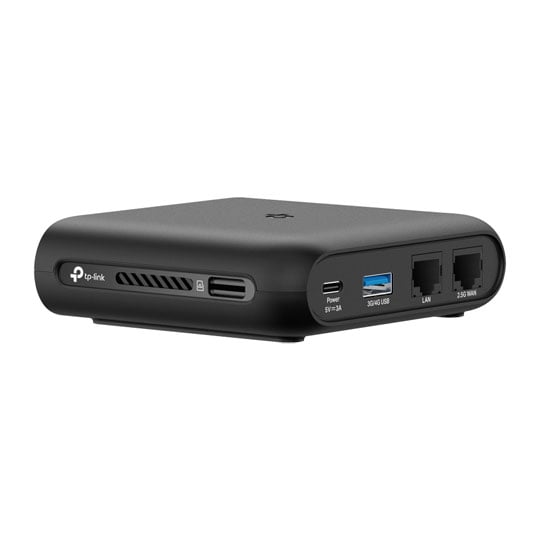
tp-link TL-WR3002X AX3000 Dual-Band Wi-Fi 6 Portable Travel Router
End Of Life
tp-link TL-WR3002X AX3000 Dual-Band Wi-Fi 6 Portable Travel Router
Scan code: LN162937 Manufacturer code: TL-WR3002X
End Of Life
  • Thumbnail 1 : tp-link TL-WR3002X AX3000 Dual-Band Wi-Fi 6 Portable Travel Router
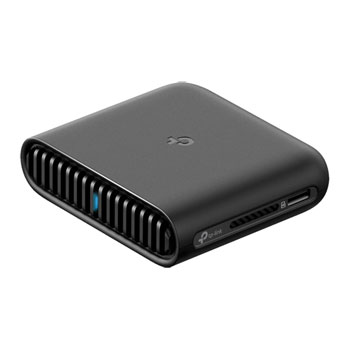
  • Thumbnail 2 : tp-link TL-WR3002X AX3000 Dual-Band Wi-Fi 6 Portable Travel Router
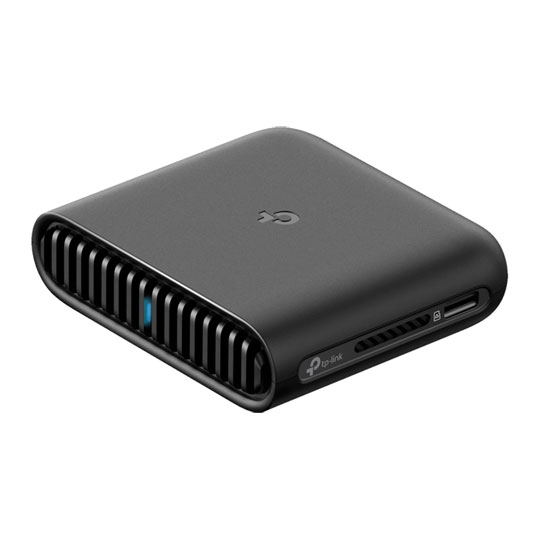
  • Thumbnail 3 : tp-link TL-WR3002X AX3000 Dual-Band Wi-Fi 6 Portable Travel Router
End Of Life

tp-link TL-WR3002X AX3000 Dual-Band Wi-Fi 6 Portable Travel Router

tp-link TL-WR3002X Wi-Fi 6 Portable Router, Dual Band, 2976Mbps (574 + 2402), 3G / 4G, 1 x 2.5G WAN, 1 x 1G LAN, USB 3.0

Scan code: LN162937 Manufacturer code: TL-WR3002X
End of life
This product is no longer available to purchase. See our suggested alternatives below.

Email me when the availability or price changes

  • SCANPROTECT Protect against installation damage for 28 days.

Suggested Alternatives
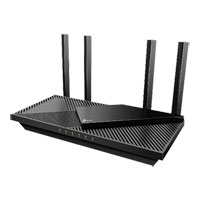
AX3000 Gigabit Wi-Fi 6 Portable Travel Router from tp-link

AX3000 Gigabit Wi-Fi 6 Portable Travel Router from tp-link

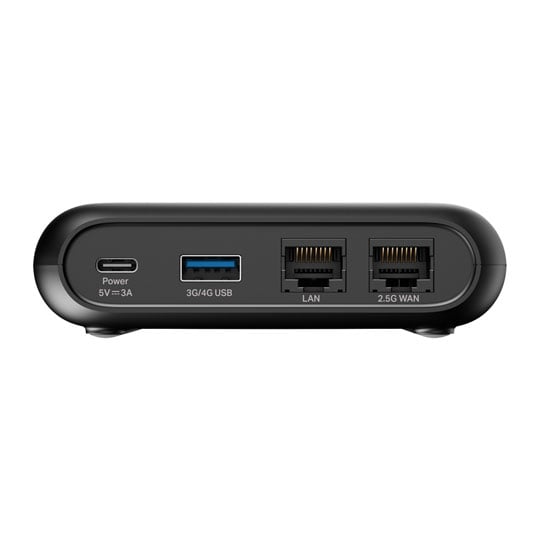
Powerful WiFi in Your Pocket The TP-Link TL-WR3002X is a compact AX3000 dual-band Wi-Fi 6 travel router delivering fast wireless speeds of up to 2402 Mbps on 5 GHz and 574 Mbps on 2.4 GHz. It features a 2.5 Gbps WAN port, 1 Gbps LAN port, USB 3.0, and a microSD slot for file sharing. Supporting multiple modes and VPN protocols, it's perfect for secure, high-speed connectivity on the go, powered conveniently via USB-C with a power bank. It fits easily in your pocket, making it ideal for travel.

WiFi6 Speeds Anywhere You Like

The TL-WR3002X offers the speed and performance you need, all packed into a compact, travel-friendly design that fits perfectly wherever you go.

TL-WR3002X atop a table next to a bag and tablet

Wi-Fi That Goes Anywhere

The TL-WR3002X supports multiple modes to keep you connected wherever you are. It also includes various features designed to maintain your connection and keep you online.

A Private Network on Public Wi-Fi

A Private Network on Public Wi-Fi Link the TL-WR3002X to any public Wi-Fi and build a secure network for all your connected devices.

Tether to Your Travel Router For Internet Anywhere

Tether to Your Travel Router For Internet Anywhere Attach your smartphone or 3G/4G/5G modem to the TL-WR3002X using USB and distribute your mobile data connection to all your devices.

Turn a Wired Connection into Your Own Wi-Fi Network

Turn a Wired Connection into Your Own Wi-Fi Network Insert the TL-WR3002X into any open Ethernet port to generate a Wi-Fi network that provides internet connectivity for all your devices.

No Power? No Problem!

No Power? No Problem! When no outlets are available or during a power outage, use a portable power bank connected to the USB-C port to supply power to the TL-WR3002X.

Easily Access Your Files From Anywhere

Easily Access Your Files From Anywhere Connect an external hard drive to the USB 3.0 port or insert a microSD card into the TF slot to quickly share files among all connected devices.

Manage Your Travel Router with the Tether app

Manage Your Travel Router with the Tether app Control every part of your TL-WR3002X setup and operation through the Tether app on iOS or Android. In just one step, easily complete Captive Portal Authentication to bring your router online.

Portable and Durable

microSD / TF Card Slot
USB 3.0 Port
USB-C Power Port
1 Gbps LAN Port
2.5 Gbps WAN Port
microSD / TF Card Slot
USB 3.0 Port
USB-C Power Port
1 Gbps LAN Port
2.5 Gbps WAN Port
Warranty

Please note your statutory rights are not affected.

For further information regarding Scan's warranty procedure please see our terms and conditions

Details
Duration:
36 months
Type:
Direct
DOA Period:
28 days
RTB Period:
12 months
Manufacturer Contact Details
Manufacturer:
TP-LINK
Telephone:
0845 147 0017 (UK) or 0818 229 000 (Ireland)
Buying Guide
Wi-Fi
Wi-Fi
Date Issued: 20th Oct 2008

Home networking let’s you do great things that aren’t possible with standalone PCs. Printers can be shared between PC, so there’s no need to buy one for each machine.

Read More

Port Forwarding
Port Forwarding
Date Issued: 20th Oct 2008

Port forwarding is a technique you’ll need to use to enable certain services if you’re using a router. If you don’t really care how it works, you can skip this section and just find out how to do it.

Read More

Broadband ADSL vs Cable
Date Issued: 20th Oct 2008

On the surface we’re asking a relatively simple question here: "What do I need to get my broadband Internet working?" Of course, it’s not quite as simple as that. Worry not, however, for this TekSpek covers both the differences between the two popular kinds of broadband and what you’ll need to get your home computer(s) connected up.

Read More

Wi-Fi Security
Wi-Fi Security
Date Issued: 19th Jun 2008

WiFi is a wonderful thing. You can take your laptop anywhere in your house and access the Internet, or access your network from the garden. However, it does introduce the grim possibility of somebody else doing exactly the same, without you ever knowing. This guide seeks to make you aware of various security terms and ideas associated with wireless networking and what you should consider when setting up a wireless network.

Read More

Home Networking
Home Networking
Date Issued: 26th Oct 2006

As a growing number of homes contain more than one computer, their users must find ways to network them. The primary purpose for creating a home network tends to be to provide Internet access to all computers within the house. There are other good reasons, however. These include enabling LAN gaming, data backups from one machine to another and the sharing of music within the home.

Read More

tp-link TL-WR3002X AX3000 Dual-Band Wi-Fi 6 Portable Travel Router