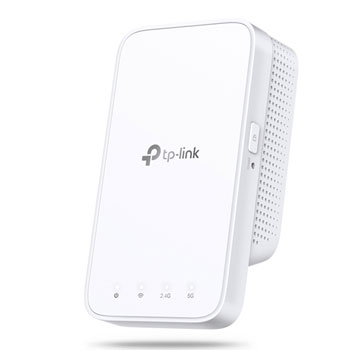

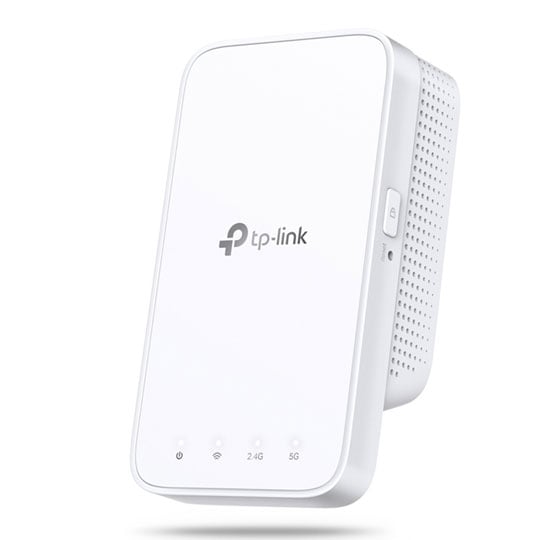
tp-link RE300 AC1200 Mesh WiFi Range Extender Plug
End Of Life
tp-link RE300 AC1200 Mesh WiFi Range Extender Plug
Scan code: LN99572 Manufacturer code: RE300
End Of Life
End Of Life

tp-link RE300 AC1200 Mesh WiFi Range Extender Plug

tp-link RE300 AC1200 Mesh WiFi Range Extender, Dual Band, 802.11a/b/g/n/ac, UK Plug

Scan code: LN99572 Manufacturer code: RE300
End of life
This product is no longer available to purchase. See our suggested alternatives below.

Email me when the availability or price changes

  • SCANPROTECT Protect against installation damage for 28 days.

Suggested Alternatives

Product Overview

Keep the Whole Home Connected

RE300 wirelessly connects to your Wi-Fi router, strengthening and expanding its signal into areas it can’t reach on its own. With speeds of up to 300 Mbps on 2.4 GHz and 867 Mbps on 5 GHz*1, put strong, fast Wi-Fi in every room and say goodbye to dead zones.


TP-Link OneMesh™

OneMesh™ is a simple way to form a Mesh network with a single Wi-Fi name for seamless whole-home coverage. Just connect a OneMesh™ range extender to a OneMesh™ router. No more searching around for a stable connection.

• Smart Roaming - Uninterrupted streaming when moving around your home.
• One Wi-Fi Name - No more switching Wi-Fi network names.
• Easy Creation - OneMesh™ Router + OneMesh™ Range Extender.
• Unified Management - Manage the whole unified network all in one Tether app.


Faster AC1200 Dual Band Wi-Fi

The RE300 lets you keep more devices connected simultaneously with its 2.4 GHz 300 Mbps and 5 GHz 867 Mbps dual band.


Keeps Itself Fast

Adaptive Path Selection keeps your network running at top-speed by automatically choosing the fastest connection path to the router.


High Speed Mode

Use both Wi-Fi bands to establish one super-high-speed connection, ideal for HD streaming & gaming.


Secure One-Touch Connection for Easy Setup

• Step 1: Simply press the WPS button on your router and, within 2 minutes, the WPS button on RE300 to connect to the network.
• Step 2: Once connected, place RE300 to the best location—without reconfiguration.

Notes: Please connect the extender to the router via the Tether app or Web UI if your router doesn’t support WPS.


Find the Best Location with the Smart Signal Indicator

The smart signal indicator lets you see signal strength from the existing router at a glance. Easily to find the best place to position your range extender to extend your Wi-Fi.


Feature-Rich App for Control in Your Hands

Set up and manage your Wi-Fi through the TP-Link Tether app from your smartphone (Android, iOS), including TP-Link routers and range extenders.

Features
• Extends dual-band Wi-Fi across your home to eliminate Wi-Fi dead zones.
• Creates a Mesh network by connecting to a OneMesh router for seamless whole-home coverage.
• Operates over both the 2.4 GHz band (300 Mbps) and 5 GHz band (867 Mbps)*1 for more stable wireless experience.
• Smart signal indicator helps to fi­nd the best location for optimal Wi-Fi coverage by showing the signal strength.
• Push the WPS button to easily set up a Mesh network you can uniformly manage from the Tether app or Web UI.
• Works with any Wi-Fi router or wireless access point.
Warranty

Please note your statutory rights are not affected.

For further information regarding Scan's warranty procedure please see our terms and conditions

Details
Duration:
12 months
Type:
Return to base
DOA Period:
28 days
RTB Period:
12 months
Manufacturer Contact Details
Manufacturer:
Scan
Telephone:
01204-474747
Buying Guide
Need help? Read our Home Broadband Buying Guide
Wi-Fi
Wi-Fi
Date Issued: 20th Oct 2008

Home networking let’s you do great things that aren’t possible with standalone PCs. Printers can be shared between PC, so there’s no need to buy one for each machine.

Read More

Port Forwarding
Port Forwarding
Date Issued: 20th Oct 2008

Port forwarding is a technique you’ll need to use to enable certain services if you’re using a router. If you don’t really care how it works, you can skip this section and just find out how to do it.

Read More

Wi-Fi Security
Wi-Fi Security
Date Issued: 19th Jun 2008

WiFi is a wonderful thing. You can take your laptop anywhere in your house and access the Internet, or access your network from the garden. However, it does introduce the grim possibility of somebody else doing exactly the same, without you ever knowing. This guide seeks to make you aware of various security terms and ideas associated with wireless networking and what you should consider when setting up a wireless network.

Read More

Home Networking
Home Networking
Date Issued: 26th Oct 2006

As a growing number of homes contain more than one computer, their users must find ways to network them. The primary purpose for creating a home network tends to be to provide Internet access to all computers within the house. There are other good reasons, however. These include enabling LAN gaming, data backups from one machine to another and the sharing of music within the home.

Read More

tp-link RE300 AC1200 Mesh WiFi Range Extender Plug