


SOLIDWORKS Design
Standard with Cloud Services

The Industry Standard 3D CAD SolutionSOLIDWORKS® Design is industry-leading 3D CAD software used by engineers, product designers, and manufacturers worldwide to streamline their mechanical design and product development workflows. Powerful yet intuitive, SOLIDWORKS enables users to model, simulate, and optimise complex parts and assemblies with precision and speed. Backed by decades of user-driven improvement and advanced R&D, SOLIDWORKS Design delivers exceptional performance, seamless collaboration, and a user‑friendly interface - making it the preferred choice for professionals looking to accelerate innovation and bring high-quality products to market with confidence.
• Trusted industry standard solution
• Powerful and proven 3D modeling capabilities
• Production-ready documentation and 2D drawing solutions
• Generative and assistive AI-powered features for drawings and assembly designs
• Intuitive user interface designed by engineers, for engineers to use
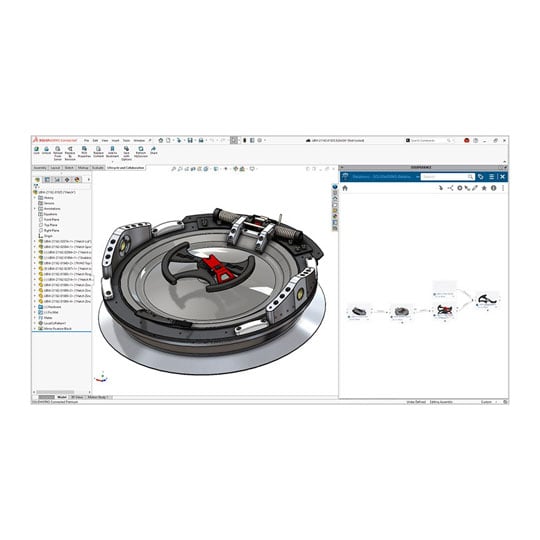
• Cloud Services real-time collaboration tools for sharing and marking up designs
• Secure, CAD-aware cloud file and revision management
• Out-of-the-box ideation to manufacturing workflows
• Integrated simulation, rendering, and CAM tools
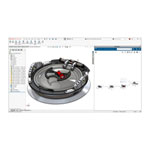
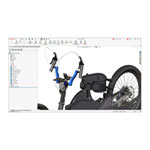
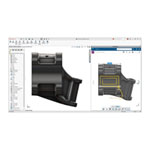
First Look at SOLIDWORKS Design

How You Benefit from SOLIDWORKS Design

Professional 3D CADChoose the 3D CAD solution that the pros use.
SOLIDWORKS Design makes creating parts, assemblies, drawings, production-ready documentation, and robust 3D models fun, intuitive, and easy to use, bringing you from design to manufacturing faster than ever.

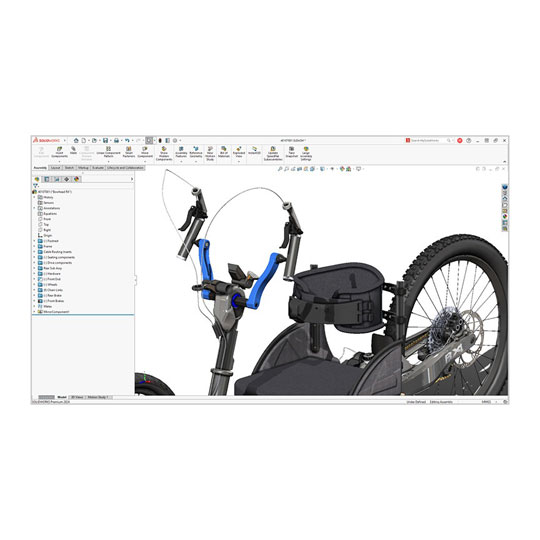
Intuitive UI Made for YouSOLIDWORKS Design is known for its intuitive, customizable interface built to maximize your everyday productivity. Take advantage of 3D CAD software that you can customize to meet your unique needs, regardless of industry or company size.

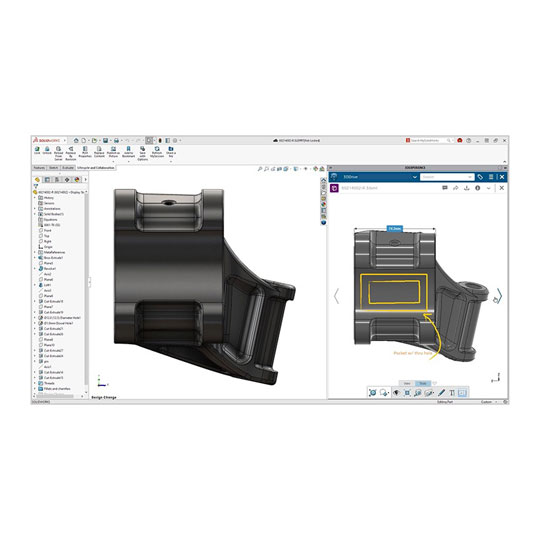
Design TogetherCloud-based sharing, collaboration, and file management with Cloud Services is included with SOLIDWORKS Design licenses. Connect your partners, customers, and remote teams, and get real-time feedback and revision management to keep all of your projects on time, on budget, and on point.
SOLIDWORKS Design Capabilities
The Professional, Industry Standard 3D CAD SolutionFrom complex design modeling, parts, and assemblies to simulation, rendering, and production-ready, fast, associative, painless drawings and updates, SOLIDWORKS Design is the professional, industry-standard 3D CAD solution that will bring you from ideation to manufacturing faster and easier.
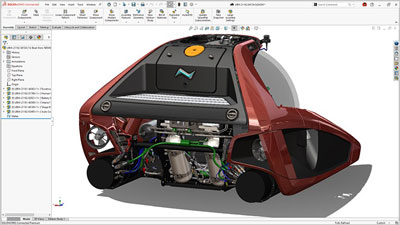
Everything you Need from Design to Manufacturing• Parts, assemblies, large design review, robust modeling and more give you design and performance capabilities that push the boundaries of your imagination and can keep up with the most complex products and large assemblies.
• Professional drawings are fast, associative, and production-ready. Whether you prefer 2D drawings or 3D annotations or you require CAM capabilities, SOLIDWORKS Design brings you from ideation to production with ease.
• New performance and capability enhancements are released throughout the year, ensuring you are always working with the latest professional product development tools on the market.

Supercharge Your Everyday Productivity• Specialized functionality handles everything from weldments and routing to mold design, sheet metal, and more.
• SOLIDWORKS Toolbox covers your needs for creating holes and assembling hardware items, such as fasteners, washers, nuts, and bolts.
• Built by engineers, for engineers. SOLIDWORKS Design has evolved by anticipating future design requirements, understanding how you want to work and implementing user-driven enhancements over 30+ years.

Turn Your Documentation Into a Conversation• File sharing made easy. Share your design for review with secure links from SOLIDWORKS Design without sending a physical file and never lose control of your data.
• Markup in 3D. Get easy feedback from stakeholders. Models can be shared for review and marked up directly by multiple people in 3D, all in a browser.
• Remove friction for immediate feedback. Internal and external collaborators do not need to download any extra software or viewers to review your work—it is all done through SOLIDWORKS.

Supercharge Your Everyday Productivity• Specialized functionality handles everything from weldments and routing to mold design, sheet metal, and more.
• SOLIDWORKS Toolbox covers your needs for creating holes and assembling hardware items, such as fasteners, washers, nuts, and bolts.
• Built by engineers, for engineers. SOLIDWORKS Design has evolved by anticipating future design requirements, understanding how you want to work and implementing user-driven enhancements over 30+ years.
Compare SOLIDWORKS Design Packages
| Capabilities | SOLIDWORKS Design Standard | SOLIDWORKS Design Professional | SOLIDWORKS Design Premium |
|---|---|---|---|
| 3D Design and Modeling | |||
| Part and Assembly Modeling and 2D Drawings | |||
| Specialized Design Tools for Weldments, Molds, and Sheet Metal | |||
| Design and Manufacturability Checks | |||
| ECAD-MCAD Collaboration | |||
| Intelligent CAD Libraries of Industry-Standard Fasteners | |||
| Manufacturing Cost Analysis | |||
| CAD Standards and Drawings Checking | |||
| Electrical Harness, Piping, Tubing, Duct Design, and Surface Flattening | |||
| AI Capabilities | |||
| Automatic Drawing Generation | |||
| AI for 3D Modeling | |||
| Integrated AI Companion | |||
| Simulation | |||
| Linear Static Analysis for Parts and Assemblies | |||
| Time-Based Motion Analysis | |||
| Cloud Collaboration, and Data and Lifecycle Management | |||
| Real-time Cross-team Collaboration in the Cloud | |||
| Secure Data Management (Version Management | |||
| Manufacturing | |||
| Additive Manufacturing | |||
| 3-axis NC Machining and Machine Simulation | |||
| Sheet Metal Nesting and NC Programming | |||
| Marketing | |||
| Augmented Reality and Virtual Reality | |||
| Photorealistic Rendering | |||
| Training and Support | |||
| Online Lessons, Local Support, and Vibrant Community | |||
Browse Licensing and Deployment Options
The Professional, Industry Standard 3D CAD SolutionThe same trusted 3D CAD solution with two ways to license, deploy, and connect to the cloud. SOLIDWORKS Design is available in your choice of two options: SOLIDWORKS Design, a single-user license with named-user access across multiple devices and an immediate connection to the cloud, and SOLIDWORKS Design with Cloud Services, a device-based, machine-locked or network floating license including the ability to activate cloud capabilities when you are ready. Both options include the same 3D CAD functions, capabilities, and user interface. The difference between the two is how they are purchased, deployed, and connected to the 3DEXPERIENCE platform and Cloud Services.
If you want to learn more about which Licence is best for you, get in touch with our Visualisation Team
Contact Us

Single-User Licence
• Single-user, a cloud-based, named user license accessible on multiple devices
• Immediate connection to cloud capabilities
• Minimize IT overhead with a simplified local install deployed from the cloud
• Stays up to date with each release
• Quarterly and yearly licenses available to purchase
Device Licence
• Device license, machine-locked, accessible by any user on a single device with a serial number
• Activate your connection to cloud capabilities when you are ready
• Locally-managed install or network-deployment
• Ability to install multiple major or specific minor releases
• Yearly licenses available to purchase
• Quarterly, yearly, and perpetual licenses available to purchase
Go Beyond 3D CAD with SOLIDWORKS Design

Community at SOLIDWORKS CoreSOLIDWORKS has a passionate, engaged community of more than 8 million users from every corner of the world. From user groups to startups, to students, to makers, community has always been at SOLIDWORKS core. But it's more than just bringing people together. It's making them better at what they love to do. Through dedicated training, online learning, and certifications, SOLIDWORKS thrives on putting users in a position to succeed.
Join the Community

SOLIDWORKS Powered by the CloudProduct development takes a full team, and SOLIDWORKS with the cloud helps your teams work together from any location, improving design efficiency and communication while streamlining product development to meet business goals. All SOLIDWORKS Design licenses include collaboration capabilities with Cloud Services and access to the 3DEXPERIENCE® platform, a cloud-based business and innovation platform that scales with you. Here's a preview of what the cloud can do for you on day one:
• Connect all stakeholders inside and outside of your organization with a single source of truth
• Easily share and markup designs with any stakeholder in 3D
• Store and revise models with secure, CAD-aware cloud storage
• Access assistive, predictive, and generative AI tools, including AURA, an LLM tailored for design
Frequently Asked Questions (FAQ)
SOLIDWORKS Design is industry-leading parametric design software used for all stages of product development, and the design software of choice for designers and engineers around the world. It is used in a variety of industries, including industrial equipment, medical devices, high tech, home and lifestyle, and more.
SOLIDWORKS is ideal for engineers, product designers, mechanical designers, manufacturers, and students who need professional 3D CAD, simulation and documentation tools for real-world products.
SOLIDWORKS benefits from a fast CPU, professional workstation graphics, enough RAM for your assemblies, and fast NVMe storage, all of which are available in Scan 3XS CAD workstations built specifically for SOLIDWORKS workflows. Click Here to learn more about the System Requirements.
Scan Computers specialises in high-performance CAD workstations and can supply SOLIDWORKS alongside optimised hardware, expert advice, and UK-based support, helping ensure the software runs smoothly from day one.
SOLIDWORKS Design with Cloud Services has the same 3D CAD functions, capabilities, and user interface as SOLIDWORKS Design. The only difference between the two is how they are purchased and deployed: SOLIDWORKS Design with Cloud Services uses a term license or perpetual license with subscription services and can be installed on one device. SOLIDWORKS Design uses a single-user license and is deployed from the cloud, allowing it to be installed on any PC. Both licensing options include access to Cloud Services and the 3DEXPERIENCE platform.
Business customers can discuss multi-system and multi-licence requirements and pricing with the Scan team who can help coordinate suitable workstation fleets for engineering, design or education departments. Get in Touch and speak with our Specialist Visualisation Team