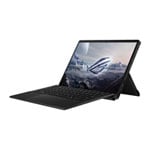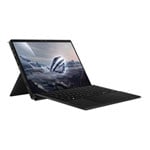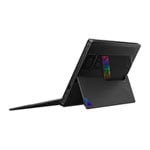


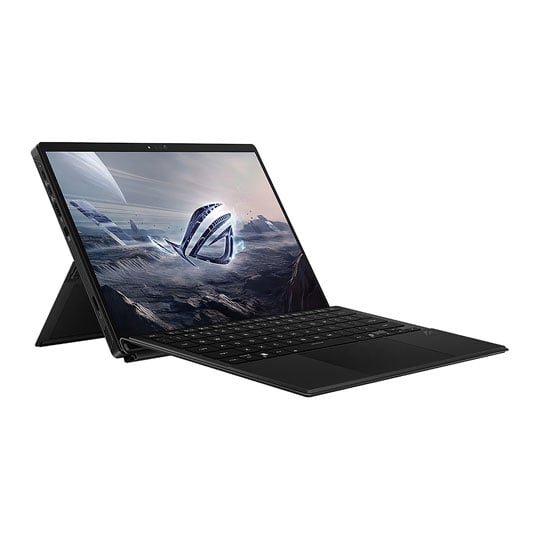
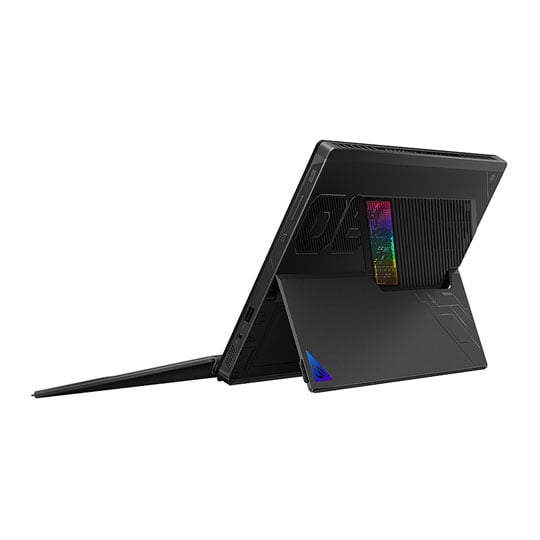


ASUS ROG Flow Z13 - GZ302EA-RU014W
Powered by Windows 11 and a brand-new AMD Ryzen AI Max 390 processor, the Flow Z13 features sixteen Zen 5 CPU cores and 40 GPU compute units, bringing performance that rivals even dedicated GPUs. This new processor uses unified quad channel memory, allowing the CPU and GPU cores to access RAM for lower latency and improved performance. Content pops to life on the vibrant 2.5k, 180Hz Nebula Display, which is Pantone-validated and covers 100% of the DCI-P3 colour space. A revamped stainless-steel vapour chamber, liquid metal thermal compound and 2nd Gen Arc Flow fans keep this compact laptop quiet and cool, even under full load.
Power Reimagined
Prepare to dominate the battlefield with the incredible power and flexibility of the AMD Ryzen AI Max 390 processor and Windows 11. With a performance level typically reserved for desktop computers, this next-gen CPU features unified memory design, taking AI to the next level. The Flow Z13 not only powers your gaming and creative tasks but is capable of running large language models with 70 billion parameters — an impressive feat for a 13-inch laptop — giving you access to cutting-edge AI tools and running them locally.
Angelic Performance
The beating heart of the Flow Z13 is the all new AMD Ryzen AI 390 processor. Combining 16 Zen 5 CPU cores with 40 compute units of RDNA 3.5 graphics in a single processor, this incredible piece of silicon marries a high-end processor with gaming performance rivalling that of dedicated GPUs. Best of all this happens while drawing significantly less combined power, allowing the Z13 to stay cooler and last longer than its competitors.
Ultra Power Efficiency
The Z13’s GPU cores offer incredible performance at low power levels, making it ideal for use in a small-form factor device like the Flow Z13. Longer battery life, lower temperatures, and the performance you expect from a ROG gaming machine, all in one compact package. The power efficiency gains don’t stop with the GPU cores. The CPU also offers an incredible power efficiency curve, with excellent performance at low wattages. When the power is bumped up and the CPU is allowed to truly flex its muscle, the Z13 offers compute power approaching workstation-level performance, giving gamers and creators incredible flexibility, all on one ultimately portable device.
AMD Fluid Motion Frames is a frame generation technology designed to increase frame rates and smoothness for game winning performance. Even better, is that AFMF is included within AMD HYPR-RX2, so gamers simply need to enable HYPR-RX to automatically enable performance-oriented features that will further level-up FPS and responsiveness. AMD FreeSync technology puts an end to choppy gameplay and broken frames with fluid, artifact-free visuals at virtually any framerate. Behold the next breakthrough in PC and console gaming experiences.
Unified Memory
The Z13’s all-in-one processor allows for a unified memory system. Instead of dedicating memory to the CPU and GPU separately, the Z13’s large bank of ultra-high speed LPDDR5X 8000MHz quad channel RAM can be reallocated as needed between system RAM and VRAM. Crank up the textures when gaming, or give yourself more system memory for demanding productivity applications. One chip, one low-latency memory pool, infinite flexibility.
Top-tier Internals
Snappy Storage
Enjoy lighting fast load times and snappiness across all of your apps with a 1TB PCIe Gen 4 NVMe M.2 storage drive. Need more storage? The SSD is easily accessible from the back of the device for quick upgrades.
14-Layer PCB
To accommodate the Flow Z13’s new chiplet processor and unified memory design, ROG completely redesigned the mainboard with a new, ultra-compact 14-layer PCB. This multi-layer approach allows us to incorporate more components — such as resistors, capacitors, and integrated circuits — without expanding the dimensions of the motherboard.
Optimised Pathways
To further optimise space savings, the Flow Z13 uses microvias, extra small electrical interconnects between the copper layers of a PCB. Microvias allow the PCB to be extra thick without losing signal strength or reliability.
Ultra-Efficient Power Delivery
A 14-phase VRM allows for more precise control of power and voltage to the processor for better power efficiency and stability. Traditionally, the discrete GPU would remain powered on unless manually turned off by the user. Now, by integrating the CPU and GPU into a combined architecture, the new Flow Z13 ensures that power is consumed only as it’s needed, adapting seamlessly to the task at hand.
Cool Under Pressure
The Flow Z13 utilizes Japanese polymer capacitors to ensure stability, along with the exclusive ASUS Cooling Power Stage technology, which optimises energy flow for 25% more power density and a 10% reduction in power loss. Despite a higher component density on the Flow Z13’s motherboard, ROG has engineered this machine for top-tier performance while keeping it incredibly power efficient.
Reorganised Interior
Taken together, the Flow Z13’s motherboard is 15.5% smaller than last generation, allowing for the inclusion of two larger fans and a bigger battery, so the Z13 can keep going all day long.
Stellar Design
The full CNC-milled chassis evokes a retro-futurism design inspired by the golden age of the space race. A semi-transparent case gives you a glimpse of the high-performance components on the motherboard.
Portability Redefined
This 13-inch tablet was built to travel. Weighing in at 1.2kg and just 13mm thick, the Flow Z13 slips into any bag or backpack with ease. A large 70Wh battery gives you plenty of endurance even when you’re away from a charger for extended periods of time, and support for touch, controller, and mouse inputs gives the Flow Z13 the flexibility to fit into your exact lifestyle. Portable machines are great, but a small battery can doom even the coolest devices. ASUS have outfitted the Flow Z13 with a large 70Wh battery, which gives it up to 10+ hours of battery life. No matter where life takes you, the Flow Z13 has the endurance to go the distance with you.
ROG Flow Thermals
Cooling is a key factor in a gaming machine’s performance, and the Flow Z13 has quite a few tricks up its sleeve to keep it cool under pressure. As a tablet, it benefits from its vertical orientation by having no obstructions like a desk over its intake fans, giving it access to unrestricted cool air. ASUS have upgraded the vapour chamber, both changing the material and redesigning the layout to better capture waste heat and even enlarged the intake dimensions. No matter what games you’re playing, you’ll never disturb your roommates with noise again. The Flow Z13 also features a special airflow channel specifically designed for the display. This channel diverts a small amount of air from the fan shroud to help cool the touchscreen, keeping the skin temperatures lower even when the Z13 is running at maximum load.
Vapour Chamber
The 2025 Flow Z13 boasts an incredible new vapour chamber, now built from lightweight stainless steel and copper. They also redesigned the shape, giving it more structural strength and better coverage of heat producing areas to better leverage a vapour chamber’s efficiency. With 55% better coverage of the mainboard than the previous model’s copper vapour chamber, the 2025 Flow Z13 is cooler than cool.
Breathe Easy
A dust filter above the fan housing helps keep hair and debris out of the machine, keeping the Z13’s cooling system reliable for years to come.
Liquid Metal
The 2024 Flow Z13 features Thermal Grizzly’s liquid metal thermal compound, which improves heat transfer from the CPU. Compared to traditional thermal pastes, this incredible material can reduce temperatures by up to 13°C thanks to its much higher thermal conductivity.
2nd Gen Arc Flow Fans
Prepare to be blown away by a pair for 2nd Gen Arc Flow Fans. Inspired by the turbine of a modern jet engine, a second set of 42 blades sit inside the main 84 blades, increasing airflow with every rotation.
0.1mm Ultra-Thin Fins
Ultra-thin heatsink fins allow for greater density and performance without increasing bulk.
Gorgeous Visuals
A gaming display is your window to new worlds, so no expense was spared with the dazzling 13-inch touchscreen panel on the Flow Z13. The gorgeous 2.5K 180Hz display bears the ROG Nebula moniker, ensuring that it’s one of the very best panels available on the market today. The 16:10 aspect ratio is paired with 500 nits of sustained brightness, a 90% screen-to-body ratio, and 100% coverage of the DCI-P3 colour space for incredibly immersive and vivid visuals in all of your games and video content.
Poetry in Motion
The Flow Z13 sports a 180Hz refresh rate display with a 3ms response time, giving you smooth motion and crystal-clear frames no matter what game you’re playing. Paired with a 2.5K resolution on a 13-inch panel, prepare for razor sharp images and incredible immersion.
Light Up Your World
Featuring a 1500:1 contrast ratio and a peak brightness of 500 nits, the Flow Z13’s display looks spectacular even in well-lit rooms.
HDR Brilliance
The Nebula Display on the Flow Z13 makes colour come alive, with 100% coverage of the DCI-P3 colour space and Pantone validation. The Z13 also supports automatic gamut switching, diving you vivid HDR colour when needed, and fully accurate colour in all of your SDR content.
DCI-P3 Coverage
While the sRGB colour space is the standard for most digital visuals, it only represents about 75% of the DCI-P3 spectrum used for professional filmmaking. Displays with complete DCI-P3 coverage offer a wide colour gamut and rich colour, and let you see films and other media exactly the way they were meant to be experienced.
Dolby Vision
Scene to scene, frame to frame, Dolby Vision makes media look better. This technology improves on standard high dynamic range (HDR) 4K video, dynamically adjusting visuals to make every image in front of you richer, brighter, and livelier. Creators can film and edit their streams, videos, and other content in a format commonly used by industry professionals.
Pantone Colour Validation
Each IPS-level display is factory-calibrated to ensure that colours are accurate to the Pantone palette. Artists, designers, and content creators can add high-quality content to their portfolios and enjoy richer gaming visuals all on the same machine.
Ready to Work
With a touchscreen, protecting against nicks and scratches from everyday use is key to keeping your machine looking its best. That’s why ASUS equipped the Flow Z13 with Corning Gorilla Glass 5, a super resilient glass that stays factory fresh even in demanding scenarios. The Z13 also sports a DXC coating, which helps to reduce on-screen glare in bright environments.
Ultimate Control
From a larger touchpad and keycaps to the all-new ROG Key, the Flow Z13 is packed with tools that meld right into your lifestyle. It also sports front- and rear-facing cameras plus Windows Hello support for touchless login. For the perfect everyday companion, look no further. While the Flow Z13 is absolutely a gaming tablet, sometimes a touchpad and keyboard are the best way to interact with your device. ASUS fully upgraded the detachable keyboard cover, with larger keycaps on a full 15-inch layout, and N-key rollover to avoid accidental inputs. An anti-fingerprint coating keeps the keys looking their best, and the size of the touchpad has also been increased by 28% for effortless scrolling and easier multi-touch inputs. The kickstand on the Flow Z13 is just as flexible as it is, with 170° of adjustability. Whether it’s on the desk in front of you, on an airline tray table, or anywhere in between, you’ll always find the perfect angle.
Command Centre
The Flow Z13 features the all-new Command Centre, a single-button gateway to functions that are normally gated behind applications and menu screens. With a single press, you adjust lock the screen, change fan modes, launch Armoury Crate, take screenshots, and more. With a single long press, this key brings up Windows Copilot, offering even more flexibility.
Battlestation Ready
Despite its svelte size, the Flow Z13 comes ready to make your setup a true battlestation. Dual USB Type-C ports, both of which support USB4, DisplayPort 2.1 video output, and Power Delivery 3.0, allow for seamless connectivity with a wide range of monitors and peripherals. The Z13 also features Command Center key, a single USB-A port, HDMI 2.1, a Micro SD card reader, and an audio jack. These dedicated I/O ports make the Flow Z13 the only tablet that lets you truly leave your dongles behind.
Studio Quality Sound
Dolby Atmos-powered speakers include two side and two front speakers to create an authentic sound stage for your games. Hi-Res audio ensures you hear your music in the same quality it was recorded. Two-Way AI Noise Cancelation processes both incoming and outgoing audio to filter any errant background noises, making sure that your calls, chats and streams come through without distraction.
• Windows 11 Home.
• AMD Ryzen AI MAX 390 Processor 3.2GHz (76MB Cache, up to 5.0GHz, 12 cores, 24 Threads); AMD XDNA NPU up to 50TOPS.
• 32GB LPDDR5X 8000MHz onboard memory.
• 13.4-inch ROG Nebula Display, 2.5K (2560 x 1600, WQXGA) 16:10 aspect ratio, IPS-level.
• 100% DCI-P3 coverage with Pantone Validation and Dolby vision HDR support.
• 1TB PCIe 4.0 NVMe M.2 (2230) SSD storage.
• 13MP + 5MP IR cameras.
• Backlit Chiclet Keyboard RGB.
• 2 x 2W dual-force speakers with Dolby Atmos and Smart Amp Technology.
• Built-in 3-microphone array.
• 70Wh, 4-cell Li-Ion battery.