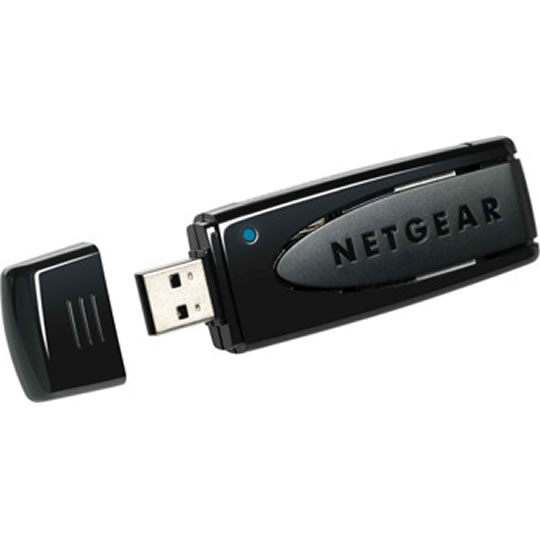
Netgear WNA1100-100ENS Wireless N USB Adaptor 150Mbps
End Of Life
Netgear WNA1100-100ENS Wireless N USB Adaptor 150Mbps
Scan code: LN34216 Manufacturer code: WNA1100-100ENS
End Of Life

End Of Life

Netgear WNA1100-100ENS Wireless N USB Adaptor 150Mbps

Netgear WNA1100-100ENS, USB 2.0, 150Mbps, 802.11b/g/n, 2.4 Ghz, Wireless Adaptor

Scan code: LN34216 Manufacturer code: WNA1100-100ENS
End of life
This product is no longer available to purchase.

Email me when the availability or price changes

Product Overview It is designed for your notebook or desktop PC. It supports WPA-PSK, WPA2-PSK, and WEP security. Features • Provides better range and speed than Wireless-G adapter.
• Surf, email, stream music, play on-line games, and make Internet phone calls.
• Easy secured setup with Push ‘N’ Connect using Wi-Fi Protected Setup™.
Warranty

Please note your statutory rights are not affected.

For further information regarding Scan's warranty procedure please see our terms and conditions

Details
Duration:
12 months
Type:
Direct
DOA Period:
28 days
RTB Period:
1 months
Manufacturer Contact Details
Manufacturer:
Netgear
Telephone:
0134 445 8200
Buying Guide
Need help? Read our Home Broadband Buying Guide
Wi-Fi
Wi-Fi
Date Issued: 20th Oct 2008

Home networking let’s you do great things that aren’t possible with standalone PCs. Printers can be shared between PC, so there’s no need to buy one for each machine.

Read More

Wi-Fi Security
Wi-Fi Security
Date Issued: 19th Jun 2008

WiFi is a wonderful thing. You can take your laptop anywhere in your house and access the Internet, or access your network from the garden. However, it does introduce the grim possibility of somebody else doing exactly the same, without you ever knowing. This guide seeks to make you aware of various security terms and ideas associated with wireless networking and what you should consider when setting up a wireless network.

Read More

Home Networking
Home Networking
Date Issued: 26th Oct 2006

As a growing number of homes contain more than one computer, their users must find ways to network them. The primary purpose for creating a home network tends to be to provide Internet access to all computers within the house. There are other good reasons, however. These include enabling LAN gaming, data backups from one machine to another and the sharing of music within the home.

Read More