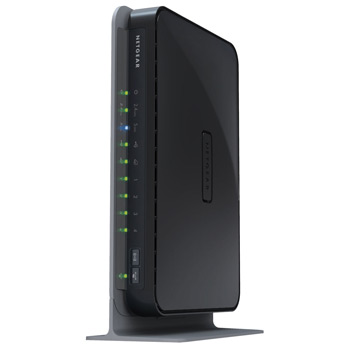
WNDR3700 N600 WIRELESS DUAL BAND GIGABIT ROUTER
Scan code: LN28692
Manufacturer code: WNDR3700-100UKS
End Of Life

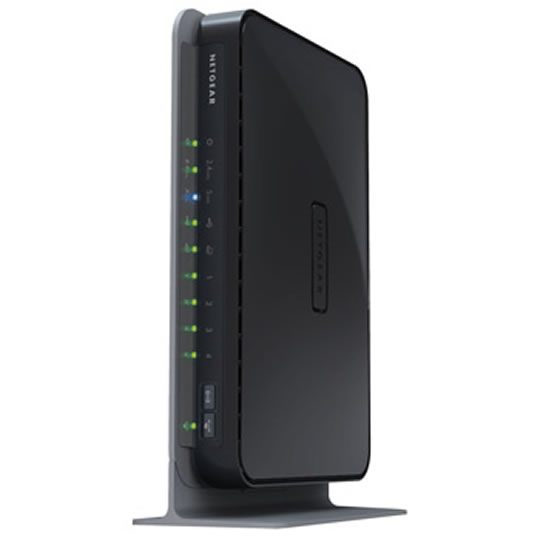

Product Overview
The power you want and flexibility you need for your network
• Simultaneous dual-band Wireless-N offers twice the bandwidth with better connection and less interference
• Gigabit Ethernet ports deliver ultra-fast wired connections
• ReadyShare™ provides fast and easy shared access to an external USB storage device
• ReadyDLNA—stream videos, photos, and music to a wide range of networked media players
Features • SmartWizard® installation CD – Spend less time installing your router and setting up your network and more time gaming, surfing the Internet, and conducting business
• Powerful 680 MHz processor – Capable of high-speed, dual-band wireless access, wired gigabit speeds, and fast USB storage access—even when multiple devices are running multiple applications simultaneously
• Automatic Quality of Service (QoS) – Enjoy enhanced media, gaming, and Internet telephone performance with automatic application prioritization
• Enterprise-class wireless security – Ensure business-class Wi-Fi security with WPA and WPA2 enterprise encryption
• Multiple SSID support – Set up a second network for guests with restricted access or a dedicated network for video and gaming
• Broadband Usage Meter – Ensure accurate measurement of Internet traffic daily, weekly and monthly with customized alerts
• High WAN to LAN throughput of over 500 Mbps
• Dedicated video network in 5 GHz band for streaming high-quality HD video
• Support of multiple file formats and fast access to USB external hard drive
• 680 MHz powerful MIPS 32-bit Processor
• Memory: 8 MB flash and 64 MB RAM
• ReadyShare USB Storage Access - support FAT16/32, NTFS Read/Write, Ext 2 Read/Write, Ext 3 Read/Write
• Denial-of-service (DoS) and stateful packet inspection (SPI) firewall
• WPA/WPA2 - PSK and WPA/WPA2 Enterprise
• WiFi Protected Setup (WPS) - Pin and Push Button
• Advanced Quality of Service (QoS)
NETGEAR Green
• Convenient one touch on/off switch and Wi-Fi button conserve energy
• Efficient Energy Star compliant power supply
• Three power and range settings reduce power up to 75% depending on the power lever selected
• Auto-Sensing gigabit green switch automatically adjusts the power level
• Packaging manufactured with at least 80% recycled materials
• Simultaneous dual-band Wireless-N offers twice the bandwidth with better connection and less interference
• Gigabit Ethernet ports deliver ultra-fast wired connections
• ReadyShare™ provides fast and easy shared access to an external USB storage device
• ReadyDLNA—stream videos, photos, and music to a wide range of networked media players
Features • SmartWizard® installation CD – Spend less time installing your router and setting up your network and more time gaming, surfing the Internet, and conducting business
• Powerful 680 MHz processor – Capable of high-speed, dual-band wireless access, wired gigabit speeds, and fast USB storage access—even when multiple devices are running multiple applications simultaneously
• Automatic Quality of Service (QoS) – Enjoy enhanced media, gaming, and Internet telephone performance with automatic application prioritization
• Enterprise-class wireless security – Ensure business-class Wi-Fi security with WPA and WPA2 enterprise encryption
• Multiple SSID support – Set up a second network for guests with restricted access or a dedicated network for video and gaming
• Broadband Usage Meter – Ensure accurate measurement of Internet traffic daily, weekly and monthly with customized alerts
• High WAN to LAN throughput of over 500 Mbps
• Dedicated video network in 5 GHz band for streaming high-quality HD video
• Support of multiple file formats and fast access to USB external hard drive
• 680 MHz powerful MIPS 32-bit Processor
• Memory: 8 MB flash and 64 MB RAM
• ReadyShare USB Storage Access - support FAT16/32, NTFS Read/Write, Ext 2 Read/Write, Ext 3 Read/Write
• Denial-of-service (DoS) and stateful packet inspection (SPI) firewall
• WPA/WPA2 - PSK and WPA/WPA2 Enterprise
• WiFi Protected Setup (WPS) - Pin and Push Button
• Advanced Quality of Service (QoS)
NETGEAR Green
• Convenient one touch on/off switch and Wi-Fi button conserve energy
• Efficient Energy Star compliant power supply
• Three power and range settings reduce power up to 75% depending on the power lever selected
• Auto-Sensing gigabit green switch automatically adjusts the power level
• Packaging manufactured with at least 80% recycled materials


