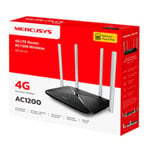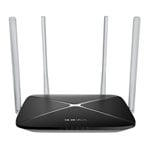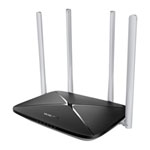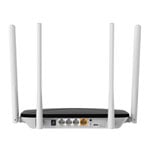

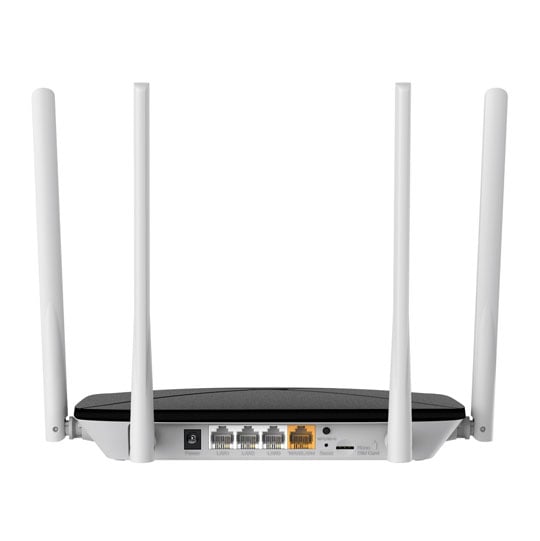
Mercusys MB135-4G 4G AC1200 Dual-Band LTE Wi-Fi Router
Scan code: LN162941 Manufacturer code: MB135-4G AC1200 Wireless Dual Band 4G LTE Router
£47.99Stock arrives 1-3 days from time of order
ETA 1-3 days
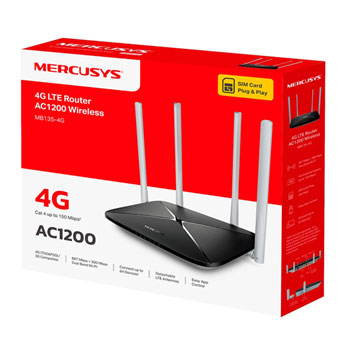
  • Thumbnail 1 : Mercusys MB135-4G 4G AC1200 Dual-Band LTE Wi-Fi Router
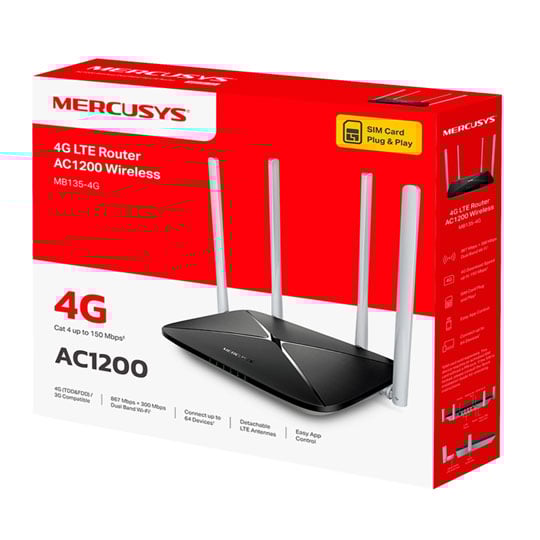
  • Thumbnail 2 : Mercusys MB135-4G 4G AC1200 Dual-Band LTE Wi-Fi Router
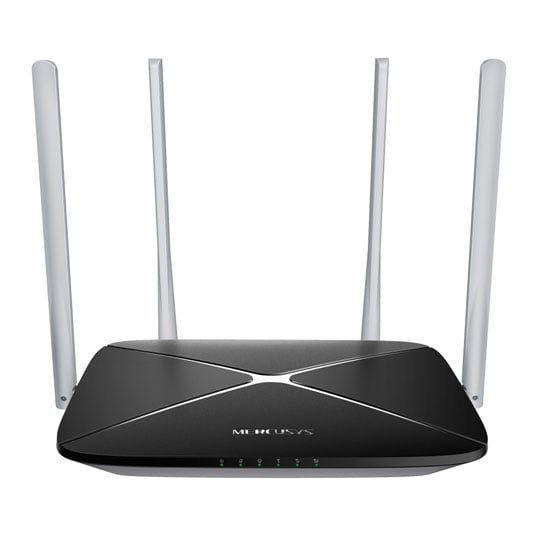
  • Thumbnail 3 : Mercusys MB135-4G 4G AC1200 Dual-Band LTE Wi-Fi Router
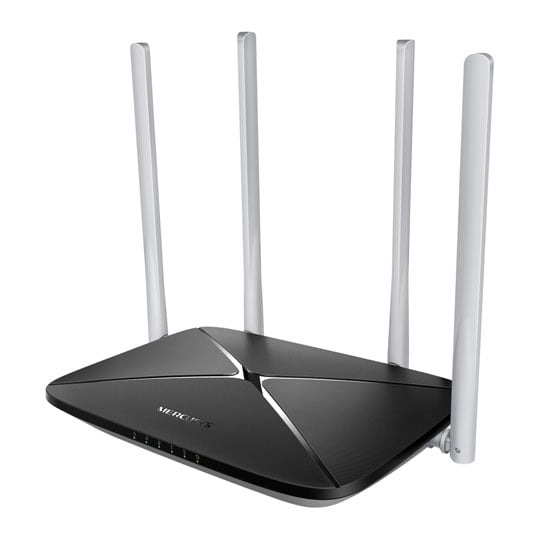
  • Thumbnail 4 : Mercusys MB135-4G 4G AC1200 Dual-Band LTE Wi-Fi Router

Mercusys MB135-4G 4G AC1200 Dual-Band LTE Wi-Fi Router

Mercusys MB135-4G LTE Wi-Fi Router, 4G, Dual Band, 1167Mbps (300 + 867), 1 x WAN, 3 x LAN, Nano-SIM

Scan code: LN162941 Manufacturer code: MB135-4G AC1200 Wireless Dual Band 4G LTE Router
£47.99
£5.48 Next day delivery
Stock arrives 1-3 days from time of order
ETA 1-3 days
Pay in 3 interest-free payments of £16.00

Email me when the availability or price changes

  • By DPD Have your parcel delivered by DPD to your specified address. Receive SMS with one-hour delivery window | £5.48 Receive SMS with one-hour delivery window Weekend, timed and European delivery options are available at checkout
  • Collect instore Order online, collect from our Bolton store (25-28 Enterprise Park, Middlebrook, Horwich, Bolton, BL6 6PE) | Free
  • UPS and DPD Pickup Pickup from local convenience store | £4.99 Collect your parcel from your newsagents, petrol stations and convenience stores

Finance this product

  • Spend over £390.00 and Buy Now, Pay Later or spread the cost of your finance over 24-48 months with a 10% deposit.
  • SCANPROTECT Protect against installation damage for 28 days.

Suggested Alternatives

MB135-4G AC1200 Wireless Dual Band 4G LTE Router from Mercusys

AC1200 Wireless Dual Band 4G LTE Router from Mercusys

WiFi Made Easy with 4G The MB135-4G is an AC1200 dual-band 4G LTE router that delivers fast WiFi speeds up to 867 Mbps on 5 GHz and 300 Mbps on 2.4 GHz, supporting up to 64 devices. It offers plug-and-play SIM card compatibility, 4G download speeds up to 150 Mbps, and stable connections with four external antennas. The router also features WAN port backup, parental controls, guest networks, data management, and easy setup via the MERCUSYS app.

Plug Your Nano SIM Card and Play

NANO Sim plug and play

Fully compatible with FDD-LTE and TDD-LTE for use with most service providers worldwide. Insert a nano SIM card and turn on the router to convert your 4G LTE network into WiFi and share it with multiple WiFi devices.

Note: Make sure your SIM card is unlocked. If not, you can:
a. Set up the router via the MERCUSYS app and follow the app instructions to unlock your SIM card.
b. Log in to the router's web management page and go to Advanced > Network > PIN Management to verify.

WiFi Wherever You Are

Enjoy unparalleled convenience and versatility with fast, stable WiFi — perfect for home or remote work.

Home Office environment, highlighting the router in use

Home Office

Temporary Store, highlighting remote usage

Temporary Store

Remote Area, highlighting remote usage

Remote Area

Holiday Home, highlighting remote usage

Holiday Home

Superfast 4G LTE Speed for Reliable WiFi

Working as a 4G router, MB135-4G uses 4G LTE technology to achieve speeds up to 150 Mbps download and 50 Mbps upload. It can also share dual-band WiFi network speeds up to 867 Mbps on 5 GHz for bandwidth - intensive tasks like HD streaming and gaming and 300 Mbps on 2.4 GHz for internet surfing, email, and social media.

Superfast 4G LTE Speed for Reliable WiFi

Share with Friends

64 Devices

Share WiFi with Your Friends A remarkable number of wireless devices are compatible with this 4G router without any issues. Up to 64 simultaneous connections for tablets, laptops, mobile phones, and other devices.

Comprehensive Management

Parental Controls

Parental ControlsSet effective policies to ensure your children enjoy safe and responsible internet access.

Guest Network

Guest Network Provides a separate network for guests to ensure your security and privacy.

Data Settings

Data SettingsSet a maximum data limit to prevent overspending and monitor your monthly usage with the Monthly Data Statistics feature.

Messaging

MessagingSet up the Message Center to access SMS features and receive alerts when nearing your data limit.

Specifications
Networking, Connectivity & Ports
Model Mercusys MB135-4G
Form-Factor Desktop
Device Type 4G/LTE Modem and Cable Broadband WiFi Router
Compatible Internet Connections
  • 4G / LTE
  • Ethernet
Network Connectivity Wireless LAN
Network Ports
  • 3 x RJ45 10/100 (Fast Ethernet) BaseT for LAN
  • 1 x RJ45 10/100 (Fast Ethernet) BaseT for LAN/WAN
Other Connectors
  • 4 x Antenna Connector
  • 1 x Nano SIM Card Slot
USB Applications  
Wired Protocols  
Total LAN Connections 3
Total WAN Connections 1
64 Bytes L3 Forwarding Performance  
512+ Bytes L3 Forwarding Performance  
Wireless
Wireless Speed 1167 (300+867) Mbps
Wireless Protocols
  • IEEE 802.11a
  • IEEE 802.11ac
  • IEEE 802.11b
  • IEEE 802.11g
  • IEEE 802.11n
Wireless Band Dual Band
Frequency
  • 2.4 GHz
  • 4G: FDD-LTE Cat4 (800/900/1800/2100/2600MHz)
  • 5 GHz
Operation Channel  
Wireless Transmitter Power 2.4 GHz < 20dBm (EIRP) / 5 GHz < 23dBm (EIRP)
Antenna 4 (External)
Core Features
Features
  • Address Reservation
  • DHCP Client List
  • DHCP Server
  • Dynamic IP
  • DynDNS
  • Guest Network
  • Quality of Service (QoS)
  • Static IP
  • Wireless Schedule
Router/Modem Processor  
Internal RAM Memory  
Internal RAM Memory Type  
Internal Flash Memory  
LED Indicators
  • 1 x Power LED
  • 1 x WAN/LAN
  • 1 x WiFi Status
Buttons
  • 1 x Reset Button
  • 1 x WPS Button
OS Support  
Max. Power Consumption  
Security & VPN
Security Protocols
  • Access Control
  • DoS protection
  • TR-069
  • WPA-PSK
  • WPA2-PSK
Firewall/NAT No
Management
  • DMZ
  • Mercusys App
  • Port Triggering
  • UPnP
VPN Support
  • OpenVPN Server
  • PPTP Server
Physical Specifications
Dimensions 219 x 32 x 140 mm (WxHxD)
Weight  
Additional Specifications
Note N/A
Additional Information
Scan Code LN162941
Model Number MB135-4G AC1200 Wireless Dual Band 4G LTE Router
GTIN 6957939004187
Warranty

Please note your statutory rights are not affected.

For further information regarding Scan's warranty procedure please see our terms and conditions

Details
Duration:
36 months
Type:
Direct
DOA Period:
28 days
RTB Period:
12 months
Manufacturer Contact Details
Manufacturer:
TP-LINK
Telephone:
0845 147 0017 (UK) or 0818 229 000 (Ireland)
Buying Guide
Need help? Read our Home Broadband Buying Guide
Wi-Fi
Wi-Fi
Date Issued: 20th Oct 2008

Home networking let’s you do great things that aren’t possible with standalone PCs. Printers can be shared between PC, so there’s no need to buy one for each machine.

Read More

Port Forwarding
Port Forwarding
Date Issued: 20th Oct 2008

Port forwarding is a technique you’ll need to use to enable certain services if you’re using a router. If you don’t really care how it works, you can skip this section and just find out how to do it.

Read More

Broadband ADSL vs Cable
Date Issued: 20th Oct 2008

On the surface we’re asking a relatively simple question here: "What do I need to get my broadband Internet working?" Of course, it’s not quite as simple as that. Worry not, however, for this TekSpek covers both the differences between the two popular kinds of broadband and what you’ll need to get your home computer(s) connected up.

Read More

Wi-Fi Security
Wi-Fi Security
Date Issued: 19th Jun 2008

WiFi is a wonderful thing. You can take your laptop anywhere in your house and access the Internet, or access your network from the garden. However, it does introduce the grim possibility of somebody else doing exactly the same, without you ever knowing. This guide seeks to make you aware of various security terms and ideas associated with wireless networking and what you should consider when setting up a wireless network.

Read More

Home Networking
Home Networking
Date Issued: 26th Oct 2006

As a growing number of homes contain more than one computer, their users must find ways to network them. The primary purpose for creating a home network tends to be to provide Internet access to all computers within the house. There are other good reasons, however. These include enabling LAN gaming, data backups from one machine to another and the sharing of music within the home.

Read More

Mercusys MB135-4G 4G AC1200 Dual-Band LTE Wi-Fi Router