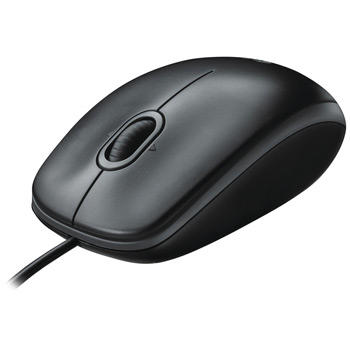
Logitech B110 Optical 3 Button USB Mouse Black with Scroll Wheel
Scan code: LN28991
Manufacturer code: 910-001246
End Of Life


Product Overview
The B110 Optical USB Mouse delivers productivity-enhancing comfort – today and tomorrow.
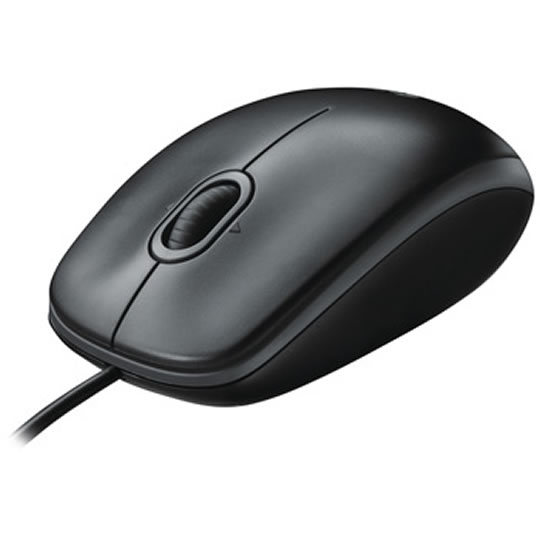
A comfortable, ambidextrous shape feels good in either hand, so you feel more comfortable as you work. With 800 dpi sensitivity, you’ll get precise cursor control so you can edit documents and navigate the Web more efficiently. Side-to-side scrolling plus zoom lets you instantly zoom in or out and scroll horizontally and vertically: perfect for working with spreadsheets and presentations*. Zero setup means it works right out of the box – just plug it in.
This mouse comes with the quality and design we’ve built into more than a billion mice, more than any other manufacturer.
Features • The comfortable, ambidextrous shape feels good in either hand, so you feel more comfortable as you work – even at the end of the day.
• With 800 dpi sensitivity, you’ll get precise cursor control so you can edit documents and navigate the Web more efficiently.
• Side-to-side scrolling plus zoom lets you instantly zoom in or out and scroll horizontally and vertically. Perfect for working with spreadsheets and presentations*.
• Zero setup means you just plug it into your USB port – it works right out of the box.
• This mouse is built by Logitech®, the mouse experts. It comes with the quality and design we’ve built into more than a billion mice, more than any other manufacturer.
A comfortable, ambidextrous shape feels good in either hand, so you feel more comfortable as you work. With 800 dpi sensitivity, you’ll get precise cursor control so you can edit documents and navigate the Web more efficiently. Side-to-side scrolling plus zoom lets you instantly zoom in or out and scroll horizontally and vertically: perfect for working with spreadsheets and presentations*. Zero setup means it works right out of the box – just plug it in.
This mouse comes with the quality and design we’ve built into more than a billion mice, more than any other manufacturer.
Features • The comfortable, ambidextrous shape feels good in either hand, so you feel more comfortable as you work – even at the end of the day.
• With 800 dpi sensitivity, you’ll get precise cursor control so you can edit documents and navigate the Web more efficiently.
• Side-to-side scrolling plus zoom lets you instantly zoom in or out and scroll horizontally and vertically. Perfect for working with spreadsheets and presentations*.
• Zero setup means you just plug it into your USB port – it works right out of the box.
• This mouse is built by Logitech®, the mouse experts. It comes with the quality and design we’ve built into more than a billion mice, more than any other manufacturer.

