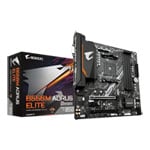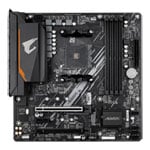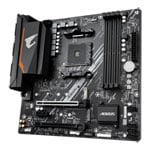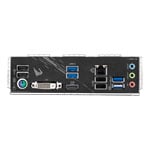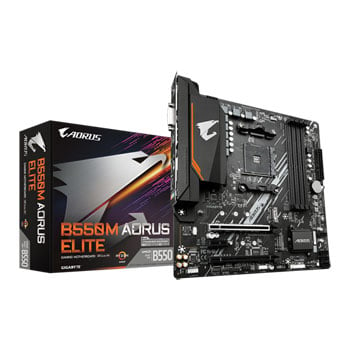

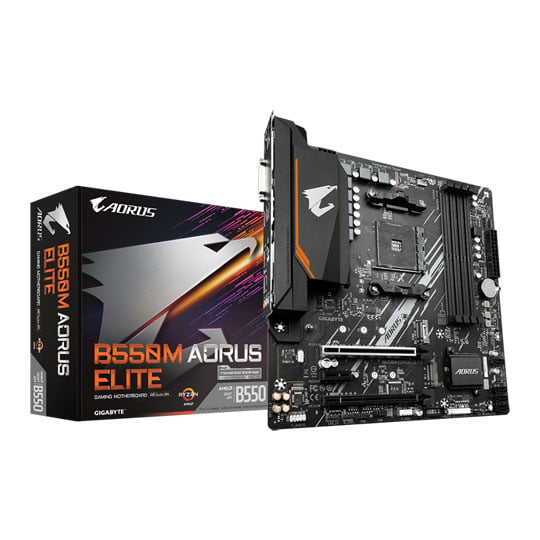
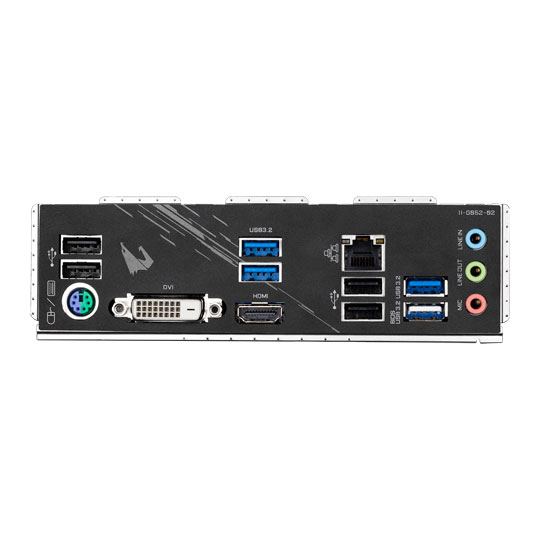


Gigabyte AMD B550M AORUS ELITE AM4 PCIe 4.0 mATX Motherboard
Gigabyte B550M AORUS ELITE, AMD B550, AM4, DDR4, PCIe 4.0, Dual M.2, Realtek GbE, USB 3.2 Gen 1, MicroATX
Email me when the availability or price changes
Finance this product
- Spend over £390.00 and Buy Now, Pay Later or spread the cost of your finance over 24-48 months with a 10% deposit.
- SCANPROTECT Protect against installation damage for 28 days.
AORUS ELITE B550M 3rd Generation AMD Ryzen M-ATX Motherboard from Gigabyte

Rise From the Darkness Introducing the all-new AORUS ELITE B550M Motherboard from Gigabyte. Perfect performance for those who prefer a smaller form factor. Filled with the latest technologies to take your gaming experience to the next level such as PCI-E 4.0 technology to give you better performance, bandwidth and eye-watering speeds, Gigabyte Gaming GbE LAN, 2x M.2 slots, USB 3.2 connectivity and a high-quality audio system. Illuminate your system in your own style with Gigabytes RGB Fusion software or even have supported devices be interactive with the new gaming mode to give yourself that additional immersive gaming experience. The AORUS B550M ELITE is designed to unleash the full potential of the 3rd Generation Ryzen CPUs, give your system the strongest foundations and make your friends and enemies envious of the power you now hold.
AMD B550Chipset
3rd Generation RyzenCompatible CPUs
AM4CPU Socket
M-ATXForm Factor
Advanced Cooling for High-End Systems
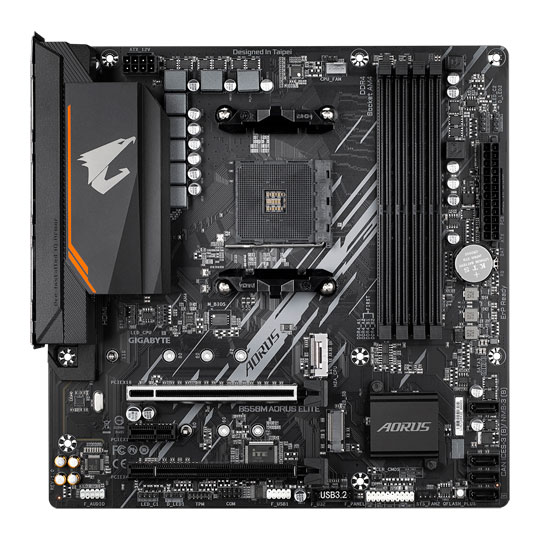
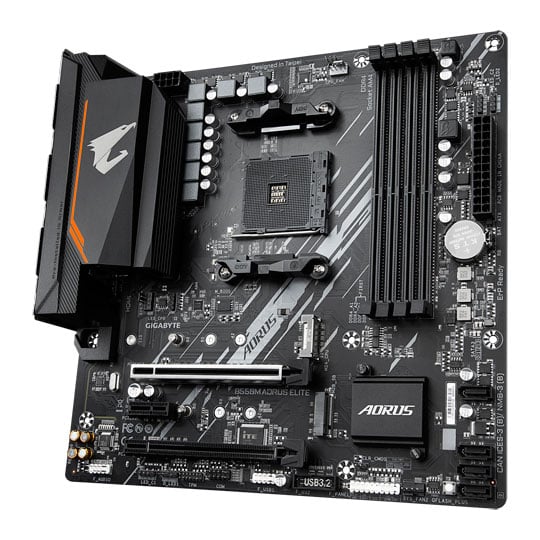
Keep Your Components Cool In order to guarantee un-throttled performance AORUS have opted for an advanced thermal solution, including Pre-installed IO Armour and enlarged MOSFET heatsink meaning the B550M ELITE is capable of keeping the MOSFETs cool and comfortable even under maximum load. Whether you're a gamer, builder or just an enthusiast you can expect lower temperatures and higher performance from the B550M ELITE.
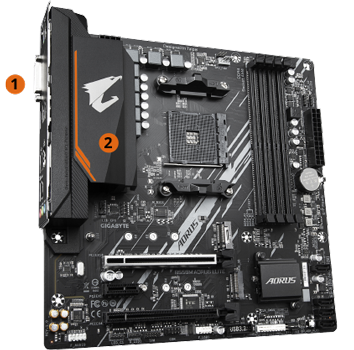
1. Pre-Installed IO Armor
2. Enlarged MOSFET Heatsink
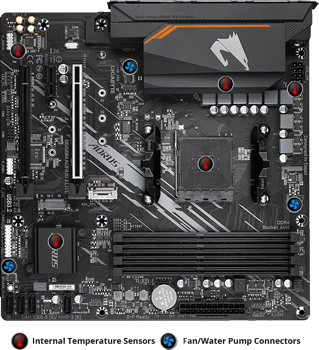
Smart Fan 5With Smart Fan 5 you can ensure that your gaming PC can maintain its performance while staying cool. Smart Fan 5 allows users to interchange their fan headers to reflect different thermal sensors at different locations on the motherboard. Not only that, with Smart Fan 5 more hybrid fan headers that support both PWM and Voltage mode fans have been introduced to make the motherboard more liquid cooling friendly.
Intricate Design for Expert Performance
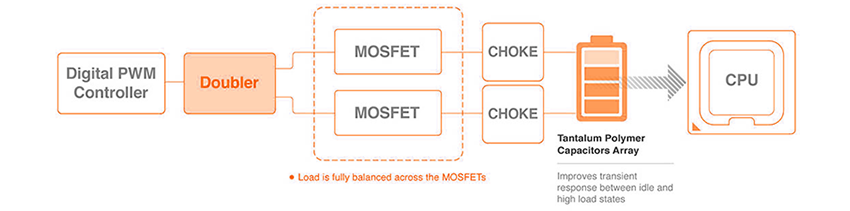
8 Phase Digital Power DesignIn order to fully support 3rd Generation AMD Ryzen CPUs, the AORUS B550M ELITE comes equipped with the most complete power solution yet, with true direct, digital and multiple power phases, birthed from countless experiments, testing and tinkering the B550M AORUS ELITE uses a 5+3 phases pure digital PWM + Low RDS(on) MOSFETs design to support the 3rd Gen AMD Ryzen™ CPUs by offering incredible precision in delivering power to the motherboard's most power-hungry and energy-sensitive components as well as delivering enhanced system performance and ultimate hardware scalability.
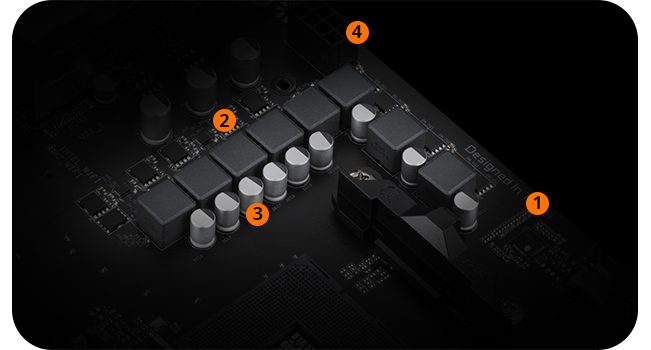
1. Digital
PWM
2. Driver
MOSFETs
3.All-Solid
Capacitors
4.CPU Power Connector
PCIe 4.0 Technology for Greater Performance
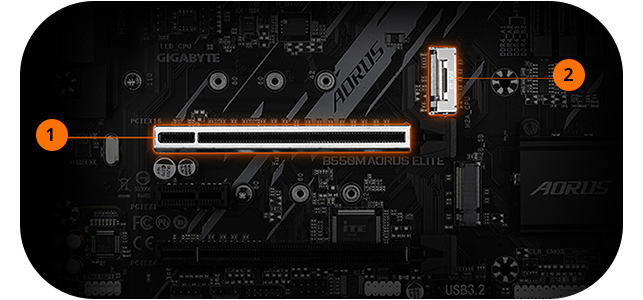
PCIE 4.0 HARDWARE DESIGN
1. PCIe 4.0 Slot Reinforces PCIe 4.0 x16/x8 bandwidth with lower impedance.
2. M.2 PCIe 4.0 SlotM.2 PCIe 4.0 x4 slot with Lower impedance.
Next Generation Connectivity

Exclusive Realtek GbE LANRealtek 8118 LAN is a high performance and user friendly network chip for gaming players with automatic bandwidth allocation to ensure the highest network priority of the game or application. with it's intelligent default automode the program with the highest priority receives the highest amount of bandwidth and with intuitive real time network monitoring you can keep a close eye on your connection at all times.
Illuminate your PC with Beautiful Colour

RGB FUSION 2.0Now offering more LED customizations than ever before, users can truly adapt their PC to represent their lifestyle. With full RGB support and a redesigned RGB Fusion 2.0 application, with full support for external 5V Addressable LED lighting strips and up to 300 LED lights. RGB Fusion 2.0 with Addressable LEDs comes with new patterns and various speed settings with more to come.

RGB FUSION SOFTWAREWith an integrated intuitive user interface, the RGB Fusion 2.0 provides you a better solution for customizing the lighting effects across all supported devices. From motherboards, graphics cards to the peripheral products, you can personalize your gaming rig with your own style and show off your build by sharing the profiles. In addition, the new gaming mode makes the lighting effects interactive with selected games to bring you the most immersive gaming experience.
Durability for Years to Come

Solid Pin Power ConnectorsB550 AORUS motherboards feature solid plated ATX 24pin & ATX 12V 8pin + 8pin power connectors to offer a stable power supply during CPU overloading.
Solid Pin Power connector advantages
• Larger contact area for electricity.
• More metal quantity to sustain higher power and generated heat.
• Ultra durable and longer lifespan.

Q-Flash PlusWith GIGABYTE Q-Flash Plus, you don’t need to install the CPU, memory and graphics card nor enter the BIOS menu to flash the BIOS. Just download and save a new BIOS file (rename to gigabyte.bin) on the USB flash drive, then press the dedicated Q-Flash Plus button and you’re good to go!
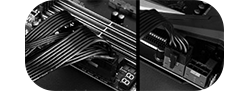
STEP 1Plug the 24pin & 8pin power supply cable into the motherboard.
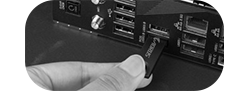
STEP 2Download and unzip the motherboard's compressed BIOS file and rename to "gigabyte.bin", save to a USB flash-drive, and plug it into the Q-Flash USB port.
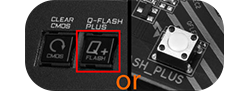
STEP 3Press the Q-Flash button, and the motherboard will start updating the BIOS automatically.
Take Control of your Motherboard
GIGABYTE BIOS & APP CENTERGood software goes hand in hand with perfect hardware. The B550M AORUS ELITE has bundled several useful and intuitive softwares to help users to control every feature of the motherboard.
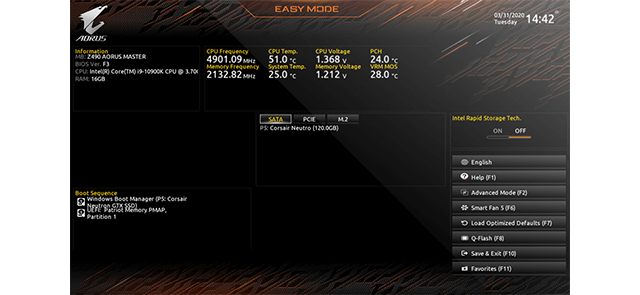
New User InterfaceAll new EASY MODE shows important hardware information all on one page.
My
FavoritesAdd constantly used items into the favorite menu for quick access.
Storage InformationShow all kinds of storage information including SATA, PCIE and M.2 interface.
ChangelogList all changes before saving and exiting bios. Quickly review overall settings modification.
Intuitive Load Line CurveClearly show each loadline calibration setting in an intuitive curve graph.
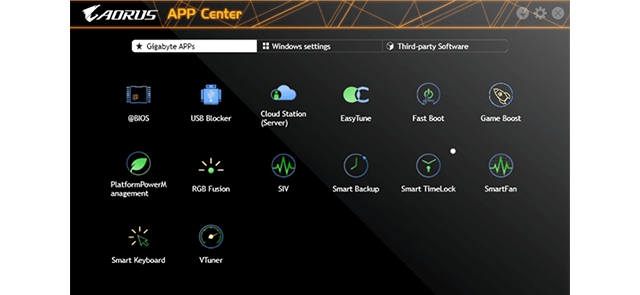
APP CENTERGIGABYTE APP CENTER is a useful portal of all GIGABYTE MB utilities and drivers, you can choose any utility you want to install from APP CENTER and keep updated with the latest utilities and drivers version.
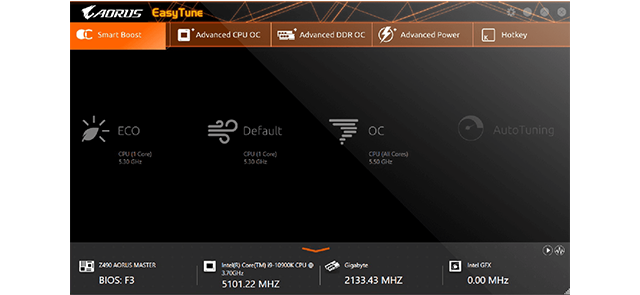
EasyTune™GIGABYTE's EasyTune™ is a simple and easy-to-use interface that allows users to fine-tune their system settings or adjust system and memory clocks and voltages in a Windows environment. With Smart Quick Boost, one click is all it takes to automatically overclock your system, giving an added performance boost when you need it the most.
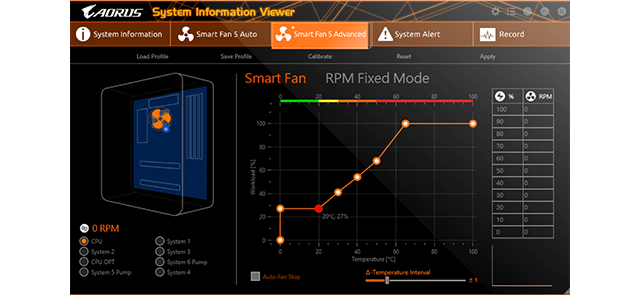
System Information ViewerGIGABYTE System Information Viewer is a central location that gives you access to your current system status. Monitor components such as the clocks and processor, set your preferred fan speed profile, create alerts when temperatures get too high or record your system's behavior; these are the possibilities of the System Information Viewer.