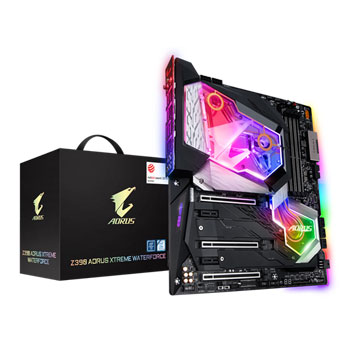

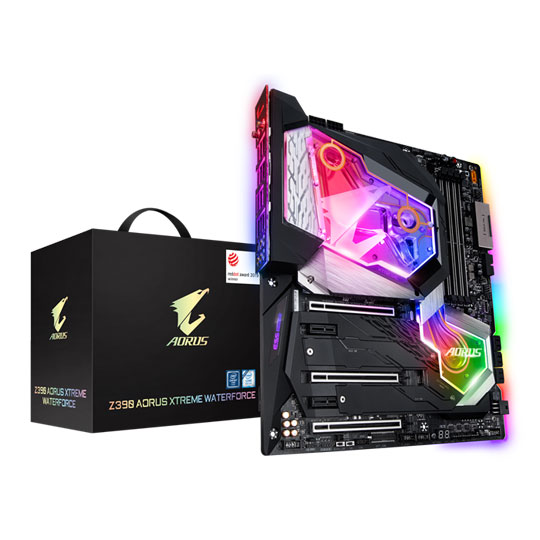

Gigabyte Intel Z390 AORUS XTREME WATERFORCE E-ATX Motherboard (Update Version)
Gigabyte AORUS XTREME WATERFORCE, Intel Z390, S 1151, DDR4, SATA3, 3x M.2, SLi/CrossFire, 10GbE, USB Type A+C, E-ATX
AORUS XTREME WATERFORCE Z390 Enthusiast Motherboard
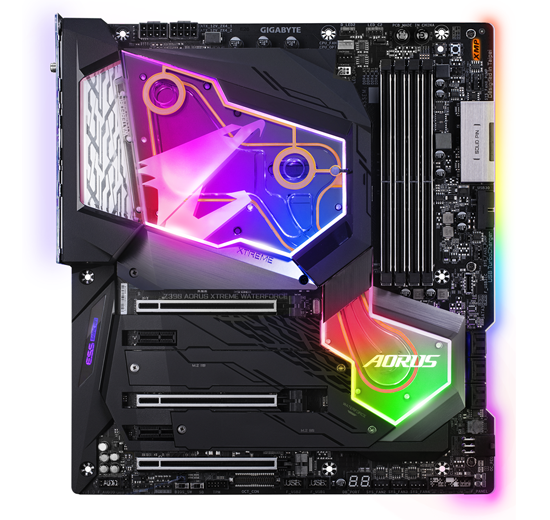
Features a new way of cooling all of your motherboard in one blockTo unleash the full potential of the new Intel 8-core CPU, the motherboard requires the best CPU power design. With the best quality components and GIGABYTE R&D design capability, Z390 AORUS XTREME WATERFORCE is a true beast among motherboards. With the All-in-One cooling Monoblock this motherboard can push the limits of your system. High Durability and high quality manufactured components allow the Z390 AORUS XTREME WATERFORCE to be a time-enduring centre piece of any magnificent build you decide to create.
Intel Z390Chipset
1151CPU Socket
8th & 9th Gen IntelCompatible CPU
E-ATXForm Factor
AORUS Extreme Thermal Design
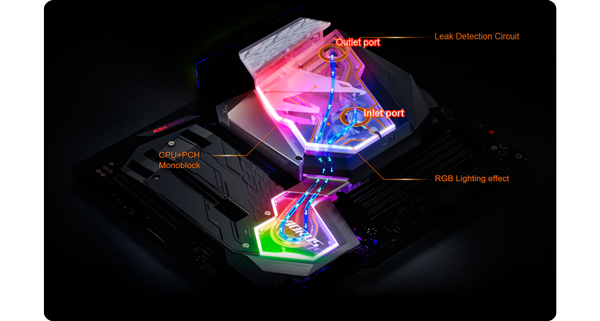
INNOVATIVE DESIGN TO TAKE ON ANY CHALLENGE Z390 AORUS XTREME WATERFORCE uses some unprecedented and innovative thermal design to ensure stability and low temperature under full loading application and gaming. An unprecedented All-in-One Monoblock that covers both CPU and PCH areas with high density copper fins for extreme heat dissipation. The AORUS XTREME Waterforce includes a leak detection circuit around the whole Monoblock for extra component safety.
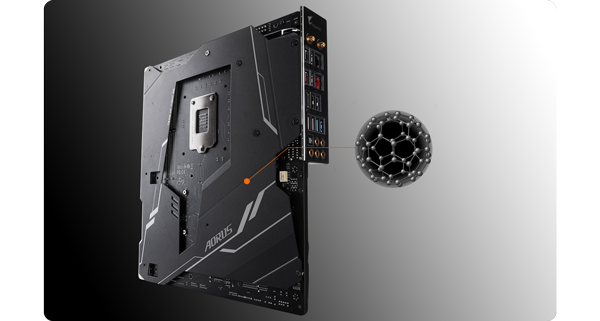
Strong NanoCarbon Heat Transference Includes a Base plate made of aluminum instead of traditional iron ensures 3X thermal conductivity. A thin layer of NanoCarbon is coated on the base plate through electrostatic adhesion to enhance thermal radiation capability. Combining with the back side thermal pad, it can transfer heat from the back side PCB to the base plate so the NanoCarbon base plate can dissipate heat passively. Effectively lowers backside PWM component temperature by 10%.

16X HYBRID FAN HEADER SETUP With Smart Fan 5 users can ensure that their gaming PC can maintain its performance while staying cool. Smart Fan 5 allows users to interchange their fan headers to reflect different thermal sensors at different locations on the motherboard. Not only that, with Smart Fan 5 more hybrid fan headers that support both PWM and Voltage mode fans have been introduced to make the motherboard more liquid cooling friendly.
Multi-Zone Light Show Design with RGB Fusion 2.0

Style your System your Way with AORUS Now offering more LED customizations than ever, users can truly adapt their PC to represent their lifestyle. With full RGB support and a redesigned RGB Fusion 2.0 application, the user has complete control over the LEDs which surround the motherboard.
Power Design of the Z390 XTREME Motherboard
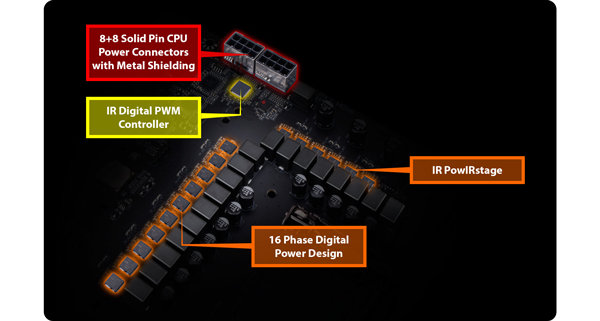
INNOVATIVE DESIGN TO TAKE ON ANY CHALLENGE Z390 AORUS XTREME WATERFORCE motherboard uses an all IR digital CPU power design which includes a digital PWM Controller with PowlRstage MOSFET and is capable of providing at least 60A of power from each phase, for a total of 960A.
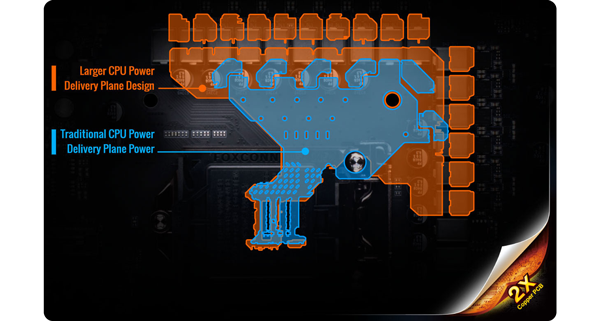
37% LARGER POWER PLANE Get optimized CPU power delivery with 2x Copper PCB and a larger CPU power delivery plane which has an increase of 37% over traditional CPU power delivery planes.
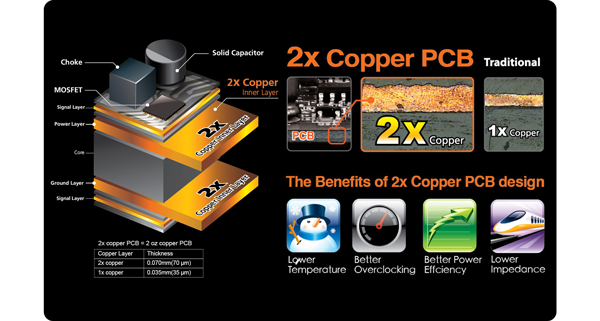
HANDLE GREATER THAN NORMAL POWER LOADS GIGABYTE's exclusive 2X Copper PCBs design provides sufficient power trace paths between components to handle greater than normal power loads and to remove heat from the critical CPU power delivery area. This is essential to ensure the motherboard is able to handle the increased power loading that is necessary when overclocking.
AORUS Ultra-Durable Components
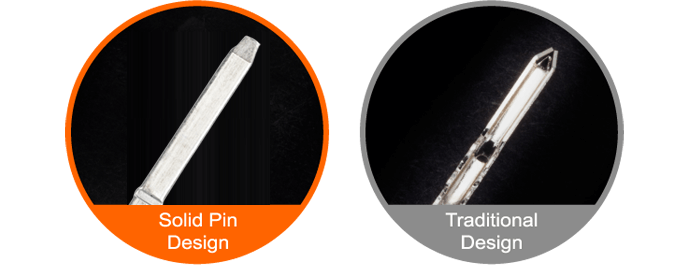
More metal quantity to sustain higher power and generated heat Z390 AORUS motherboards feature solid plated ATX 24pin & ATX 12V 8pin + 4pin power connectors to offer a stable power supply during CPU overloading. Having a Solid Pin means there is a larger contact are for electricity whilst still being ultra durable for a longer lifespan.
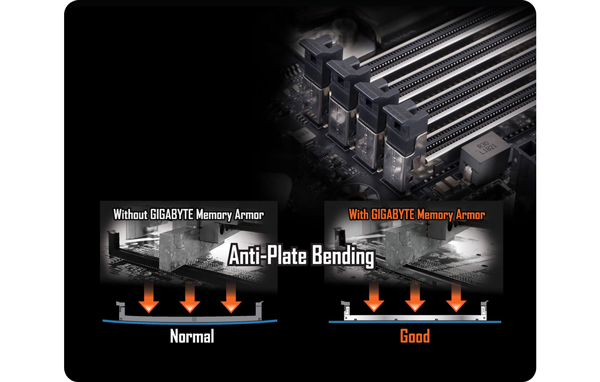
Ultra Durable Memory Armour AORUS' exclusive one piece stainless steel shielding design prevents against PCB distortion and twist, plate bending, in addition to preventing any possible ESD interference
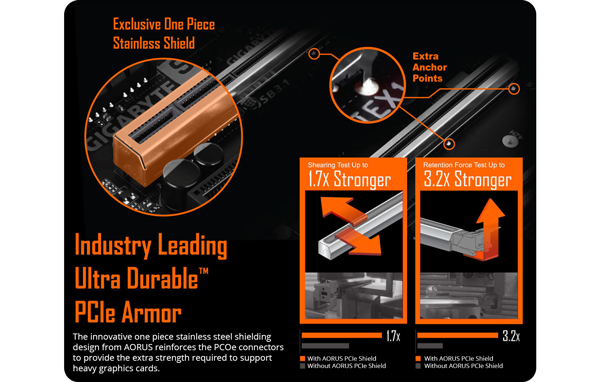
Super Strong PCIe Armour The innovative one piece stainless steel shielding design from AORUS reinforces the PCIe connectors to provide the extra strength required to support heavy graphics cards.
Triple NVMe M.2 PCIe SSDs in RAID 0 Support
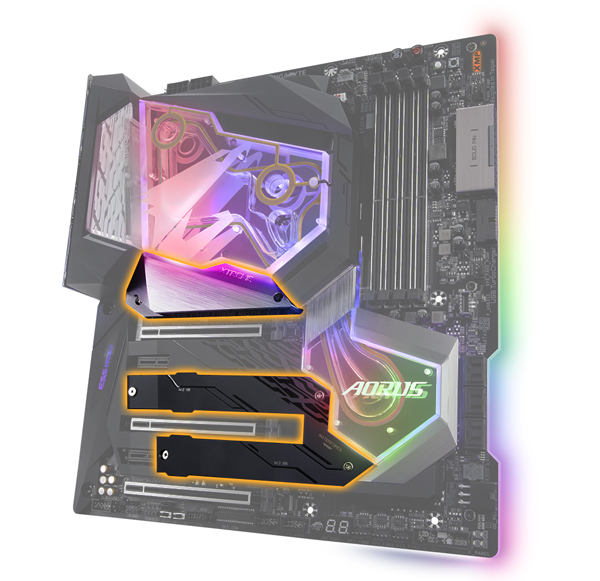
Extreme Performance with Gen3 x4 NVMe PCIe SSDs Z390 AORUS motherboards offer the industry’s best compatibility in terms of NVMe storage for users who demand high capacity and seek the best performance. AORUS' unique design can be configured in RAID for record speeds of up to 3551 MB/s (Sequential Read), making AORUS the obvious choice for the ultimate PC.
GIGABYTE BIOS and Applications
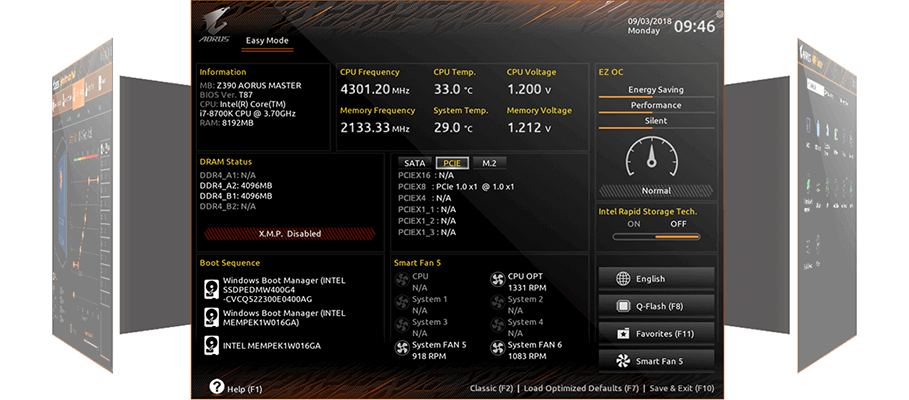
New User Interface GIGABYTE has specially designed the BIOS to provide users the most premium experience while constructing their new system, with a new GUI and easier to use functionalities. The BIOS is crucial for users during initial setup to allow for the most optimal settings.
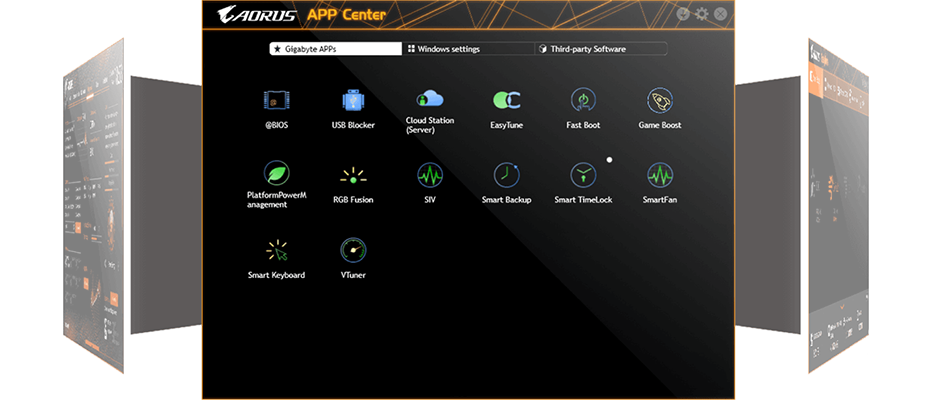
GIGABYTE APP Center The GIGABYTE APP Center gives you easy access to a wealth of GIGABYTE apps that help you get the most from your GIGABYTE motherboard. Easily launch all GIGABYTE apps installed on your system, check related updates online, and download the latest apps, drivers, and BIOS.
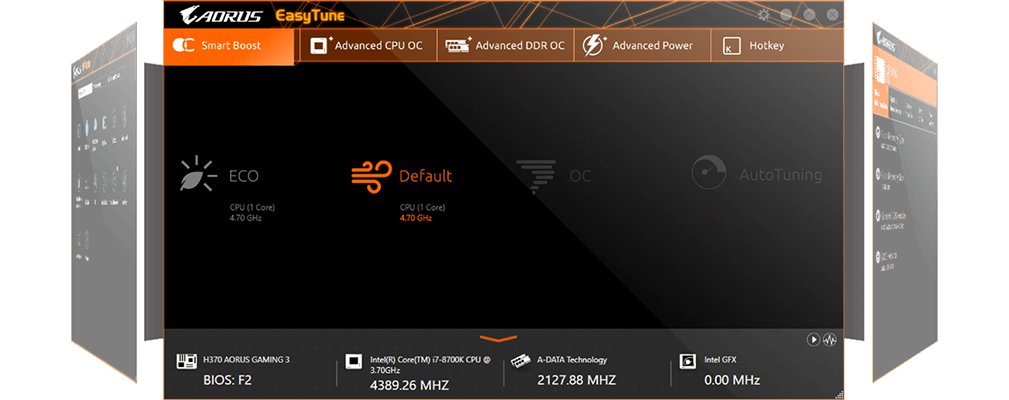
EasyTune™ GIGABYTE's EasyTune™ is a simple and easy-to-use interface that allows users to fine-tune their system settings or adjust system and memory clocks and voltages in a Windows environment. With Smart Quick Boost, one click is all it takes to automatically overclock your system, giving an added performance boost when you need it the most.
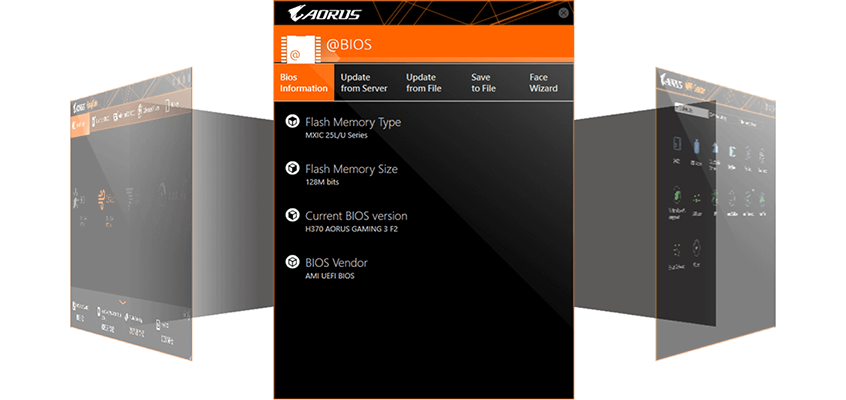
@BIOS The GIGABYTE @BIOS app allows you to update your system’s BIOS from within Windows using a simple and slick graphical user interface. @BIOS can automatically download the latest version from the GIGABYTE servers or you can update your BIOS from a file on your computer. @BIOS also allows you to save your current BIOS to a file, recover your previous BIOS from an image and backup your BIOS to an image.
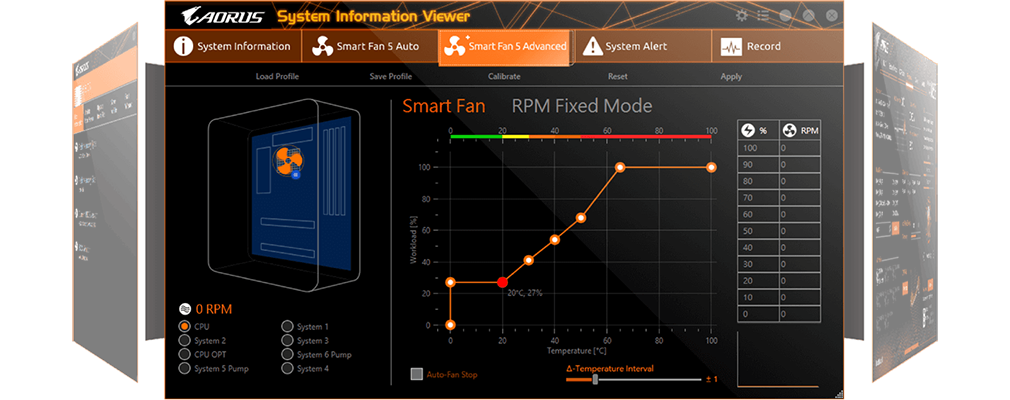
System Information Viewer GIGABYTE System Information Viewer is a central location that gives you access to your current system status. Monitor components such as the clocks and processor, set your preferred fan speed profile, create alerts when temperatures get too high or record your system's behavior; these are the possibilities of the System Information Viewer.