

Chaos Enscape Premium Named Annual Subscription
Chaos Enscape Premium, Named Annual Licence, Instant Feedback, Faster Iterations, CAD Tool Support
Email me when the availability or price changes
Finance this product
- From £22.09 / month (APR 16.9%) for 36 months or 0% for 4 months
- With a 10% deposit from just £15.75 / month (APR 15.9%)
Chaos - 'Enscape Premium'
Annual Named Licence

Your design companion for better decisions in real-timeChaos Enscape revolutionises architectural visualisation with real-time rendering and immersive virtual reality, enabling architects and designers to bring their visions to life. Enscape 4.9 introduces enhanced collaboration through Chaos Cloud streaming, allowing remote interactive design reviews from anywhere. With new features like the Section Tool in Enscape Impact for detailed room-level analysis and sun position synchronisation in SketchUp 2025 for consistent model and rendering lighting, Enscape empower users to create, review, and refine their projects with unmatched speed and quality.


Get To Design Decisions Faster With Enscape
For architects who need intuitive, real-time visualization in a single CAD environment.

Easy to use
One-click visualizationProduce fully rendered walkthrough experiences in moments, complete with dynamic lighting and natural movement.
Built-in asset & material librariesAccess thousands of assets directly inside your project for seamless integration.
Intuitive interfaceBegin immediately thanks to a clean, user-friendly interface.

Real-time speed
Real-time renderingSee lighting, material, and design changes as you make them, directly in your CAD.
Live synchronisationSee real-time updates in Enscape as you adjust your model—no manual refresh needed.
Performance optimizationUtilize features like NVIDIA DLSS to improve performance during walkthroughs.

AI image enhancements
Enhanced vegetationRefine trees, plants, and greenery for more natural detail and depth.
Improved people assetsEnhance human figures with AI-driven texture, lighting, and clarity.
Cloud-based workflowProcess and review enhanced images via Chaos Cloud, facilitating easy sharing and feedback.

Bi-directional data flow
Instant model updatesChanges in your CAD/BIM model are reflected immediately in Enscape.
No manual exportingWork directly within your design tool—no separate export steps needed.
Continuous feedback loopVisualize design decisions live, enabling faster iteration and decision-making.

Client collaboration
Interactive walkthroughsLet clients explore your design with ease through real-time navigation.
Virtual reality supportImmerse stakeholders in the space before it’s built—boosting understanding and impact.
Quick sharing optionsExport videos, panoramas, and QR codes for effortless sharing and review.
Speed Up Design And Enhance Visuals With Integrated AI Tools In Enscape Premium
Enscape Premium gives you access to powerful AI tools —Veras and AI Enhancer—built directly into your design workflow.
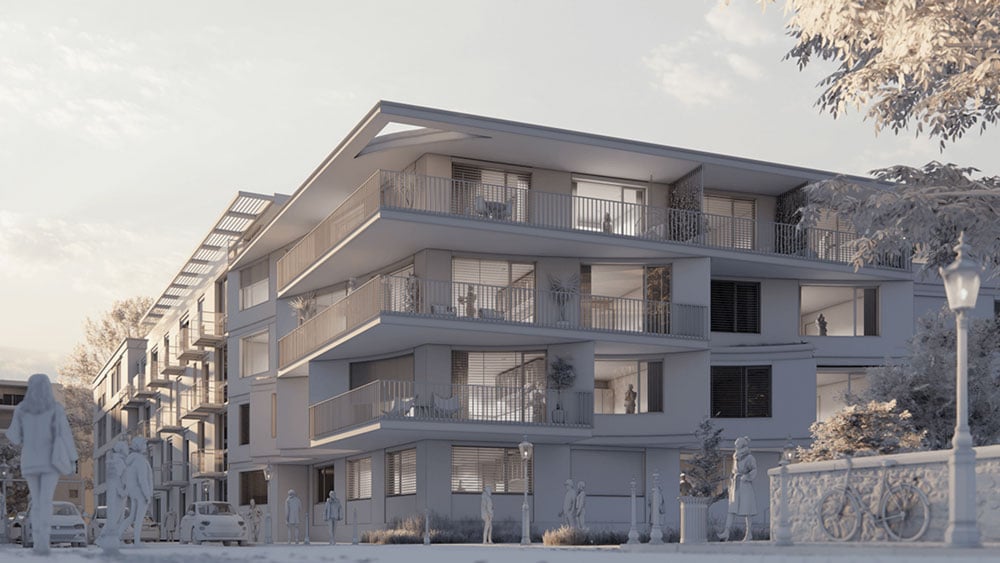
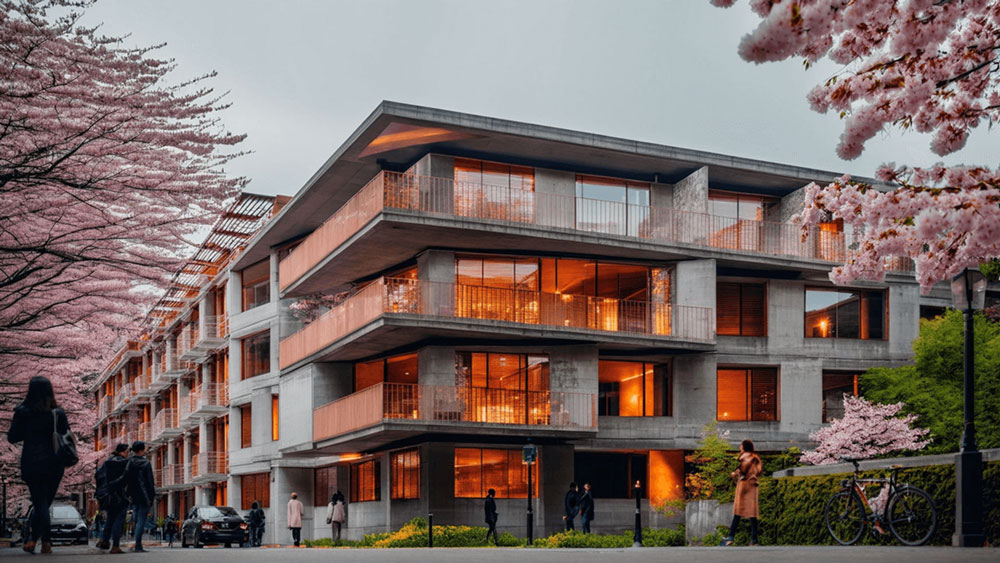
Speed up your designsSmoother design experience as Enscape and Veras integrate seamlessly within your CAD/BIM tools — no exporting, no interruptions.
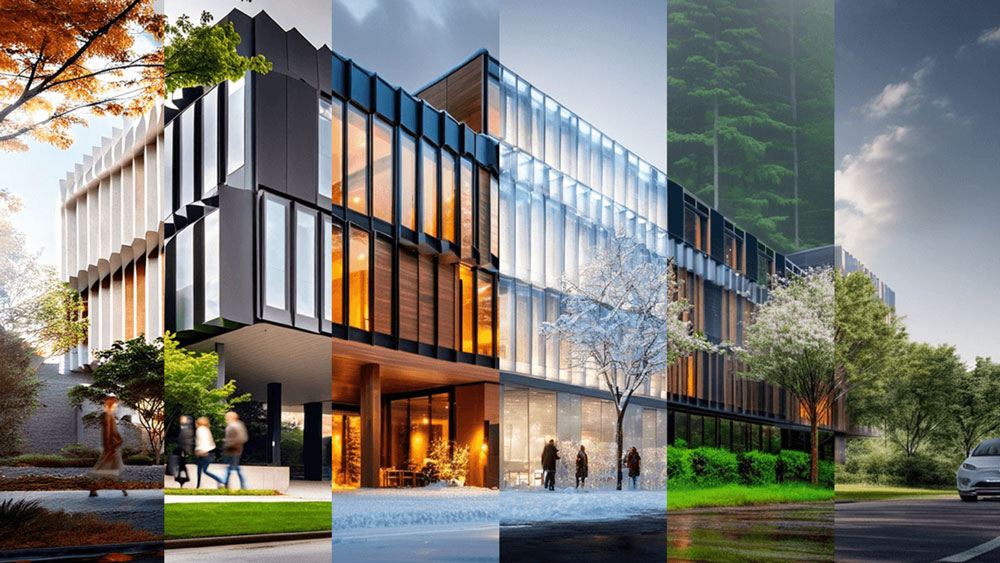
Control creative explorationUse Enscape and Veras to explore creative directions, fine-tune visual output, and maintain consistent design iterations.
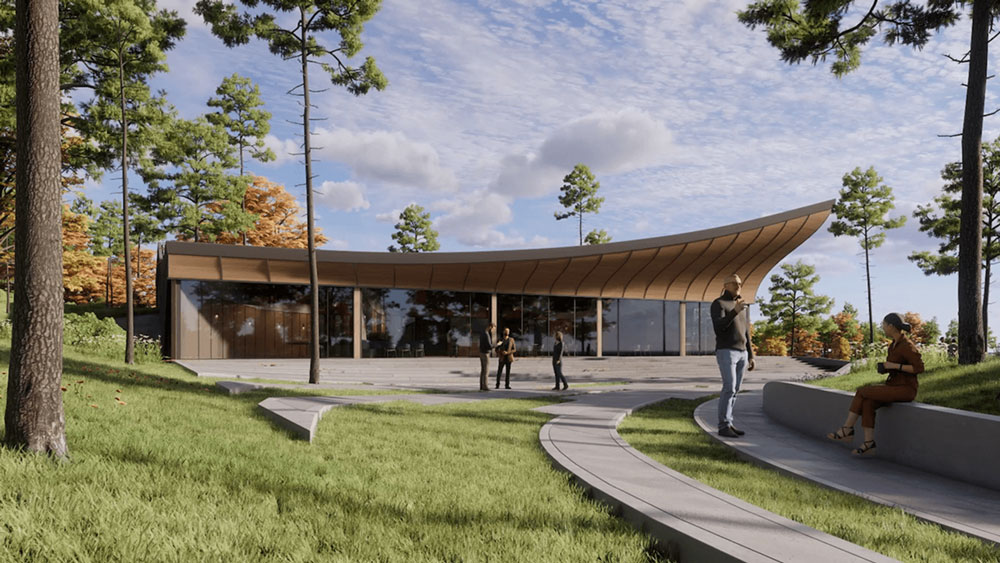
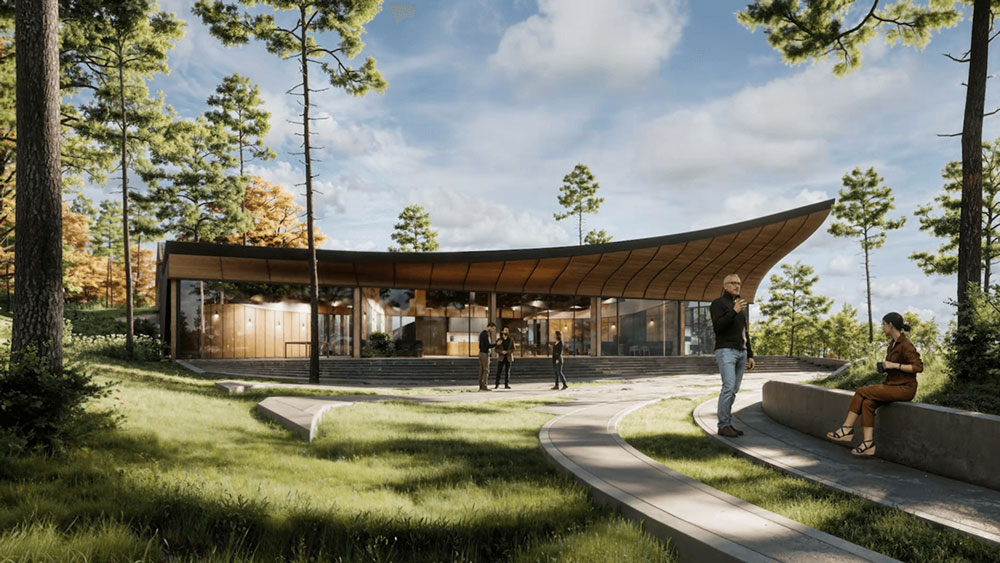
Refine visuals with less effortCreate clear, lifelike visuals with enhanced vegetation and people, adjust mood with artistic presets, and get presentation-ready results using Enscape’s AI Enhancer and Veras.
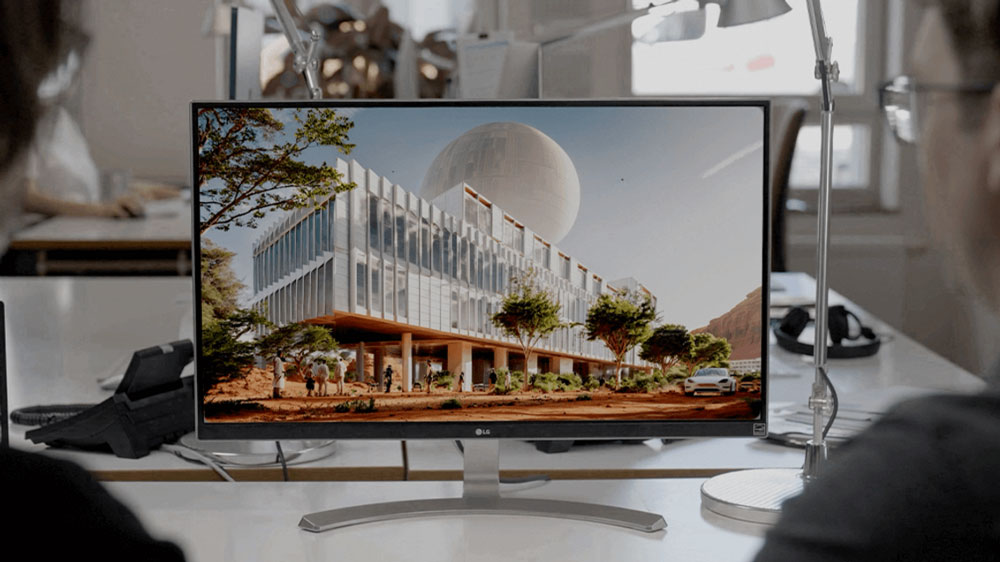
AI as a co-creation platformOur approach to generative AI is grounded in a deep respect for human creativity. Designed to empower, not replace, and built with a commitment to responsible, creator-first innovation.
Explore Enscape's Core Features
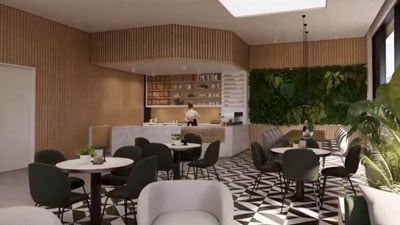
Real-time walkthroughThe real-time technology visualizes your project as a fully rendered 3D walkthrough that can be navigated and explored from every angle. You can follow every update to your plan instantly thanks to the bi-directional geometry exchange between your CAD or BIM program and the renderer. Use NVIDIA Deep Learning Super Sampling support to improve performance in walkthroughs.
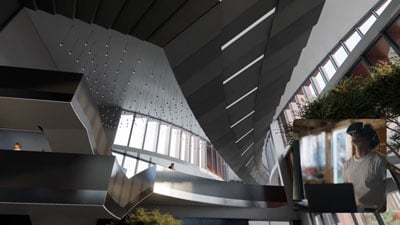
Virtual realityExplore your design in the compelling realism of virtual reality. Connect a VR headset like the Meta Quest 3 or HTC Vive Pro 2, and get ready to walk or fly through your project. You won’t believe the extraordinary experience it will evoke.
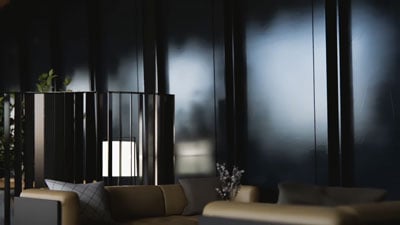
NVIDIA DenoiserBoost the quality of your walkthroughs and capture exports with the advanced denoising solution powered by NVIDIA ReLAX denoiser. Enjoy sharpness and clarity in enclosed interior spaces with minimal direct light, particularly on glossy or metallic surfaces.
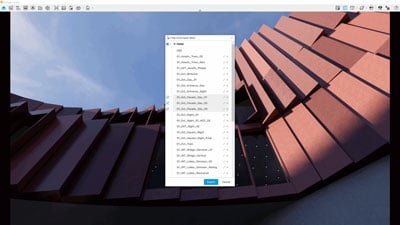
V-Ray scene exporterTransfer key data from Enscape to V-Ray and other design applications, including 3ds Max and Cinema 4D with .vrscene files. From early design to final production, avoid duplication of work and collaborate better with project stakeholders.
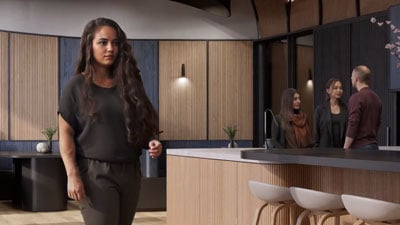
Chaos AI EnhancerThis functionality leverages AI to improve Enscape assets, specifically people and vegetation assets. Simply focus on designing and let AI elevate your visuals. Easily upload, enhance, and share images via Chaos Cloud while continuing to work in Enscape, saving time and maintaining productivity.
• Get professional-level quality images without interruptions or performance loss to your Enscape workflow.
• Share elevated visualizations to get your design intent across faster.
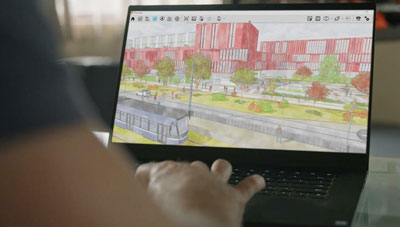
Integrated Graphics SupportEnscape can now be used on Windows computers with Intel and AMD iGPUs (integrated graphics processing units), as it is accessible to more than just computers with separate physical GPUs. This is great if you’re budget-constrained or can’t purchase a machine without a dedicated GPU.
• Use Enscape while working on-site or while traveling.
• Enjoy a more flexible and cost-effective way of visualizing.

This integration lets you perform every step of the design review process on Chaos Cloud. Upload panoramas and renders, and make annotations directly on your visualizations with markup tools. You can also assign floor plans and use a mini-map to assist with tour navigation.
•Easily collaborate with your team and peers in one place.
•Let clients explore designs with advanced virtual tours.
Foresee Before It’s Built
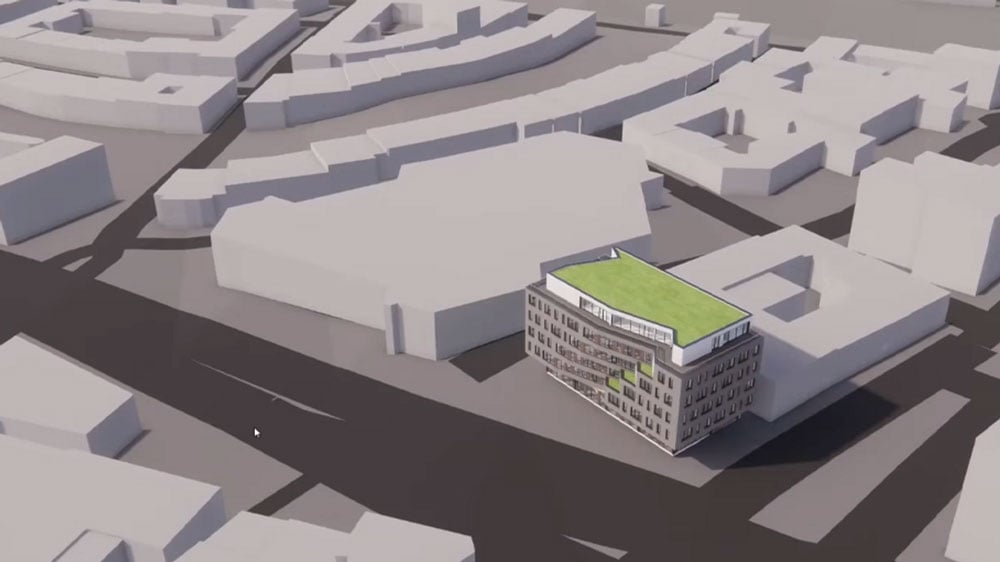
Site ContextEliminate the lengthy processes of modeling topography and importing geometry with the Site Context mode. See what your building will look like on-site and make better decisions with real-world context added.
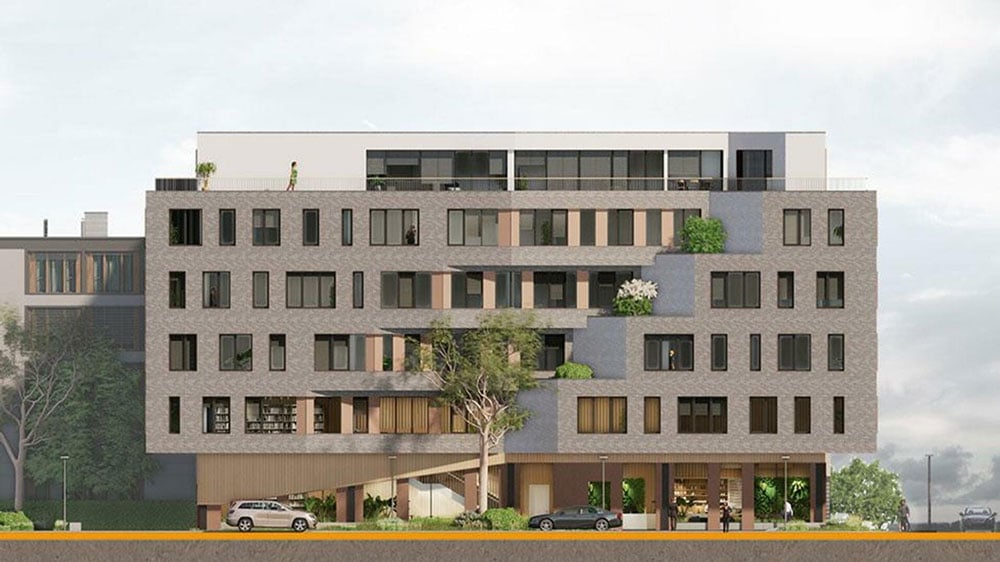
Orthographic viewsNo project is complete without a floor plan or cross-section representation; in many situations, it’s the clearest and simplest way to present the scope size, and intent of your design. One click is enough to create a two-dimensional view out of your three-dimensional project. Switch easily between several flat perspectives to create floor plans or side-view section cuts.
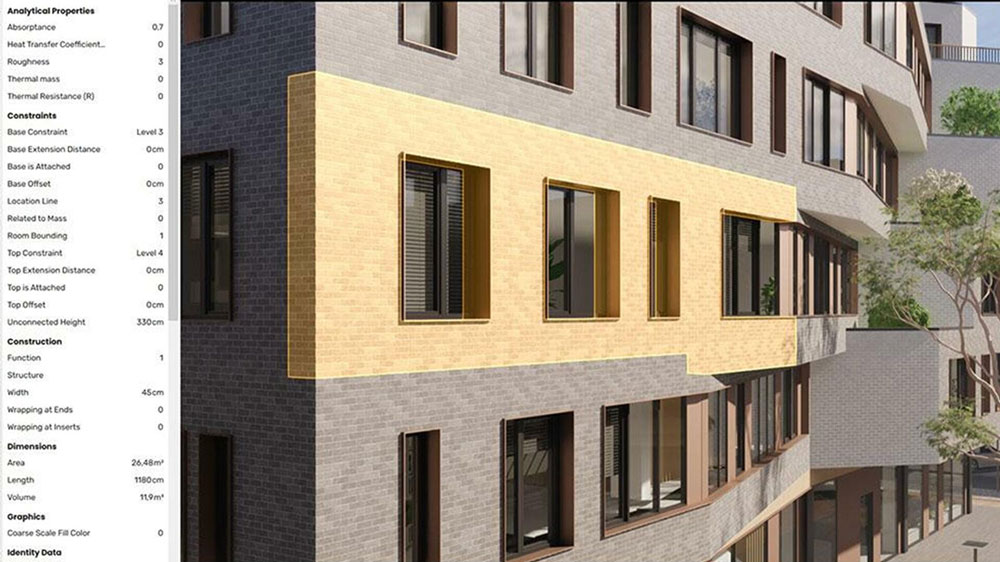
BIM infoBIM mode places all the information you need right at your fingertips. Just click on any single or grouped elements in the Enscape window to immediately display all available BIM data. Or, search for an element in our BIM mode menu and instantly see one or all instances of the object highlighted in the Enscape window.
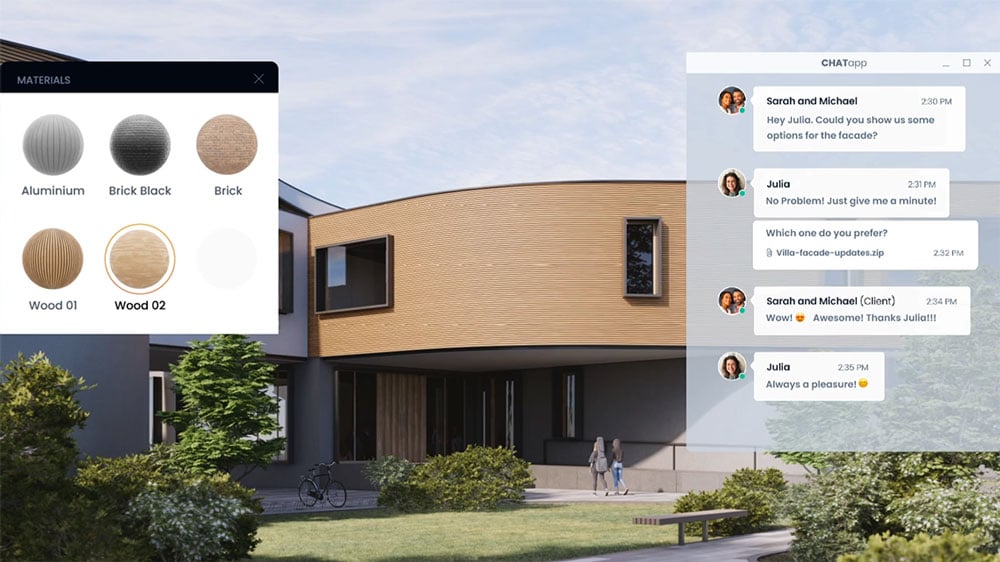
CollaborationWhether it’s a change request, material suggestion, or problem, highlight issues directly within the project with the new collaborative annotation feature. Share progress, maintain context, and benefit from continuous communication with your team and external members.
Materialise Your Ideas
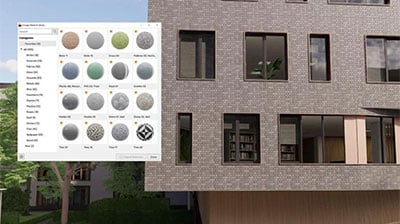
Material libraryAccess more than 425 predefined high-quality materials in the Enscape Material Library. Communicate your design aesthetic and improve the realism of any scene with little effort.
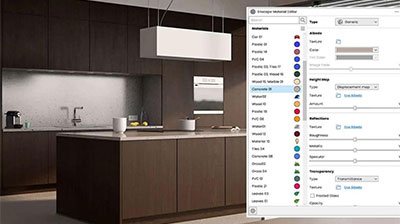
Material editorFine-tune materials in the Enscape Material Editor. Make use of height maps and adjust textures to raise the level of realism in your visualizations.
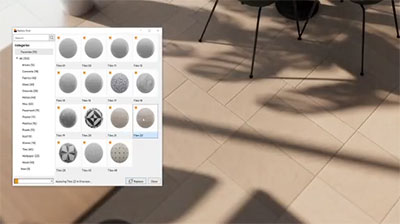
Update materialsReplace existing materials in your current project with materials from the Material Library. Go to the “Replace with Enscape Material” function in the Material Editor.
Bring Scenes To Life
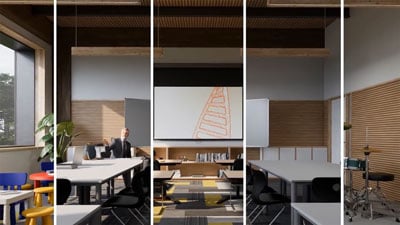
Asset libraryChaos's ever-expanding Asset Library will help you to fill your scene with life and make it even more realistic. Browse through just a small selection of our collection, so you can get a feel for the available models. We’re always adding more.
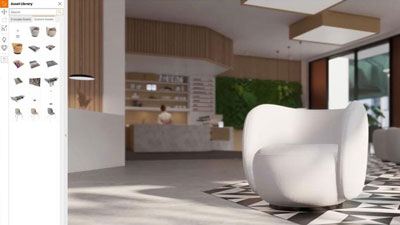
Asset placementAccess the Enscape Asset Library within the rendering window. Pick, place, and edit single or multiple assets into your design scene via the Enscape rendering window. See the changes reflected live in your building model and enjoy this two-way asset placement feature.
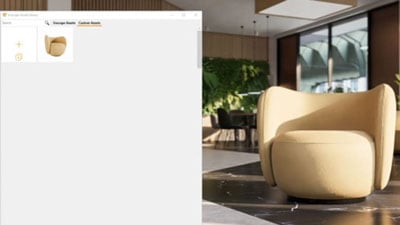
Custom asset libraryThe new Custom Asset Library ensures you can add any and every asset your project requires. Whether it’s meeting individual needs or fulfilling corporate branding standards, you can include bespoke assets in your designs. This expert feature allows you to add special touches and create unique design experiences.
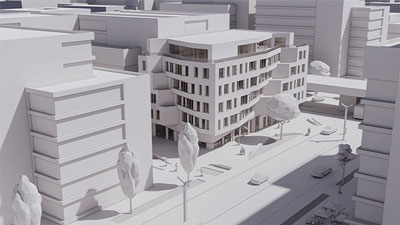
Simplified assetsUse white, low poly assets in early design or when basic asset placeholders to provide context, without any complexity or specificity, are required.
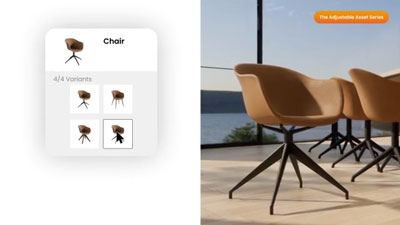
Assets with variantsChoose from multiple versions of the same asset to convey the right story. Have more asset choice and flexibility without library clutter.
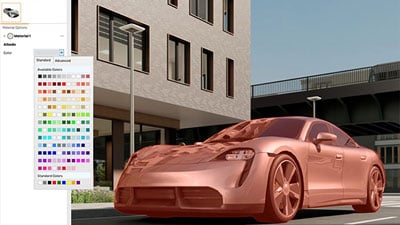
Assets with colour or material customizationChange the colour or material of an asset via a customization panel. Adjust parameters to accentuate or blend assets in scenes.
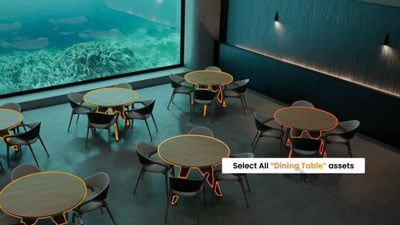
Multi-asset editingQuickly modify a group of assets at once: select, de-select, replace, or delete them. Available to all assets in the Enscape asset library.
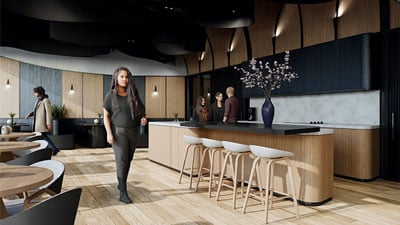
Unique assetsEnjoy a collection of assets that are exclusive to Enscape. Choose from over 90 unique assets to showcase the function and emotion of a space.
Set The Mood
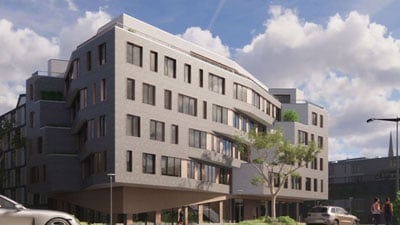
CloudsGet wind of Enscape’s cloud settings: adjust the cloud density and variety to perfect the ambiance and feel of your scene. Depending on your defined parameters, the rendering will appear brighter or darker, and the clouds thicker or thinner. Adjust the time of day to see the clouds travel across the dynamic Enscape sky.
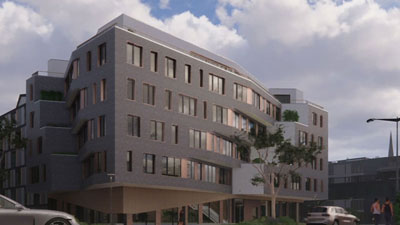
Time of dayTravel through time: simulate lighting situations at different times of the day or check the artificial lighting concept in your building at night. If you want to know the daylight conditions of any city in the world at any specific time: stray from the beaten track and specify a location.
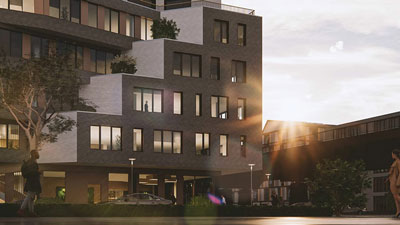
Image effectsThe cinematic view and atmosphere of your scene can be regulated by the image settings. Make your rendering look like it was shot using a professional DSLR camera. Adjust the bloom or lens flare intensity to bring to light specific details or brighten up the complete image.

Volumetric fogFog gives your scene a sense of depth, by making rays of light more visible; use it to simulate the scattering of dust or a layer of dense fog. The time of day has a direct effect on the color of the fog; at sunset, it will be more intense. Try out some fog to your scene, otherwise, it would be a mist opportunity.
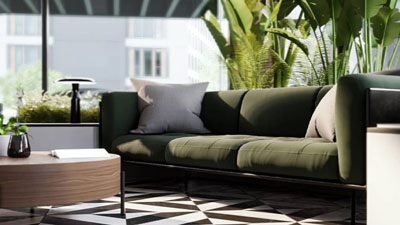
Depth of fieldFocus on whatever you want. With this setting, you chose which part of your model stands out. Call attention to specific details and blur others to create a dynamic image.
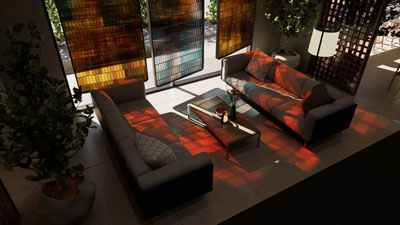
Coloured ShadowsComplement natural lighting with coloured shadows for artificial light sources. Add textures to the glass material and have the drop shadows reflect the texture patterns without the need to model geometry. Enable the hardware ray-tracing feature to see the intricate details and full impact of colored semi-transparent materials.
Render In Different Styles
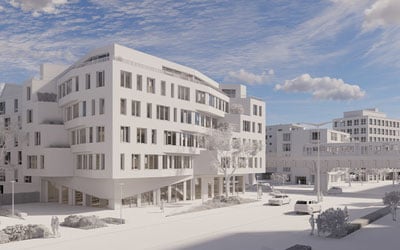
White modeStart with a clean slate: if you want your audience to focus on the architecture rather than materials or colors, switch on White Mode. All colors are set to white, while other parameters like glossiness and bump are maintained to preserve the natural appearance of the scene.
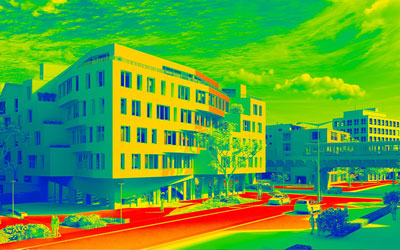
Light viewIf you’d like to generate a light analysis of your model, just enable the light view. This option will display how many lux are falling onto each surface. Enable light view and adjust the time of day to see how your model interacts with the light at any given time. Find out if your project turns up the heat or leaves you cold.
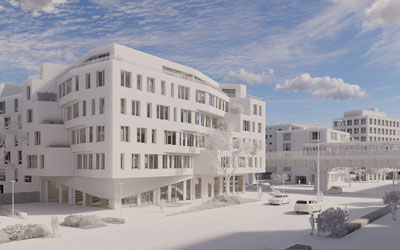
Polystyrol modeRenders all surfaces like a real polystyrol material, whereby the sunlight is scattered through the thinned geometry. When this mode is selected, an additional setting appears named Transmission which determines how much light is transmitted through geometry.
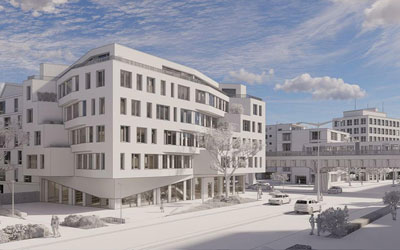
OutlineEmphasize the intensity of geometric forms in your project by using the slider in the visual settings. This can be combined with the view modes to create interesting effects.
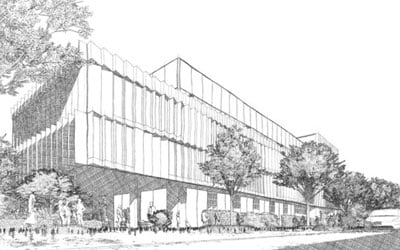
Artistic Visual ModesCreate stunning visual effects by simulating pencil or watercolor drawings with artistic visual modes. Remove distractions and focus on the general structure of the model so clients can make decisions faster during the concept stage. Available for screenshots, batch rendering, mono panoramas, and video exports.
Share And Collaborate
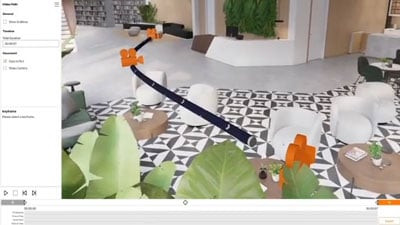
Video exportCreate a video walkthrough of your project in no time.
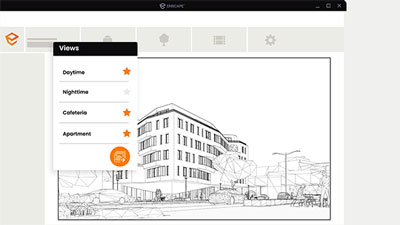
Batch exportShare and group panoramas to curate a better presentation experience. Drag to look around.
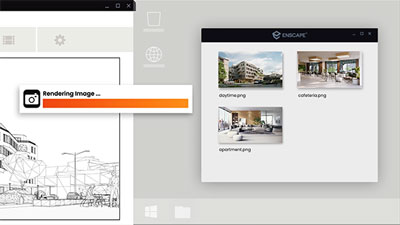
360° PanoramaShare and group panoramas to curate a better presentation experience. Drag to look around.
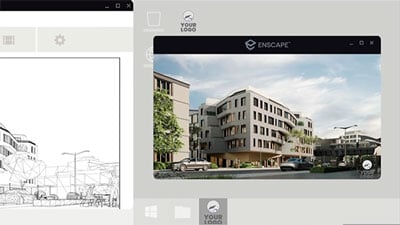
StandaloneShare your work with anyone as a fully rendered executable (.exe) file or web standalone.
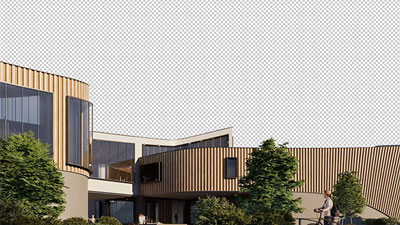
Alpha channelRender an image with a transparent background and add the right backdrop with ease. Save time from post-processing as the reflections and tint of the semi-transparent materials are kept during export.
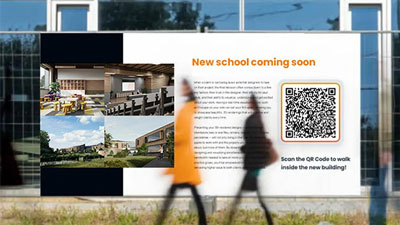
QR codeCreate QR codes for easy scanning and project exploration.

PayPal Credit
| Monthly Payment: | £57.15 |
| Instalment Rate: | 16.9% p.a. (fixed) |
| Cost of purchase: | £630.72 |
| Total inc. interest: | £685.69 |
| Monthly Payment: | £30.80 |
| Instalment Rate: | 16.9% p.a. (fixed) |
| Cost of purchase: | £630.72 |
| Total inc. interest: | £739.12 |
| Monthly Payment: | £22.09 |
| Instalment Rate: | 16.9% p.a. (fixed) |
| Cost of purchase: | £630.72 |
| Total inc. interest: | £795.05 |
| Example | |
| Minimum Spend: | £99 |
| Instalment Rate: | N/A |
| Cost of purchase: | £99 |
| Total inc. interest: | £99 |
Representative Example:
Purchase Rate: 23.9% p.a. (variable)
Representative: 23.9% APR (variable)
Assumed Credit Limit: £1,200
Subject to status. Terms and Conditions apply.