Next Level Setup

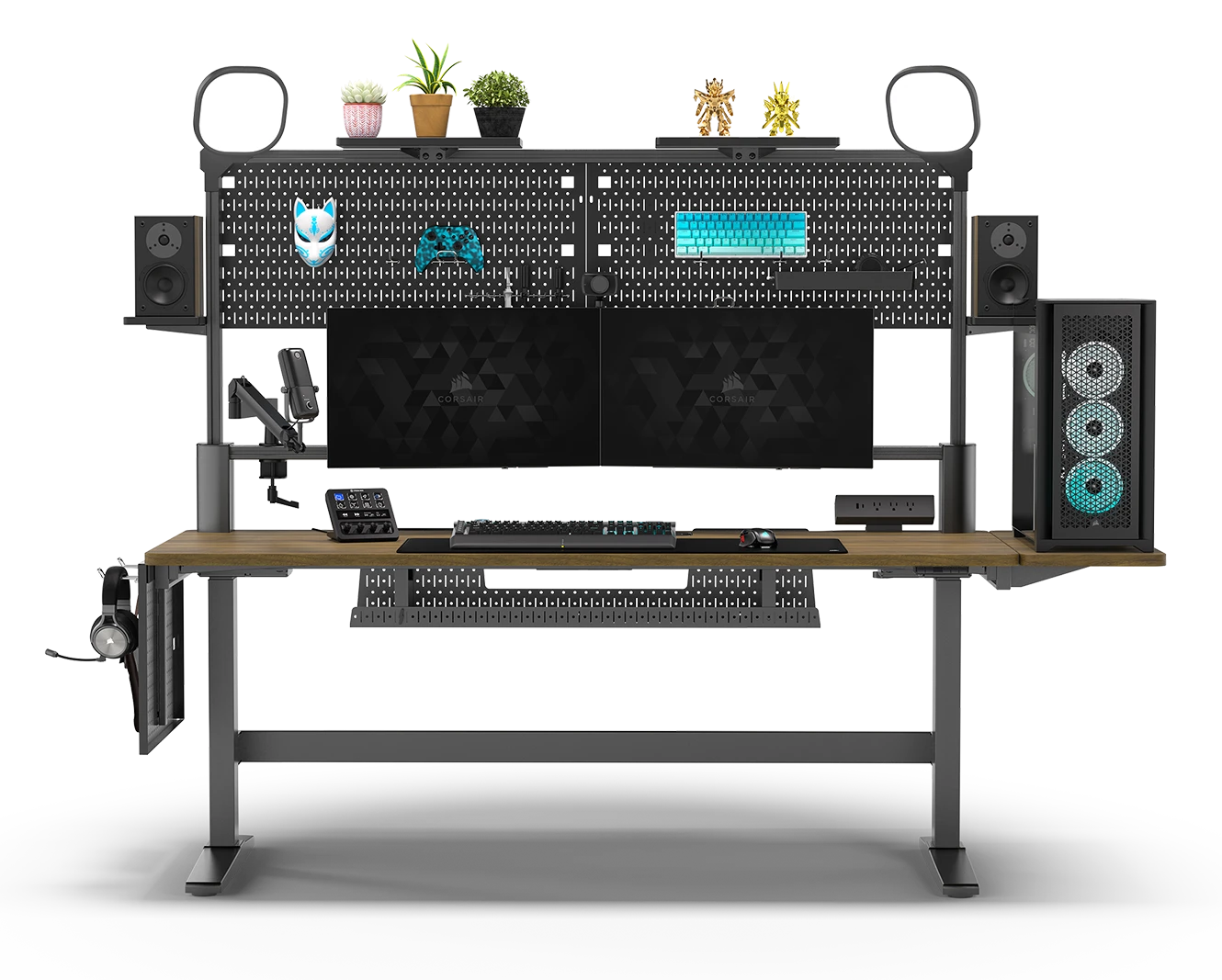
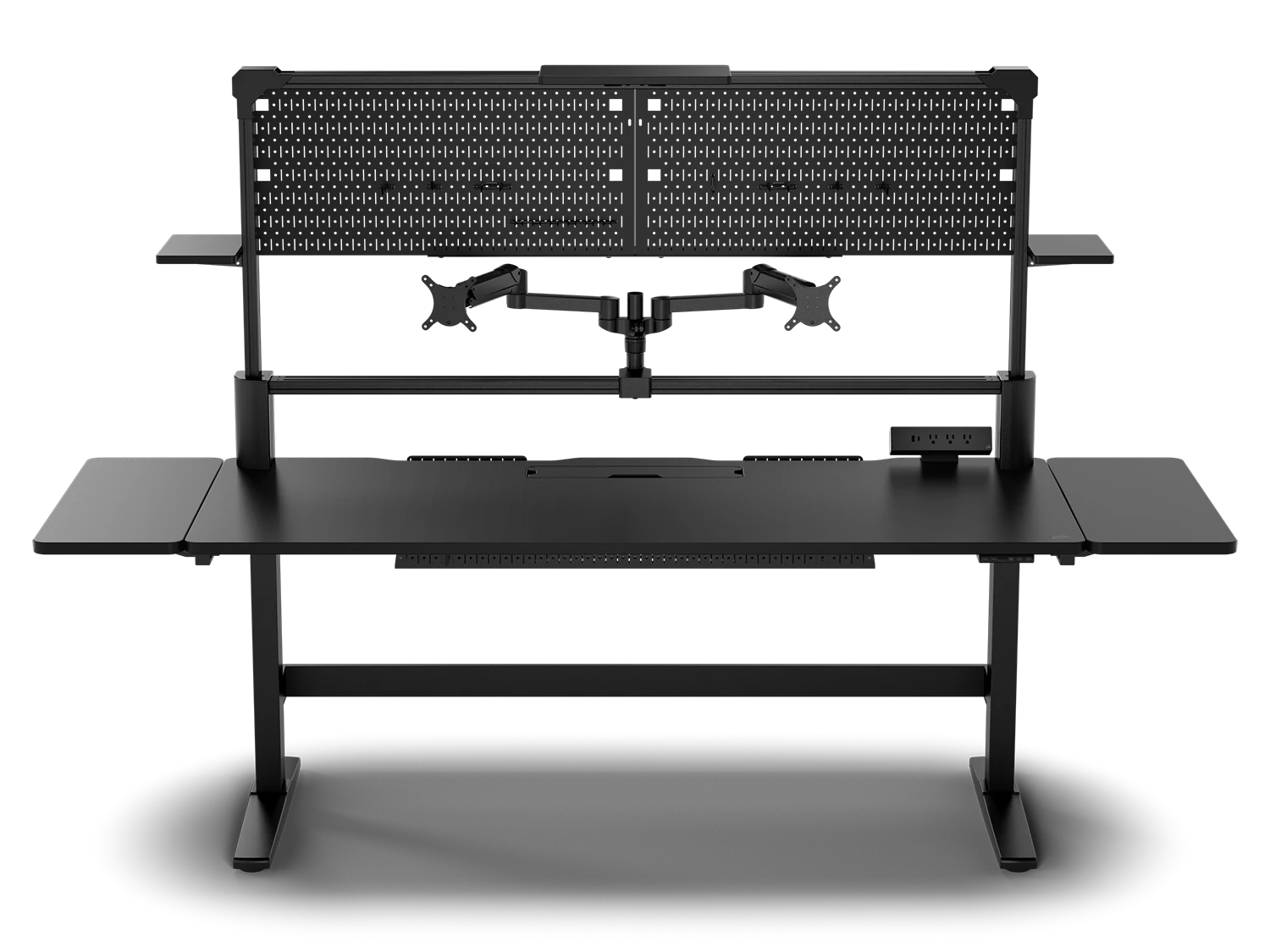
Having invested in a comfortable gaming chair why not take your setup to the next level with a gaming desk. These differ from traditional office desks or other furniture in being purpose designed for PC gaming. For instance, many gaming desks have flexible monitor arms, so you can position your screen(s) at the perfect height and angle. Some desks even have integrated motors, enabling you to adjust the height of the desktop for sitting or standing at will.
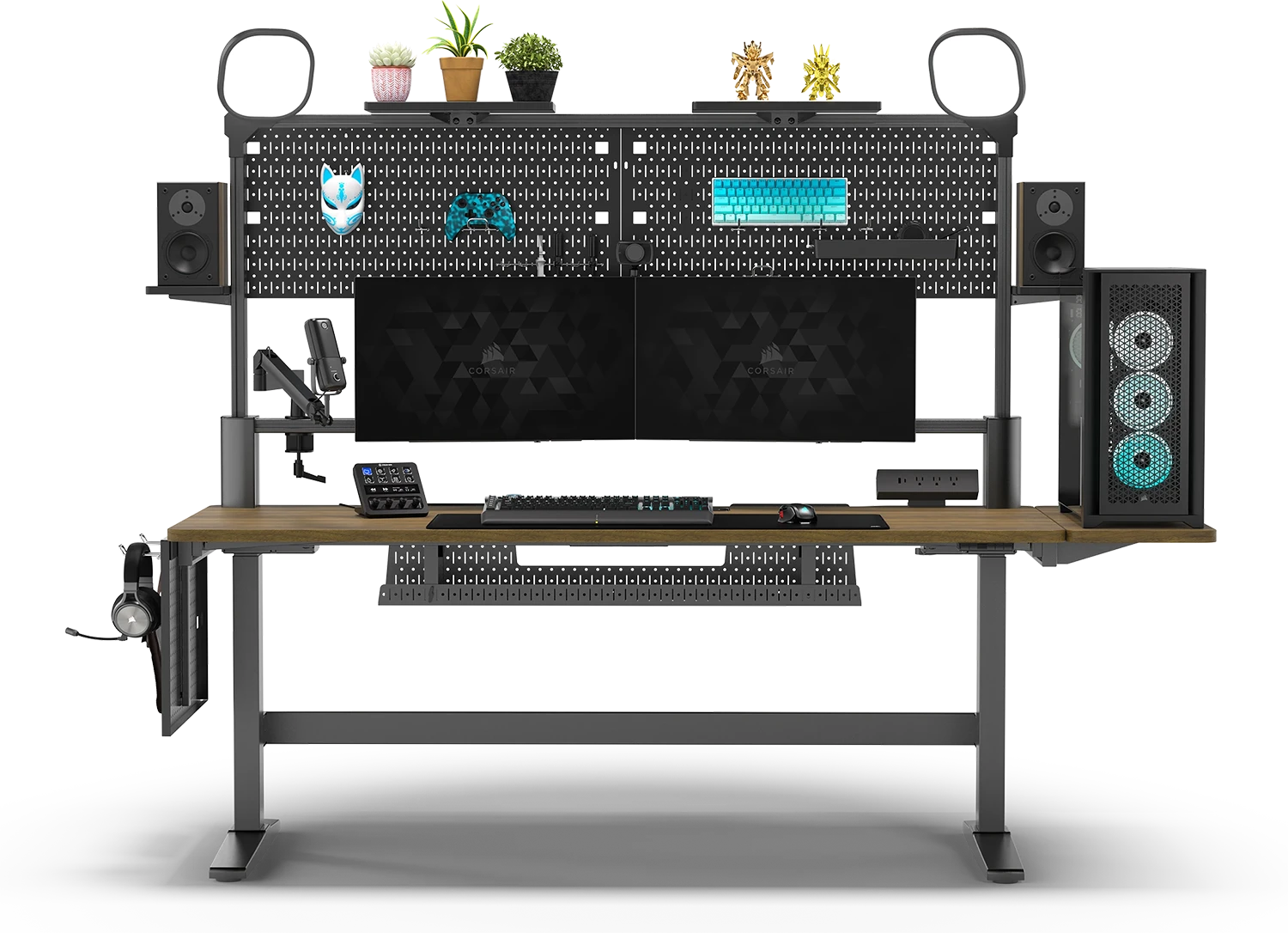
Complete gaming desk setup featuring Corsair Platform 6 with dual monitor arms, RGB lighting, mechanical keyboard, gaming mouse, and organized cable management demonstrating professional gaming workstation

Desk Dimensions

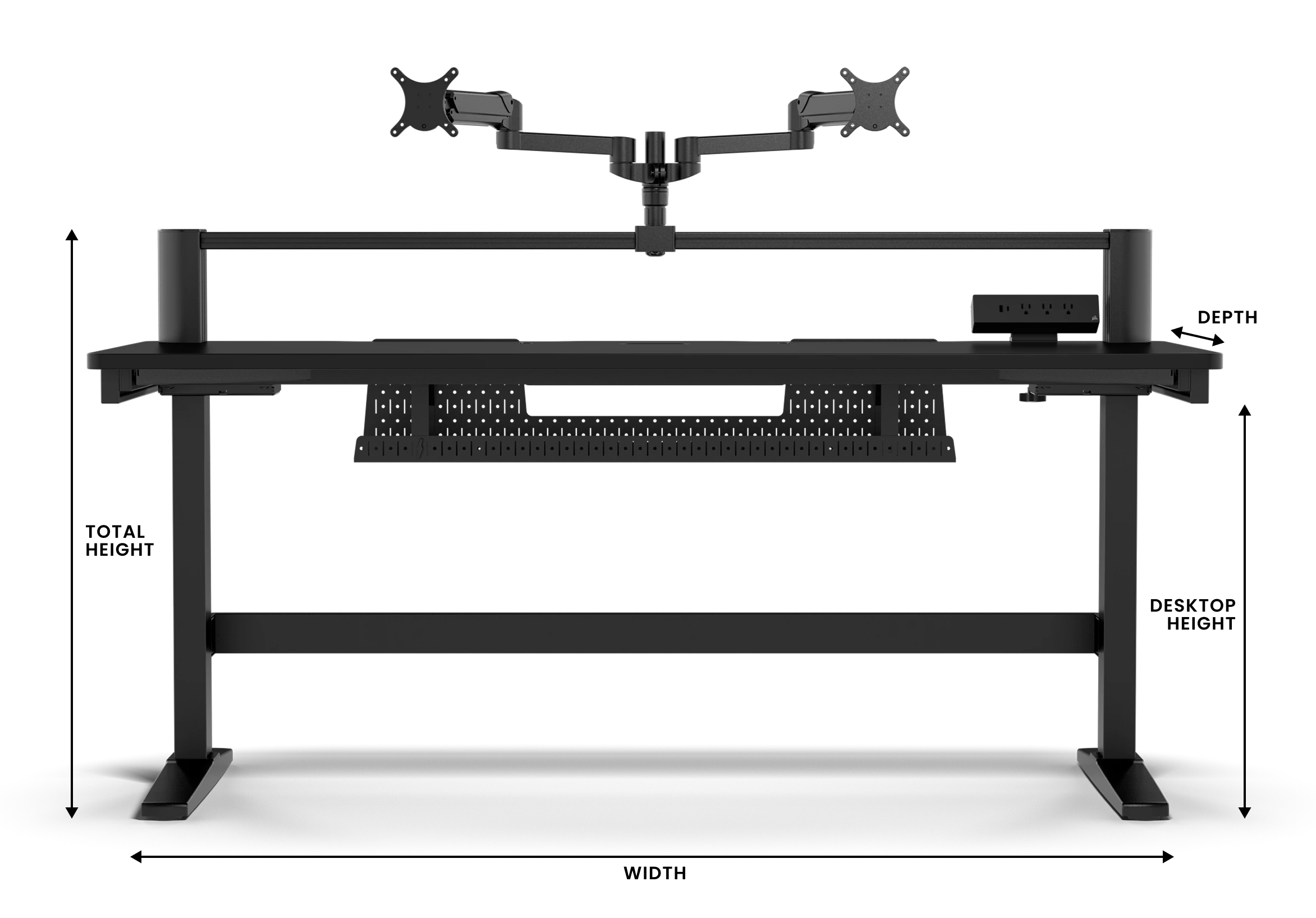
Everyone is different when it comes to the space available in your home and how many and what sort of peripherals you have. For example, if you have one or more particularly large monitors (30in or larger) you may need an extra wide desk. You'll also need to look up the weight capacity if you're planning on putting your PC on top of the desk.

Gaming desk dimensions diagram showing width, depth, and height measurements with standard ergonomic sizing recommendations for optimal gaming comfort and PC component placement
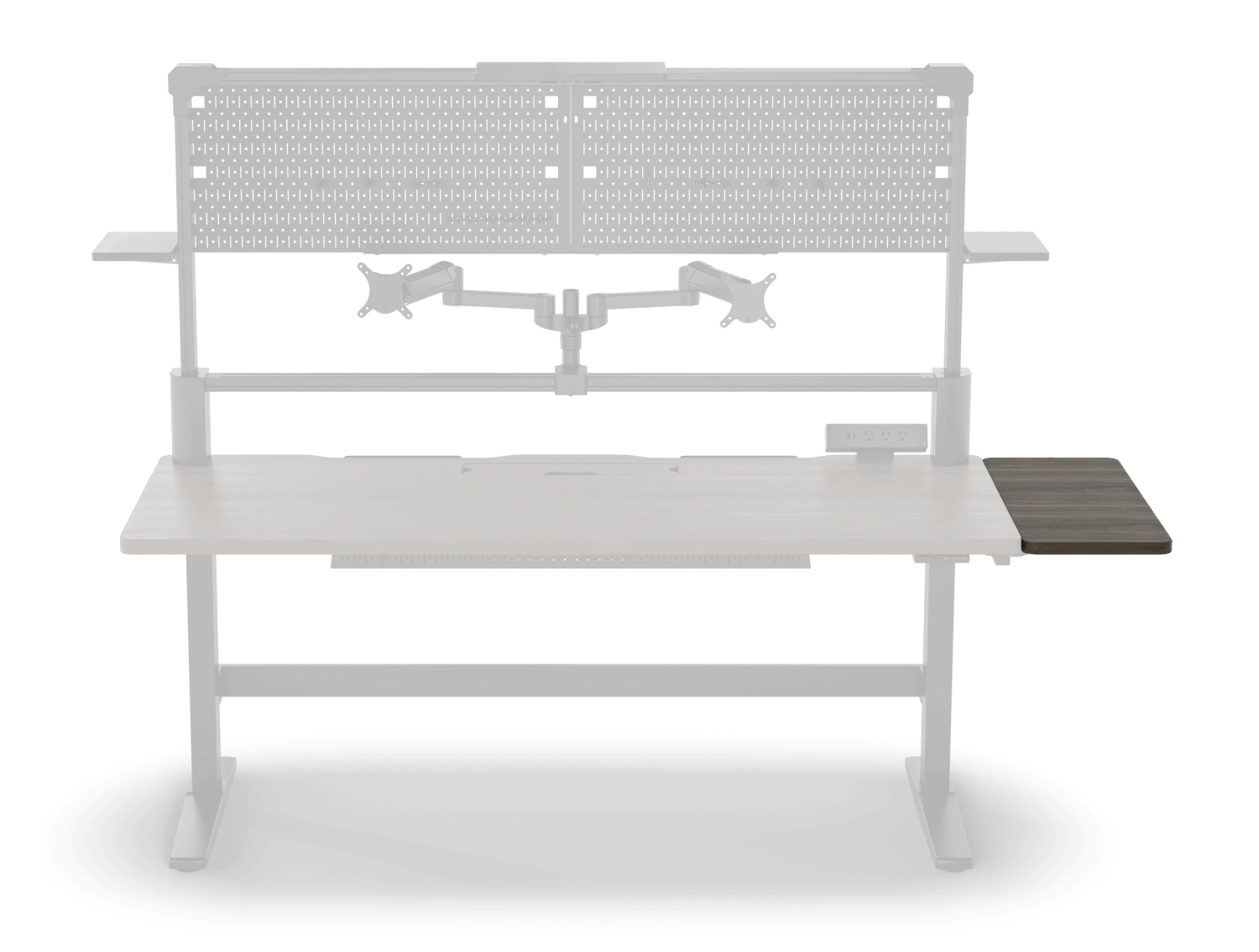
Corsair Platform gaming desk with modular extension attachment demonstrating expandable surface area for additional monitors, peripherals, and gaming accessories

Extra Surface Area

If you do run out of space, then some desks, such as the Corsair Platform range include a range of optional extenders that attach to the ends of the desktop, adding extra surface area.

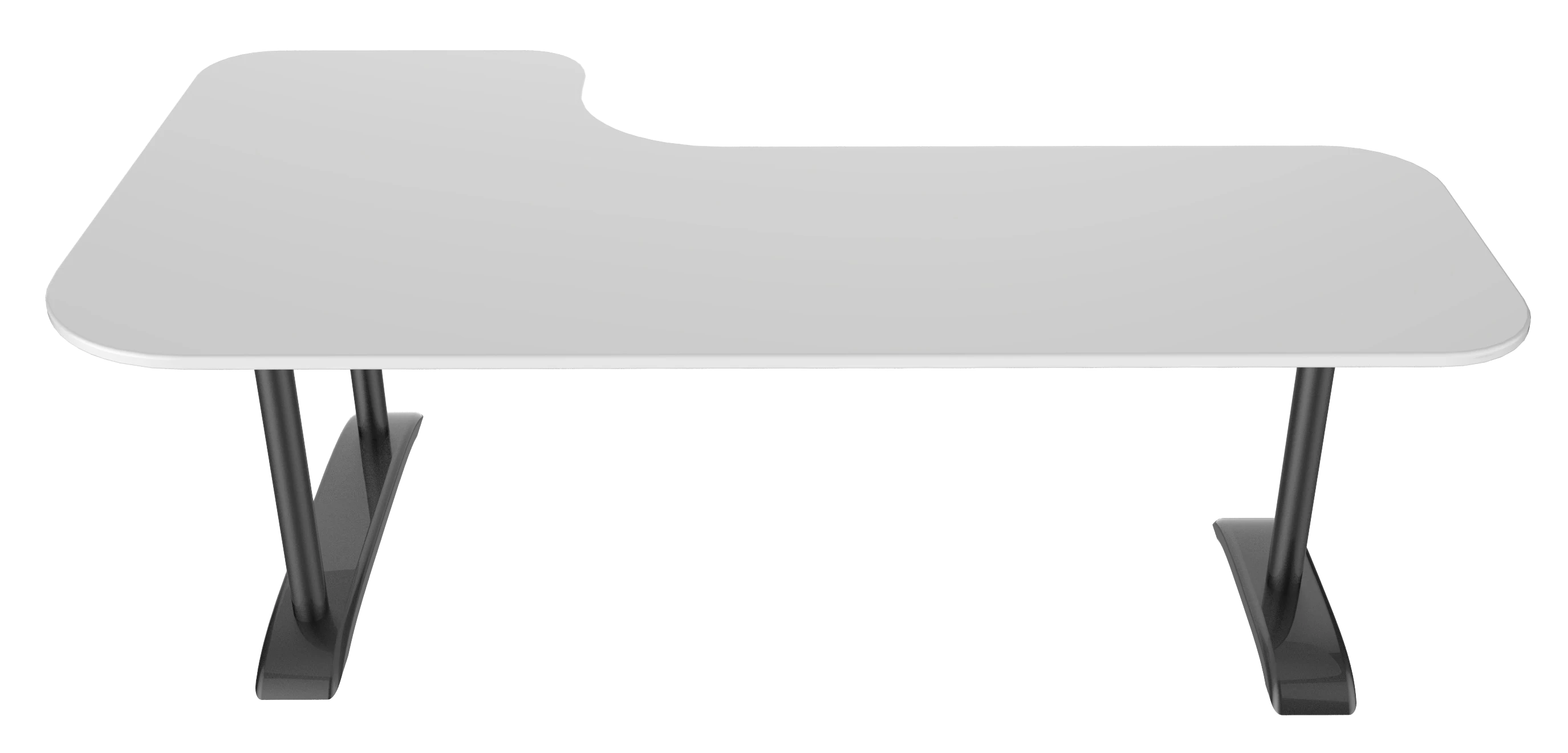
Comparison of gaming desk shapes including rectangular, L-shaped, and corner desk configurations showing space optimization and layout options for different room setups

Desk Shape

Shape is also incredibly important too, don't limit yourself to a rectangular desk just because these are the most common type. For some rooms or setups, an L-shaped desk, where one end is longer than the other will be a better choice, making better use of an awkward corner.

Sitting & Standing Desks

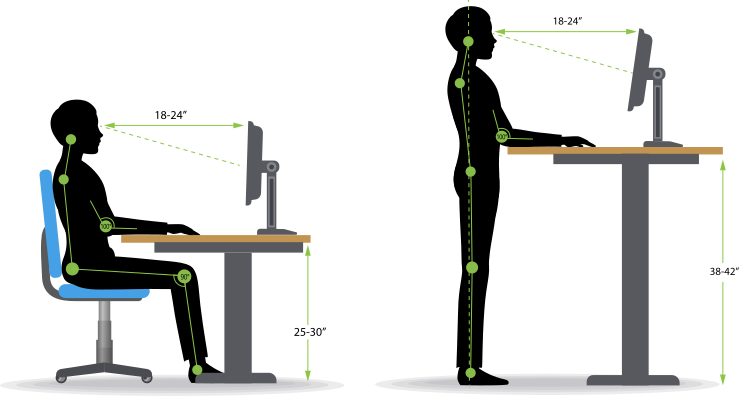
While there's been a lot written about the health benefits of standing versus sitting at your desk, the choice is ultimately yours, with most desks still being designed for use with a chair.

Ergonomic diagram comparing sitting and standing desk positions with proper posture alignment, monitor height, and adjustable desk range for optimal gaming health

Height Adjustable

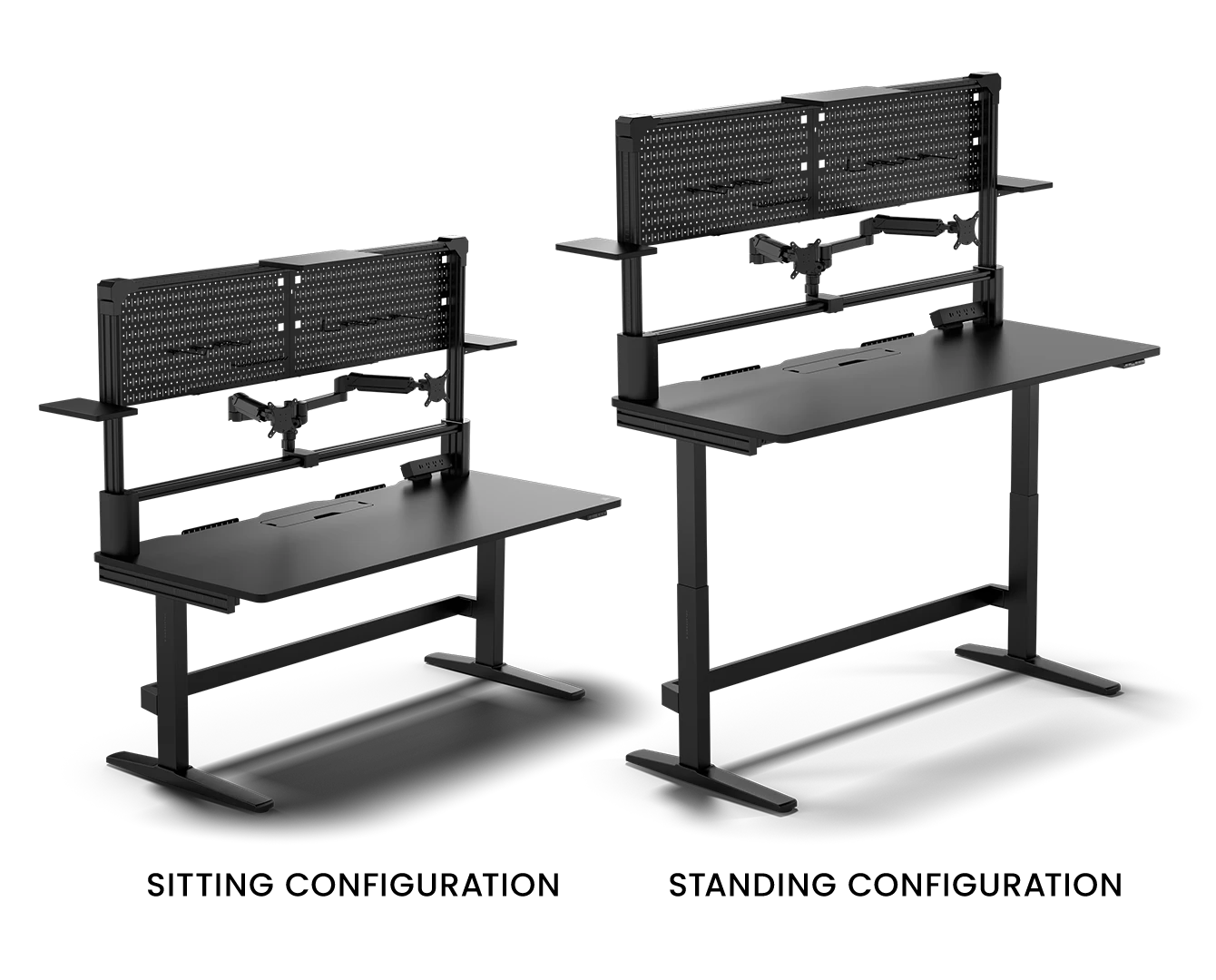
However, some premium desks such as Corsair Elevate models offer the best of both worlds and are height-adjustable, using electric motors to lower and raise the desktop to whatever takes your fancy.

Height-adjustable electric sit-stand gaming desk with motorized control panel showing transition between sitting and standing positions for ergonomic gaming workspace

Desk Materials

While almost every desk has a metal frame, the material the desktop is made from not only determines its aesthetics, but also has a significant impact on its overall comfort, longevity and cost. You'll find that many lower cost desks are made from plastic or metal, ofttimes with an imitation carbon fibre finish. Mid-price desks are typically made from with wood laminate or MDF, while for high-end desktops nothing comes close to the feel of real wood or glass, just beware that tempered glass is extremely heavy so moving desks made from this is not fun. Generally speaking, wooden desks will also have a greater load capacity than cheaper materials, but make sure to check the specifications of your chosen desk carefully.

Material Comfort Longevity Cost
Plastic / Metal 1 1 1
Wood Laminate / MDF 2 2 2
Wood 4 4 3
Tempered Glass 3 3 4

Key: 1 = Lowest 4 = Highest

Monitor Mounting

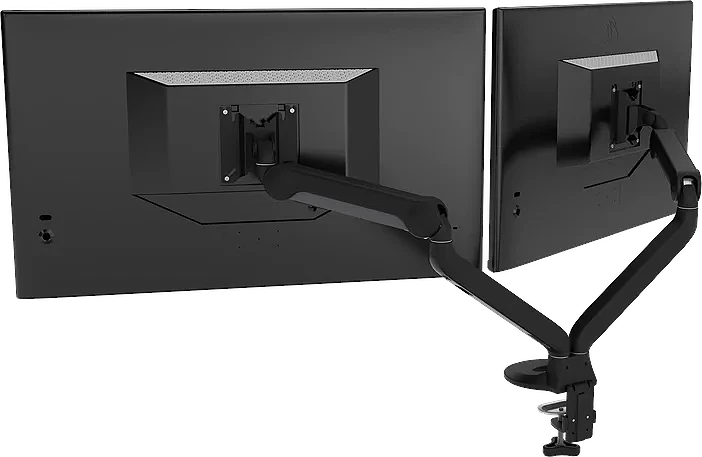
While there's nothing stopping you using your monitor(s) as is, some gaming desks include dedicated monitor mounts. These take the form of articulated arms, one end attached to the desk and the other ending in a VESA bracket.

A VESA bracket, also sometimes referred to as a VESA mount, is an industry standard fitting present on the back of many monitors. Just make sure that the VESA bracket(s) on the desk are the right size, typically either 75x75mm or 100x100mm, and can handle the size and weight of your monitor(s).

Adjustable monitor arms with VESA mounts showing articulated dual-monitor setup with height, tilt, and swivel adjustment capabilities for ergonomic gaming desk positioning

Functionality

While at its most basic a gaming desk is a desktop and some legs, mid-range and high-end desks have a lot more functionality.

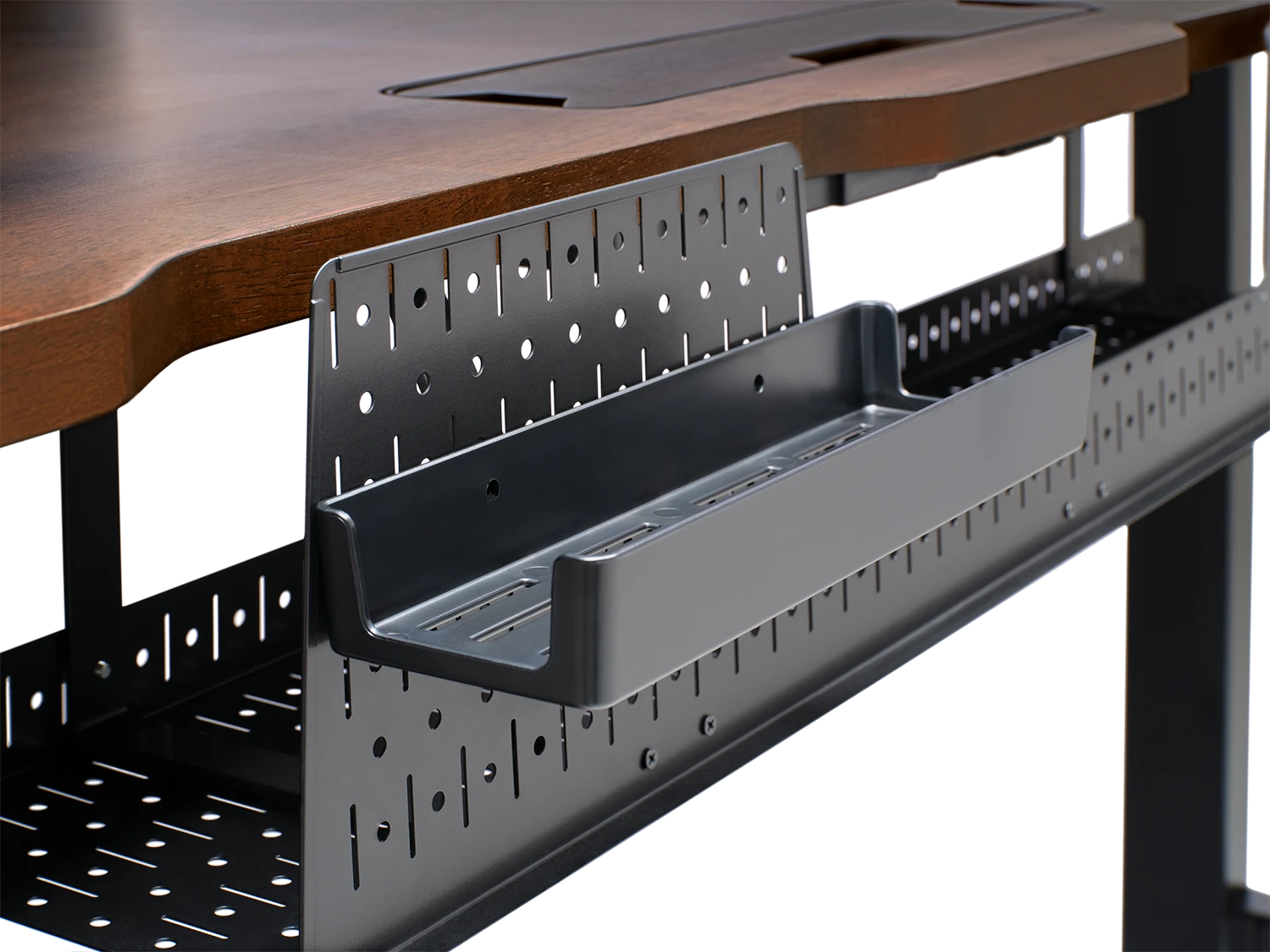
Cable tidying is the bane of the PC enthusiast's life, not only inside your PC but outside too, with power and data cables strewn everywhere. Cable channels and cable trays can really help here, helping to organise and hide away chaotic cabling.

Gaming desk cable management system featuring cable trays, channels, and grommets organizing power cables, USB connections, and peripheral wiring for clean professional setup
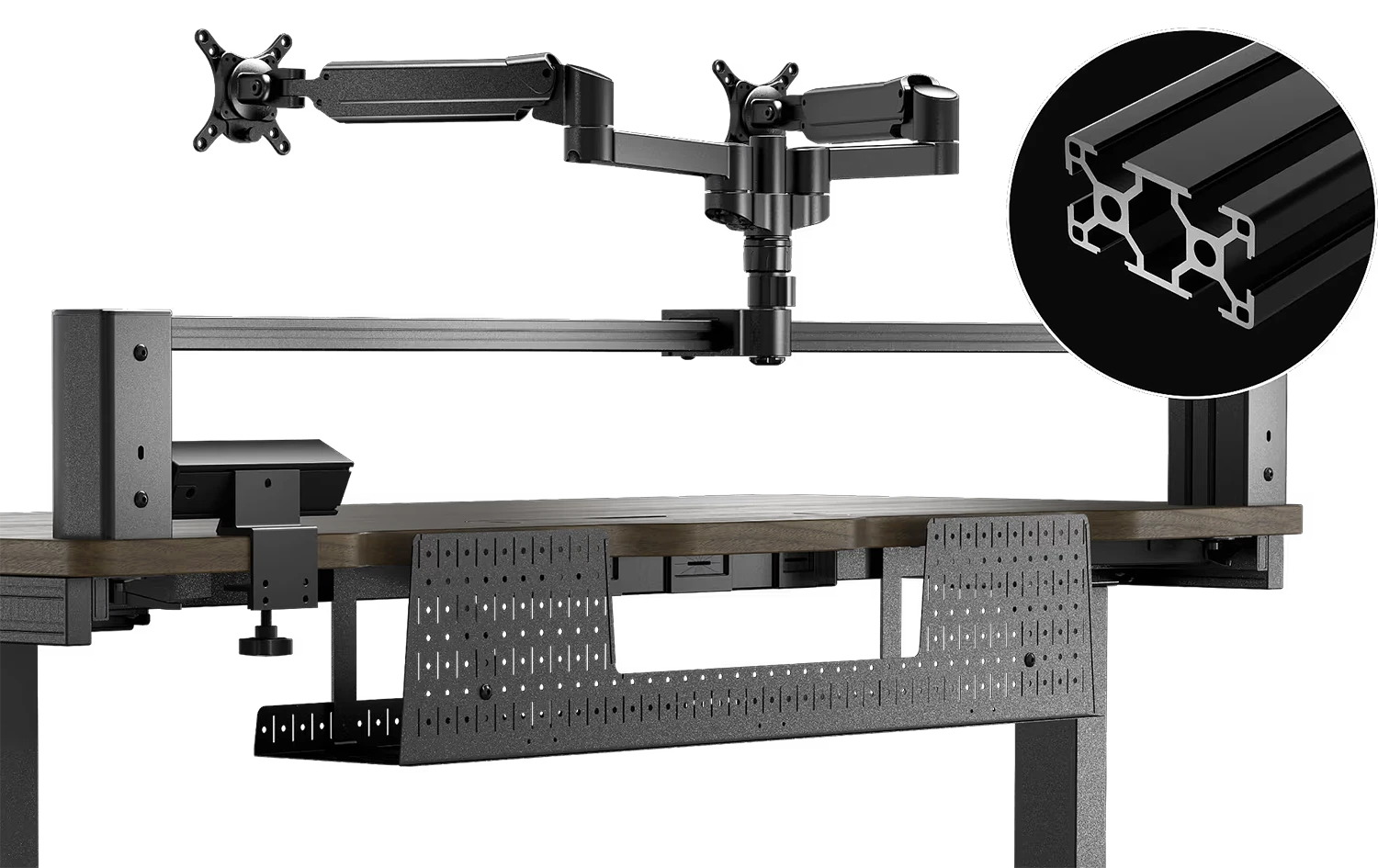
Corsair Platform 3060 T-channel rail mounting system showing modular attachment points for monitor arms, speakers, LED lights, and gaming accessories

Rail Mounting

Some desks, such as the Corsair Platform series, use a 3060 T-channel rail to mount the monitor arms, but this isn't their own only purpose. As this is a common rail size, you could mount practically anything to it, such as speakers, lights etc with a suitable mount.

Modular gaming desk setup with Elgato Multiframe system demonstrating expandable peripheral mounting options including camera arms, lighting rigs, and microphone boom arms

Modularity

This modularity is taken one step further by desks such as Corsair Platform Creator Edition, which include an Elgato Multiframe mounted above the 3060 rail, for attaching even more peripherals via the 25mm spaced holes.

Ready to Buy?

Now that you've discovered the perfect gaming desk for your setup, browse our range of gaming desks to find the ideal match for your gaming space and needs.

View Gaming Desks
Premium gaming desk setup ready for purchase featuring modern ergonomic design, cable management, and monitor mounting solutions

Complete Your Setup

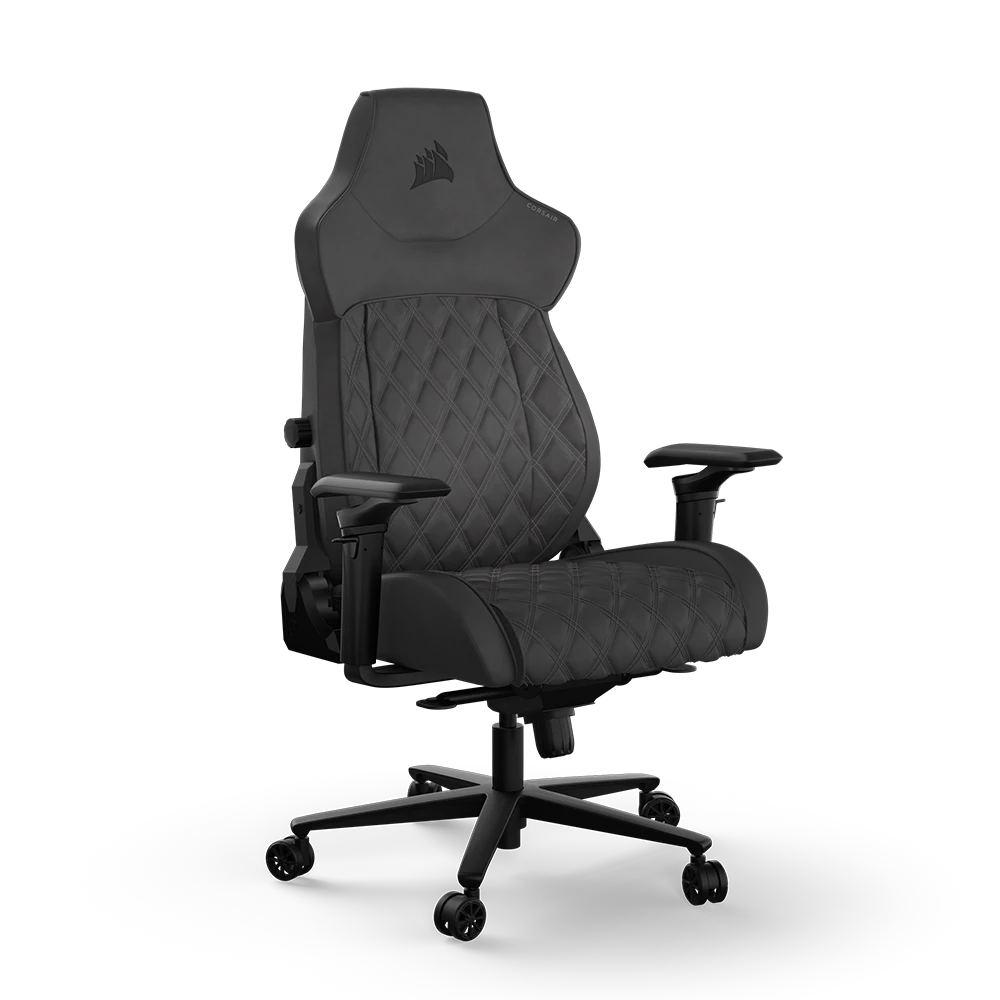
A gaming desk is only half the equation for the ultimate gaming setup. Pair your new desk with a comfortable gaming chair designed for extended gaming sessions.

View Gaming Chairs
Ergonomic gaming chair with adjustable armrests, lumbar support, and reclining backrest paired with gaming desk for complete workstation setup

Frequently Asked Questions FAQ

Here are some common questions and answers to help you find the information you need.

This really depends on the space available in your home, but as an absolute minimum you're going to want a desk at least 1.3m wide, 0.7m high and 0.7m deep for a single 24in monitor, PC, keyboard, mouse and mouse mat, and speakers. You could get away with a smaller desk if you're going to put the PC on the floor, but ultimately the larger the desk the better as this will give you more space to stretch out and will be more ergonomic.

This really depends on the space available in your home, but as an absolute minimum you're going to want a desk at least 1.3m wide for a single 24in monitor, PC, keyboard, mouse and mouse mat, and speakers. You could get away with a smaller desk if you're going to put the PC on the floor, but ultimately the larger the desk the better as this will give you more space to stretch out and will be more ergonomic.

Most gaming desks are around 0.7m high, but this does vary from brand to brand. If you are particularly tall or short or prefer to stand it might be worth investing in a height adjustable desk. These include integrated electric motors that you use to raise and lower the desk to your preferred height. Don't forget many gaming chairs are also height adjustable too, which can help you find a more ergonomic sitting position.

This really depends on the space available in your home, but as an absolute minimum you're going to want a desk at least 0.7m deep for a single 24in monitor, PC, keyboard, mouse and mouse mat, and speakers. You could get away with a smaller desk if you're going to put the PC on the floor, but ultimately the larger the desk the better as this will give you more space to stretch out and will be more ergonomic.

Gaming desks are superior to simple tables, incorporating useful features such as monitor arms, cable management and more suitable dimensions for housing your PC, monitor(s) and peripherals.

There's nothing to stop you using a dining table (except perhaps your other half) for your gaming setup. Office desks are a decent choice too, although its unlikely you'll need the latter's built-in drawers. Very few office desks have built in monitor mounts either, adding extra expense if you want to position your monitors this way.

While gaming desks don't have built-in drawers, they are just as good for working as office desks. If you work from home, a gaming desk is arguably superior as many include monitor arms, saving you the hassle of buying these separately.

While the medical world does seem to largely agree that standing desks are better for you, the choice ultimately is a personal one. After all, if you've already spent hours on your feet at work a sitting desk is a very appealing prospect. If you can afford it, a height adjustable desk provides the best of both worlds, as you can raise and lower it at will using integrated electric motors.