


Wolfmix WING DMX Controller Add On
Wolfmix - WING DMX Controller Add On for Wolfmix W1
Email me when the availability or price changes
Finance this product
- From £29.38 / month (APR 16.9%) for 36 months or 0% for 4 months
- With a 10% deposit from just £20.96 / month (APR 15.9%)
Wolfmix - WING DMX Controller Add On

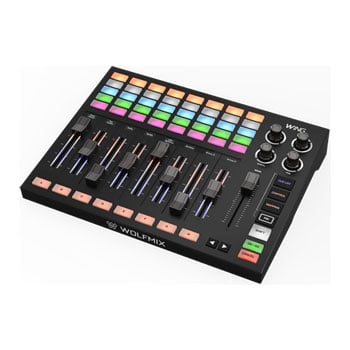
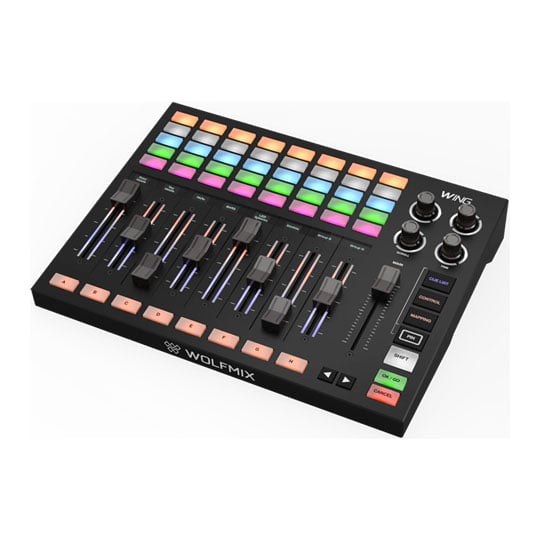
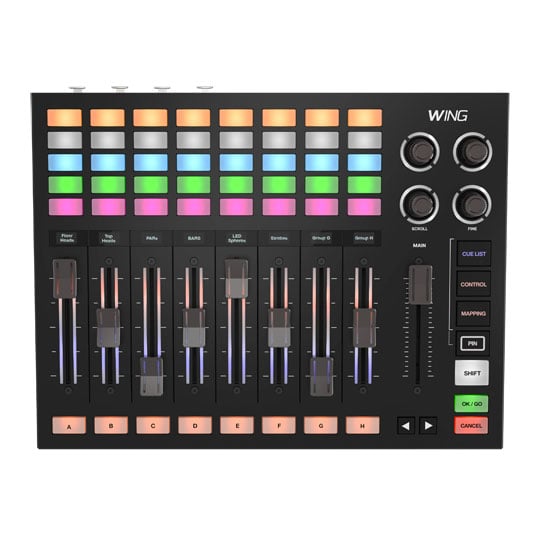
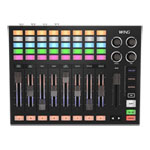
Designed for the stageWING is the companion to the small but powerful W1. Split your rig with SUBGROUPS, choreograph your show with CUE LIST, add detail with CONTROL and customise with MAPPING. Connect WING to W1 and they fuse into a single integrated system. Modes flow seamlessly from one to the other. WING’s motorised faders complement W1’s touchscreen, and with the same powerful beam engine at the core of both devices, together they unleash up to 8 universes of DMX.
At a glance
• 8 x 5 button matrix: See all 8 groups at once on this expanded canvas
• 4 Encoders: Dedicated Scroll and Fine encoders and 2 x assignable encoders
• 8 OLED displays: Clearly identify strip parameters
• 8 motorized faders: Gliding over expressive lightguides and crowned with capacitive touch fader caps
• Expressive light guides: Smart light guides to easily orient yourself in dark environments
• 8 Group buttons: Access 8 groups directly, and expand any group to control up to 8 subgroups
• 3 Exclusive modes: WING exclusive modes: CUE LIST, CONTROL, MAPPING
Explore Modes

Cue ListUse a CUE LIST to play through a set of presets in order for songs, scenes or acts. Build a cue list by picking presets to match the moment. Stack up to five presets at once with each controlling a different element; color in one and movement in another. A single press of the dedicated OK/GO button triggers the next cue. Set fade and hold times, jump between cues automatically or follow MIDI timecode so the lighting stays locked to the rest of the production.

ControlCONTROL lays all your fixtures out across WING’s matrix. Select one or more from any group and set with the faders. Once you have the look you want, hit OK/GO to save it straight to a preset. Choose which parameters sit on which fader, so the controls you need are always at your fingertips. The group filters, scroll encoder and selection macros make it quick to find and select exactly the fixtures you want. With up to 32 individual edits per preset, you can build looks with a level of detail that simply wasn’t possible before.

MappingEveryone has their own way of running a show, so Mapping lets you build the control surface that suits you. Assign W1 features to the faders and matrix buttons across four pages and lay them out the way you work. Keep one page for dimmers and presets, another for FX parameters, and another for whatever else your show needs. Anything you leave unmapped sends a generic MIDI message, so those faders and buttons can drive your external MIDI hardware and software, including audio and video. Mix and match across the four pages and WING becomes the one surface you run the whole show from.

SubgroupsEvery group now divides into eight subgroups, so you can pick out a handful of fixtures and control them on their own. Split your uplighters into stage left, centre and right, then bring up one side without changing the others. Subgroups also let you split a single fixture. A moving head with a pixel ring can have its beam in one subgroup and its ring in another, giving you separate control of each. With WING fused to W1, subgroups run right through the system. Flash, solo or apply FX to them from all the main W1 modes.

W1 Modes EnhancedWING enhances every original W1 mode by surfacing controls relevant to the current task. In COLOR FX, MOVE FX and BEAM FX, the parameters come out onto the faders, so shaping an effect is a matter of reaching for it rather than hunting for it. All eight groups sit in front of you at once, so there’s no need to switch pages to find the one you need. Tap a dedicated group button to expand colours, positions and gobos across WING’s matrix. Edit a colour and use the faders to set the components, edit a position and get access to pan, tilt, fan and cross.
Put a WING on it

streamlined designWING works with anything that speaks MIDI. Connect WING to your computer over USB-C, load the MIDI map for your software and select WOLFMIX-WING as the source. If there's no map for your software, use its learn mode to assign WING's faders and matrix buttons yourself.
Visuals & VJResolume Arena · Resolume Avenue · TouchDesigner · VDMX · MadMapper · Millumin · MADRIX
Music ProductionAbleton Live · Logic Pro · Avid Pro Tools · Steinberg Cubase · FL Studio · Bitwig Studio · REAPER · Reason
Live & Show ControlQLab · MainStage
DJ Traktor ProSerato DJ Pro · rekordbox · Virtual DJ
The Tech Spec
| Features | Specification | Size | 220 x 290 x 57 mm 8.66 x 11.42 x 2.24 inches |
|---|---|
| Weight | 1540g 3.4 lbs |
| Faders | 8 motorised faders with electroplated capacitive touch fader caps 8 lightguides. 4 RGB LEDs per fader operate in single or dual colour modes Single main fader |
| Displays | 8 monochrome OLED strip modules 64 x 32 pixels |
| Button Pads | 57 RGB LED backlit silicone buttons with matt oil finish 8 x 5 Matrix 8 x Group select 3 x Mode (Cue List, Control, Mapping) 2 x Paging OK/GO Cancel Shift Pin |
| Encoders | 1 x Detented 3 x Non-detented Electroplated caps Dedicated SCROLL encoder (detented) Dedicated FINE control encoder (non-detented) |
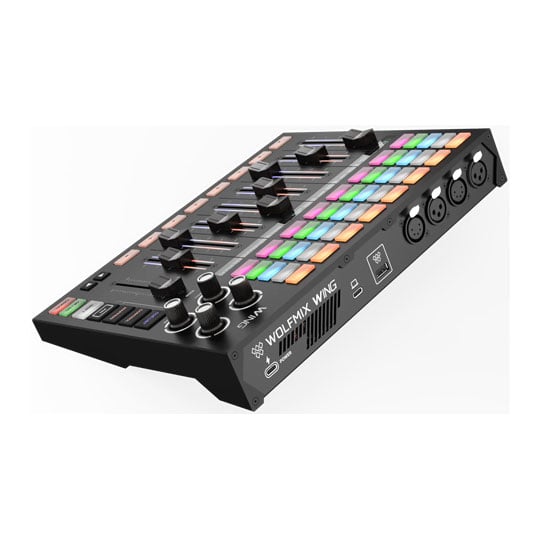
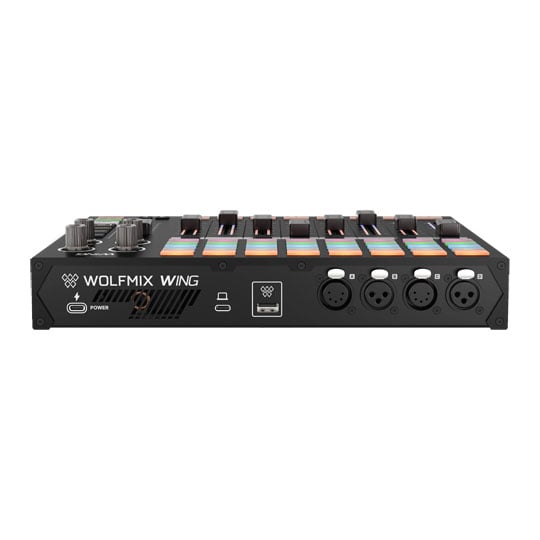
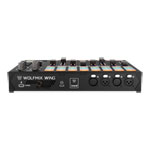
| DMX | 2x 3pin DMX OUT XLR connectors 2x 5pin DMX OUT XLR connectors Every port is freely assignable to any of the available universes |
| USB | USB-C Power - 15 V, 3 A USB-C Data USB-A - connects and powers the Wolfmix W1 |
| Housing | ABS plastic Powder-coated steel base plate with 100 mm VESA (M4, 6 mm max) |
| Processing | 220Mhz CPU with ARM core 8MB RAM 16MB Flash Dedicated second processor driving the motorised fader bank |
| Setup | Requires a Wolfmix W1 for lighting setup and project syncing Standalone (no computer needed) Solo operation - as a generic MIDI controller, and as a solo lighting controller once synchronised with a W1 Projects transfer automatically when connected to a W1 PIN button used to pin the WING modes (Cue List, Control or Mapping) allowing for WING to retain these mode controls while W1 is used independently |
| Cue List | Up to 5000 cues Up to 1000 cues per cue list Up to 100 cue lists Stack up to 5 presets per cue (provided they use different parts) Hold time Fade time Auto cue jump Manual cue jump with the OK/GO button Manual cue fade in with the motorised faders Pause and resume a running fade with the Cancel button or by grabbing the running cue's fader Loop cue list MIDI Time Code (MTC) input, with a per-cue-list time-of-day start time |
| Control | Select up to 680 fixtures across the matrix Use selection macros to select All, None, Evens, group or subgroup or Invert your selection Filter by group with the group buttons Instant control of Dimmer, Color (Red, Green, Blue, White, Amber, UV, Lime), Position (Pan/Tilt, 16-bit), Zoom, Iris, Focus, Gobo rotation and Prism rotation via the fader banks Store control edits into presets - up to 32 edits per preset Delete all edits Reset individual parameters in an edit Customise your parameter layout across 2 pages |
| Mapping | 4 x assignable pages of 8 x 5 matrix buttons 4 x assignable pages of 8 motorised faders 2 x assignable encoders Faders and matrix change page together Mix between assigned W1 parameters and generic MIDI output for external software or hardware control Parameters available for mapping: Group Dimmer (8 groups + master) Group Solo (8) Group Flash (8) Preset (200) Preset Page (10) Live Edit (80) Macro (3) Flash — BPM Tap, Wolf, Strobe, Blinder, Speed, Blackout, Smoke, Smoke Intensity, Strobe Speed General - Select Preset, Previous Preset, Next Preset, Manual BPM Manual DMX (any of the up to 4096 output channels) Effects - Speed, Phase, Size, Fade for Colour, Move and Beam FX, plus Fan on Move FX, for both effects in each module (26 in total) Cue List (100) Generic MIDI controller output - any control not assigned to a Wolfmix function sends and receives MIDI Name strips in WTools Select strip colour in WTools With no project loaded WING defaults to behaving as a generic MIDI control device |
PayPal Credit
| Monthly Payment: | £76.01 |
| Instalment Rate: | 16.9% p.a. (fixed) |
| Cost of purchase: | £838.99 |
| Total inc. interest: | £912.12 |
| Monthly Payment: | £40.97 |
| Instalment Rate: | 16.9% p.a. (fixed) |
| Cost of purchase: | £838.99 |
| Total inc. interest: | £983.19 |
| Monthly Payment: | £29.38 |
| Instalment Rate: | 16.9% p.a. (fixed) |
| Cost of purchase: | £838.99 |
| Total inc. interest: | £1,057.63 |
| Example | |
| Minimum Spend: | £99 |
| Instalment Rate: | N/A |
| Cost of purchase: | £99 |
| Total inc. interest: | £99 |
Representative Example:
Purchase Rate: 23.9% p.a. (variable)
Representative: 23.9% APR (variable)
Assumed Credit Limit: £1,200
Subject to status. Terms and Conditions apply.