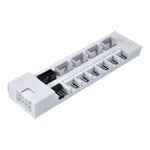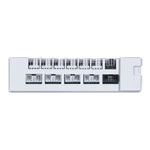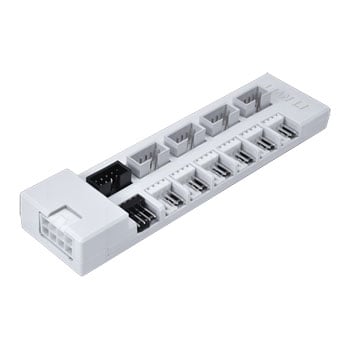

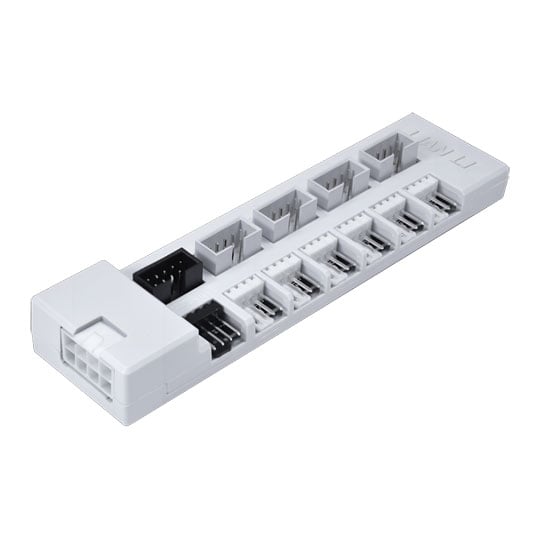
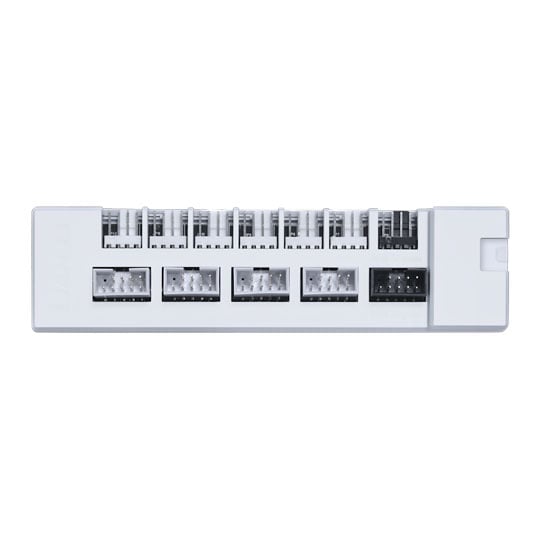


Lian Li EDGE Hub V2 Internal USB 3.0 / PWM Fan Controller White
Lian Li EDGE Hub V2 USB / Fan Controller, White, PCIe 8-Pin, Magnetic, Port Monitoring, 6x PWM, 4x USB 2.0 Header
Email me when the availability or price changes
Finance this product
- Spend over £390.00 and Buy Now, Pay Later or spread the cost of your finance over 24-48 months with a 10% deposit.
EDGE Hub V2 Internal USB 3.0 / PWM Fan Controller from Lian Li

Innovative External USB & Fan HubEDGE Hub V2 streamlines fan and USB management with a dual-hub architecture, six PWM fan ports, and eight USB connections. Flexible installation and L-Connect 3 monitoring give you refined control over connected devices, fan speeds, and USB activity across your build. Expand internal USB connectivity to support more devices, giving you additional capacity for LCD displays, controllers, AIOs, and other USB-connected hardware.

Dual Chip Hub

USB Priority

4x USB / 6x PWM Headers

Overload Alerts

L-Connect 3 Monitoring
Dual Chip Hub Architecture

Excellent Performance, No Matter the SystemEDGE Hub V2 replaces the previous version’s single hub chip with two parallel 1-to-4 hub chips. This distributes connected USB devices across two signal paths for more balanced device management and greater system flexibility. The architecture is particularly suited to LCD products and other USB devices, providing more stable connectivity for complex setups.
Streamlined Connections

Cut The Queue.EDGE Hub V2 connects directly to the motherboard’s USB 3.0 header while utilising its USB 2.0 signal path. This places the hub higher in the USB device tree, reducing the number of hub layers between the motherboard and connected devices for more reliable connectivity across multiple USB-controlled components
A Second System Heart

6x 4-Pin PWM Fan PortsEach port is rated for up to 2A, providing the capacity needed for connecting and managing multiple fans from a single hub.
**Note:** When using UNI FAN FLEX Series fans with EDGE Hub V2, connect the fan motherboard sync cable to the motherboard PWM header. This ensures proper fan operation and enables motherboard-based fan speed synchronisation.

4x USB 2.0 HeadersFour physical USB ports can each carry two USB signals through a 1-to-2 splitter cable, giving you flexible options for routing and configuring internal USB connections to suit different hardware layouts.
Freely Mountable

Magnetic BackplateIntegrated magnets enable flexible in-chassis placement, while direct power connectivity with any EDGE Series or RS Series PSU makes installation straightforward and gives you greater freedom when routing cables and positioning the hub.
Comprehensive Management in L-Connect 3
No Cable Left BehindEDGE Hub V2 extends L-Connect 3 management to USB connectivity, providing real-time visibility into USB traffic and connected devices. Overall hub utilisation can also be viewed to assess current USB demand and determine when additional capacity may be required. Customisable port names make it easier to identify connected devices at a glance, removing the need to trace individual cables or open the case when checking which component is connected to each port.

Overall Hub UtilisationThe MB Signal Port displays the hub’s upstream transfer activity, while port utilisation provides an overview of the hub’s total bandwidth usage. This data gives you a clear view of current USB demand, helping you assess device connections and make adjustments to your system setup when required.
High Load WarningsBuilt-in high-load notifications help identify excessive USB traffic before it affects connected devices. When a port is experiencing high demand, you can move the connected device to another port to distribute USB traffic more evenly across the hub.
Customisable Port NamesEach USB port can be renamed according to its connected device, making controllers, LCDs, AIOs, and other components easy to identify directly within L-Connect 3. This saves you from tracing cables or opening the case simply to determine which device is connected to a particular port.
Reallocation SuggestionsMonitor the current transfer rate of each USB port alongside its accumulated data transfer over a one-hour period. This makes it easier to identify high-traffic devices and move connections where necessary to better distribute USB bandwidth across the hub.