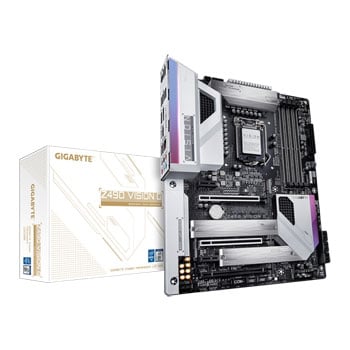

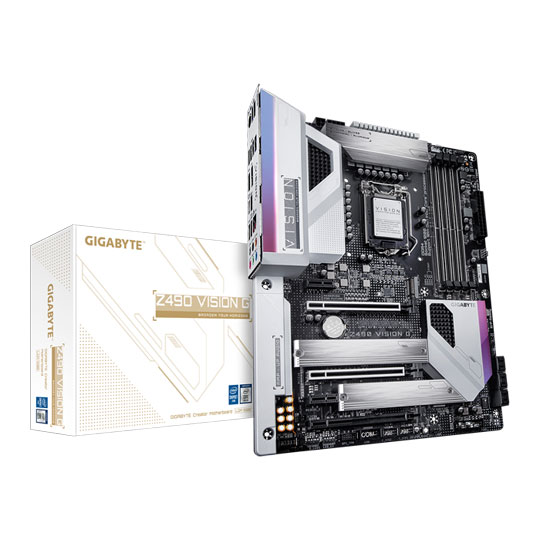

VISION G Z490 ATX Motherboard from Gigabyte
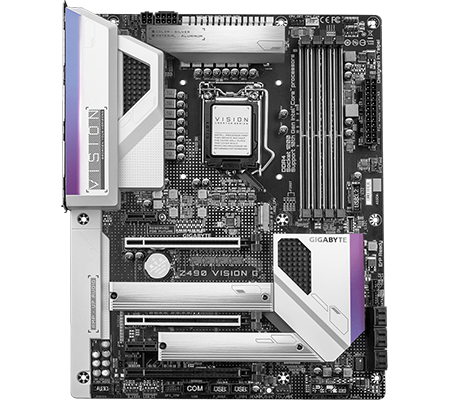
A NEW VISION OF CREATIVITY Unleash your creativity with the GIGABYTE Z490 VISION G motherboard. This all-new high-end component offers the power and connectivity your PC deserves so you can upgrade your system with Intel's latest 10th Generation CPUs (with an LGA 1200 socket). It provides support for 10th Gen Intel® Core™ i9 processors, Intel® Core™ i7 processors, Intel® Core™ i5 processors, Intel® Core™ i3 processors, Intel® Pentium® processors and Intel® Celeron® processors. This motherboard is perfect for PC enthusiasts who desire high-end performance but also care about aesthetics. This powerful design delivers impeccable performance with multi-way graphics support and a comprehensive cooling solution to stay cool under heavy workloads. Performance is never compromised, and aesthetics are greater than ever with the ability to address on-board RGB lighting along with LED light strip support that is compatible with GIGABYTE's RGB FUSION 2.0 software.
Intel® Z490Chipset
10th Generation Intel®Compatible CPUs
LGA 1200CPU Socket
ATXForm Factor
The Most Efficient Power Delivery
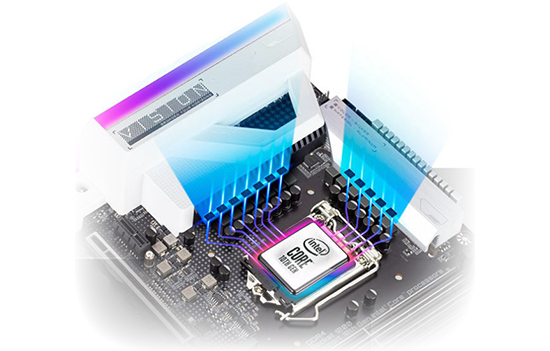
direct 12 phase digital vrm solution with drmosEnjoy cleaner and more efficient power delivery to your CPU with better thermal performance that ensures stability under high CPU frequencies and heavy loading. The Digital PWM Controller helps to deliver appropriate voltage to the CPU. 12 Direct DrMOS without PWM Doublers, each power phase connects directly to the CPU, with the capability to handle 600 Amps current in total. The 8+4 Solid Pin CPU Power Connectors secure power delivery and greater heat dissipation.
Handle Greater Power Loads with Ease

2X COPPER PCBGIGABYTE's exclusive 2X Copper PCBs design provides sufficient power trace paths between your components to handle greater power loads and to remove heat from the critical CPU power delivery area. This is essential to ensure the motherboard is able to handle increased power loading that is necessary when overclocking.
PCIe 4.0* Hardware Design
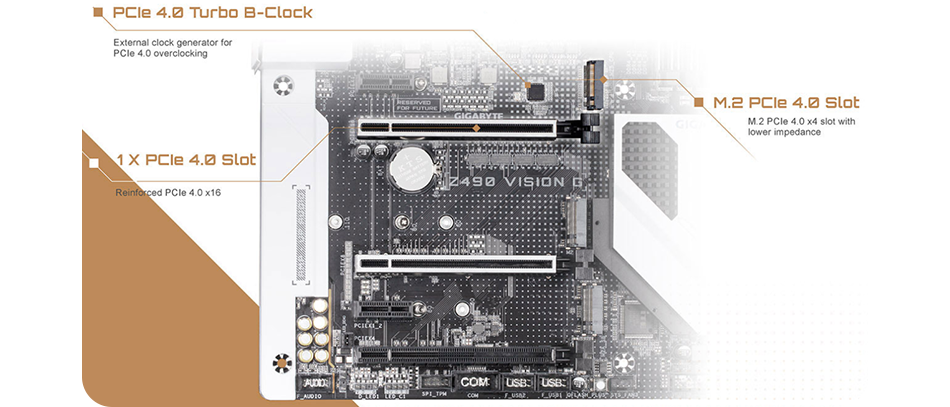
Gain Better XMP Speeds

UP TO 5000MHZ AND BEYOND*GIGABYTE R&Ds chose a high quality and low impedance server level PCB, modified the trace layout, optimized the routing by adopting daisy chain, and implemented different layers to avoid signal interference. With the GIGABYTE XTREME Memory technology, noise is minimized. With this approach Z490 motherboard memory overclocking performance is never compromised. With the optimized daisy-chain routing, this motherboard provides a proven speed up to DDR4-4800+ MHz with a high density DESIGNARE Memory 32GB module*. The optimized daisy-chain routing eliminates the stub effect, pushes the one DIMM per channel in dual channel interleaving mode to hit higher memory frequencies providing professional gamers a denser and faster system memory experience.
More Memory for Smoother Performance
SINGLE 32GB SUPPORTThe maximum memory capacity on Z490 motherboards is 128GB. After Intel updated the memory reference code, single slot support up to 32GB. Therefore with populated 2 DIMM per channel on both channels, the total comes to 128GB, which was only available on High End Desktop (HEDT) platforms. If running out of memory is an issue, there is now more bandwidth, this makes it easier and smoother for those memory intensive apps such as 3D rendering and video editing.

NVIDIA® QUADRO® Professional Graphics Support
MADE FOR CREATIVE MINDSNVIDIA® QUADRO® 3D Workstation Professional Graphics Solutions are designed and built specifically for artists, designers, and engineers, NVIDIA Quadro GPUs power more than 100 professional applications across a broad range of industries. Professionals trust them to enable their best work using applications such as Adobe® Creative Cloud, Avid Media Composer, Autodesk Suites, Dassault Systemes, CATIA and SOLIDWORKS, Siemens NX, PTC Creo, and many more.

Stay Cool under Demanding Loads
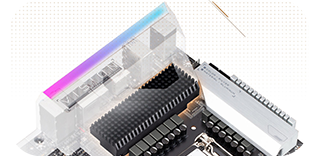
Micro-BLOCK HEATSINKMicro-Block heatsink provides better airflow with better heat dissipation without sacrificing the total air contact surface. By using LAIRD 1.5mm thick, 5W/mK high thermal pads, it can transfer 2.7x more heat.
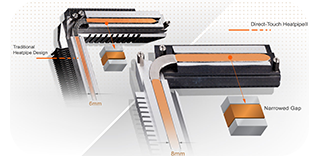
DIRECT TOUCH HEATPIPE IIWith an extra large 8mm heatpipe made from a new manufacturing process to narrow the gap between the heatpipe and heatsink, new Direct-Touch Heatpipe II greatly helps transfer heat on MOSFETs.
Protect Important Components from Heat
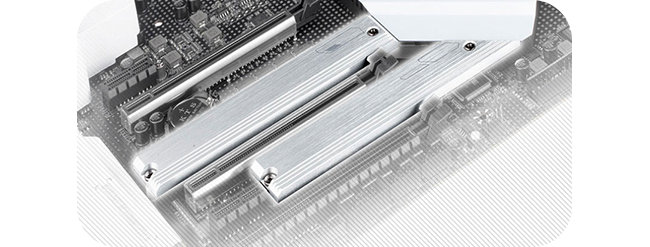
TRIPLE M.2 THERMAL GUARDWith durability in mind, GIGABYTE provides a thermal solution for your M.2 SSD devices. The M.2 Thermal Guard prevents throttling and bottlenecks from high speed M.2 SSDs as it helps to dissipate heat before it becomes a problem.
Faster Networking for Superior Gaming
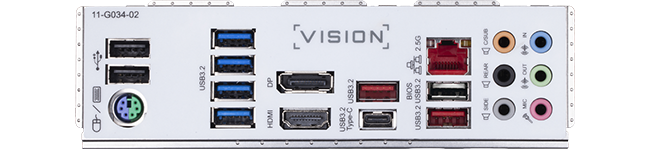
INTEL 2.5GBE LAN WITH CFOSSPEED INTERNET ACCELERATOR NETWORKINGThe use of 2.5G LAN offers up to 2.5 GbE network connectivity, which is at least two times faster compared to general 1GbE networking. It's perfectly suited for gamers and streamers who desire a smooth online experience. It's also backwards compatible with Multi-Gig(10/100/1000/2500Mbps) RJ-45 ethernet.
Intel® GbE LAN features cFosSpeed, a network traffic management application which helps to improve network latency and maintain low ping times to deliver better responsiveness in crowded LAN environments.

Ultimate Support for PCIe NVMe & SATA SSDs
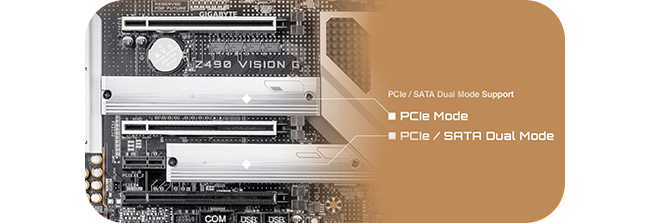
DUAL-MODE M.2 SLOT DESIGNGIGABYTE Motherboards are built with dual M.2 slots. With a PCIe NVMe + SATA dual-mode design on the M.2 slots. This configuration is designed for flexibility and adaptation to fit all your PC needs.
Speed up your Connections

NATIVE INTEL USB 3.2 GEN2 CONTROLLERIntel's native USB 3.2 Gen2 host controller provides USB 3.2 Gen2 ports with speeds up to 10Gbps. With twice the bandwidth compared to its previous generation as well as backwards compatibility with USB 2.0 and USB 3.2 Gen1. The much improved USB 3.2 Gen2 protocol is available over the new reversible USB Type-C™ and the traditional USB Type-A connector for better compatibility over a wider range of devices.
Versatile Connectivity Options
PRE-INSTALLED I/O SHIELDWith an integrated I/O shield, building a GIGABYTE Ultra Durable PC has never been easier.
Immerse yourself in Incredible Gaming Sound

HI-RES AUDIOHi-Res Audio certified, which means that the motherboard can reproduce frequencies up to 40kHz or above which guarantees the finest audio at all times.

REALTEK CODEC & ALC1220-VBALC1220 120dB(A) SNR HD Audio with Smart Headphone Amp, it automatically detects impedance of your headphones, preventing issues such as low volume and distortion. The new VB series audio controller streams your voice to the world vibrantly with both front/rear microphone SNR up to 110/114dB (A).
Get Up and Running in Seconds
Q-Flash PlusWith GIGABYTE Q-Flash Plus, you don’t need to install the CPU, memory and graphics card nor enter the BIOS menu to flash the BIOS. Just download and save a new BIOS file (rename to gigabyte.bin) on the USB flash drive, then press the dedicated Q-Flash Plus button and you’re good to go!

STEP 1Plug the 24pin & 8pin power supply cable into the motherboard.

STEP 2Download and unzip the motherboard's compressed BIOS file and rename to "gigabyte.bin", save to a USB flash-drive, and plug it into the Q-Flash USB port.
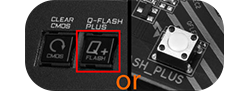
STEP 3Press the Q-Flash button, and the motherboard will start updating the BIOS automatically.
Utilise a Stable Power Supply

SOLID PIN POWER CONNECTORSZ490 motherboards feature solid plated ATX 24pin & ATX 12V 8pin + 4pin power connectors for stable power supply while CPU overloading.
Solid Pin Power connector advantages:
• Larger contact area for electricity.
• More metal quantity to sustain higher power and generated heat.
• Ultra durable and longer lifespan.
Hardware Troubleshooting at a Glance

DIAGNOSTIC LEDSOnboard LEDs controlled by the system BIOS indicate if a malfunction is occurring, allowing you to quickly diagnose which major component (CPU/DDR/VGA/HDD) is malfunctioning so you can take action to resolve the problem promptly.
Keep your Motherboard Protected
START SULFURIZATION PROTECTIONSulfur compounds in the air can penetrate tiny onboard resistors creating chemical change and causing these resistors to open or short. If either of these occur the motherboard will fail to function. By equipping resistors with an Anti-Sulfur design GIGABYTE gives Ultra Durable motherboards a whole new meaning.

Save Power with a Simple Click

CEC 2019 READYCEC Requirement: PC power consumption must be under a certain level when it's in off mode, idle mode, or standby mode. With high power efficiency hardware components and fine-tuned BIOS, GIGABYTE motherboards can achieve lower power consumption under idle mode and fully comply with new CEC 2019 (California Energy Commission) power consumption requirements.
Illuminate your Build with Stunning Lighting
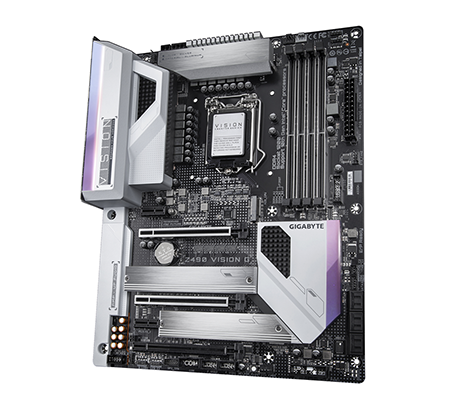
RGB FUSION 2.0Now offering more LED customizations than ever, users can truly adapt their PC to represent their lifestyle. With full RGB support and a redesigned RGB Fusion 2.0 application, the user has complete control over the LEDs which surround the motherboard.
Software for Every Setting you Need
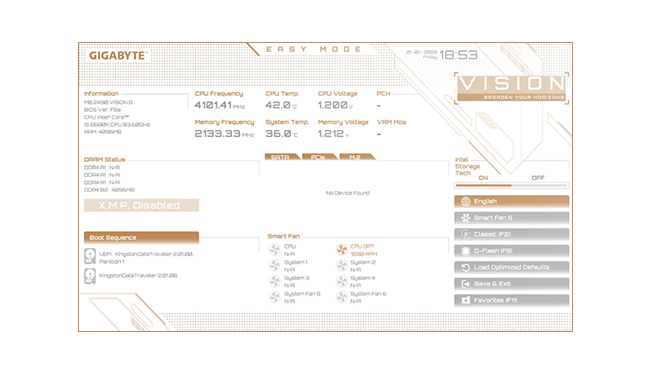
refreshed biosThe BIOS is essential for users during initial setup to allow for the most optimal settings. With a new GUI and easier to use functionalities, GIGABYTE has been able to reinvent the BIOS to give users a better experience while setting up their new system.
*Style illustration for reference only.
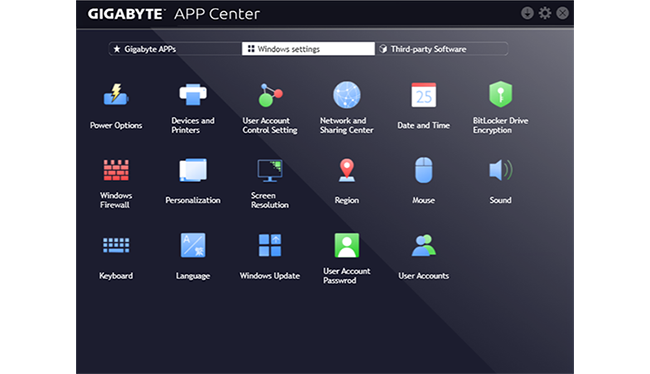
APP CENTERGIGABYTE APP CENTER is an useful portal of all GIGABYTE MB utilities and drivers, you can choose any utility you want to install from APP CENTER and keep you updated with latest utilities and drivers version.
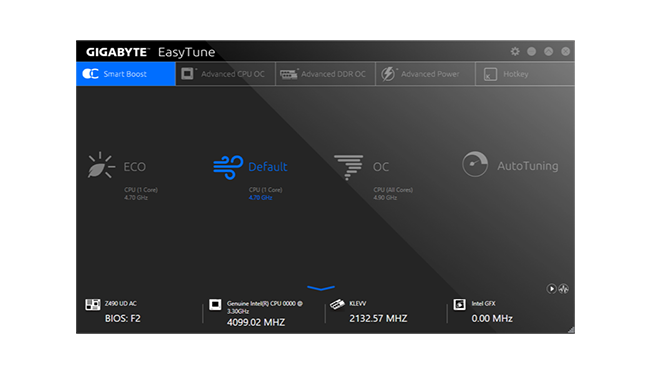
EasyTune™GIGABYTE's EasyTune™ is a simple and easy-to-use interface that allows users to fine-tune their system settings or adjust system and memory clocks and voltages in a Windows environment. With Smart Quick Boost, one click is all it takes to automatically overclock your system, giving an added performance boost when you need it the most.
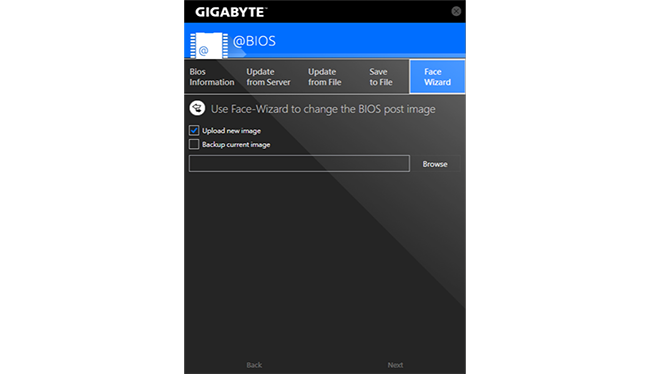
@BIOS The GIGABYTE @BIOS app allows you to update your system's BIOS from within Windows using a simple and slick graphical user interface. @BIOS can automatically download the latest version from the GIGABYTE servers or you can update your BIOS from a file on your computer. @BIOS also allows you to save your current BIOS to a file, recover your previous BIOS from an image and backup your BIOS to an image.
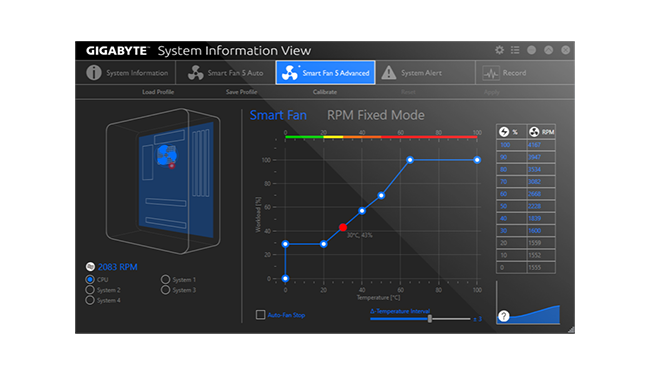
System Information ViewerGIGABYTE System Information Viewer is a central location that gives you access to your current system status. Monitor components such as the clocks and processor, set your preferred fan speed profile, create alerts when temperatures get too high or record your system's behavior; these are the possibilities of the System Information Viewer.