


Blackmagic Design ATEM 4 M/E Constellation IP Live Production Switcher
Blackmagic Design ATEM 4 M/E Constellation IP Live Production Switcher, SMPTE-2110 Native, 32 Inputs, 28 Outputs
Email me when the availability or price changes
Finance this product
- From £216.51 / month (APR 16.9%) for 48 months or 0% for 4 months
- With a 10% deposit from just £191.79 / month (APR 15.9%)
Blackmagic ATEM 4 M/E Constellation IP

Powerful Fully SMPTE-2110 Native DesignThe Blackmagic Design ATEM 4 M/E Constellation IP is a powerhouse live production switcher built for broadcast, esports, and large-scale events, combining 32 standards-converted SMPTE-2022-7 inputs, 24 SMPTE-2110 outputs, 16 ATEM Advanced Keyers, 4 multi-views, and 2 SuperSource layers for a total of 12 DVEs in one powerful IP-ready platform. Designed with front-to-back cooling, redundant AC power supplies, dual 100G Ethernet connections, and redundant PTP clock support, offering the flexibility to create complex live productions with complete control.
New Advanced Design

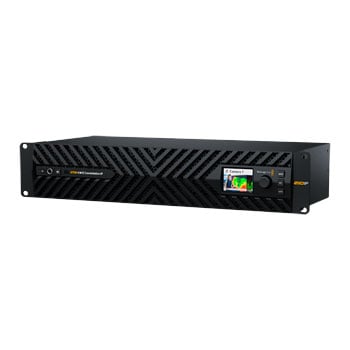
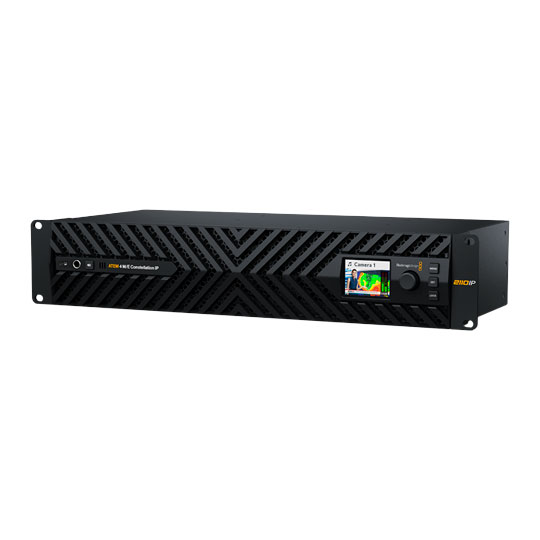
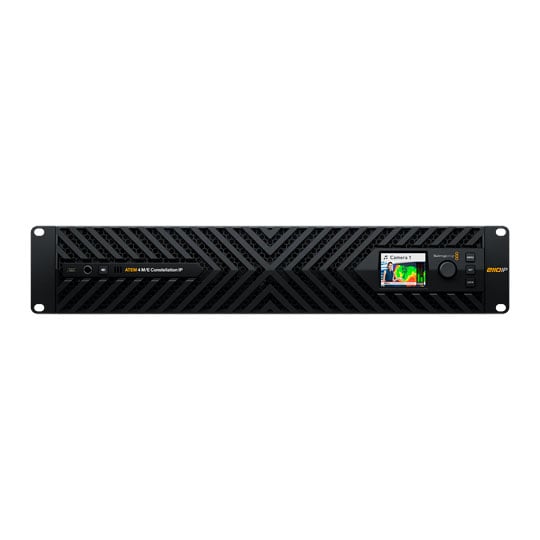
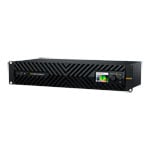
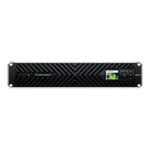
Designed for Professional BroadcastThe ATEM 4 M/E Constellation IP has a dramatically different design from other models because it is designed for high-end broadcasters. The new design features front to back cooling with 4 fans that are extremely quiet. All connections feature full redundancy with SMPTE-2022-7 on all video ports, plus additional redundancy on the control and PTP Ethernet ports. A built-in LCD displays all standard ATEM Constellation status information and provides access to settings menus. The front panel even includes a headphone connection and a built-in speaker for local program monitoring! A USB-C connection on the front panel lets you update software or even connect the ATEM Software Control app.
Dual 100G Ethernet Connections

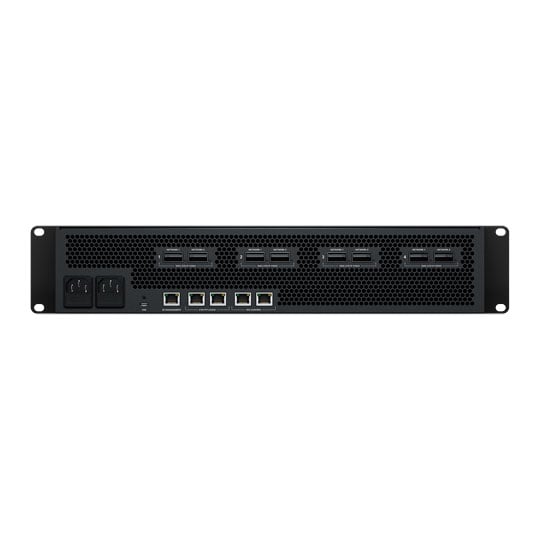
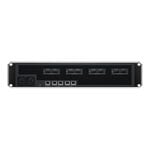
Redundant SMPTE‑2110ATEM 4 M/E Constellation IP features multiple SMPTE-2110 connections using 100G Ethernet, supporting 8 input and 8 output video channels on each connection! The switcher then maps inputs and outputs across its multiple 100G Ethernet connections. Each 100G Ethernet connection has two separate connectors, supporting SMPTE-2110 redundancy, so you can connect each port to a separate network switch. SMPTE 2022-7 Seamless Protection Switching sends two identical video and audio copies across connections, then on the receive side, it compares incoming RTP packets by sequence number and reconstructs a perfect video frame from the first arriving packet of pixels. The switcher is totally seamless.
Get Familiar ATEM Constellation Features


True Broadcast Style Mix Effects SwitchingATEM Constellation uses a professional "program/preview" style of operation, which is exactly how large broadcasters use live production switchers. This means you are using the same type of switcher used by the television industry. Both the free ATEM Software Control and the optional hardware ATEM Advanced Panels will allow program/preview style switching. This means you can select a source on the preview bus to ensure it’s correct before pushing the CUT or AUTO button to switch it on air. This 2-step program/preview process means far fewer mistakes! Program/preview operation means ATEM Constellation is the best solution for training students for a career in broadcast television.
Full Standards Conversion

Re-Sync On All InputsOne of the advantages of SMPTE-2110 video is normally all network video sources normally use the same video standard. However, live production isn't always as straightforward as theory, as the real world is often chaotic! Sometimes you need to handle video sources that are not operating in the same video standard as your ATEM switcher is set to. ATEM 4 M/E Constellation IP solves this problem because each input video channel has a dedicated standards converter. This means all video sources will be standards converted to the switcher standard automatically. You can simply route any video source into the ATEM 4 M/E Constellation IP and then get a stable video source. Everything just works.
USB Webcam Output for Video Software

Works With Any Video SoftwareFor live streaming, the USB-C connection on the ATEM Constellation IP rear panel can operate as a webcam source. That means you can plug into a computer and get working with any video software! The software is tricked into thinking the ATEM Constellation is a common webcam, but it's really a live production switcher! That guarantees full compatibility with any video software in full resolution 1080HD quality. Choose any software you like, such as Zoom or Microsoft Teams, for a new way to do presentations with a professional multi-camera, broadcast quality style! The ATEM Constellation webcam output also works with streaming software such as Open Broadcaster, XSplit Broadcaster and more.
Choose from Hardware or Software Control Panels

Wide Range of Hardware and Software Control OptionsAll ATEM switchers feature a wide range of hardware and software control options, plus it’s possible to share control panels between all ATEM models for different events. Included with ATEM Constellation is a free software-based control panel for Mac and Windows. The software connects to the switcher via Ethernet or USB, and you can control the switcher, upload media, mix audio and control cameras. Then, when you need more power, you can add an ATEM Advanced Panel for professional switching or an ATEM Camera Control Panel for controlling cameras. There's even an ATEM developer SDK so you can build your own custom automation control solution.
Multiple Multi-views

Labels, Tally and MetersMonitor all your sources on a single monitor with the built-in multi-views! Both ATEM 4 M/E Constellation models have 4 independent multi-views! Like all the video inputs and internal sources, the multi-views can be routed to any of the SMPTE-2110 100G Ethernet connectors. All multi-views are customizable and can be independently set to 4, 7, 10, 13, or 16 simultaneous views. That’s a massive 64 views across 4 monitors on both models of ATEM 4 M/E Constellation IP. You can also add a tally border, source label and VU meters as overlays on each view. A red and green border will display the tally for each view, indicating which sources are on air.
Broadcast Transitions, DVE, Stingers and More

Broadcast Quality Native TransitionsATEM Constellation includes a wide range of broadcast quality native transitions such as mix, dip, wipe, and more. All transitions can be customized in the system control menus with adjustments for border color, border width, position, direction and a lot more! The ATEM Constellation switcher includes a powerful digital video effects processor for DVE transitions, which can be used to squeeze the current picture off screen, revealing a new video under it. The DVE can even be used to create graphic wipe transitions. To eliminate errors, ATEM Constellation features a preview transition feature so you can set up your transitions before you switch it on air.
Built in DVE for Video Effects

Amazing Quality DVEsATEM Constellation features up to 4 independent DVEs, depending on the model, that let you reposition graphics and create picture-in-picture compositions. You get amazing quality, and the DVE supports position, resize and scale, all in real time. The DVE lets you create professional picture in picture effects with customizable 3D borders, shadows and lighting. DVEs can also be used to create amazing DVE transitions with squeeze and swoosh effects for adding excitement to your programming. You can even combine DVE transitions with custom graphics to create your own graphic wipe transitions! Plus, you also get 2 independent SuperSource processors for even more DVEs. That's 12 DVEs in total.
Broadcast Quality Effects

Internal Media for Stills and Motion GraphicsThe built-in media pool stores broadcast-quality RGBA graphics and animations that can be played back instantly by the 4 media players. Media players simply appear as additional input sources on the ATEM Constellation, so you don’t have to use extra inputs for graphics. The built-in media pool holds graphics for use with the media players, and you get a total of 60 stills and up to 400 frames of animation. Animated graphics are fantastic for use as stingers! You can easily manage all of your media using the included ATEM Software Control or download directly from Photoshop using the ATEM Photoshop plug-in.

Includes New ATEM Advanced Chroma KeyFor news or virtual set work, ATEM Constellation is perfect as it features lots of ATEM Advanced Keyers for high quality chroma or luminance keying! The chroma keyer is incredibly powerful and features a colour picker to sample background colours for automatic generation of the key parameters. You get precise controls for edge and flare, and there is even a foreground colour corrector so you can match the "look" of the foreground layer to the background layer, making seamless compositions possible. The keyer can also be used for pattern and DVE keying! You get 4 ATEM Advanced Keyers per M/E row, so this means you get a total of 16 ATEM Advanced Keyers on a 4 M/E switcher.
Create Amazing Virtual Sets

Virtual SetsWith 4 upstream chroma keyers per M/E row, you get the perfect solution for building virtual sets! With so many chroma keyers, you can use a keyer per camera to create a seamless composition of the camera over the custom background. Even when using a single M/E row, you have enough keyers to generate a 4 camera virtual set! You can use external image processors for virtual sets, or you can even build a fixed camera virtual set by loading pre-rendered still image backgrounds from the media players and media pool. You can set up macros to change cameras and load the correct background into the media players! With so much flexibility, you can experiment to try out different studio setups.
Powerful SuperSource Processing

Powerful SuperSource Multi-layer ProcessorsIn addition to the DVEs in the M/E rows, you also get powerful SuperSource multi layer processors, with 4 extra DVE layers plus a background layer, that all appear to ATEM Constellation as an additional input source. Any switcher video input can be used for each SuperSource DVE, then it’s all layered together over a media pool custom background. SuperSource is just like having an extra multi-layer VFX switcher built in! SuperSource is perfect for doing picture-in-picture displays for interviews because you can set up the effect while keeping the main DVEs free for other tasks. With 2 completely independent SuperSource processors, you can use them together to get 8 view compositions.
Works in All Broadcast HD and Ultra HD Video Standards

Supports All Popular Broadcast Video StandardsATEM 4 M/E Constellation IP supports all popular broadcast video standards. Plus, the standards converters on all switcher input channels mean you can work with different video standards all at the same time. ATEM 4 M/E Constellation IP can be switched to different HD and Ultra HD television standards, including 720p, 1080i, 1080p and 2160p up to 60p. This is critical when you need to instantly adapt to the needs of the job you are doing anywhere in the world! Plus, you can still send talkback, tally and control to SDI equipment if you connect a Blackmagic SDI Expander 8x12G. Then you can connect these SDI switcher outputs back to a camera for program return, camera control and talkback.
Supports Fairlight Live

Surround Sound MixingFairlight Live is the world’s most powerful 2110 software audio mixer designed for broadcast and live events! It can handle thousands of channels when running on modern Mac and Windows computers. Plus, it’s free to download! It supports routing audio to and from ATEM Constellation switchers via USB. Unlike hardware mixers, it natively supports stereo, surround and immersive audio. It includes powerful features such as 3rd party plug-in support, AFL/PFL Solo, talkback and advanced input controls such as remote gain and dual inputs! You also get a cue player, snapshots, an internal matrix and more. Plus, you can run more than one system for multiple simultaneous users or full redundancy.
True Professional Broadcast Talkback


Built-in TalkbackAll ATEM 4 M/E Constellation switchers have a simple built-in talkback that uses audio channels 15 and 16 for 2-way communication with Blackmagic Design cameras. But Fairlight Live has multiple talkback busses as well as full audio channel routing on the ATEM 4 M/E Constellation IP, so this means you can have as many talkback busses as you need. So you get even better talkback, including camera and engineering loops, commentator busses, and separate mixes for everyone, right from the Fairlight Live software. All you need to do is route the talkback bus to channels 15 and 16 of any special ATEM output and then send that output to the cameras or commentators you want on that talkback bus.
Includes Free Software Control Panel

ATEM Software Control PanelThe ATEM Software Control Panel gives you total control over your switcher and is included free. The ATEM Software Control Panel features a beautifully designed interface with a visual switcher and parameter palettes for making quick adjustments. Multiple users can connect to the switcher via Ethernet, and all work on different parts of the event at the same time! The ATEM Software Control also lets you access camera control, audio mixing, media, macro programming and even control of HyperDeck disk recorders. You can even save the full state of the switcher as XML files, plus all media is backed up from the media pool. Plus, you can run the software on Mac or Windows.
No Monthly Fees and No Hidden Costs

All Features IncludedWhen you buy ATEM switchers, you get all features included with the one purchase price. That means you get all features enabled and always ready for use! There are no license fees to allow you to use features, and no ongoing monthly costs. This means you'll never experience a license expiring 5 minutes before your program starts. Advanced features such as multi-view, SuperSource, DVEs or the ATEM Advanced Keyers are always enabled and always available! Plus, you can use the free ATEM Software Control on an unlimited number of computers. That’s important when you divide up the workload with separate people for audio mix, graphics prep, camera control and switcher operation.
PayPal Credit
| Monthly Payment: | £695.68 |
| Instalment Rate: | 16.9% p.a. (fixed) |
| Cost of purchase: | £7,678.80 |
| Total inc. interest: | £8,348.10 |
| Monthly Payment: | £374.94 |
| Instalment Rate: | 16.9% p.a. (fixed) |
| Cost of purchase: | £7,678.80 |
| Total inc. interest: | £8,998.55 |
| Monthly Payment: | £268.90 |
| Instalment Rate: | 16.9% p.a. (fixed) |
| Cost of purchase: | £7,678.80 |
| Total inc. interest: | £9,680.02 |
| Monthly Payment: | £216.51 |
| Instalment Rate: | 16.9% p.a. (fixed) |
| Cost of purchase: | £7,678.80 |
| Total inc. interest: | £10,392.34 |
| Example | |
| Minimum Spend: | £99 |
| Instalment Rate: | N/A |
| Cost of purchase: | £99 |
| Total inc. interest: | £99 |
Representative Example:
Purchase Rate: 23.9% p.a. (variable)
Representative: 23.9% APR (variable)
Assumed Credit Limit: £1,200
Subject to status. Terms and Conditions apply.