





ASUS Intel Z390 ROG MAXIMUS XI FORMULA 9th Gen ATX Motherboard
ASUS MAXIMUS XI FORMULA, Intel Z390, S 1151, DDR4, SATA3, Dual M.2, 2-Way SLi/3-Way CrossFire, 5GbE/WiFi, USB 3.1, ATX
- 48HR REPLACEMENT If you need to return this item, your replacement will be dispatched within 2 working days of your product arriving back at Scan.
ROG MAXIMUS XI FORMULA - Intel ATX Motherboard with Wi-Fi from ASUS
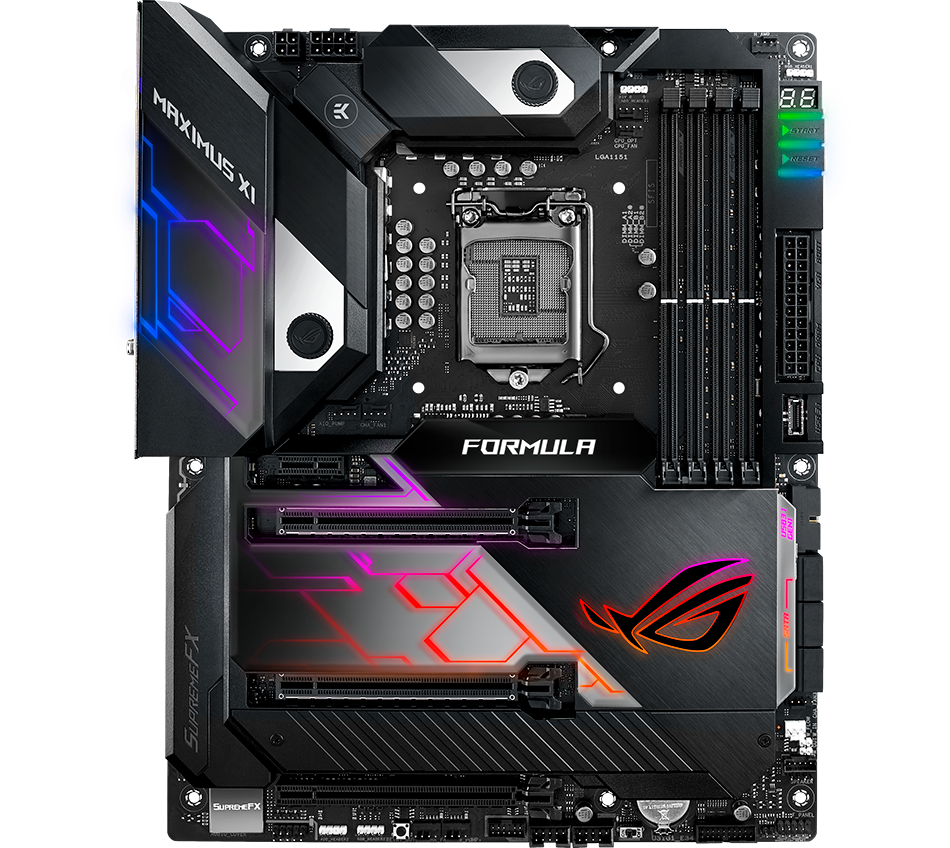
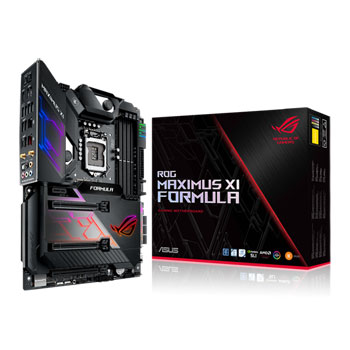
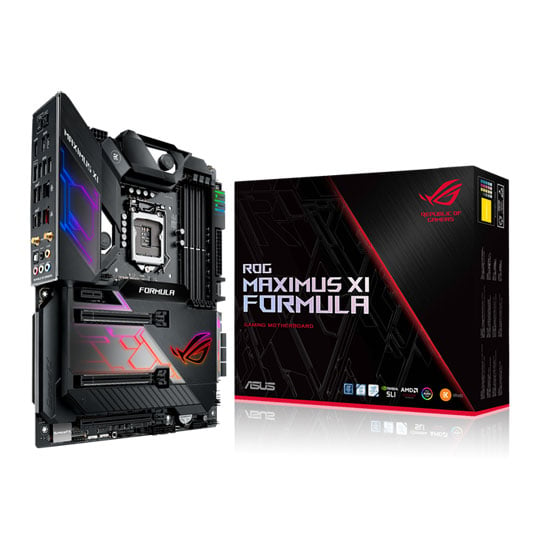
ROG Maximus XI Formula ATX MotherboardROG Maximus XI Formula exhibits the sleek, refined and functional design that has become iconic in the Maximus motherboard series. With its distinctive integrated CrossChill EK 2” LiveDash OLED with more custom features III cooling block, intelligent overclocking software and a stunning polished-mirror finish, the latest-generation Formula is all set to make your showcase rig shine. Building on over a decade of ROG engineering and refinement, Formula is the motherboard that lets you push the boundaries while keeping the thermals in check and under careful control.
Please note: This motherboard supports Socket 1151 for 9th Gen and 8th Gen Intel® Core™, Pentium® Gold and Celeron® processors, with integrated graphics, memory and PCI Express controllers to support onboard graphics output with dedicated chipsets, dual-channel (4-DIMM) DDR4 memory and 16 PCI Express 3.0/2.0 lanes for great performance.
Intel Z390Chipset
1151CPU Socket
8th & 9th Gen IntelCompatible CPUs
ATXForm Factor
Comprehensive Cooling Controls
EXPERTLY TOOLED TOTALLY COOLEDROG Maximus XI Formula features the most comprehensive cooling controls ever, configurable via Fan Xpert 4 or the UEFI BIOS. CrossChill EK III lets you cool with air and water. The redesigned cooling channels provide wider copper, delivering up to 37.2°C-lower MOSFET temperatures on water, and the standard G1/4" threaded fittings mean CrossChill EK III easily fits existing setups — so you can enjoy efficient, quiet cooling with the minimum effort.
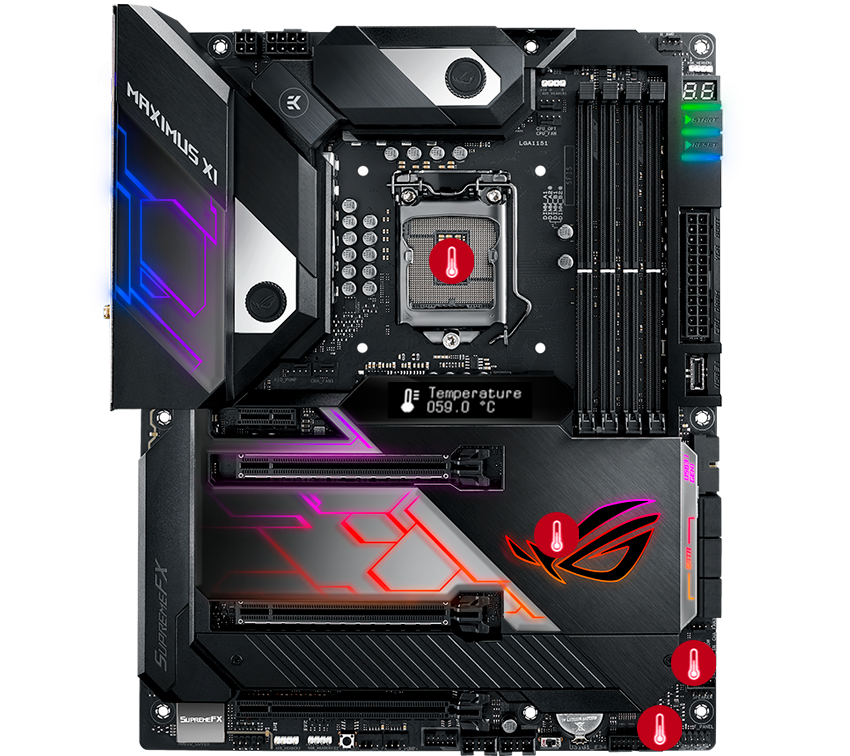
Multiple temperature sources Each header can be set to monitor and react to three user-configurable thermal sensors, for workload based cooling. All easily managed by Fan Xpert 4 or UEFI.
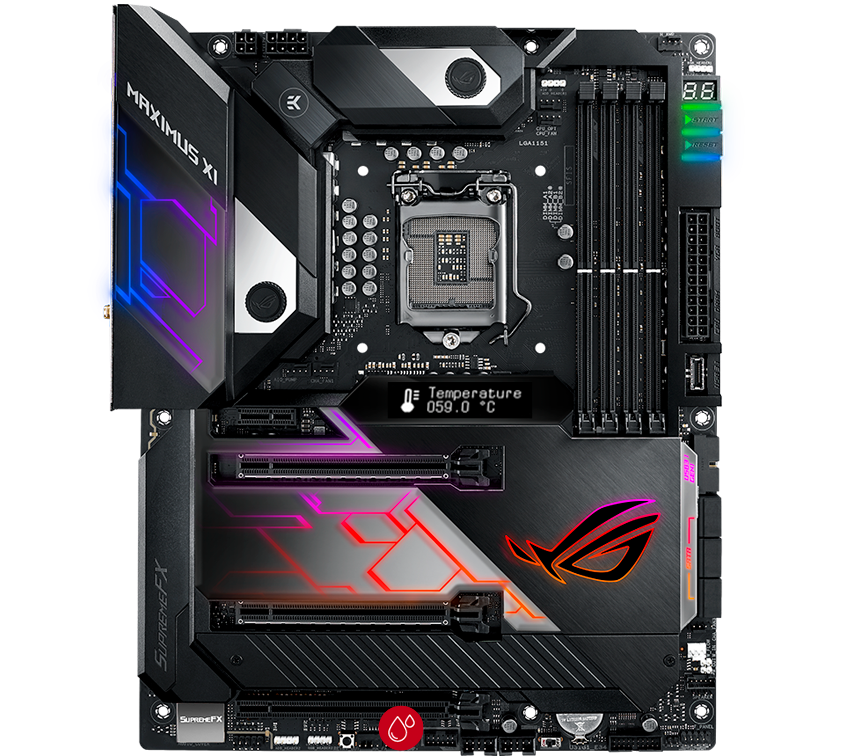
Water pump+ A dedicated header that can supply over 3A to high-performance PWM or DC water pumps.
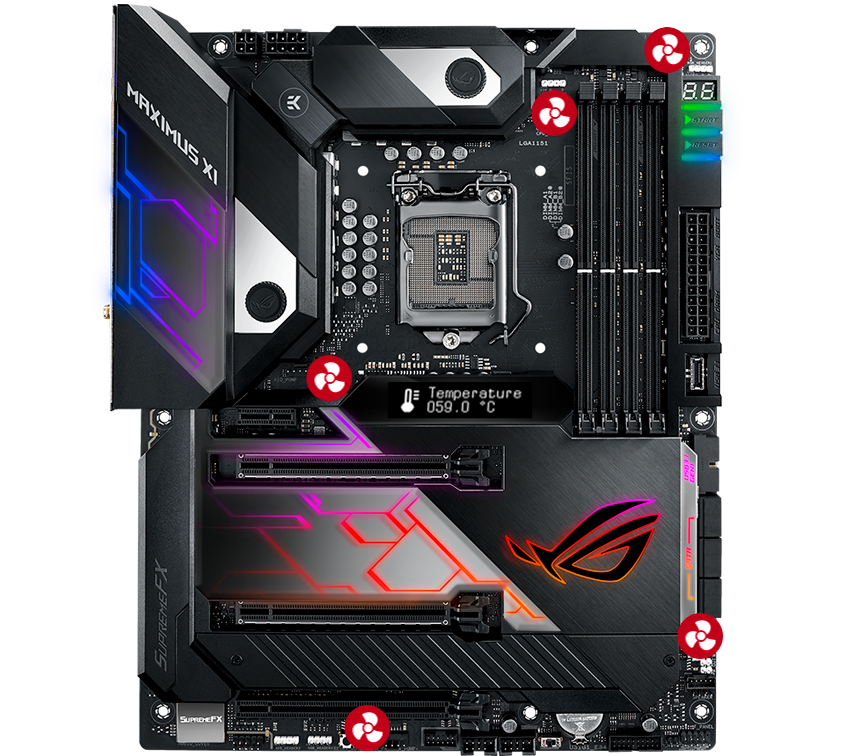
4-pin PWM/DC fan
Every onboard header supports auto-detection of PWM or DC fans.
*W_PUMP+ and AIO PUMP are also PWM/DC controllable.
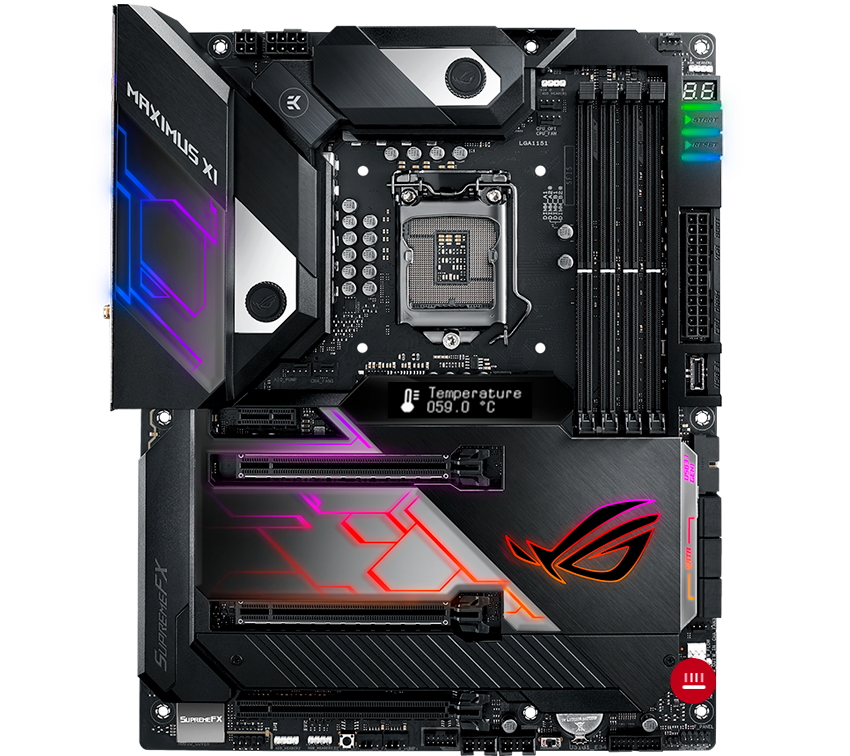
Fan Extension Header Allows expansion of three additional DC or PWM fan headers, plus three thermal-probe headers.
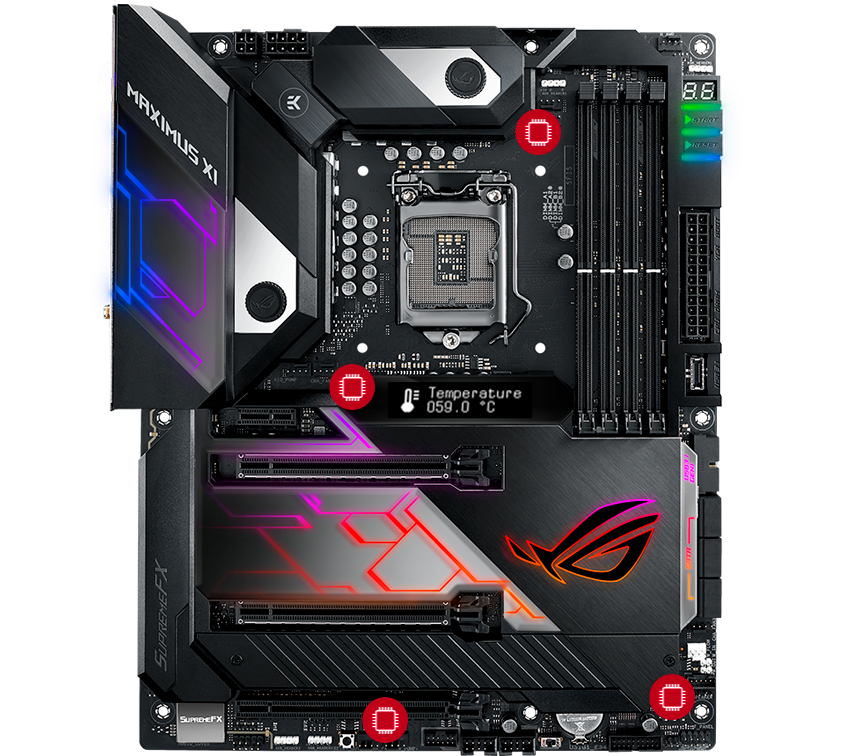
Smart protection A dedicated integrated circuit that protects each fan header from over-temperature and over-current.
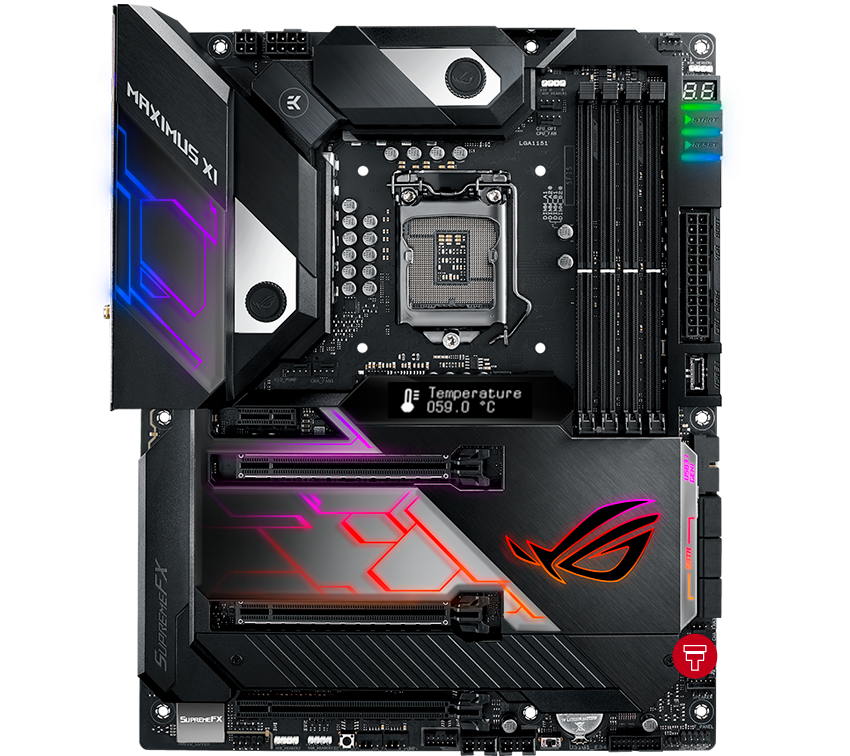
Water in/out Allows for monitoring of temperature at the input/out of any component.
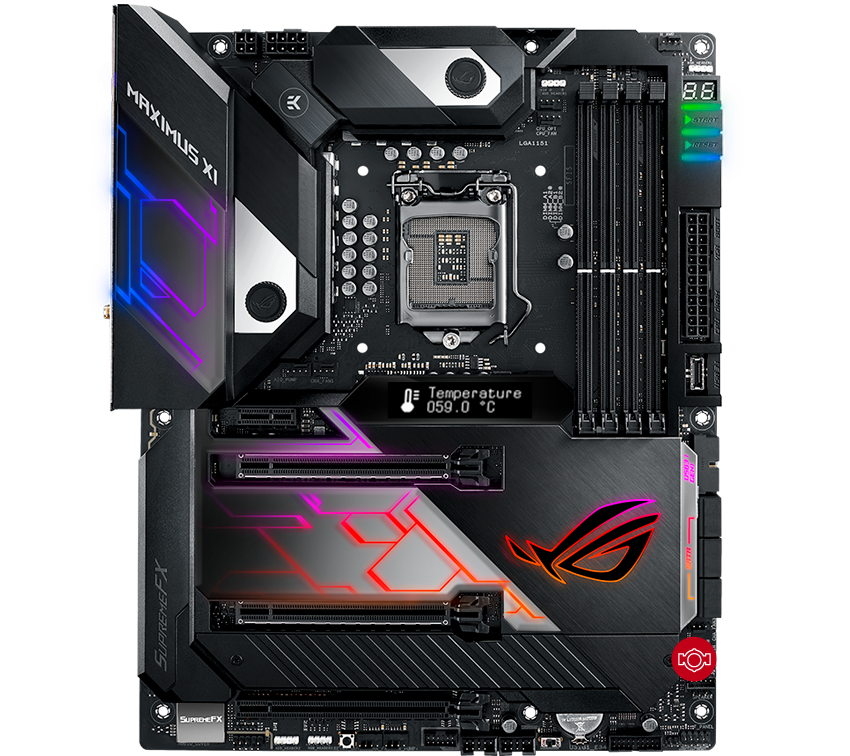
Water flow Allows for constant monitoring of the flow rate of entire loop.
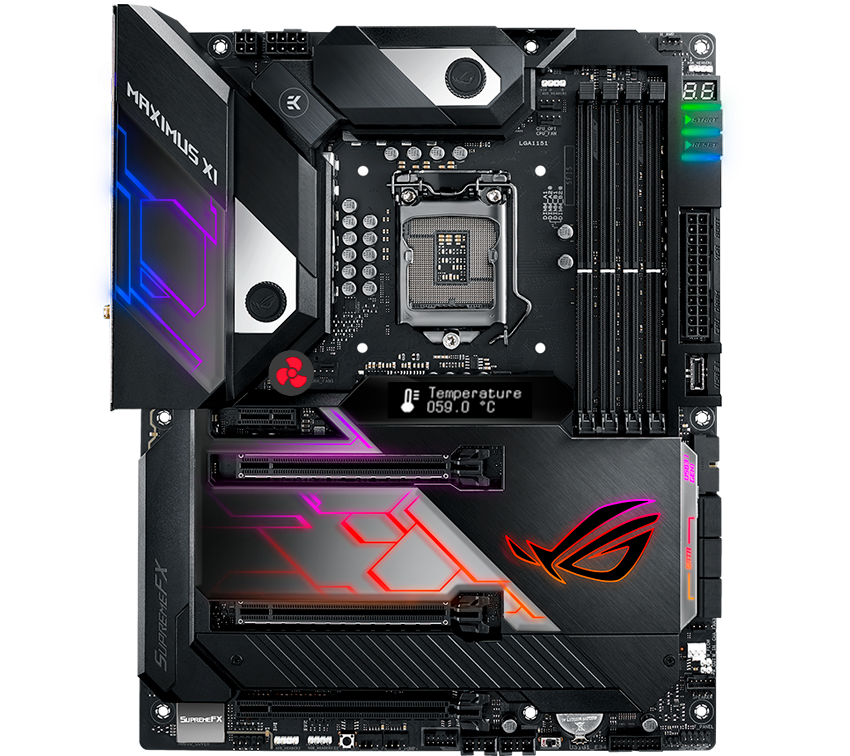
AIO pump An All-In-One header that supports auto-detection of PWM, DC fans and water pumps.
Tune it Your Way with AI Overclocking
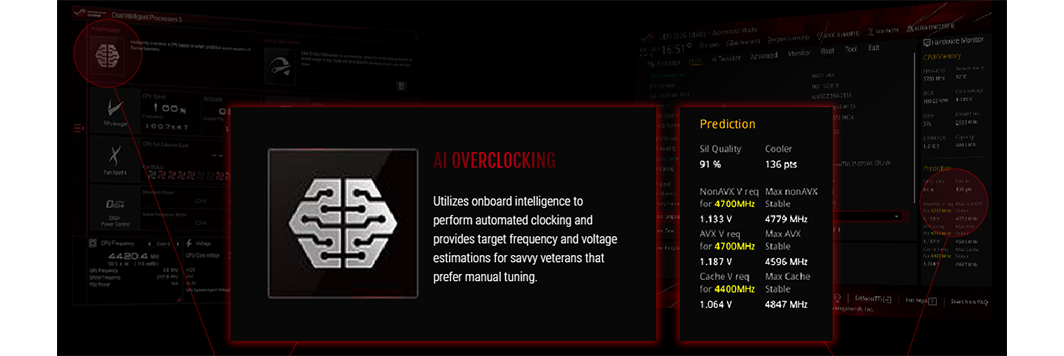
Intelligent Control ASUS AI Overclocking makes automatic tuning faster and smarter than ever before. Available in Windows or directly through the UEFI, it profiles the CPU and cooling to predict the optimal configuration for each individual system. ASUS have created a proprietary algorithm that evaluates the capabilities of your CPU. The onboard intelligence also watches system vitals like temperatures, fan speeds, and power draw to gauge cooling performance.
5-Way Optimization
Overclocking Intelligence Take care of complex tuning with just one click. ASUS 5-Way Optimization is a system-wide tuning utility that overclocks the processor and tunes fan speeds to ensure the best balance between cooling and acoustics. The automated CPU tuning feature of 5-Way Optimization leverages the same onboard intelligence as AI Overclocking,but goes further by running a Prime95 based stress test to deliver a result that's well-tuned from the get-go.
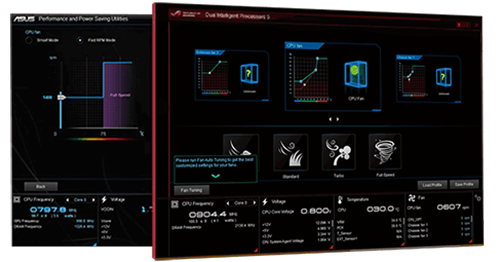
Flexible Cooling Controls With the ROG MAXIMUS Series you have comprehensive control over fans via Fan Xpert 4 or the media-acclaimed UEFI. Whether you are cooling with air or water, Auto-Tuning mode intelligently configures all parameters with a single click. Extreme Quiet mode reduces all fan speeds to below the default minimum assuring your system stays whisper-quiet when performing light tasks.
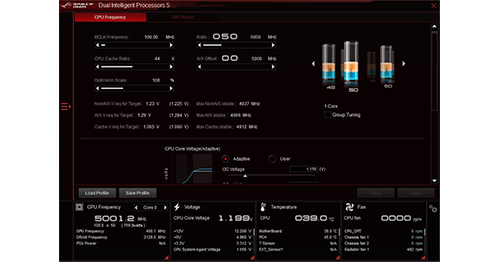
CPU Performance Boost Unleash your PC’s full performance with the ASUS AI Suite 3 utility. The TurboV Processing Unit (TPU) is the intelligence behind our automated system-tuning utility, offering the ability to fine-tune voltages, monitor system stats, and adjust overclock parameters for optimal performance.
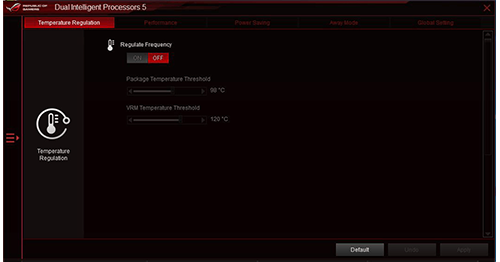
All-round Energy Efficiency The Energy Processing Unit (EPU) automatically amplifies power consumption and maximises savings with Away mode. The smart setting that produces an extreme energy-saving setup by shutting down unused I/O controllers, with the EPU you will appreciate system-wide power reserves.
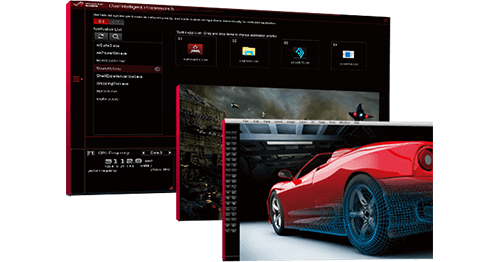
Optimization for gamers and professionals Whether you're a professional designer or hardcore gamer, you'll feel the benefit of the ASUS-exclusive Turbo App every day. This intuitive tool allows you to define CPU overclocking, apply fan profiles, prioritize network data and optimize audio settings at app level, meaning your ROG system is perfectly optimized for what you're doing.
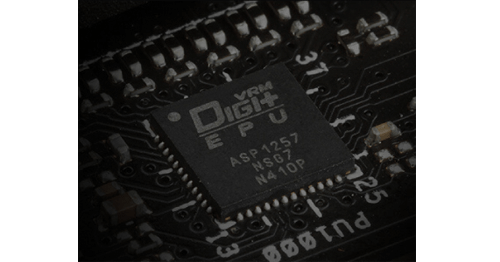
Digital Power Controls The Digi+ voltage-regulator module (VRM) delivers real-time control over voltage droop, switching frequency and power-efficiency settings, allowing you to fine-tune CPU voltage regulation for ultimate stability and performance.
Excellent Memory Capabilities
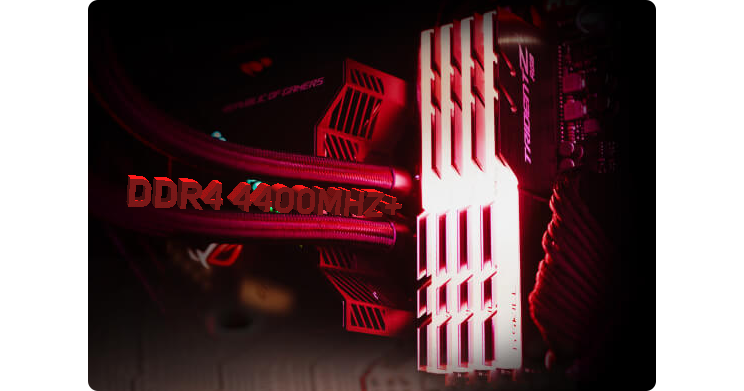
Integrated OptiMem II technology Whether you're gunning for high memory frequencies or tuning timings for the lowest latency, ROG Maximus XI provides the tools you need to exploit the Coffee Lake architecture's full potential: carefully optimized trace pathways maintain signal integrity, and the acclaimed ROG firmware offers the necessary tweaks to ensure stability while maximizing memory performance. Load up with a high-density memory kit for heavy multitasking, or run a focused setup that delivers the bandwidth your favorite games and applications need. Any way you stack it, the Formula has you covered. OptiMem II tech carefully maps memory signal pathways across different PCB layers to reduce vias and also adds shielding zones that significantly reduce crosstalk
Onboard 5G Ethernet with Wi-Fi
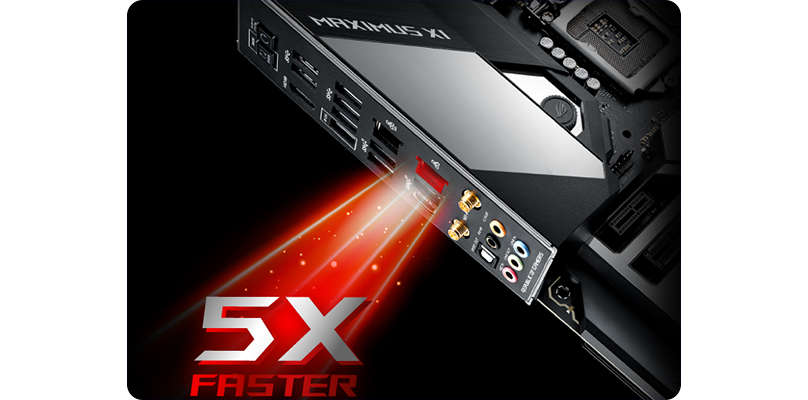
ASUS LANGuard Designed for the demanding requirements of power users and content creators who push the envelope, onboard 5Gbps Ethernet plugs you into a new era of home networking. With up to 5X the bandwidth of standard gigabit Ethernet, you'll enjoy streaming uncompressed 4K UHD videos and backups and file transfers that are faster than ever before. And there's also support for intermediate 2.5Gbps connectivity, allowing you to step up to faster networks for maximum flexibility. Choose the bandwidth that meets your needs and enjoy ultra-low latency at any speed.
Shielded Audio, Superior Sound
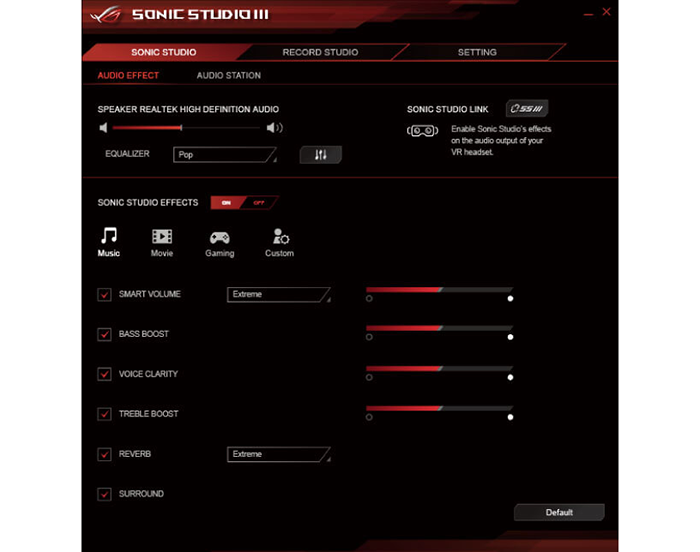
Sonic Studio III provides crystal quality sounds Immerse yourself in sound with SupremeFX audio technology. Utilizing the S1220A codec, SupremeFX is the integrated-audio solution that's engineered to provide a flat frequency response for a neutral, detailed sound signature. And to ensure that pristine signature is perfectly preserved, the front-panel output is driven with dual op amps, delivering sonics with the scale and authority to create virtual worlds via your gaming headset. Sonic Studio supports HRTF-based (head-related transfer function*) virtual surround for VR headsets, casting an immersive aural landscape that draws you deeper into the action. The intuitive Sonic Studio interface also offers a range of EQ options and one-click presets, allowing you to tailor acoustics to suit personal preferences or the characteristics of your headset.
ASUS Aura Sync RGB Lighting
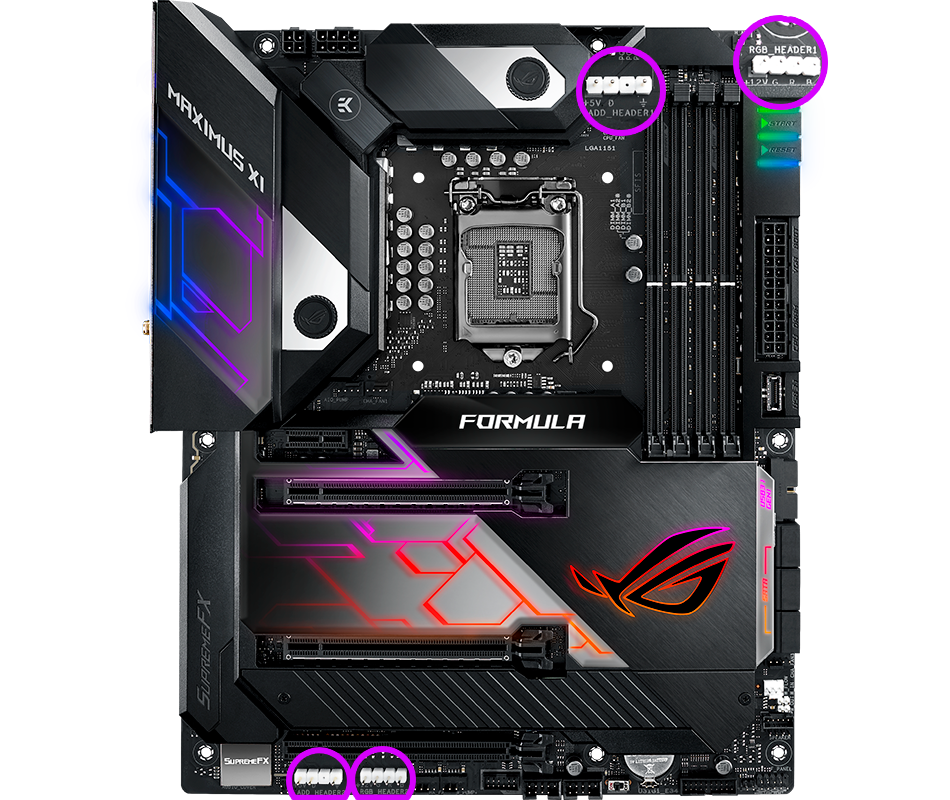
Effortless Synchronization with all your Components The ASUS Aura ecosystem is in the ascendancy, with an extensive and growing list of ASUS products now offering Aura Sync compatibility — along with loads of compatible accessories and kits available through partners. ROG MAXIMUS Series motherboards deliver sterling performance and superior aesthetics to Outshine the Competition. ASUS Aura offers full RGB lighting control with a variety of functional presets for the built-in RGB LEDs as well as strips connected to the onboard RGB header — and it can all be synced with an ever-growing portfolio of Aura-capable ASUS hardware.
Enhanced UEFI BIOS
EASILY FIND YOUR WAY WITH EZ AND ADVANCED MODESThe UEFI BIOS is an early waypoint on any PC-building journey, and ROG MAXIMUS Series has one of the best in the business. The EZ mode presents all the vital settings and stats on a single page making it incredible easy to overclock a CPU to improve performance or even configure a RAID array for faster data retrieval and backups. Whether you're a PC novice or a seasoned overclocker, EZ and Advanced modes will help you quickly find your way, quickly and easily.
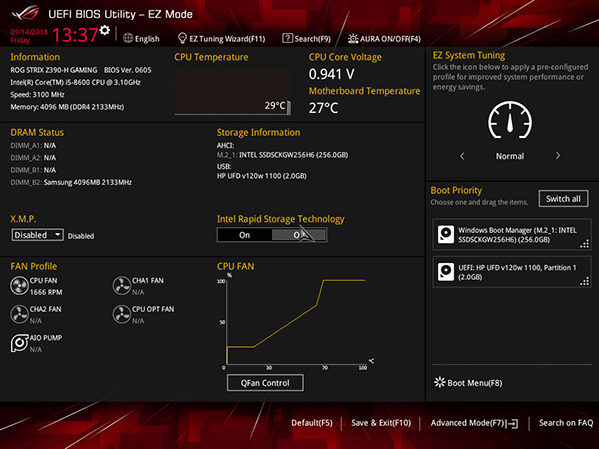
EZ MODEThe wizard in EZ mode makes short work of settings basics like the time and date, as well as more intricate settings like fan parameters and SATA port identification.
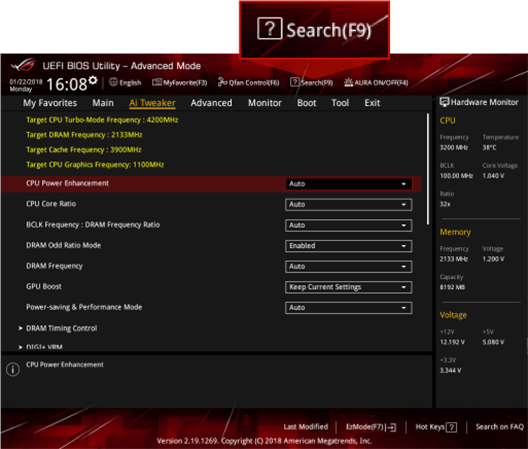
ADVANCED MODE WITH Search FunctionWhen you're ready for a deeper dive, Advanced mode enables full control over every aspect of the motherboard — with a built-in Search function to find the setting you need in the blink of an eye.
Experience GameFirst V Features
OPTIMIZE YOUR NETWORK TRAFFIC GameFirst V is the ROG-exclusive tool that optimizes network traffic for faster, lag-free online gaming. Team your gateways, keeps tabs on bandwidth-hogging apps and make adjustments on the fly.
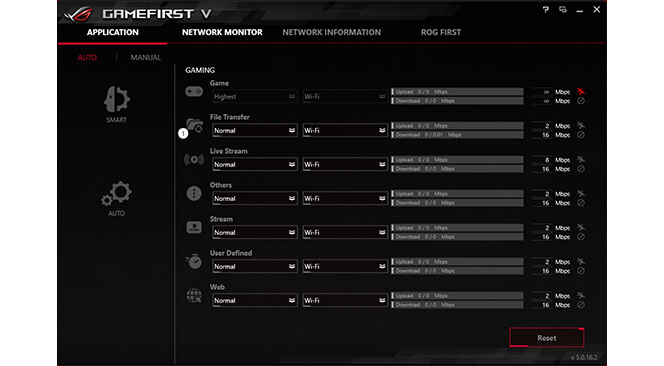
SMART/AUTO MODES Optimize network traffic for active apps, or allocate more bandwidth to games.
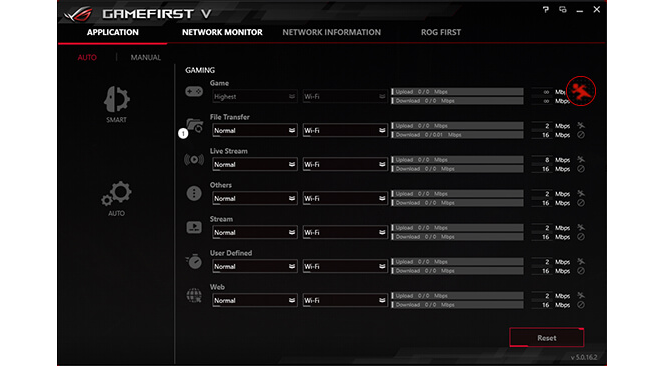
ONE-CLICK PRIORITIZATION
Speed network packets for specific applications, helping to reduce latency.
Extreme mode on: 371.7Mbps
Extreme mode off: 16.03Mbps
* Tested with 4GB file download while also playing 4K online video.

ROG FIRST Interface directly with a ROG router and automatically configure QoS to prioritize network bandwidth to games.
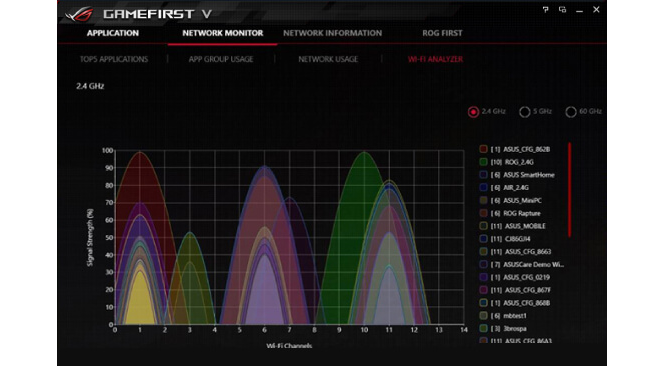
NETWORK INSIGHT View real-time traffic by biggest hogs, app groups, and task types, or drill down for detailed connection information.
Livedash OLED Display


Display your own custom logo Maximus XI Formula is equipped with LiveDash, a built-in 2" OLED panel that displays useful information and customizable graphics. During the power-on, self-test (POST) phase, LiveDash shows key progress stats in simple language and via traditional POST codes. Then, during normal operation, the panel shows a choice of CPU frequency, device temperatures, fan speeds or information from the Water Cooling Zone. You're even able to customize the default LiveDash GIF, so that it'll display your own image or animation.
Boost your Game with Ramcache III
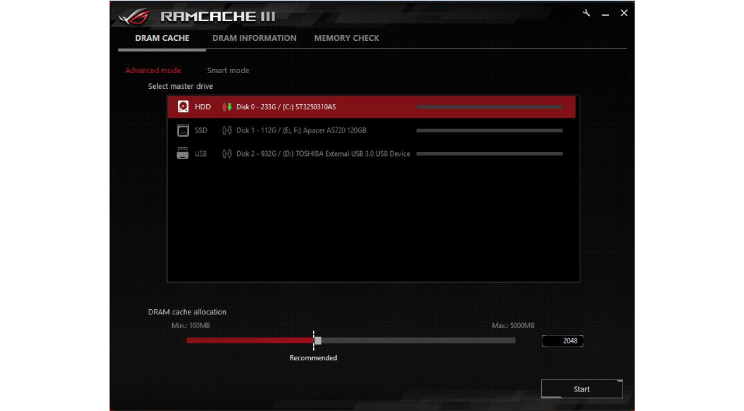
LAUNCH YOUR APPS AT NECK BREAKING SPEEDS RAMCache turns milliseconds into microseconds to boost game-load times. Fully compatible with the latest NVM Express storage options, its uniquely intelligent technology effectively caches an entire storage device so that favorite games and apps launch at breakneck speeds. Smart mode automatically caches all your storage devices to maximize your system's resources using an intuitive interface which displays real time drive information. RamCache III also allos you to efficiently check the health status of assigned memory.
ASUS Armoury Crate and More

Speed your game loads The brand-new Armoury Crate portal keeps you updated with the latest drivers and BIOS releases. Its easy-to-use UI can be configured to show a variety of information, including security updates, bug patches, the latest ROG news, gaming events and special offers.
Overwolf Overwolf is a clever, unobtrusive overlay that lets you browse the internet, check email, instant message and stream or record gameplay while you're in the game. Color-matched ROG skins that display your status as a member of an elite pack are also available for download from the Overwolf App Store.