Intel Motherboards

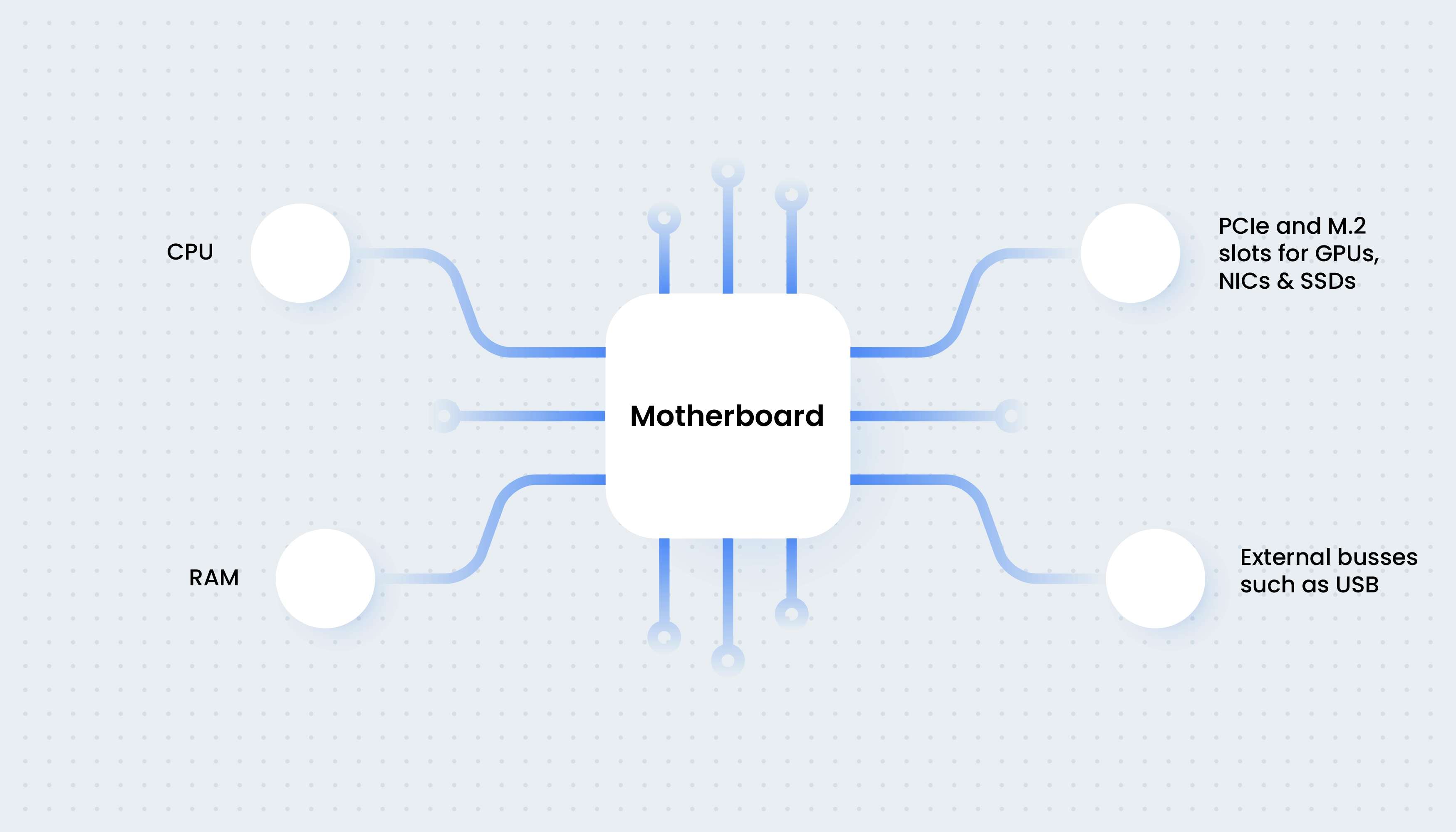
If the CPU is the brain of the PC, then the motherboard is like the nervous system, connecting all the other components together, such as the graphics card, memory and drives, enabling them to communicate with one another.

Just like with any component you need to make sure that you choose a motherboard that is compatible with your CPU. In this guide, we will be focussing our attention on motherboards for INTEL PROCESSORS.

Intel Motherboards

Three Main Factors

There are three main factors to consider when choosing a new motherboard, the socket, the chipset and the size. You can see each of these three characteristics listed on the motherboard homepage on the Scan website and this guide will explain what you need to look out for.

Intel Socket

Motherboard Sockets

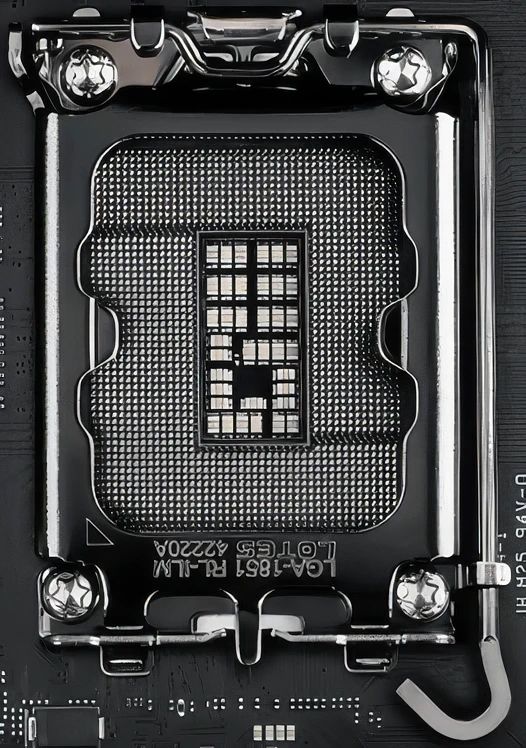
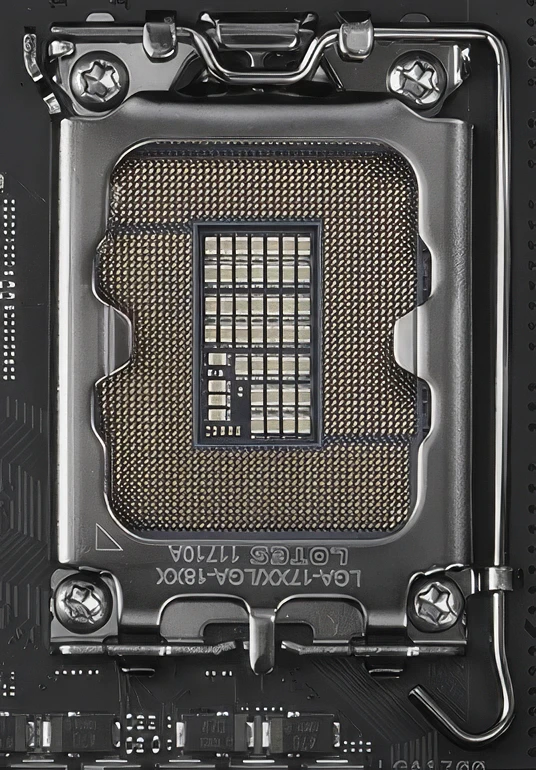
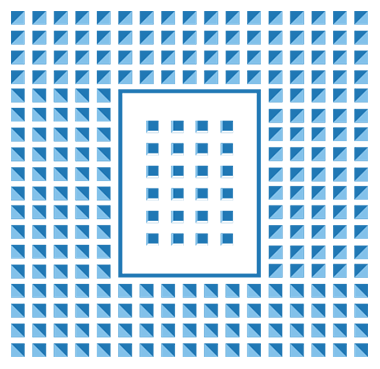
The first thing to look out for is the socket, which is where the CPU physically connects to the motherboard. CPUs are available in all sorts of shapes and sizes, each with their own socket, so it's critically important to make sure that the socket of the CPU and motherboard is the same. While Intel does change the socket design from time to time when designing new CPUs, most current Intel CPUs fall into four main sockets: Socket 1851, Socket 1700, Socket 3647 and Socket 4189, where the number refers to the quantity of electrical connecting pins in the socket.

Intel Chipset

Motherboard Chipsets

After checking the socket type you also need to consider the chipset. The chipset determines a lot of the capabilities of the motherboard, such as the number of add-in cards, the number of memory slots and USB ports. Some CPUs are only served by one chipset while other times you have a choice of chipsets, so you can strike the right balance between features and budget.

Intel Size

Motherboard Size

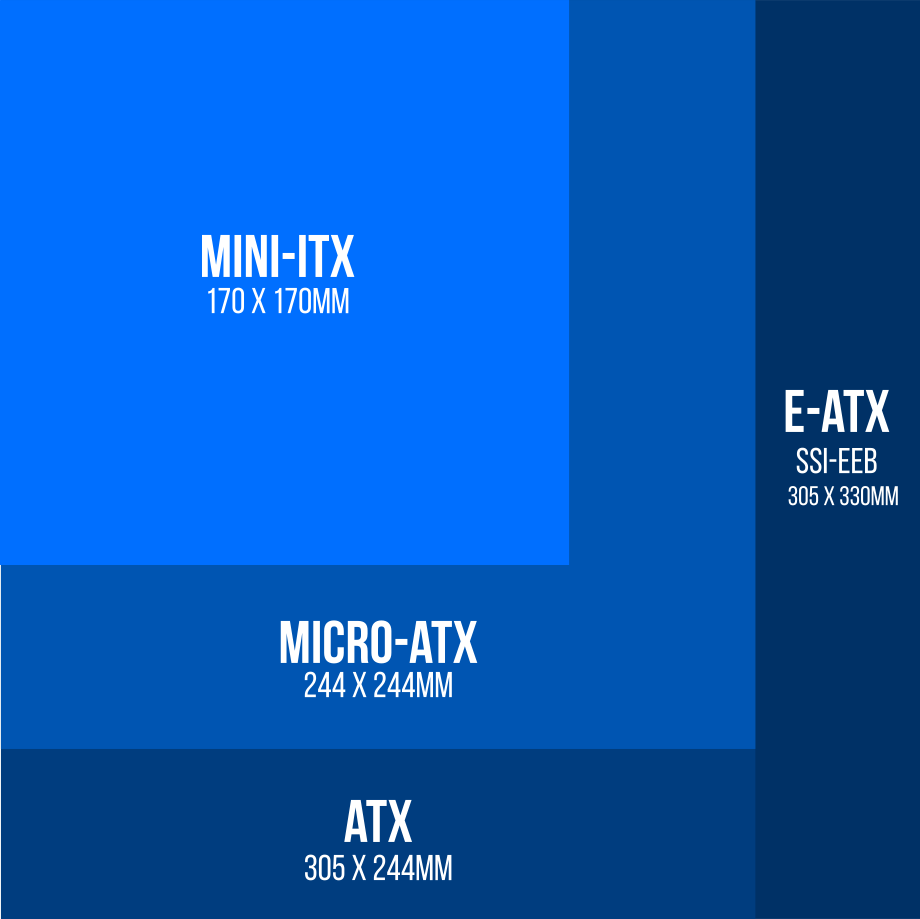
The last thing you need to consider when choosing a new motherboard is the size. Size is important because you need to make sure that the motherboard you buy can fit in your CASE. Larger motherboards are beneficial because they support more add-in cards and memory, but you can still build very capable and high performance systems with smaller motherboards.

Intel Motherboard Size Chart

The diagram below illustrates the various sizes of Intel motherboards, ranging from the compact Mini-ITX to the larger E-ATX SSI-EEB. Understanding these sizes is crucial for ensuring compatibility with your PC case and for planning the expansion capabilities of your system.

Intel motherboard size comparison showing dimensions and PCIe slots
Mini-ITX Micro-ATX ATX E-ATX SSI-EEB
Dimensions (mm) 170 x 170 mm 244 x 244 mm 305 x 244 mm 305 x 330 mm
PCIe slots 1 4 7 7
Intel Motherboard Size Chart

Motherboard Features

Before you browse the range of sockets and chipsets here's what else to consider when choosing a new motherboard.

Storage Ports

There are many types of storage ports, so it's crucial to check that the motherboard you're looking at supports the drives you want to use.

Typically, most motherboards support at least one M.2 NVMe slot for PCIe SSDs. Beware, not all M.2 slots are the same speed, so look out for one with the latest PCIe version (a higher number), and that it is connected to the CPU via four PCIe lanes.

Some high-end motherboards also support U.2 and U.3 ports for PCIe SSDs. These have the same performance as M.2 SSDs, but are larger 2.5in drives, that therefore support a higher capacity, connecting via a cable to the motherboard.

Finally, all motherboards also support SATA ports for 2.5in and 3.5in SSDs and HDDs that connect via a cable. SATA SSDs and HDDs are much slower than PCIe drives, but can be a good option for storing large amounts of data such as documents, music, images and videos.

TYPE M.2 NVME SSD (PCIE) U.2/U.3 SSD (PCIE) SATA SSD SATA HDD
Performance

← HIGHEST

LOWEST →

Capacity

← LOWEST

HIGHEST →

Read our in-depth SSD buyers guide and HDD buyers guide for more information on each of these types of drive.
USB Ports

There are multiple generations of USB, so it's crucial to check that the motherboard you're looking at supports all the USB peripherals you want to use.

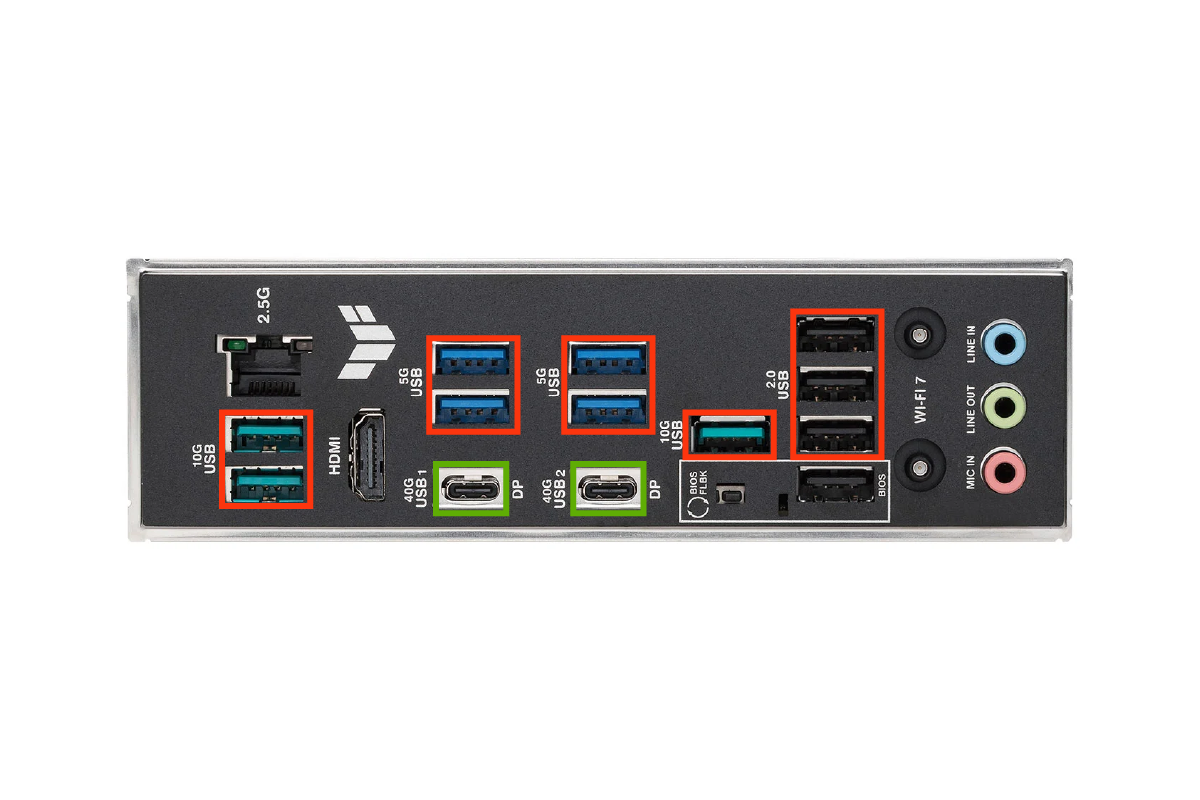
All motherboards will support USB Type A ports (highlighted in red) at the back of the PC, accessible through the I/O Shield. Most high-end motherboards will also support some faster USB Type C ports (highlighted in green) as well.

In addition, there will be one or more headers on the motherboard itself, for connecting via a cable to the USB ports on the front/top of the case.

USB Ports
STANDARD BANDWIDTH CONNECTOR
2.0 480Mb/s USB A
3.0 5Gb/s USB A
3.1 10Gb/s USB A
3.2 20Gb/s USB C
4.0 40Gb/s USB C
4.2.0 80Gb/s USB C

Display Outputs

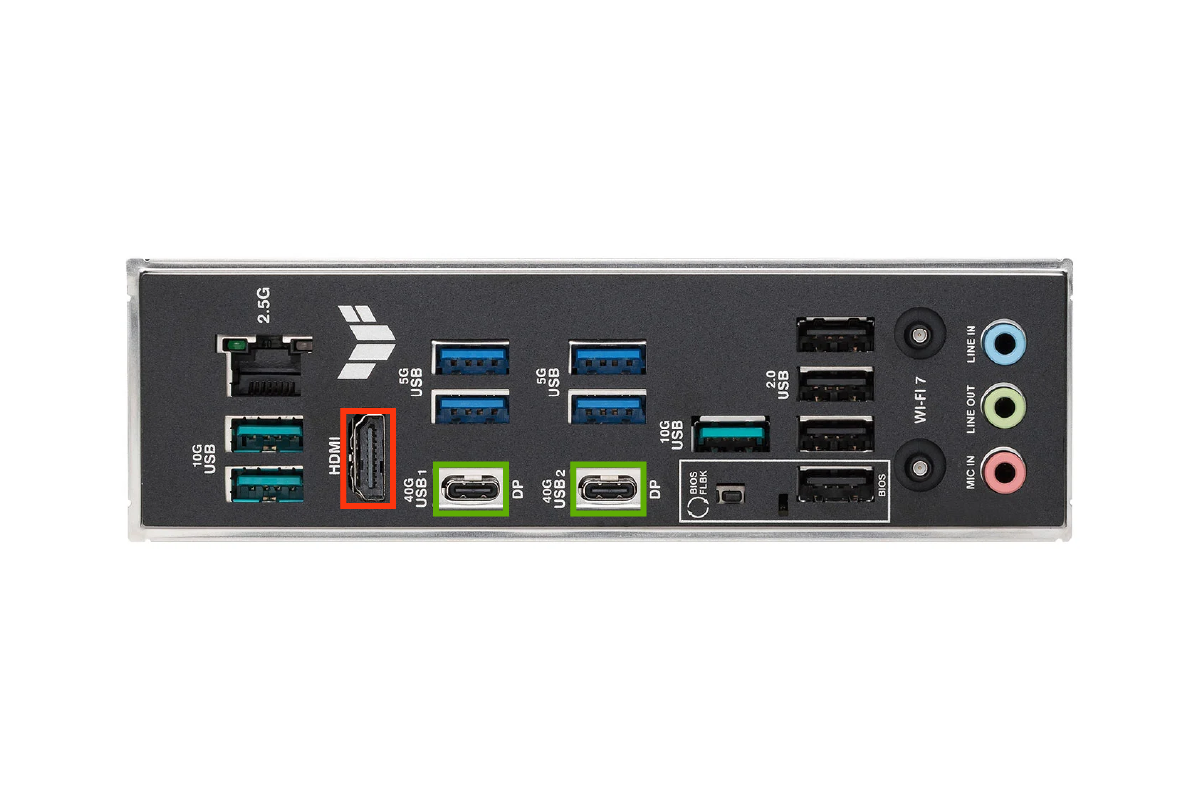
Many motherboards also include one or more display outputs for connecting the integrated graphics in a CPU to a monitor if you don't have a discrete graphics card. If you're planning on going down this route make sure that your CPU does have integrated graphics, as not every model does, then check what inputs your monitor has.

The most common display outputs on the back of motherboards, accessible through the I/O Shield, are HDMI (highlighted in red) and DisplayPort (highlighted in green), the latter often sharing a USB 4 port.

With all that said, if you're a gamer or a content creator you really ought to buy an AMD Radeon or NVIDIA GeForce discrete graphics card as you'll get much better performance than using integrated CPU graphics.

Display Outputs

Wired Networking

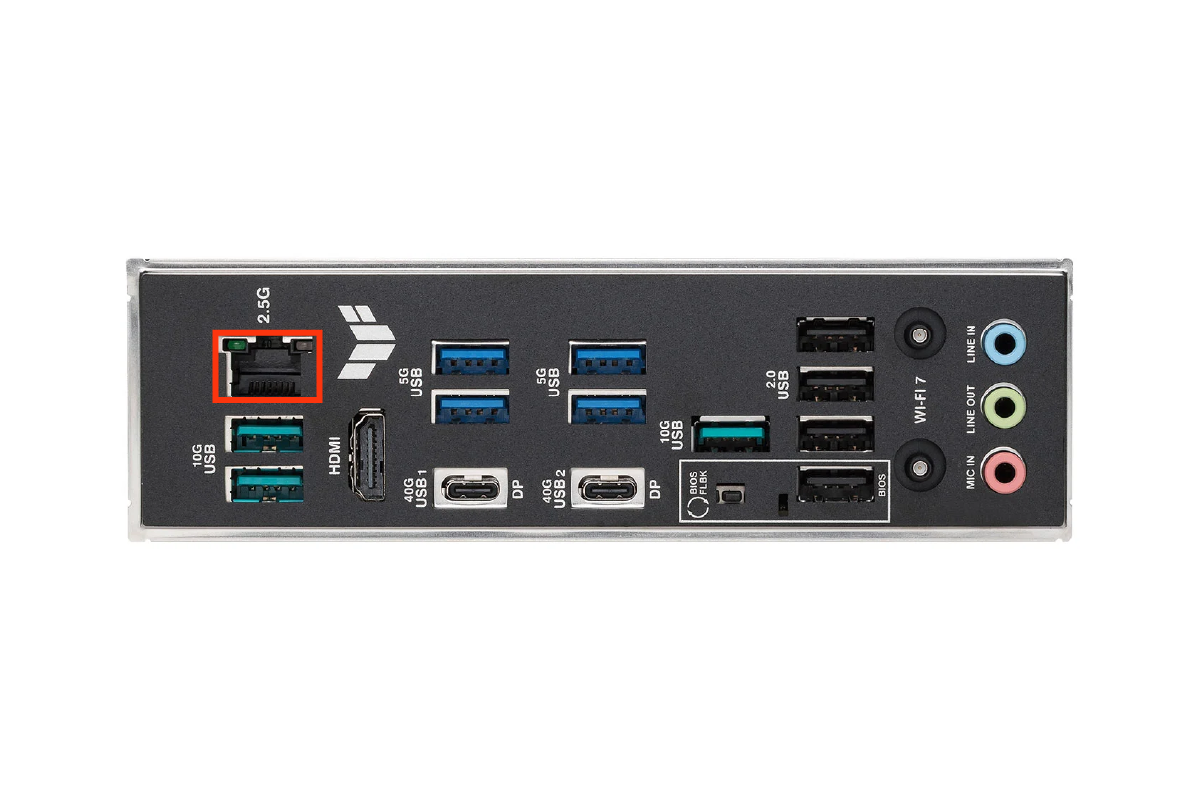
Almost every motherboard includes at least one RJ45 wired networking port on the back of the motherboard (highlighted in red), accessible through the I/O Shield.

Ethernet is the most common wired network protocol, delivering dependable networking since the early 1980s. In motherboards, 1GbE has long been the standard, although some high-end workstation motherboards include faster Ethernet.

Wired Networking
VERSION TRANSFER RATE (Gigabits per second) TRANSFER RATE (Gigabytes per second)
1GbE 1 0.12
2.5GbE 2.5 0.31
5GbE 5 0.62
10GbE 10 1.25

Wireless Networking

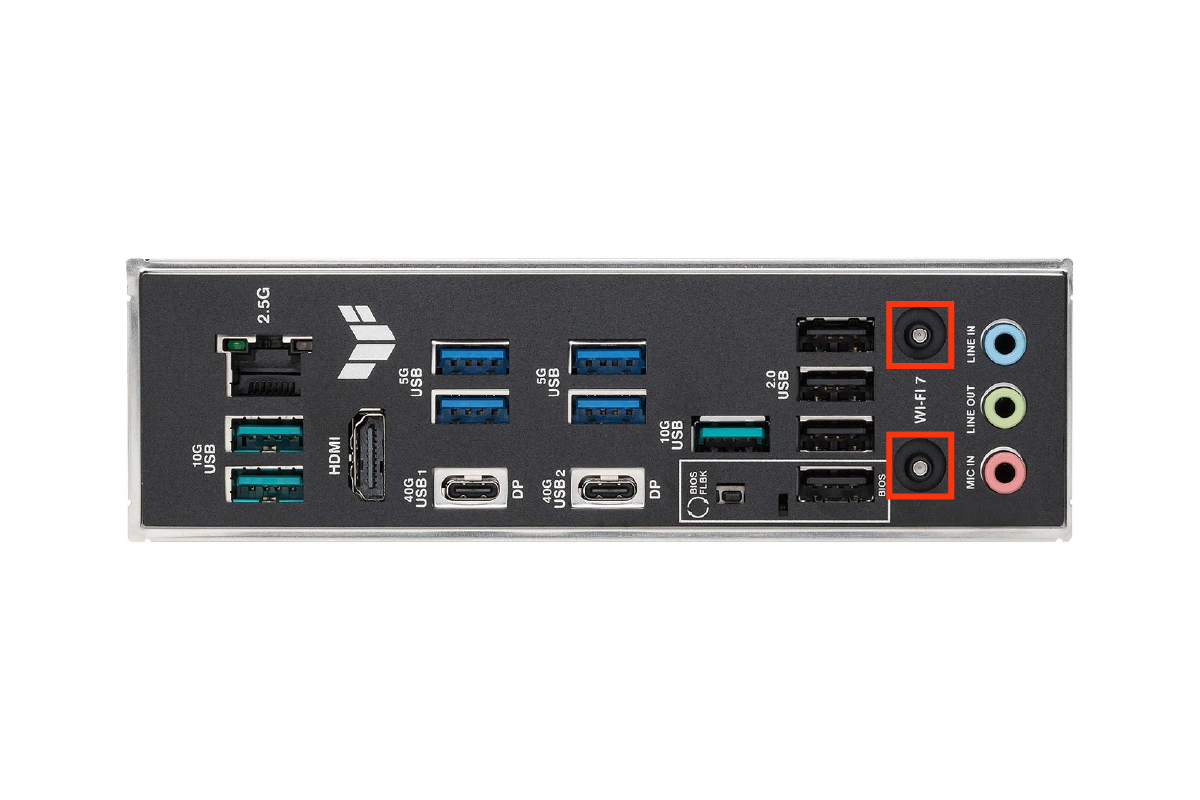
Some motherboards also support wireless WiFi networking. This normally takes the form of a an aerial with a pair of wires that screw into two ports on the back of the motherboard (highlighted in red), accessible through the I/O Shield.

However, sometimes the ports for the aerial are mounted on an expansion slot cover, so will take up one slot in the case, preventing you from installing a PCIe card there.

There are multiple generations of WiFi, so make sure you choose a version that is compatible with your router.

Wireless Networking
GENERATION IEEE STANDARD FREQUENCY MAX DATA RATE MAX RANGE
Wi-Fi 2 802.11b 2.4GHz 11Mbps 450ft
Wi-Fi 1 802.11a 5GHz 54Mbps 400ft
Wi-Fi 3 802.11g 2.4GHz 54Mbps 450ft
Wi-Fi 5 802.11ac 5GHz 1Gbps 1000ft
Wi-Fi 6 / 6E 802.11ax 2.4 / 5GHz 10Gbps 1000ft
Wi-Fi 7 802.11be 2.4 / 5GHz / 6GHz 24Gbps 1000ft

Audio Ports

Practically all motherboards include some form of onboard audio capabilities, most commonly provided by a Realtek chip, sometimes with customised drivers by the motherboard manufacturer. The most important things to look out for is a high SNR ratio and bit depth, resulting in better audio playback and recording.

Realtek makes a huge variety of audio chips, so the table below includes just the most common models. Audio quality also depends on how the chip is connected to outputs on the motherboard, so not all motherboards with the same chip will sound alike.

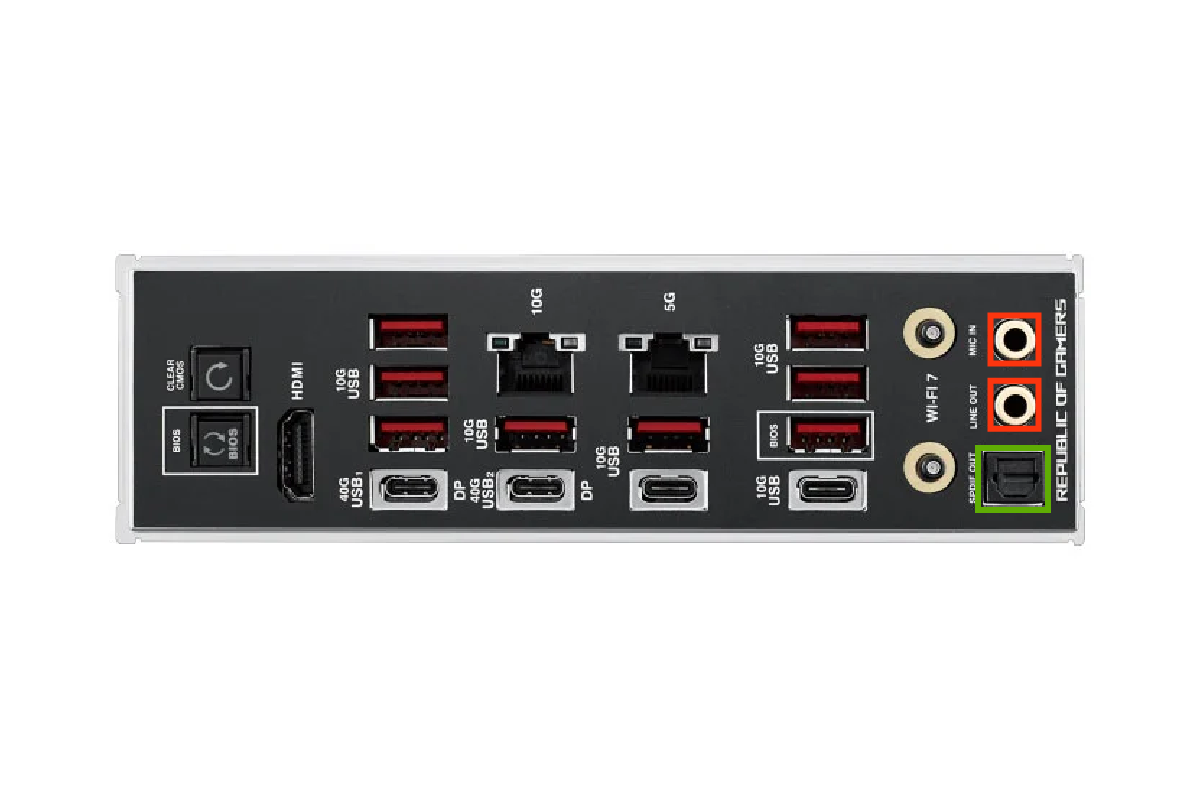
Regardless of the specific audio chip, there will be a number of inputs and outputs in the form of 3.5mm analogue minijacks on the back of the motherboard (highlighted in red), accessible via the I/O Shield. Some high-end motherboards also have optical S/PDIF outputs too (highlighted in green).

Audio Ports
MODEL ALC897 ALC1200 ALC1220 ALC4080
Sound Quality

← HIGHEST

LOWEST →

Motherboard Cooling

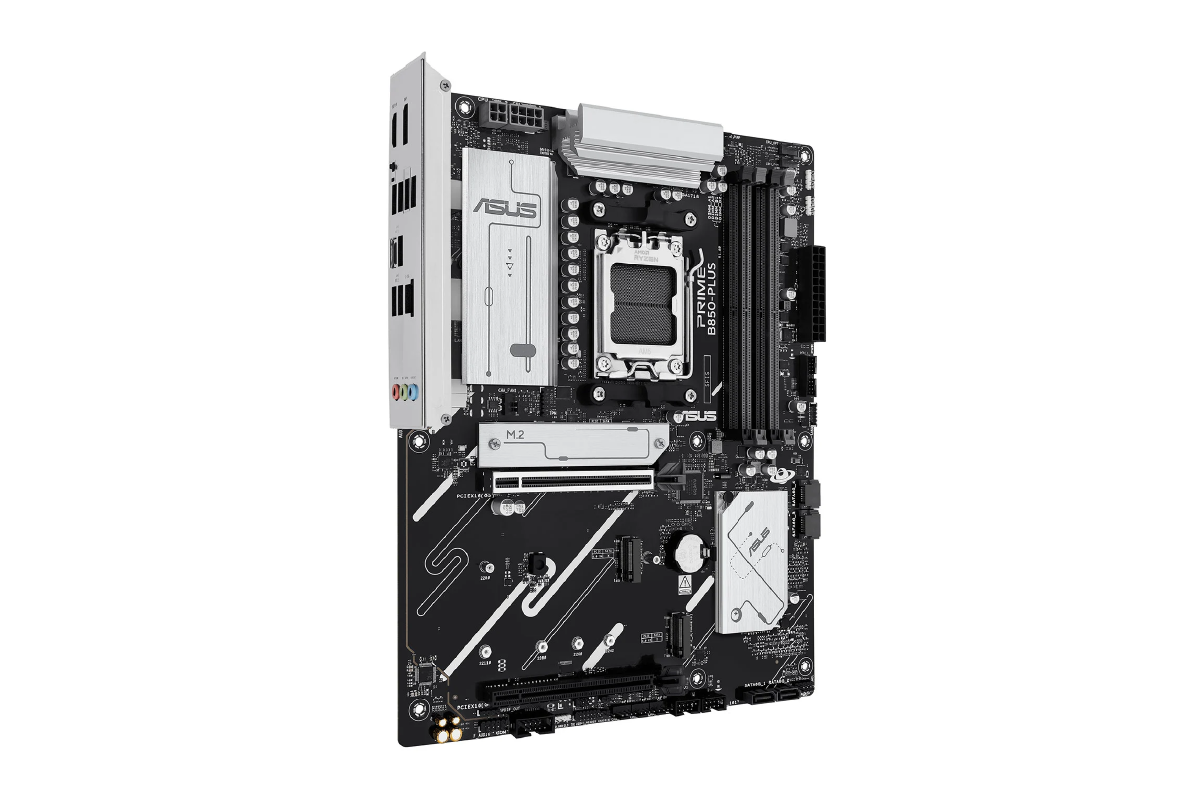
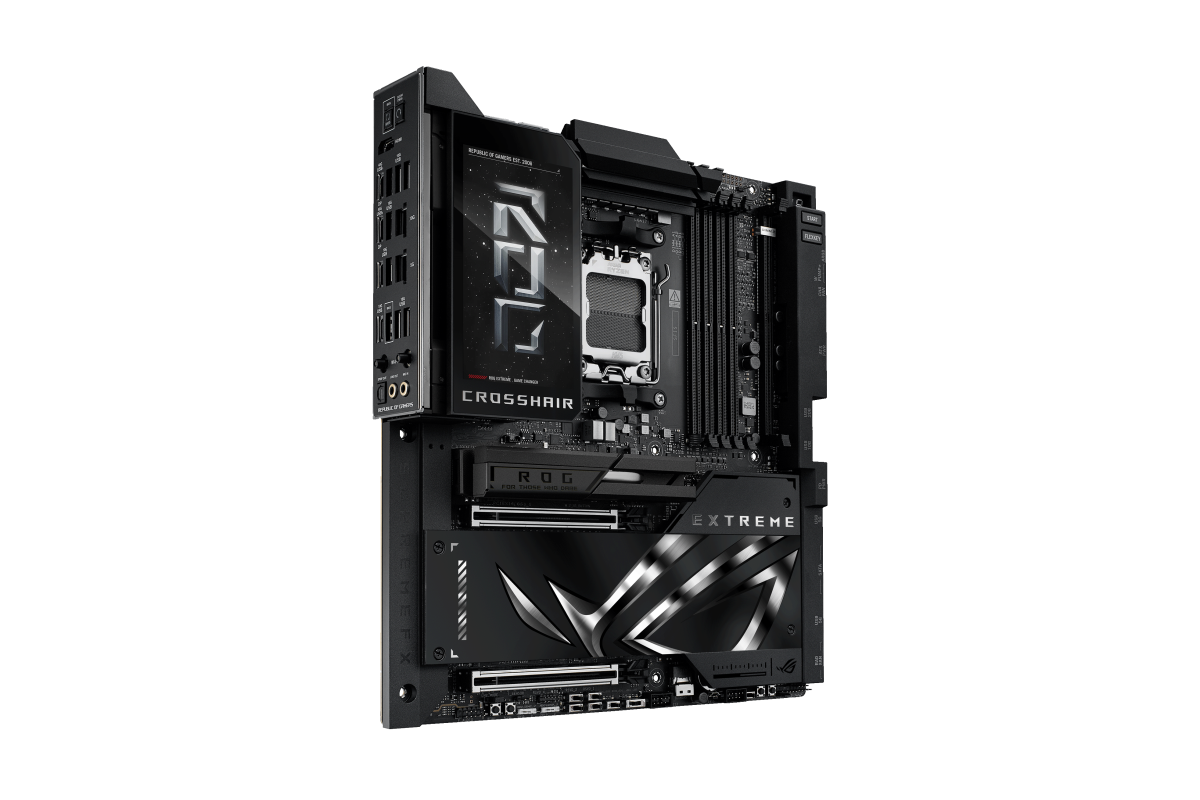
Key motherboard components, such as the VRMs, chipset and M.2 NVMe SSDs, require dedicated cooling in the shape of heatsinks to perform optimally, so the efficiency of the cooling system is another area that differentiates one motherboard from another. Efficient cooling is crucial if you're planning on using a CPU with a high TDP, or overclocking the processor.

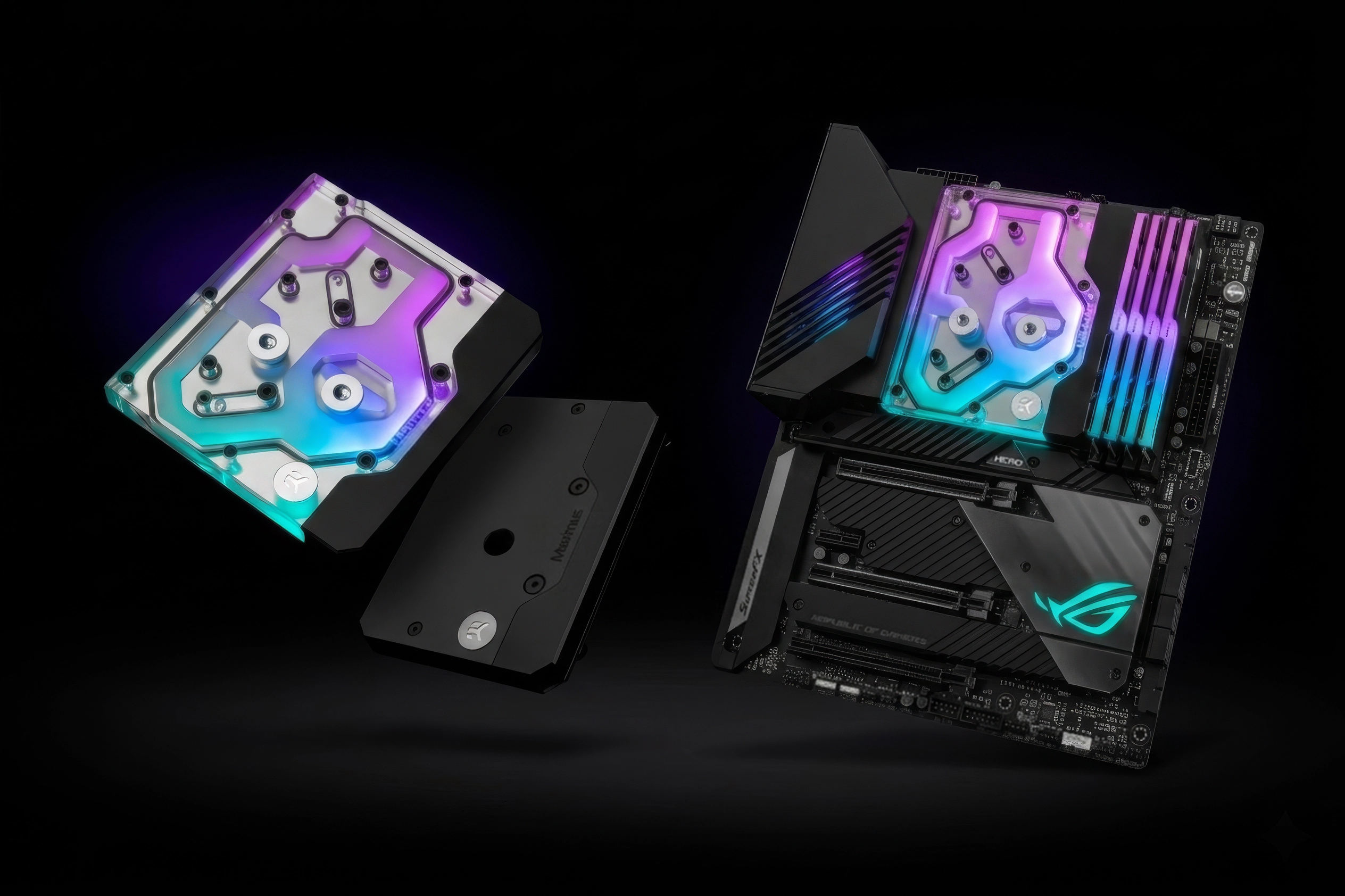
For the ultimate upgrade, some motherboards even come pre-installed with watercooling, or you can purchase and install your own motherboard waterblock.

ASUS Prime Motherboard

Basic Cooling

An Asus Prime motherboard with basic cooling.

ASUS ROG Motherboard

Upgraded Cooling

Asus ROG with upgraded heatsinks.

Water Cooling

For the ultimate upgrade, some motherboards even come pre-installed with watercooling, or you can purchase and install your own motherboard waterblock.

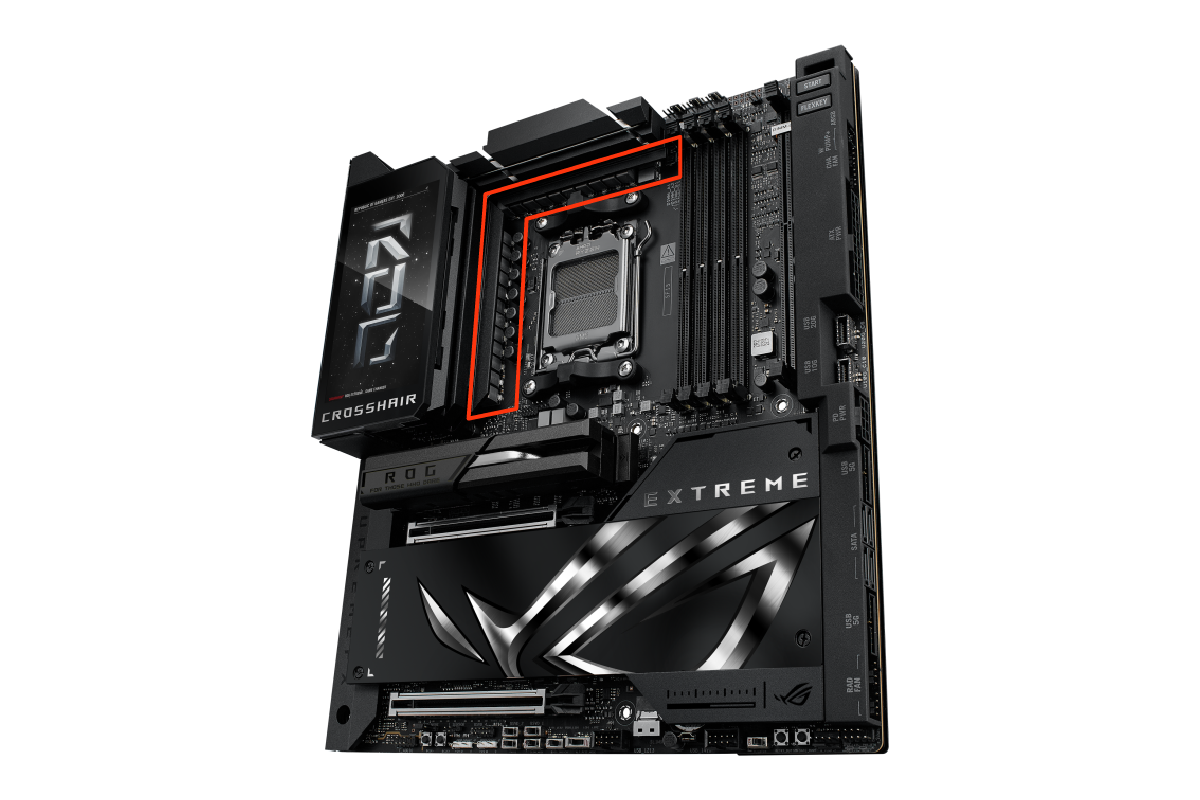
ASUS VRMs

VRMs

VRMs stands for Voltage Regulator Modules and you'll see this acronym used heavily in the marketing material of many high-end motherboards. VRMs use inductors, capacitors, and other electronic components to convert and filter electrical power from the PSU to the different components on the motherboard, in particular the CPU.

The more power hungry the CPU, such as one with a high TDP, the more important it is to choose a motherboard with high quality VRMs. VRM quality is also critical if you're planning on overclocking the CPU.

Which VRMs are best is a highly complex topic, but generally speaking you should be on the lookout for VRMs that are efficiently cooled and have lots of phases - the number of times electrical power is converted and filtered through the VRMs. These features result in a smoother delivery of power, increasing system stability, performance and longevity.

ASUS VRMs

RGB Lighting

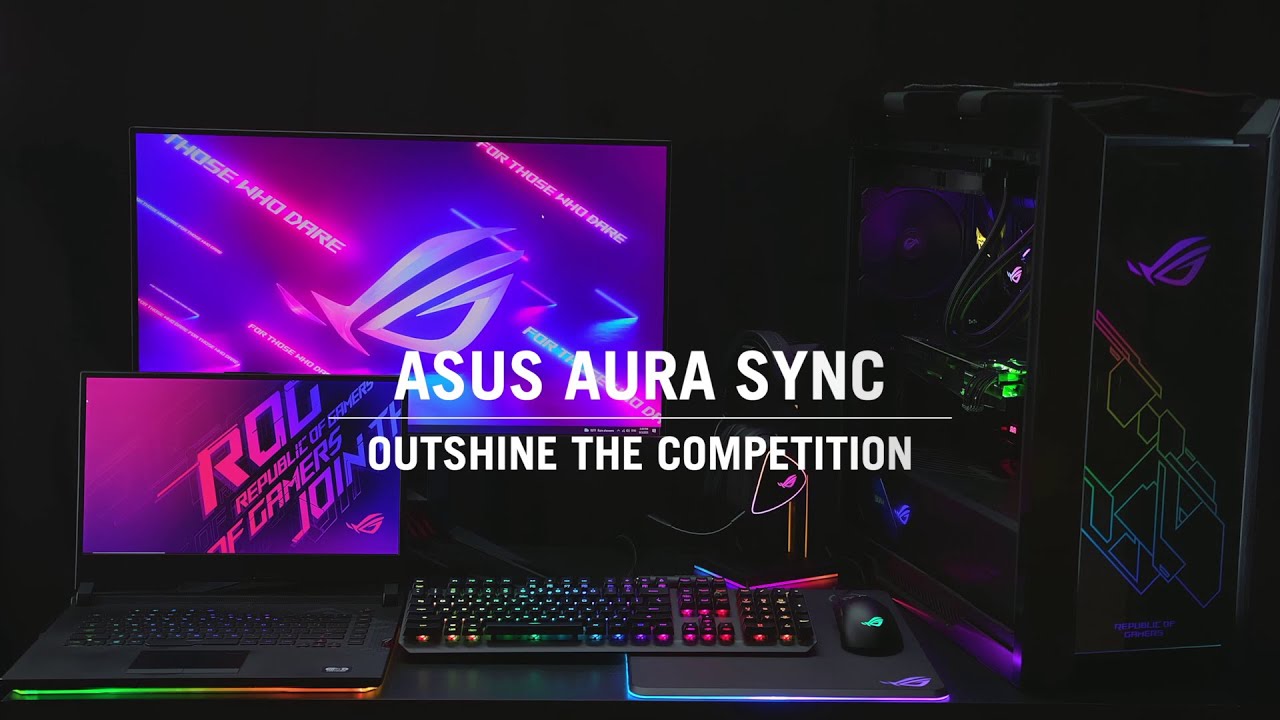
As with anything to do with modern PCs, you can also get motherboards with RGB lighting to add extra standout to your system. This can include LEDs on the motherboard itself, or headers for connecting RGB lighting strips. Most RGB systems enable to you choose individual colours for different parts of the board, select moving patterns, or simply choose a static colour to match the rest of your system or mood.

Play video demonstration

Motherboard Brands

Although this guide is for Intel motherboards, Intel doesn't manufacture any motherboards itself. Instead, there are dozens of different motherboard brands making hundreds of different models of motherboard for Intel processors. With so much choice, here's our guide to the biggest brands and the series names they use to describe their motherboards.

ASUS

SERIES USE CASE
Republic of Gamers (ROG) High-end gaming
TUF Gaming Mid-range gaming
Prime General purpose
ProArt Content creators
Workstation Professional workstations

ASROCK

SERIES USE CASE
Taichi Flagship
Phantom Gaming High-end gaming
Steel Legend Mid-range gaming
Pro General purpose
Live Mixer Content creators
WS Professional workstations

GIGABYTE

SERIES USE CASE
AORUS High-end gaming
Gaming Mid-range gaming
Ultra Durable General purpose
AERO Content creators

MSI

SERIES USE CASE
MEG High-end gaming
MPG Mid-range gaming
MAG Entry-level gaming
PRO General purpose

Select a Motherboard Socket for More Details

Socket 1851 Motherboards

Socket 1851 motherboards support the latest Intel 2nd series Core Ultra CPUs based on the Arrow Lake architecture.

Socket 1851 supported CPU architectures and chipsets
LATEST SUPPORTED CPU ARCHITECTURE ARROW LAKE MOTHERBOARD CHIPSETS
2nd Series, Arrow Lake Z890, B860, H810
Socket 1851 Motherboards

Z890

HIGH END — Z890 is the high-end motherboard chipset for Intel 2nd series Core Ultra CPUs, supporting the most PCIe lanes and USB ports.

FEATURES

B860

MID RANGE — B860 is the mid-range motherboard chipset for Intel 2nd series Core Ultra CPUs, supporting fewer PCIe lanes and USB ports than Z890.

FEATURES

H810

ENTRY LEVEL — H810 is the entry-level motherboard chipset for Intel 2nd series Core Ultra CPUs, supporting fewer PCIe lanes and USB ports than B860.

FEATURES
Intel Core Ultra 9 badge Intel Core Ultra 7 badge Intel Core Ultra 5 badge

RECOMMENDED PROCESSORS

VIEW Z890 MOTHERBOARDS
Intel Core Ultra 7 badge

RECOMMENDED PROCESSORS

VIEW B860 MOTHERBOARDS
Intel Core Ultra 5 badge

RECOMMENDED PROCESSORS

VIEW H810 MOTHERBOARDS

Intel Chipset Summary

Still not sure which Intel chipset is right for you? This table shows the key characteristics of the main models. Also bear in mind that motherboard manufacturers are free to add or change the specifications to a certain extent, so be sure to check the specs of individual motherboards.

Intel Socket 1851 chipset comparison: Z890, B860, H810
FEATURE Z890 B860 H810
PCIe 5.0 Slots for Graphics Cards 1x16 or 2x8 1x16 1x16
PCIe 5.0 Lanes for NVMe SSDs 4 4 0
Useable PCIe 4.0 Lanes 24 14 8
Overclocking
USB 3.0 Ports 0 0 0
USB 3.1 Ports 0 0 0
USB 3.2 Ports 10 6 4
USB 4.0 Ports 0 0 0
SATA Ports (or PCIe 3.0) 8 4 4

Socket 1700 Motherboards

Socket 1700 motherboards support Intel 14th gen Core CPUs based on the Raptor Lake Refresh architecture plus older Intel 13th gen and 12th CPUs based on the Raptor Lake and Alder Lake architectures respectively.

Socket 1700 supported CPU architectures and chipsets
LATEST SUPPORTED CPU ARCHITECTURE RAPTOR LAKE REFRESH MOTHERBOARD CHIPSETS
14th gen, Raptor Lake Refresh Z790, B760, H610
Socket 1700 Motherboards

Z790 and Z690

HIGH END — Z790 is the two high-end motherboard chipset for Intel 14th, 13th and 12th gen Core CPUs.

FEATURES

B760

MID RANGE — B760 is the mid-range motherboard chipset for Intel 14th, 13th and 12th gen Core CPUs.

FEATURES

H610

ENTRY LEVEL — H610 is the entry-level motherboard chipset for Intel 14th, 13th and 12th gen CPUs and therefore supports the least number of PCIe lanes and USB ports.

FEATURES
Intel Core i9 badge Intel Core i7 badge Intel Core i5 badge

RECOMMENDED PROCESSORS

VIEW Z790 & Z690 MOTHERBOARDS
Intel Core i9 badge Intel Core i7 badge Intel Core i5 badge Intel Core i3 badge

RECOMMENDED PROCESSORS

VIEW H770 & B760 MOTHERBOARDS
Intel Core i3 badge Intel Pentium badge

RECOMMENDED PROCESSORS

VIEW H610 MOTHERBOARDS

Intel Chipset Summary

Still not sure which Intel chipset is right for you? This table shows the key characteristics of the main models. Also bear in mind that motherboard manufacturers are free to add or change the specifications to a certain extent, so be sure to check the specs of individual motherboards.

Intel Socket 1700 chipset comparison: Z790, B760, H610
FEATURE Z790 B760 H610
PCIe 5.0 Slots for Graphics Cards 1x16 or 2x8 1x16 1x16
PCIe 4.0 Lanes for NVMe SSDs 4 4 0
Useable PCIe 4.0 Lanes 28 14 8
Overclocking
USB 3.0 Ports 0 0 0
USB 3.1 Ports 0 0 0
USB 3.2 Ports 10 6 4
USB 4.0 Ports 0 0 0
SATA Ports (or PCIe 3.0) 8 4 4

Socket 4677 Motherboards

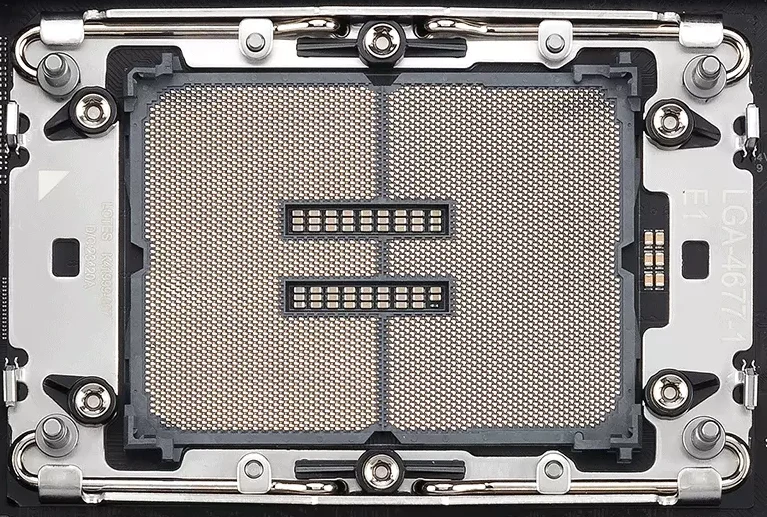
Socket 4677 motherboards support Intel Xeon-W-3500 and W-2500 CPUs based on the Sapphire Rapids architecture.

Socket 4677 supported CPU architectures and chipsets
LATEST SUPPORTED CPU ARCHITECTURE SAPPHIRE RAPIDS MOTHERBOARD CHIPSETS
Xeon-W-3500 and W-2500 CPUs, Sapphire Rapids W790
Socket 4677 Motherboards

W790

FEATURES — W790 is the only chipset for Intel Xeon-W-3500 and W-2500 CPUs.

FEATURES
Intel Xeon Workstation badges

RECOMMENDED PROCESSORS

VIEW W790 MOTHERBOARDS

Intel Chipset Summary

Still not sure which Intel chipset is right for you? This table shows the key characteristics of the main models. Also bear in mind that motherboard manufacturers are free to add or change the specifications to a certain extent, so be sure to check the specs of individual motherboards.

Intel Socket 4677 chipset comparison: W790
FEATURE W790
PCIe 5.0 Lanes Up to 112
Useable PCIe 4.0 Lanes 28
Overclocking
USB 3.0 Ports 0
USB 3.1 Ports 0
USB 3.2 Ports 10
USB 4.0 Ports 0
SATA Ports (or PCIe 3.0) 8

Frequently Asked Questions FAQ

Here are some common questions and answers to help you find the information you need.

No, Intel motherboards do not support AMD CPUs. Please read our AMD motherboard buyers guide for more guidance.

No, a motherboard can only support either an AMD or Intel CPU. This guide covers motherboards for AMD CPUs but we also have a dedicated AMD motherboard buyers guide.

For gaming you should look out for a motherboard that supports a Socket 1851 processor and the Intel Z890 chipset.

There three main Intel sockets and dozens of different chipsets, so it depends on what you're going to use your PC for. This guide covers all this and more, so scroll up to the top of this page to find out all you need to know about choosing an Intel motherboard.

The latest Intel motherboard is the Z890 for Socket 1851 processors.

The best Intel motherboard chipset is the Z890 for Socket 1851 processors.

For gaming you should look out for a motherboard that supports a Socket 1851 processor and the Intel Z890 chipset.

There dozens of different chipsets, so it depends on what you're going to use your PC for. This guide covers all this and more, so scroll up to the top of this page to find out all you need to know about choosing an Intel motherboard.