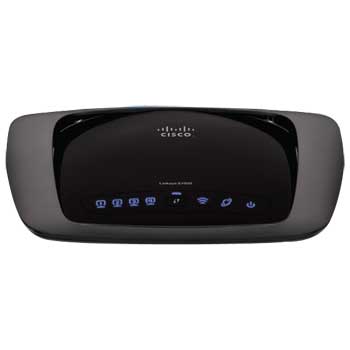
Linksys E1000 Wireless-N Router inc 4 Port Switch 300Mbps
Scan code: LN35920
Manufacturer code: E1000-UK
End Of Life

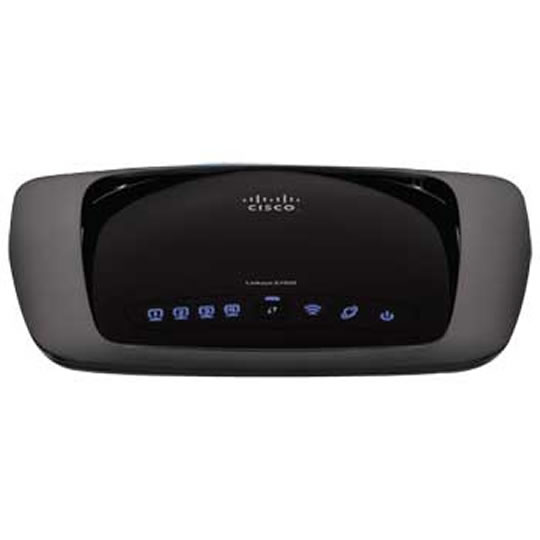

Linksys E1000 Wireless-N Router inc 4 Port Switch 300Mbps
Linksys E1000 Wireless-N Router inc 4 Port Switch 300Mbps
Scan code:
LN35920
Manufacturer code:
E1000-UK
This product is no longer available to purchase.
Email me when the availability or price changes
- SCANPROTECT Protect against installation damage for 28 days.
Product Overview
The Linksys E1000 puts the power of wireless-N technology in your home. Speed up your wireless network with a router that connects your computers, wireless printers, smart phones, and other Wi-Fi devices at up to 300 Mbps. Included Cisco Connect software gets you set up quickly and offers powerful tools for managing your wireless network. The Linksys E1000 gives you basic, quick-to-install wireless-N connectivity for surfing the Web, sending email, and file sharing.
http://www.linksysbycisco.com/UK/en/products/E1000?CMP=KNC-UK_G_Product+Specific&HBX_PK=e1000&HBX_OU=50 Features • Enjoy the benefits of wireless-N in your home—ideal for wireless Internet usage and home office productivity
• Connect your computers, wireless printers, smart phones, and other wireless devices at up to 300 Mbps of transfer speed
• Use four Fast Ethernet (10/100 Mbps) ports to directly connect wired devices
• Set up your wireless network in a few simple steps using included Cisco Connect software
• Connect additional computers and other devices using Cisco Connect
• Keep Wi-Fi freeloaders and Internet threats at bay with customizable security settings, including WPA/WPA2 Personal and SPI firewall protection
• Give visitors password-protected Internet access on a separate network—so your visitors have access to the Internet, but not your computers or data
• Use Cisco Connect's Parental Controls to block specific websites and restrict Internet access during certain hours
• Customize your network using easily accessible Advanced Settings
http://www.linksysbycisco.com/UK/en/products/E1000?CMP=KNC-UK_G_Product+Specific&HBX_PK=e1000&HBX_OU=50 Features • Enjoy the benefits of wireless-N in your home—ideal for wireless Internet usage and home office productivity
• Connect your computers, wireless printers, smart phones, and other wireless devices at up to 300 Mbps of transfer speed
• Use four Fast Ethernet (10/100 Mbps) ports to directly connect wired devices
• Set up your wireless network in a few simple steps using included Cisco Connect software
• Connect additional computers and other devices using Cisco Connect
• Keep Wi-Fi freeloaders and Internet threats at bay with customizable security settings, including WPA/WPA2 Personal and SPI firewall protection
• Give visitors password-protected Internet access on a separate network—so your visitors have access to the Internet, but not your computers or data
• Use Cisco Connect's Parental Controls to block specific websites and restrict Internet access during certain hours
• Customize your network using easily accessible Advanced Settings


