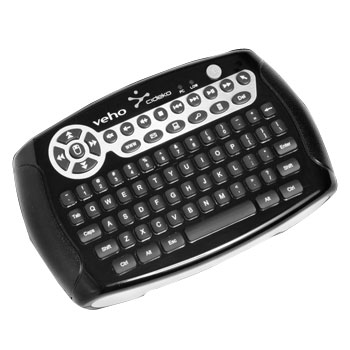
Veho MIMI-KEY-002 Mimi wifi Keyboard & Air Mouse
Scan code: LN40480
Manufacturer code: MIMI-KEY-002
End Of Life


Product Overview
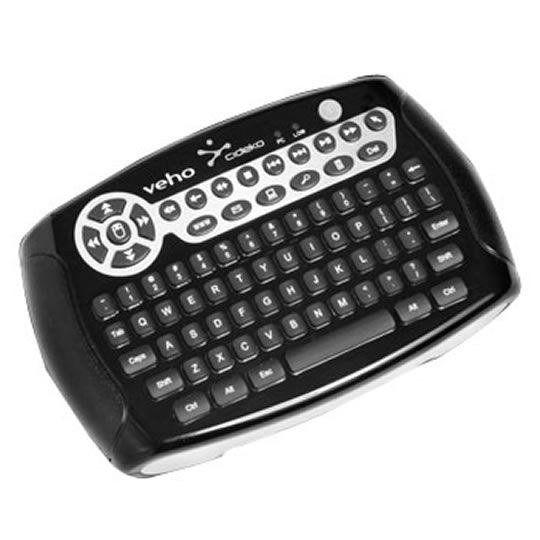
Integration of wireless mouse and keyboard into a single device, this Air keyboard the ultimate in technology innovation. It's built-in 3D motion mouse sensor helps you control the cursor. This 80 key mini keyboard allows you send emails anywhere and at anytime. Features - Motion sensing air mouse
- Left and right mouse buttons
- LED indicators : low power(red) & PC mode (green)
Power Saving function :
Air keyboard switches to power saving mode after being idle for 10 seconds.press any key or move the mouse to wake it up.
Air keyboard switches to hibernating mode after being idle for 4 minutes. will switch off to save power, press the left click button to turn it on again
Range: up to 12 metres
Dimension :
142mm(L) x 88mm(W) x 32.9mm(H)
Battery life :
>50 hr for constant usage
Supported system :
MS Windows 98/ME/2000/XP/Vista/Window 7
Mac OS X (v10.2 or later version)
Linux
Hot keys for controlling multimedia functions and accessing computer application (only for Windows)
Integration of wireless mouse and keyboard into a single device, this Air keyboard the ultimate in technology innovation. It's built-in 3D motion mouse sensor helps you control the cursor. This 80 key mini keyboard allows you send emails anywhere and at anytime. Features - Motion sensing air mouse
- Left and right mouse buttons
- LED indicators : low power(red) & PC mode (green)
Power Saving function :
Air keyboard switches to power saving mode after being idle for 10 seconds.press any key or move the mouse to wake it up.
Air keyboard switches to hibernating mode after being idle for 4 minutes. will switch off to save power, press the left click button to turn it on again
Range: up to 12 metres
Dimension :
142mm(L) x 88mm(W) x 32.9mm(H)
Battery life :
>50 hr for constant usage
Supported system :
MS Windows 98/ME/2000/XP/Vista/Window 7
Mac OS X (v10.2 or later version)
Linux
Hot keys for controlling multimedia functions and accessing computer application (only for Windows)
