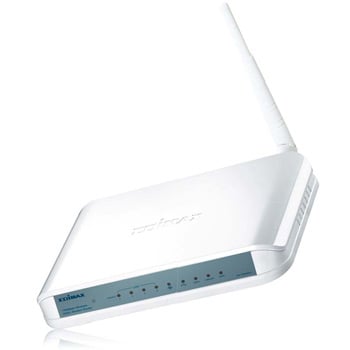
Edimax AR-7284WnA 11n 150mbps ADSL2+ Modem router inc 4 Port Switch
Scan code: LN31758
Manufacturer code: AR-7284WnA
End Of Life


Product Overview
150Mbps Wireless ADSL2/2+ Modem Router
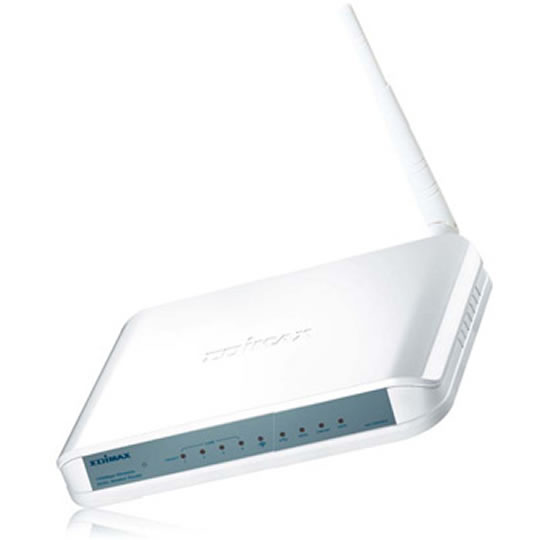
Edimax AR-7284WnA/B is a high performance router that provides a full rate of ADSL2+ standard with the superb reliability and a cost-effective solution for home and small business. This modem router compatible with 802.11n, the next generation wireless standard. With the advanced MIMO technology, it provides up to 6 times better data transmission rate (up to 150Mbps) and 3 times better coverage than a standard 802.11g/b router.
Wi-Fi Protected Setup (WPS)
Activate the wireless protection and connection by pressing the WPS button. One-Click WPS button helps you to setup a secure wireless network in a minute.
Built-in ADSL2/2+ Modem and lP Sharing
You can share the ADSL broadband connection to all wired and wireless network clients (up to 253 clients) whilst benefit from any ADSL, ADSL2 or ADSL2+ Internet connection, with up to 24Mbps Downstream speed and 1Mbps Upstream speed.
Multi-languages Setup Wizard*
A unique Multi-languages Setup Wizard is provided in the bundled CD. You can select your own language and follow a few simple steps to setup the Internet connection, router's password, SSID, wireless security and firmware upgrade.
Virtual Server and DMZ
For applications that require open port(s) such as online games, VoIP phones, web server and etc, the built-in Virtual Server and DMZ functions are featured.
Supports TR-069 for Remote Management
The AR-7284WnA/B also supports TR-069 which is a protocol specifically defines a common method for CPE devices to communicate with a server. ISP can update the firmware and other settings automatically. Features • Complies with ADSL2/2+ standards with downstream and upstream data rate up to 24Mbps and 1Mbps
• Compatible with wireless 802.11n standard with data rate up to 150Mbps
• Increases the wireless speed up to 6 times faster and extends the coverage 4 time further *
• Includes EZMax multi-languages setup wizard for Internet connection, wireless settings and firmware upgrade
• Supports WPS configuration button
• Supports WMM, UPnP, SNMP, DHCP, IP/MAC filter, DMZ and virtual server
Edimax AR-7284WnA/B is a high performance router that provides a full rate of ADSL2+ standard with the superb reliability and a cost-effective solution for home and small business. This modem router compatible with 802.11n, the next generation wireless standard. With the advanced MIMO technology, it provides up to 6 times better data transmission rate (up to 150Mbps) and 3 times better coverage than a standard 802.11g/b router.
Wi-Fi Protected Setup (WPS)
Activate the wireless protection and connection by pressing the WPS button. One-Click WPS button helps you to setup a secure wireless network in a minute.
Built-in ADSL2/2+ Modem and lP Sharing
You can share the ADSL broadband connection to all wired and wireless network clients (up to 253 clients) whilst benefit from any ADSL, ADSL2 or ADSL2+ Internet connection, with up to 24Mbps Downstream speed and 1Mbps Upstream speed.
Multi-languages Setup Wizard*
A unique Multi-languages Setup Wizard is provided in the bundled CD. You can select your own language and follow a few simple steps to setup the Internet connection, router's password, SSID, wireless security and firmware upgrade.
Virtual Server and DMZ
For applications that require open port(s) such as online games, VoIP phones, web server and etc, the built-in Virtual Server and DMZ functions are featured.
Supports TR-069 for Remote Management
The AR-7284WnA/B also supports TR-069 which is a protocol specifically defines a common method for CPE devices to communicate with a server. ISP can update the firmware and other settings automatically. Features • Complies with ADSL2/2+ standards with downstream and upstream data rate up to 24Mbps and 1Mbps
• Compatible with wireless 802.11n standard with data rate up to 150Mbps
• Increases the wireless speed up to 6 times faster and extends the coverage 4 time further *
• Includes EZMax multi-languages setup wizard for Internet connection, wireless settings and firmware upgrade
• Supports WPS configuration button
• Supports WMM, UPnP, SNMP, DHCP, IP/MAC filter, DMZ and virtual server


