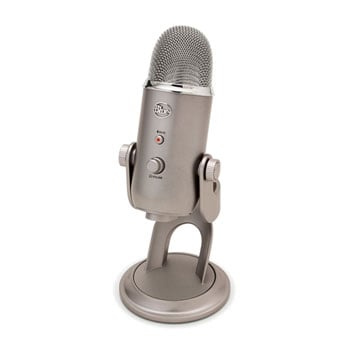
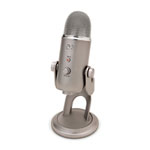
Blue Microphones Yeti USB Platinum 2018 Edition Microphone
Scan code: LN62857
Manufacturer code: 2018
End Of Life

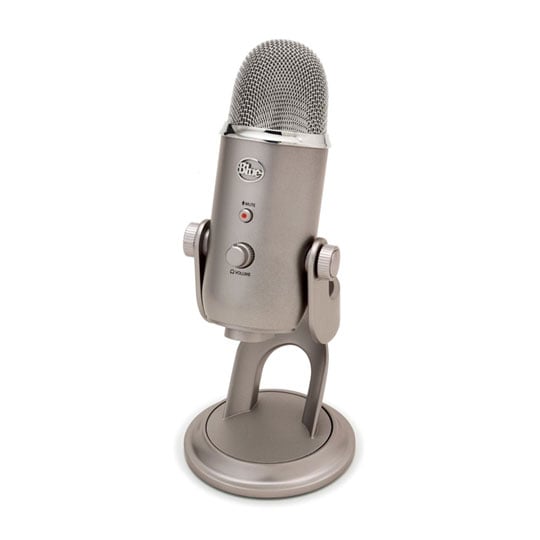
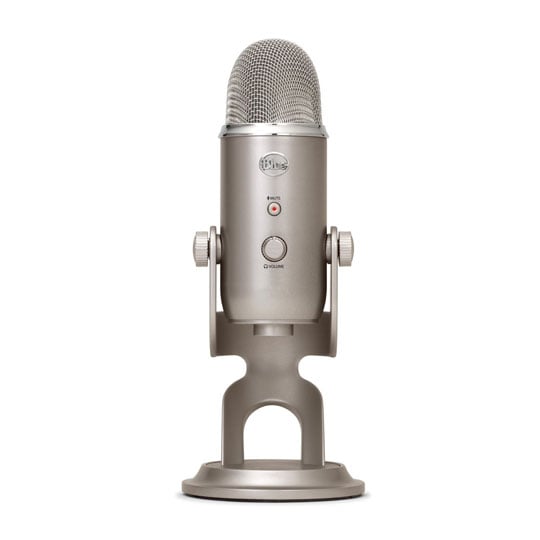
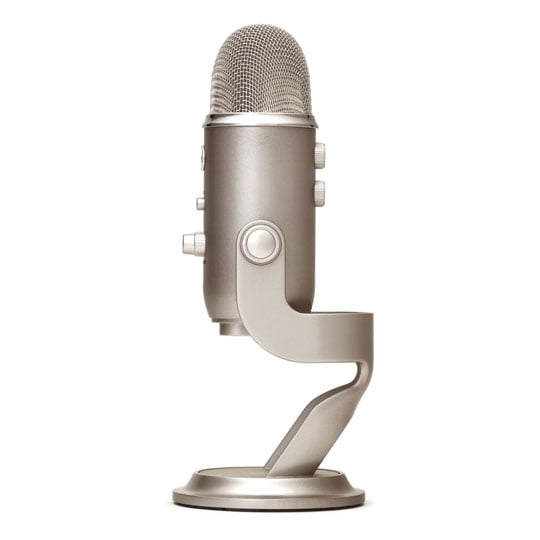


Blue Microphones Yeti USB Platinum 2018 Edition Microphone
Blue Microphones 2018 Yeti Microphone, Platinum Edition, USB, Stereo, Cardioid, Omnidirectional, Bidirectional
Scan code:
LN62857
Manufacturer code:
2018
This product is no longer available to purchase.
Email me when the availability or price changes
- SCANPROTECT Protect against installation damage for 28 days.
Product Overview
Ultimate USB Mic For Professional Recording

Exceptional Performance
The Yeti is one of the most advanced and versatile multi-pattern USB microphones available anywhere. Combining three capsules and four different pattern settings, the Yeti is an ultimate tool for creating amazing recordings, directly to your computer. With exceptional sound and performance, the Yeti can capture anything with a clarity & ease unheard of in a USB microphone.
Create unparalleled recordings directly in your computer with Blue Microphone's Yeti USB Microphone. The Yeti uses Blue Microphone's proprietary tri-capsule technology to produce pristine, studio-quality recordings. It features four different pattern settings so you can record vocals, instrumental music, podcasts, or interviews in ways that would normally require multiple microphones. With simple controls for headphone volume, pattern selection, instant mute, and microphone gain, you'll be creating exceptional recordings right out of the box.
The Yeti features Blue's innovative triple capsule array, allowing for recording in stereo or your choice of three unique patterns, including cardioid, omnidirectional, and bidirectional, giving you recording capabilities usually requiring multiple microphones.
The Yeti utilizes a high quality analog-to-digital converter to send incredible audio fidelity directly into your computer, a built-in headphone amplifier for zero-latency monitoring, and simple controls for headphone volume, pattern selection, instant mute, and microphone gain located directly on the microphone. There are no drivers to install - simply plug the Yeti into your PC or Mac, load up your favorite recording software, and record something amazing.
Legendary Features

Advanced Multi-Pattern Mic
The legend of the Yeti continues with the most advanced and versatile multi-pattern USB microphone roaming the wild today. The Yeti features tools and recording capabilities usually requiring multiple microphones and devices, all with the simplicity of a plug 'n play USB microphone.
4 Settings. Endless Possibilities

Yeti For Any Application
You can quickly select from each of Yeti's four pattern settings (stereo, cardioid, omnidirectional, bidirectional) by simply rotating the pattern selector knob. The chart below shows each pattern's symbol, sound source direction, and suggested recording applications.
For a more in-depth look at each pattern, please refer to the detailed descriptions and frequency response charts further down the page.
Stereo
The Stereo mode is great for capturing a realistic stereo image. To start, point the microphone at the sound source that you want to record (the "front" of the microphone is the side of the microphone with the Blue Microphones Logo). Depending on the instrument and/or sound that you want to achieve, place the grill of the microphone anywhere from 2 inches to several feet in front of the sound source. By centering the sound source, you will get equal amounts of signal in both the left and right channels. If you want a little more of the signal in the right channel, move the sound source a little to the right side of the mic (as if one is behind the microphone), and if you want a little more of the signal in the left channel, move the sound source to the left (as if you are behind the microphone). Alternatively, you can record everything as centered as possible, and easily adjust the position when you're mixing the recording. If you want the sound in the right or left channel only, you should try using the cardioid, bidirectional or the omnidirectional setting, and use your software to hard-pan the sound to the left or the right.
Cardioid
Cardioid is the most commonly used mode and can be useful in most any situation. If you are recording vocals, a podcast, or a voiceover, cardioid is likely your best choice. When recording in cardioid, sound directly in front of the microphone is picked up while the sound at the rear and sides of the microphone is not picked up. Therefore, you will want to arrange the source directly in front of the microphone. Cardioid will deliver the most direct, rich sound, but will not offer as much airiness or presence as the other recording modes.
Omnidirectional
Omnidirectional means that the microphone picks up sound equally from all directions. This setting is perfect for recording a group of musicians all playing at the same time, recording a conversation between multiple parties around a room, a conference call, or any other situations where you want to capture the ambience of 'being there.' Because sound is picked up from all directions in this mode, the orientation of the microphone isn't crucial, but as a good rule of thumb, start by orienting the front of the microphone at the primary sound source you wish to record.
Bidirectional
Bidirectional means that the microphone picks up sound at the front and rear of the microphone, while the sounds to the sides are "rejected", or not picked up. The bidirectional setting is very useful in achieving a nuanced, pleasant sound when recording musical instruments, and is perfect for recording an interview with two or more guests. By placing the microphone between two or more subjects (front of microphone facing one source, rear of microphone facing another), you can achieve a natural sound without the complexity of using multiple microphones.
Features
• Power Required/Consumption: 5V 500mA (USB) 4V DC (Analogue)
• Polar Patterns: Cardioid, Bidirectional, Omnidirectional, Stereo
• Frequency Responce: 20Hz – 20kHz
• Weight: (microphone) 1.2 lbs/0.55 kg (stand) 2.2 lbs/1 kg
• Dimensions: 12 x 12.5 x 29.5 cm (extended in stand)
Exceptional Performance
The Yeti is one of the most advanced and versatile multi-pattern USB microphones available anywhere. Combining three capsules and four different pattern settings, the Yeti is an ultimate tool for creating amazing recordings, directly to your computer. With exceptional sound and performance, the Yeti can capture anything with a clarity & ease unheard of in a USB microphone.
Create unparalleled recordings directly in your computer with Blue Microphone's Yeti USB Microphone. The Yeti uses Blue Microphone's proprietary tri-capsule technology to produce pristine, studio-quality recordings. It features four different pattern settings so you can record vocals, instrumental music, podcasts, or interviews in ways that would normally require multiple microphones. With simple controls for headphone volume, pattern selection, instant mute, and microphone gain, you'll be creating exceptional recordings right out of the box.
The Yeti features Blue's innovative triple capsule array, allowing for recording in stereo or your choice of three unique patterns, including cardioid, omnidirectional, and bidirectional, giving you recording capabilities usually requiring multiple microphones.
The Yeti utilizes a high quality analog-to-digital converter to send incredible audio fidelity directly into your computer, a built-in headphone amplifier for zero-latency monitoring, and simple controls for headphone volume, pattern selection, instant mute, and microphone gain located directly on the microphone. There are no drivers to install - simply plug the Yeti into your PC or Mac, load up your favorite recording software, and record something amazing.
Advanced Multi-Pattern Mic
The legend of the Yeti continues with the most advanced and versatile multi-pattern USB microphone roaming the wild today. The Yeti features tools and recording capabilities usually requiring multiple microphones and devices, all with the simplicity of a plug 'n play USB microphone.
Yeti For Any Application
You can quickly select from each of Yeti's four pattern settings (stereo, cardioid, omnidirectional, bidirectional) by simply rotating the pattern selector knob. The chart below shows each pattern's symbol, sound source direction, and suggested recording applications.
For a more in-depth look at each pattern, please refer to the detailed descriptions and frequency response charts further down the page.
Stereo
The Stereo mode is great for capturing a realistic stereo image. To start, point the microphone at the sound source that you want to record (the "front" of the microphone is the side of the microphone with the Blue Microphones Logo). Depending on the instrument and/or sound that you want to achieve, place the grill of the microphone anywhere from 2 inches to several feet in front of the sound source. By centering the sound source, you will get equal amounts of signal in both the left and right channels. If you want a little more of the signal in the right channel, move the sound source a little to the right side of the mic (as if one is behind the microphone), and if you want a little more of the signal in the left channel, move the sound source to the left (as if you are behind the microphone). Alternatively, you can record everything as centered as possible, and easily adjust the position when you're mixing the recording. If you want the sound in the right or left channel only, you should try using the cardioid, bidirectional or the omnidirectional setting, and use your software to hard-pan the sound to the left or the right.
Cardioid
Cardioid is the most commonly used mode and can be useful in most any situation. If you are recording vocals, a podcast, or a voiceover, cardioid is likely your best choice. When recording in cardioid, sound directly in front of the microphone is picked up while the sound at the rear and sides of the microphone is not picked up. Therefore, you will want to arrange the source directly in front of the microphone. Cardioid will deliver the most direct, rich sound, but will not offer as much airiness or presence as the other recording modes.
Omnidirectional
Omnidirectional means that the microphone picks up sound equally from all directions. This setting is perfect for recording a group of musicians all playing at the same time, recording a conversation between multiple parties around a room, a conference call, or any other situations where you want to capture the ambience of 'being there.' Because sound is picked up from all directions in this mode, the orientation of the microphone isn't crucial, but as a good rule of thumb, start by orienting the front of the microphone at the primary sound source you wish to record.
Bidirectional
Bidirectional means that the microphone picks up sound at the front and rear of the microphone, while the sounds to the sides are "rejected", or not picked up. The bidirectional setting is very useful in achieving a nuanced, pleasant sound when recording musical instruments, and is perfect for recording an interview with two or more guests. By placing the microphone between two or more subjects (front of microphone facing one source, rear of microphone facing another), you can achieve a natural sound without the complexity of using multiple microphones.
• Polar Patterns: Cardioid, Bidirectional, Omnidirectional, Stereo
• Frequency Responce: 20Hz – 20kHz
• Weight: (microphone) 1.2 lbs/0.55 kg (stand) 2.2 lbs/1 kg
• Dimensions: 12 x 12.5 x 29.5 cm (extended in stand)

Blue Microphones Yeti USB Platinum 2018 Edition Microphone
![Blue Microphones Yeti USB Platinum 2018 Edition Microphone]()