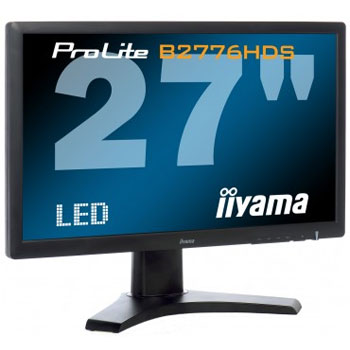
iiyama 27" ProLite B2776HDS-B LED Monitor
Scan code: LN41299
Manufacturer code: PLB2776HDS-B
End Of Life


Product Overview
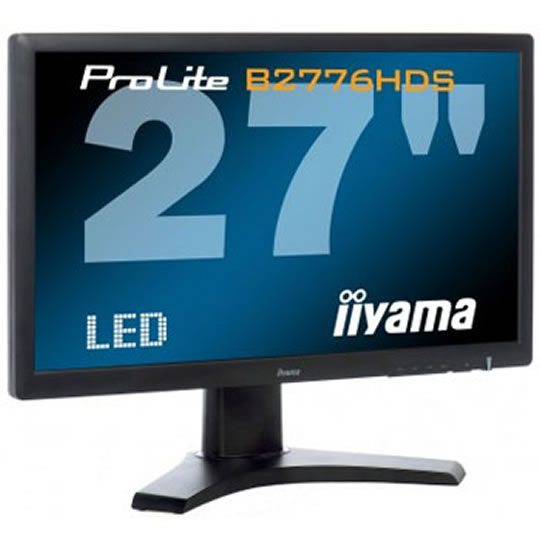
The Prolite B2776HDS-1 is a 27” LCD LED-backlit display with a Height Adjustable stand.
It features a stunning 1 ms Response Time and a High Definition 1920 x 1080 Resolution. The 5 000,000:1 Advanced Contrast Ratio and 300 cd/m² brightness offer the user clear and vivid images, and the HDMI and DVI connections ensure compatibility across a range of devices including games consoles and work stations. The iiyama ProLite B2776HDS-1 is the perfect display for commercial markets including design, legal and financial, as well as for gaming and the home user.
Features LED-Backlit
A typical CCFL LCD uses four backlight lamps. Using LED diodes considerably lowers the power consumption and reduces the CO2 emission into the environment making this LCD a true ECO-Friendly product.
Full HD
With true 1920 x 1080p resolution your monitor is ready to display high definition images. This means you can accommodate more information on your screen; e.g. 60% more in comparison to a 1280 x 1024 monitor.
ACR
Contrast Ratio is a measurement of the difference between the darkest black and the brightest white your monitor can display. Advanced Contrast Ratio is a feature that automatically adjusts contrast and brightness of the screen to assure perfect picture quality while watching films and playing games.
OverDrive ON / OFF
When very fast graphics are displayed your monitor can sometimes get blurry. Turning on the OverDrive feature will eliminate that.
HDMI
HDMI stands for High-Definition Multimedia Interface. Much smaller and more convenient than DVI, HDMI also has the significant advantage over DVI that it supports audio as well as video signals.
Speakers
This monitor is equipped with two high quality stereo speakers.
VESA
VESA mount compliance means you can easily mount your monitor to a wall.
Height Adjustable Stand
A Height Adjustable Stand allows you to set the perfect position of the screen ensuring ergonomic posture and optimal viewing comfort which benefits not only your health but also productivity.
It features a stunning 1 ms Response Time and a High Definition 1920 x 1080 Resolution. The 5 000,000:1 Advanced Contrast Ratio and 300 cd/m² brightness offer the user clear and vivid images, and the HDMI and DVI connections ensure compatibility across a range of devices including games consoles and work stations. The iiyama ProLite B2776HDS-1 is the perfect display for commercial markets including design, legal and financial, as well as for gaming and the home user.
Features LED-Backlit
A typical CCFL LCD uses four backlight lamps. Using LED diodes considerably lowers the power consumption and reduces the CO2 emission into the environment making this LCD a true ECO-Friendly product.
Full HD
With true 1920 x 1080p resolution your monitor is ready to display high definition images. This means you can accommodate more information on your screen; e.g. 60% more in comparison to a 1280 x 1024 monitor.
ACR
Contrast Ratio is a measurement of the difference between the darkest black and the brightest white your monitor can display. Advanced Contrast Ratio is a feature that automatically adjusts contrast and brightness of the screen to assure perfect picture quality while watching films and playing games.
OverDrive ON / OFF
When very fast graphics are displayed your monitor can sometimes get blurry. Turning on the OverDrive feature will eliminate that.
HDMI
HDMI stands for High-Definition Multimedia Interface. Much smaller and more convenient than DVI, HDMI also has the significant advantage over DVI that it supports audio as well as video signals.
Speakers
This monitor is equipped with two high quality stereo speakers.
VESA
VESA mount compliance means you can easily mount your monitor to a wall.
Height Adjustable Stand
A Height Adjustable Stand allows you to set the perfect position of the screen ensuring ergonomic posture and optimal viewing comfort which benefits not only your health but also productivity.


