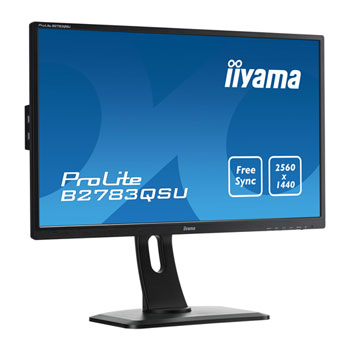
iiyama B2783QSU-B1 27" FreeSync Monitor - Black
Scan code: LN67498
Manufacturer code: B2783QSU-B1
End Of Life

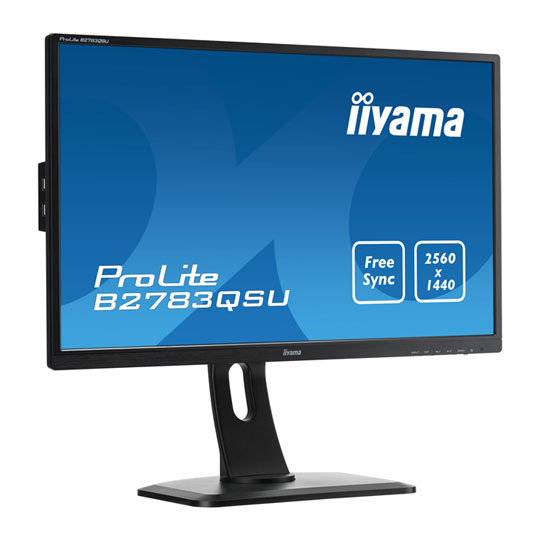

iiyama B2783QSU-B1 27" FreeSync Monitor - Black
27" iiyama B2783QSU-B1 FreeSync TN LED Monitor, 2560 x 1440, 1ms, 350cd/m2, HDMI/DVI/DP/USB, Swivel/Pivot/Tilt, Black
Scan code:
LN67498
Manufacturer code:
B2783QSU-B1
This product is no longer available to purchase.
- 3XS Approved Custom picked by our award winning 3XS Systems team.
Product Overview
The ProLite B2783QSU is an excellent 27” QHD LED-backlit monitor bringing the world of Business and Gaming together. The monitor offers accurate and consistent colour reproduction with wide viewing angles and a sharp high resolution 2560x1440 panel. Its ergonomic stand offers 13cm height adjustment with pivot and swivel, making this screen suitable for a wide range of applications and environments where workplace flexibility and ergonomics are key factors. This monitor supports FreeSync™ technology, offering gamers the chance to experience fluid and fracture free gaming. Triple input (DVI/HDMI/DisplayPort) and a USB HUB ensure compatibility with your desktop PC or Notebook.
Features
Blue Light Reducer
As we all know looking at a monitor screen for several hours per day, especially form a closer distance, causes eye fatigue. This effect is much stronger with computer screens than with TV equipment. One of the factors responsible for this phenomenon is the blue light emitted by the screen. Therefore reducing the amount of blue light ultimately allows our eyes to feel less tired while working long hours with a computer screen. We achieved it by adjusting the monitor's brightness and color temperature through a new feature called “Blue light reduction” easily accessible through the monitor’s OSD menu.
Overdrive
When very fast graphics are displayed your monitor can sometimes get blurry. Turning on the OverDrive feature will eliminate that.
Has + Pivot
A Height Adjustable Stand allows you to set the perfect position of the screen ensuring ergonomic posture and optimal viewing comfort which benefits not only your health but also productivity. Screen rotation means you can change the position of the screen from landscape into portrait. This feature can be very handy while working with long spreadsheets or texts.
Speakers and Headphones
Playing with friends? Use the integrated high quality speakers. Don’t want to disturb anybody? Plug your headset to the headphone socket and turn the volume up.
As we all know looking at a monitor screen for several hours per day, especially form a closer distance, causes eye fatigue. This effect is much stronger with computer screens than with TV equipment. One of the factors responsible for this phenomenon is the blue light emitted by the screen. Therefore reducing the amount of blue light ultimately allows our eyes to feel less tired while working long hours with a computer screen. We achieved it by adjusting the monitor's brightness and color temperature through a new feature called “Blue light reduction” easily accessible through the monitor’s OSD menu.
Overdrive
When very fast graphics are displayed your monitor can sometimes get blurry. Turning on the OverDrive feature will eliminate that.
Has + Pivot
A Height Adjustable Stand allows you to set the perfect position of the screen ensuring ergonomic posture and optimal viewing comfort which benefits not only your health but also productivity. Screen rotation means you can change the position of the screen from landscape into portrait. This feature can be very handy while working with long spreadsheets or texts.
Speakers and Headphones
Playing with friends? Use the integrated high quality speakers. Don’t want to disturb anybody? Plug your headset to the headphone socket and turn the volume up.


iiyama B2783QSU-B1 27" FreeSync Monitor - Black
![iiyama B2783QSU-B1 27" FreeSync Monitor - Black]()