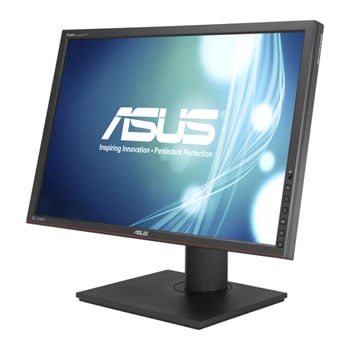

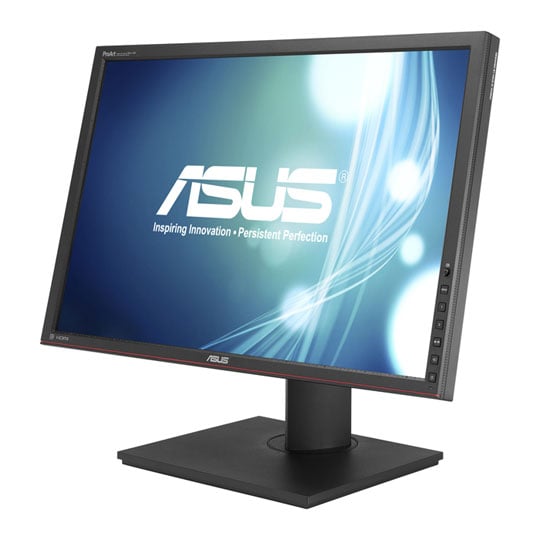

ASUS PA248Q 24.1" LED Monitor with IPS Panel
24.1" ASUS PA248Q Monitor, IPS Panel, 1920x1200, 6ms, 300cd/m², D-Sub/DP/DVI/HDMI, Black
Email me when the availability or price changes
- SCANPROTECT Protect against installation damage for 28 days.
- 48HR REPLACEMENT If you need to return this item, your replacement will be dispatched within 2 working days of your product arriving back at Scan.
- 3XS Approved Custom picked by our award winning 3XS Systems team.
Full HD with HDMI
Enter a spectacular world of colours with Full HD 1080p (1920x1080) support and HDMI port.
80,000,000:1 ASUS Smart Contrast Ratio
Dynamically enhances the display’s contrast by adjusting the luminance of the backlight to achieve the darkest black and brightest white – delivering lifelike images.
Pre-Calibrated Right Out-Of Box
The out-of-box settings are impressive as each PA248Q is pre-calibrated at factory to prove the best colour accuracy. To ensure that each PA248Q produces the most accurate and consistent colour, we carefully measure its ?E and gamma value and track its grey-scaling. It even supports both Gamma 2.2 for PC and Gamma 1.8 for Mac – offering users more flexibilities to work with.
Each PA248Q guarantees industry-leading colour accuracy, having been calibrated to minimise colour difference to ?E (Delta E) of less than 5 – ensuring precise reading of colour input and guarantees excellent colour fidelity.
Optimal HD A+ IPS Panel
The ASUS PA248Q features a 16:10 aspect ratio, 1920 x 1200 A+ IPS LED-backlit panel for 100% sRGB and 72% NTSC colour reproduction; additionally, along with a 178° wide viewing angle, it ensures quality visuals and minimal onscreen colour shift from almost any viewing position.
ASUS Smart Contrast Ratio
With ASUS Smart Contrast Ratio (ASCR) of 80,000,000:1 and 300cd/m² of brightness, the ASUS PA248Q enhances display contrast and sharpness – by adjusting the luminance of the backlight to achieve the darkness black and brightest white – delivering lifelike visuals.
Customised Colour Adjustment
Customised hue and saturation control with 6 colour adjustment allows user to adjust six colours (red, green, blue, cyan, magenta and yellow).
Ultra-Smooth Visuals
ASUS PA248Q also delivers ultra-smooth visuals thanks to a 6ms (GTG) response time – ensuring users have a lag-free viewing experience when it comes to watching movies or playing games. Games played under the PA248Q are more vivid – as all details can be seen and true colour can be shown with the PA248Q.
Extensive Connectivity
PA248Q sets a standard by being the world’s first monitor with four USB 3.0 ports; users can easily plug in their devices and experience ultra-fast transmission speeds that are up to 10 times* that of current USB 2.0 standards.
Expand Your Visual Horizon with Multi-Display Setup
An extensive array of connectivity and high compatibility options are available with the PA248Q including DisplayPort, HDMI, DVI and D-Sub; the PA248Q also allows users to use up to two or three displays simultaneously.
Splendid™ Video Intelligence Technology
ASUS Splendid™ Video Intelligence Technology is built upon a colour engine that automatically analyses and determines the nature of the user’s current task, thereafter adjusting the display’s parameters according to ensure colour accuracy and image fidelity. Six preset modes (Scenery, Theatre, sRGB, standard and two user modes) can be selected via a designated hotkey.
Intuitive 5 Way Navigation Key
The PA248Q has a 5-way navigation key that acts as a joystick that gives access to the QuickFit Virtual Scale function along with all OSD functions and settings.
Customisable OSD Shortcuts
The PA248Q features customisable OSD shortcuts through two designated hotkeys for quick access to the 10 most frequently used OSD functions.
Picture-in-Picture and Picture-by-Picture
ASUS exclusive innovations Picture-in-Picture (PIP) and Picture-by-Picture (PBP) allows users to view images from different signals in almost anyway they want. PIP and PBP let users view images from different signals and let them switch between the main and PIP source, including audio, easily.
QuickFit Virtual Scale Function
ASUS included its exclusive QuickFit Virtual Scale Function with the PA248Q, allowing users to preview photos and documents on screen in their actual sizes prior to printing. It can activated via a hotkey on monitor and used as a guide to accurately view and edit photos. Additionally, the PA248Q also comes with a choice of seven different background colours for users to choose from.
Ergonomic, Award-winning Design
As with most ASUS displays, the PA248Q has an ergonomic design, with tilt, swivel, pivot and height adjustment to give users a comfortable viewing experience. Its design has garnered accolades at the reddot Design awards and International Design Excellence Awards (IDEA).
Flicker-Free Technology
It's time to say goodbye to those tired, strained eyes. PA248Q features ASUS Flicker-Free technology to reduce flicker for a comfortable viewing experience. This technology helps minimise instances of eyestrain and other damaging ailments, especially when you spend long, countless hours in front of a display watching favourite videos.
• True, precise colours on a 100% sRGB, 16:10 aspect ratio, 1920 x 1200 optimal A+ IPS panel.
• The world's first monitor with four USB 3.0 ports for 10X faster transfer.
• ASUS-exclusive innovations like QuickFit, Splendid™ and 5-Way navigation key for enhanced productivity.
• ASUS Eye Care monitors feature Flicker-free technologies, ergonomic design with tilt, swivel, pivot and height adjustments to ensure a comfortable viewing experience.